How Are Bluetooth Speakers Powered and What You Need to Know
Bluetooth speakers are powered by rechargeable batteries, typically lithium-ion or lithium-polymer cells, and charged via USB cables, wall adapters, or even solar panels. Understanding how your Bluetooth speaker gets its power helps you choose the right model, extend battery life, and avoid common charging mistakes.
Key Takeaways
- Battery Type Matters: Most Bluetooth speakers use lithium-ion or lithium-polymer batteries for reliable, long-lasting power.
- Charging Options Vary: You can charge speakers via USB, wall adapters, car chargers, or even solar-powered options.
- Battery Life Depends on Usage: Volume level, connectivity, and speaker size all affect how long a charge lasts.
- You Can Extend Battery Life: Simple habits like lowering volume and turning off Bluetooth when idle help preserve power.
- Some Speakers Offer Unique Power Features: Certain models work without Bluetooth or can be powered by external sources like phones or Alexa devices.
📑 Table of Contents
- How Are Bluetooth Speakers Powered
- Types of Batteries in Bluetooth Speakers
- How Do Bluetooth Speakers Get Charged
- How Long Does a Bluetooth Speaker Battery Last
- Can You Power a Bluetooth Speaker Without Bluetooth
- Tips to Extend Your Bluetooth Speaker Battery Life
- Common Mistakes That Drain Bluetooth Speaker Batteries
- Can You Replace a Bluetooth Speaker Battery
- How Power Connects to Sound Quality
- Final Thoughts
How Are Bluetooth Speakers Powered
Bluetooth speakers have changed the way we enjoy music. You can carry them to the beach, the park, or even the bathroom. But have you ever stopped to think about how are Bluetooth speakers powered? It is a simple question, but the answer opens up a world of useful knowledge.
At the heart of every wireless speaker is a battery. That battery stores energy and sends it to the speaker’s internal components. Without power, your speaker is just a fancy paperweight. Understanding how your speaker gets and uses energy helps you get the most out of it. Bluetooth speaker power is not complicated, but it does involve a few key parts and smart habits.
In this guide, we will walk through everything you need to know. We will cover battery types, charging methods, power consumption, and tips to make your battery last longer. Whether you own a tiny portable speaker or a big boombox, this article has you covered.
What Powers a Bluetooth Speaker
Every Bluetooth speaker needs a source of energy to work. That energy comes from a built-in battery. Most modern speakers use one of two battery types. The first is lithium-ion. The second is lithium-polymer. Both are rechargeable and lightweight. They are perfect for portable devices.
Lithium-ion batteries are the most common. They are found in phones, laptops, and speakers alike. They hold a lot of energy in a small space. Lithium-polymer batteries are a newer option. They are thinner and can be shaped to fit unusual spaces inside a speaker. Both types deliver steady power over time.
Inside the speaker, the battery connects to a small circuit board. This board manages the flow of electricity. It sends power to the amplifier, the Bluetooth chip, and the speaker driver. When you press play, all of these parts work together. The battery feeds them all at once.
Types of Batteries in Bluetooth Speakers
Not all speaker batteries are the same. The type of battery affects how long your speaker plays, how fast it charges, and how long it lasts overall. Let us look at the main options.
Lithium-Ion Batteries
Lithium-ion (Li-ion) batteries are the workhorses of the speaker world. They offer high energy density. This means they pack a lot of power into a small and light package. Most mid-range and high-end Bluetooth speakers use Li-ion cells.
These batteries typically last for hundreds of charge cycles. A charge cycle is when you go from zero to full. A good Li-ion battery can handle 300 to 500 cycles before it starts to lose capacity. Over time, you may notice your speaker does not last as long on a single charge. That is normal battery wear.
Lithium-Polymer Batteries
Lithium-polymer (LiPo) batteries are similar to Li-ion but with one big difference. They use a solid or gel-like electrolyte instead of a liquid one. This makes them safer and more flexible in shape. Some premium portable speakers use LiPo batteries.
LiPo batteries tend to be a bit lighter than Li-ion. They also hold up well to physical stress. However, they can be more expensive to manufacture. You will often find them in high-end or ultra-thin speaker designs.
Comparison: Li-ion vs LiPo
| Feature | Lithium-Ion | Lithium-Polymer |
|---|---|---|
| Energy Density | High | High |
| Shape Flexibility | Rigid | Flexible |
| Weight | Light | Very Light |
| Cost | Lower | Higher |
| Safety | Good | Very Good |
| Lifespan | 300-500 cycles | 300-500 cycles |
Both battery types are safe when used properly. They are sealed inside the speaker and cannot be replaced by most users. If your battery dies, you usually need to replace the whole speaker or seek professional repair.
How Do Bluetooth Speakers Get Charged
Charging your speaker is straightforward, but the method matters. The way you charge affects speed, convenience, and battery health. Let us explore the most common charging options.
USB Charging
USB charging is the standard for most Bluetooth speakers. You plug a USB cable into the speaker and connect the other end to a power source. This can be a wall adapter, a computer, or a portable power bank.
Most speakers use a micro-USB or USB-C port. USB-C is becoming the new standard. It charges faster and is reversible, so you never have to guess which way to plug it in. If your speaker still uses micro-USB, consider a USB-C adapter for future-proofing.
Charging times vary widely. A small speaker might fully charge in one hour. A larger speaker could take three to four hours. Check your manual for the exact Bluetooth speaker charging time.
Wall Adapters
Using a wall adapter is the fastest and most reliable way to charge. You plug the adapter into an outlet and connect the USB cable. Look for adapters that output 5 volts and at least 2 amps. This ensures a steady and safe charge.
Avoid using cheap, low-quality adapters. They may deliver inconsistent power. In rare cases, a bad adapter can damage your speaker’s battery. Stick with reputable brands or the charger that came with your speaker.
Portable Power Banks
Power banks are a game-changer for outdoor use. They let you charge your speaker anywhere. A typical 10,000 mAh power bank can fully charge most portable speakers two or three times.
Look for power banks with a USB-A or USB-C output. Make sure the output matches your speaker’s charging needs. A portable Bluetooth speaker power bank is a must-have for camping trips, beach days, and long outdoor events.
Solar-Powered Charging
Some speakers now come with built-in solar panels. These are rare but growing in popularity. Solar charging is slow, but it works in a pinch. It is perfect for emergency situations or off-grid adventures.
You can also buy separate solar chargers that connect to your speaker via USB. These are more efficient than built-in panels. They give you a green way to keep your speaker powered up while enjoying the outdoors.
Car Chargers
If you use your speaker in the car, a car charger is very handy. You plug it into the cigarette lighter or USB port in your dashboard. This keeps your speaker charged during road trips.
Some users also ask, can I put a Bluetooth radio in my car? The answer is yes, and many car Bluetooth radios double as chargers. They keep your speaker powered while you drive.
How Long Does a Bluetooth Speaker Battery Last
Battery life is one of the most important factors when choosing a speaker. Nobody wants their music to stop mid-party. So how do you know what to expect?
Average Battery Life by Speaker Size
Small portable speakers typically last between 4 and 8 hours on a full charge. Medium-sized speakers can go 8 to 12 hours. Large boombox-style speakers may last 12 to 20 hours or more. These numbers vary based on several factors.
What Affects Battery Life
Several things drain your Bluetooth speaker battery faster than others. Here are the main factors:
- Volume Level: Higher volume uses more power. Playing at full blast will drain the battery quickly.
- Bluetooth Connectivity: The Bluetooth chip uses energy constantly. If the connection is weak, it uses even more power as it tries to maintain the link.
- Equalizer Settings: Heavy bass and high treble require more amplifier power. This drains the battery faster.
- Ambient Temperature: Extreme heat or cold can reduce battery performance. Room temperature is ideal for best speaker battery life.
- Age of the Battery: Older batteries hold less charge. After 2-3 years, you may notice shorter playback times.
To get the most out of each charge, keep the volume moderate and store your speaker at room temperature. These simple steps go a long way.
Can You Power a Bluetooth Speaker Without Bluetooth
Here is an interesting question. Can I use a Bluetooth speaker without Bluetooth? The short answer is yes. Many speakers can still play audio even when Bluetooth is turned off or not connected.
Some speakers have an AUX input. You can plug in a 3.5mm cable from your phone or laptop. The speaker will play through the cable instead of using Bluetooth. This uses less power because the Bluetooth radio is off.
Turning off Bluetooth when you do not need it can save battery. If you are using a wired connection, you are getting the same sound with less speaker power consumption. This is a great trick for extending playback time.
Similarly, some smart home devices can act as a power source or audio hub. For example, can I use Alexa as a Bluetooth speaker? Yes, Alexa devices can stream audio to speakers, but they still need their own power source. The key takeaway is that Bluetooth is just one way to get audio to your speaker. It is not the only path, and turning it off saves energy.
Tips to Extend Your Bluetooth Speaker Battery Life
Taking care of your speaker battery is easy. A few simple habits can make a big difference. Here are some proven tips.
1. Charge Smart
Do not wait until your speaker is completely dead to charge it. Lithium batteries prefer partial charges. Try to keep your battery between 20% and 80%. This reduces wear and extends overall battery health.
Also, unplug your speaker once it is fully charged. Leaving it plugged in for days can stress the battery. Most modern speakers have overcharge protection, but it is still better to be safe.
2. Lower the Volume
Playing music at 50% volume instead of 100% can double your battery life. This is one of the easiest Bluetooth speaker battery tips there is. You will still hear your music clearly, and the speaker will not work as hard.
3. Turn Off When Not in Use
Many speakers have an auto-shutoff feature. If yours does not, make a habit of turning it off manually. A speaker left on idle still drains the battery. It is a small waste that adds up over time.
4. Store Properly
If you are not going to use your speaker for a while, store it with a 50% charge. Keep it in a cool, dry place. Avoid leaving it in a hot car or in direct sunlight. Heat is the enemy of lithium batteries.
5. Use the Right Charger
Always use the charger that came with your speaker or a high-quality replacement. Cheap chargers can deliver unstable voltage. This may harm your battery over time and reduce its rechargeable Bluetooth speaker lifespan.
Common Mistakes That Drain Bluetooth Speaker Batteries
Everyone makes mistakes with their gear. Here are the most common ones that hurt your speaker battery.
- Leaving Bluetooth On All the Time: The Bluetooth radio uses power even when no device is connected. Turn it off when you are not streaming.
- Charging with Low-Quality Cables: Thin or damaged cables can slow charging and cause heat buildup. Use thick, well-made cables.
- Ignoring Firmware Updates: Some speaker makers release updates that improve power management. Keep your speaker’s firmware up to date.
- Overcharging: While most speakers have protection, leaving them plugged in for weeks is not ideal. Unplug when full.
- Using the Speaker in Extreme Temperatures: Cold weather reduces battery output. Hot weather can cause permanent damage. Use your speaker in normal conditions.
Avoiding these mistakes will help your speaker battery stay healthy for years. A well-maintained battery holds its charge much longer than a neglected one.
Can You Replace a Bluetooth Speaker Battery
Most Bluetooth speakers have sealed, non-replaceable batteries. This is by design. Manufacturers seal the battery inside the casing to make the speaker waterproof and compact.
If your battery dies, you have a few options. You can contact the manufacturer for repair. Some brands offer battery replacement services. You can also find a local electronics repair shop. However, in many cases, the cost of a battery replacement is close to the price of a new speaker.
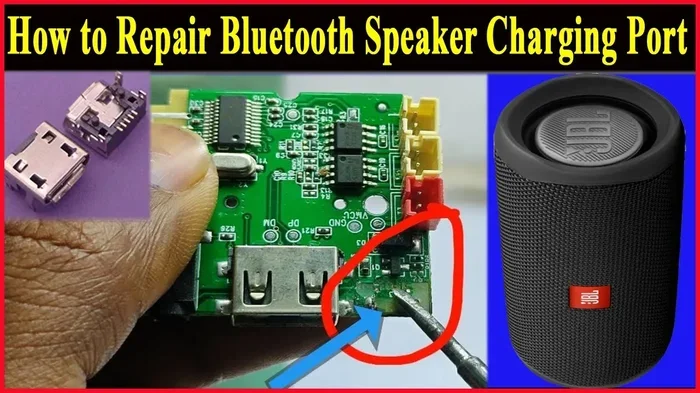
For DIY enthusiasts, some speakers can be opened and the battery replaced. This requires caution and basic soldering skills. Always disconnect the battery before working on any electronics. Safety first.
If you are looking for a speaker with a user-replaceable battery, check for models that specifically advertise this feature. They are less common but do exist. These are great for long-term use and sustainability.
How Power Connects to Sound Quality
You might wonder, does Bluetooth speaker power affect sound quality? The answer is yes. More power means a stronger amplifier. A stronger amplifier can drive larger speaker drivers. This leads to louder, clearer, and richer sound.
Small battery-powered speakers are limited by their size. They cannot hold large batteries or big amplifiers. That is why compact speakers sound different from large boomboxes. The power available shapes the audio output.
If you want deeper bass and louder volume, look for speakers with higher wattage and larger batteries. A speaker with a big battery and a powerful amplifier will outperform a small one every time. But for casual listening, most mid-range speakers are more than enough.
Final Thoughts
How are Bluetooth speakers powered is a question with a simple answer at its core. Rechargeable batteries, mostly lithium-ion or lithium-polymer, do the heavy lifting. USB cables, wall adapters, and power banks keep them running. And smart charging habits help your battery last for years.
Understanding your speaker’s power needs helps you make better choices. You will pick the right charger. You will avoid battery-draining mistakes. You will get more playtime from every single charge. Take a few minutes to learn your speaker’s manual. Know its charging port, its battery capacity, and its estimated runtime.
With the right care, your Bluetooth speaker will keep your music going wherever you go. Charge it smart, store it well, and enjoy every beat.
Frequently Asked Questions
How long does it take to charge a Bluetooth speaker?
Most Bluetooth speakers take between 1 and 4 hours to fully charge. Smaller speakers charge faster, while larger ones take longer. Check your speaker’s manual for the exact charging time.
Can I use my phone charger to charge a Bluetooth speaker?
Yes, you can use most phone chargers. Look for a 5-volt output with at least 1 to 2 amps. USB-C and micro-USB chargers both work as long as they match your speaker’s port.
Why does my Bluetooth speaker die so fast?
Several things can cause fast battery drain. High volume, weak Bluetooth signals, and old batteries all play a role. Try lowering the volume and turning off Bluetooth when not in use to save power.
Can I leave my Bluetooth speaker plugged in overnight?
Most modern speakers have overcharge protection, so it is generally safe. However, it is best to unplug once fully charged. Leaving it plugged in for long periods can stress the battery over time.
Do Bluetooth speakers use a lot of electricity?
No, Bluetooth speakers use very little power. They are designed to be energy efficient. A full charge costs just a few cents in electricity. The battery is small and optimized for low consumption.
Can I make my wired headphones Bluetooth?
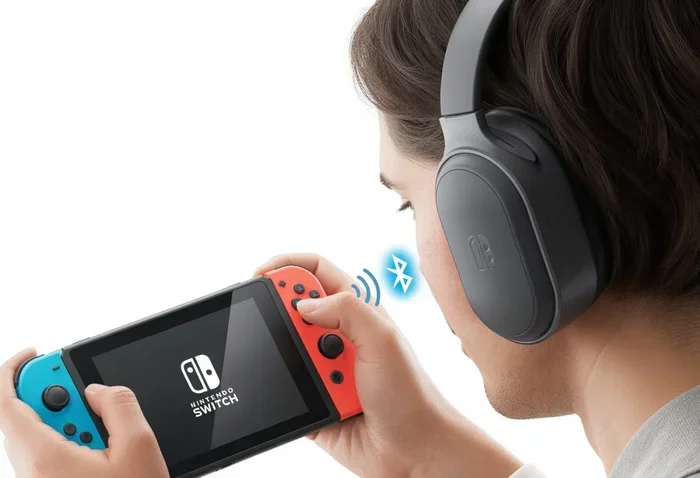
Yes, you can add a Bluetooth adapter to wired headphones. This lets you stream wirelessly from your phone or computer. It is a simple and affordable way to upgrade your listening experience.