Does Using Bluetooth In Your Car Use Phone Data Worth It
Using Bluetooth in your car does not consume significant phone data for basic tasks like calls and audio streaming. However, activities like music streaming apps and GPS navigation can use data depending on your setup. This guide breaks down exactly how Bluetooth works in your car, what uses data, and how to stay in control of your data plan.
You are driving down the highway. Your favorite song is blasting through the car speakers. Your phone is connected to your car through Bluetooth, and you are answering calls hands-free. Everything feels seamless. But then a thought hits you: does using Bluetooth in your car eat up your phone data?
This is a question many drivers ask but rarely get a clear answer for. The short answer is no, Bluetooth itself uses almost no data. But the full story is a bit more nuanced. Let us break it all down so you know exactly what is happening behind the scenes every time you connect your phone to your car.
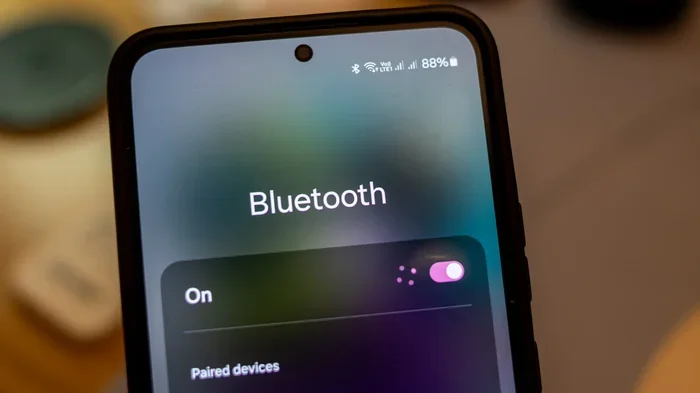
Bluetooth is a short-range wireless technology that lets devices talk to each other without cables. When you pair your phone with your car stereo, they create a direct wireless link. This link handles audio playback, calls, and sometimes even app controls. The key thing to understand is that Bluetooth does not need the internet to work. It uses radio waves, not cellular data, to transmit information between devices.
So why do people think Bluetooth uses data? It is because many of the things we do while connected to Bluetooth also involve apps that need internet. Streaming a song on Spotify, getting directions on Google Maps, or pulling up a podcast all require data. But that data usage comes from the apps, not from the Bluetooth connection itself.
Key Takeaways
- Bluetooth itself uses almost zero data: The wireless connection between your phone and car stereo uses minimal to no cellular data.
- Streaming music and GPS apps use data: If you stream Spotify or use Google Maps via Bluetooth, that data comes from your plan, not Bluetooth.
- Hands-free calls use very little data: Voice calls over Bluetooth use minimal data, especially on modern networks.
- You can reduce data usage easily: Download playlists offline and use offline maps to avoid eating into your data cap.
- Pairing and connecting use no data: The initial Bluetooth pairing process is completely data-free.
- Phone battery matters: Heavy Bluetooth use can drain your phone battery faster, especially in older vehicles.
- Consider upgrading your car stereo: A Bluetooth-enabled car stereo can improve sound quality and reduce reliance on your phone.
📑 Table of Contents
- How Bluetooth Works In Your Car
- What Uses Data When You Are Connected To Bluetooth?
- Does Bluetooth Calls Use Phone Data?
- How To Check Your Bluetooth Data Usage
- Does Bluetooth Drain Your Phone Battery?
- When Bluetooth In Your Car Is Worth It
- Bluetooth Vs. Other Wireless Connections In Your Car
- Common Bluetooth Myths About Data Usage
- Final Thoughts
How Bluetooth Works In Your Car
The Basics Of Bluetooth Connectivity
Bluetooth operates on a frequency band reserved for industrial, scientific, and medical devices. It uses very low power to send and receive data over short distances, typically up to 30 feet. When you pair your phone with your car, the two devices exchange a small amount of information. This includes device names, security keys, and audio profiles.
Once paired, your phone and car stereo can share audio seamlessly. You can play music from your phone through the car speakers. You can take calls without touching your phone. You can even use voice commands to control certain functions. None of this requires an internet connection.
Bluetooth Profiles And What They Do
Bluetooth uses something called profiles to define what it can do. The most common ones in cars are:
- HFP (Hands-Free Profile): This handles phone calls. It lets you make and receive calls through your car’s microphone and speakers.
- A2DP (Advanced Audio Distribution Profile): This handles streaming music. It sends high-quality audio from your phone to your car stereo.
- AVRCP (Audio/Video Remote Control Profile): This lets you control playback. You can skip tracks, pause music, or adjust volume from your steering wheel.
All of these profiles work locally between your phone and car. They do not pull data from the internet. This is why Bluetooth calls and local music playback use virtually no data.
What Uses Data When You Are Connected To Bluetooth?
Music Streaming Apps
If you stream music through apps like Spotify, Apple Music, or YouTube Music, you are using data. The Bluetooth connection just carries the audio signal from your phone to your car. But the app itself is pulling that music from the internet. So your data plan takes the hit, not the Bluetooth connection.
Here is a quick look at how much data different streaming qualities use:
- Low quality (24-48 kbps): About 10-20 MB per hour.
- Normal quality (96-160 kbps): About 40-80 MB per hour.
- High quality (320 kbps): About 115-150 MB per hour.
If you listen to music for two hours a day during your commute, that can add up fast. One easy fix is to download playlists for offline listening. This way, you enjoy your tunes without using any data at all.
GPS Navigation Apps
Using Google Maps or Waze through your car’s Bluetooth system also consumes data. The app needs to download map data, traffic updates, and route information. Even when you are streaming audio directions through Bluetooth, the app is using your cellular connection to fetch that information.
If you commute the same route every day, consider downloading offline maps. Most navigation apps let you save specific areas for offline use. This can save you a surprising amount of data over time.
Podcasts And Audiobooks
Podcasts and audiobooks are another common data drain. Streaming a podcast at normal quality uses roughly 60-100 MB per hour. If you are a heavy podcast listener, this can quickly eat into your monthly data allowance. Downloading episodes over Wi-Fi before your drive is a smart habit.
Does Bluetooth Calls Use Phone Data?
The answer depends on what kind of calls you are making. Traditional cellular calls made through Bluetooth use your carrier’s voice network, not data. These calls are routed through your carrier’s cellular network just like a regular phone call. They do not count against your data plan.
However, things change if you use apps like WhatsApp, Skype, or Zoom for calls. These apps use VoIP (Voice Over Internet Protocol) technology. They route your calls through the internet, which means they do use data. A typical WhatsApp voice call uses about 1 MB per minute. That is not a lot, but it adds up over long conversations.
If you want to keep data usage to a minimum, stick to regular cellular calls when you are on the road. They are free from a data perspective and work perfectly through your car’s Bluetooth system.
How To Check Your Bluetooth Data Usage
Not sure how much data Bluetooth is actually using? Both iPhone and Android make it easy to check. On iPhone, go to Settings and tap Cellular. Scroll down to see which apps are using data. On Android, go to Settings, then Network and Internet, then Data Usage. You will see a breakdown of which apps consumed data and how much.
You might be surprised to find that the Bluetooth connection itself does not show up in these lists. That is because it is not using data. The apps running on top of Bluetooth are the real data consumers.
Tips To Monitor And Reduce Data Usage
- Turn off auto-play for music and podcasts: Many apps auto-play the next episode or song. This can quietly eat data in the background.
- Use Wi-Fi for downloads: Download playlists, podcasts, and maps while connected to Wi-Fi at home or work.
- Lower streaming quality: Drop your music streaming quality to normal or low. You will barely notice the difference in the car.
- Close unused apps: Apps running in the background can use data even when you are not actively using them.
- Use offline mode: Many apps now offer offline modes. Enable them before you start driving.
Does Bluetooth Drain Your Phone Battery?
While not directly a data question, battery drain is closely related to Bluetooth usage. When your phone is connected to your car via Bluetooth, it is constantly maintaining a wireless connection. This uses some battery power, but not a huge amount.
Modern phones handle Bluetooth connections very efficiently. The real battery drain comes from the apps running on top of Bluetooth. If you are streaming music, using GPS, and taking calls all at once, your phone will work harder. This leads to faster battery drain.
If you notice your phone battery dying quickly during drives, try closing apps you are not using. You can also turn off Bluetooth when you are not actively using it. This small step can make a big difference over a long road trip.
When Bluetooth In Your Car Is Worth It
So, is using Bluetooth in your car worth it? Absolutely. The convenience of hands-free calling, wireless music streaming, and seamless connectivity is hard to beat. And since Bluetooth itself uses almost no data, you do not need to worry about blowing through your data cap.
Here are some situations where Bluetooth really shines:
- Daily commutes: Take calls and listen to music without touching your phone. Stay safe and keep your focus on the road.
- Long road trips: Stream music or podcasts for hours without worrying about data usage if you download content beforehand.
- Carpooling: Share music and take group calls easily through your car’s speaker system.
- Older cars without aux inputs: Bluetooth lets you modernize your audio setup without expensive installs.
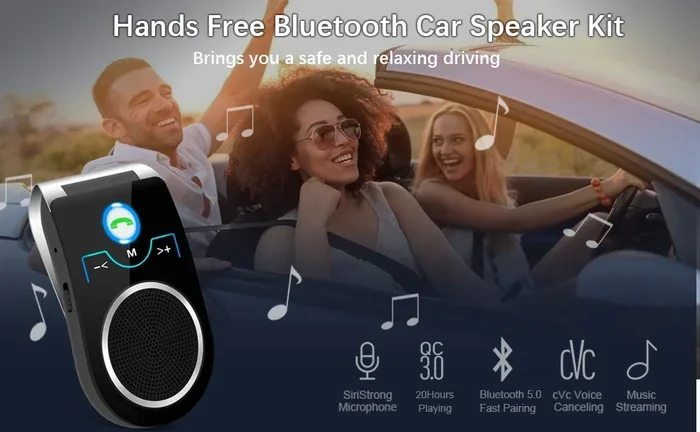
If your car does not have built-in Bluetooth, you have options. You can buy a Bluetooth FM transmitter that plugs into your cigarette lighter. These devices broadcast audio to an empty FM frequency on your car radio. They are affordable and easy to set up. You can also look into upgrading your car stereo to a Bluetooth-compatible model for a cleaner, more permanent solution.
For those interested in exploring more options, check out our guide on Can I Put A Bluetooth Radio In My Car to learn about aftermarket Bluetooth radio options that can transform your driving experience.
Another great resource is our article on Can I Use A Smart Speaker In My Car, which covers how smart speakers can integrate with your vehicle for even more hands-free convenience.
Bluetooth Vs. Other Wireless Connections In Your Car
Bluetooth vs. Aux Cable
An aux cable provides a direct wired connection between your phone and car stereo. It does not use any data and offers a stable connection. However, it requires a physical cable, which can be annoying to manage. Bluetooth offers wireless freedom at the cost of a tiny bit of audio quality compression.
Bluetooth vs. Apple CarPlay And Android Auto
CarPlay and Android Auto are more advanced systems that mirror your phone’s screen on your car’s display. These systems use Bluetooth for initial pairing but rely on Wi-Fi or USB for data-heavy tasks like maps and app streaming. If you use these systems, your data usage will be higher than with basic Bluetooth alone.
Bluetooth vs. Wi-Fi Hotspot
Some cars now offer built-in Wi-Fi hotspots. These use your cellular data plan to create a Wi-Fi network inside the car. Bluetooth does not work this way. Bluetooth is a direct device-to-device connection that does not need a data plan to function.
If you are curious about whether your phone has features that might affect your in-car connectivity, check out Does My Phone Have A FM Transmitter for insights on alternative audio solutions.
Common Bluetooth Myths About Data Usage
Let us clear up some common misconceptions:
- Myth: Bluetooth uses as much data as Wi-Fi. Fact: Bluetooth uses a tiny fraction of the data that Wi-Fi consumes. It is designed for low-power, short-range communication.
- Myth: Leaving Bluetooth on drains your data plan. Fact: Having Bluetooth turned on does not use data. It only uses data when apps connected through Bluetooth request it.
- Myth: Bluetooth audio quality is always poor. Fact: Modern Bluetooth versions support high-quality audio codecs. The difference is often negligible in a car environment.
- Myth: You need a data plan to use Bluetooth in your car. Fact: Bluetooth works without any cellular data at all. You can pair devices and play locally stored music without a single byte of data.
Understanding these myths helps you make better decisions about how you use Bluetooth in your car. It also helps you avoid unnecessary worry about your data bill.
Final Thoughts
Using Bluetooth in your car is one of the most practical and convenient features available today. It keeps your hands on the wheel, your eyes on the road, and your music playing. And the best part? It barely touches your phone data.
The real data consumers are the apps you run on top of Bluetooth. Music streaming, GPS navigation, and podcast apps are what drive up your data usage. By downloading content ahead of time and monitoring your app usage, you can enjoy all the benefits of Bluetooth without worrying about your data plan.
So go ahead and connect your phone to your car. Stream your favorite playlist, take that hands-free call, and enjoy the drive. Just be smart about the apps you use, and you will be just fine. Bluetooth in your car is absolutely worth it, and now you know exactly why.
If you are looking to get the most out of your car’s audio setup, consider exploring options like upgrading your car stereo or adding a dedicated Bluetooth radio. These steps can enhance your driving experience and give you even more control over your connectivity.
Frequently Asked Questions
Does Bluetooth use any cellular data at all?
No. Bluetooth itself uses almost zero cellular data. It is a short-range wireless technology that connects devices directly without needing the internet. Any data usage you see comes from apps running on your phone, not from the Bluetooth connection.
Can I make phone calls through Bluetooth without using data?
Yes. Traditional cellular calls made through Bluetooth use your carrier’s voice network, not your data plan. However, if you use apps like WhatsApp or Skype for calls, those do use data because they route calls through the internet.
How can I listen to music in my car without using data?
Download playlists, podcasts, and audiobooks over Wi-Fi before your drive. Most music and podcast apps have an offline mode. Once downloaded, you can play them through Bluetooth without using any cellular data at all.
Will leaving Bluetooth on in my car drain my phone battery?
Leaving Bluetooth on uses a small amount of battery, but not a significant amount. The real battery drain comes from apps that are actively using Bluetooth to stream audio or run GPS. Closing unused apps helps preserve battery life.
Is it worth upgrading my car stereo to Bluetooth?
Yes, absolutely. A Bluetooth-enabled car stereo gives you wireless connectivity, better sound quality, and hands-free calling. It is a simple upgrade that makes driving safer and more enjoyable. You can also use a Bluetooth FM transmitter as a budget-friendly alternative.
What is the difference between Bluetooth and Wi-Fi in my car?
Bluetooth connects your phone directly to your car stereo over a short-range wireless link. It uses no internet data. Wi-Fi in cars creates a network that uses your cellular data plan to connect to the internet. Bluetooth is for local device connections, while Wi-Fi is for internet access.