Does Bluetooth Need Wifi Or Can It Work Without Internet
Does Bluetooth need WiFi? The short answer is no. Bluetooth is a standalone wireless technology that works independently of your internet connection. You can pair headphones, speakers, and other devices using Bluetooth even when there is no WiFi or internet available.
Have you ever tried to connect your Bluetooth headphones in a cabin with no internet and wondered if they would still work? Or maybe you are setting up a speaker at an outdoor event and have no WiFi nearby. The good news is that Bluetooth works without WiFi in almost every situation you can think of.
Does Bluetooth need WiFi to function? Not at all. Bluetooth is its own wireless technology. It does not depend on your internet router, cellular data, or any online service. It connects devices directly to each other using radio waves. This is why you can pair your phone to a speaker, your headphones to a laptop, or your controller to a console even in places with zero internet access.
In this article, we will break down exactly how Bluetooth works, why it does not need WiFi, and when internet might still come into play. Whether you are a gamer, a music lover, or just someone who uses wireless devices every day, this guide will clear up all the confusion. Let us dive in.
Key Takeaways
- Bluetooth does not require WiFi or internet: It uses its own radio frequency to connect devices directly.
- Bluetooth and WiFi are different technologies: They serve different purposes even though both are wireless.
- You can stream audio, transfer files, and pair devices offline: None of these need an internet connection.
- Bluetooth range is typically 30 feet: This is enough for most personal device connections.
- Some Bluetooth features need internet: Streaming online music or using smart home apps requires WiFi.
- Bluetooth has been around since 1994: It has evolved through multiple versions to become faster and more efficient.
📑 Table of Contents
What Is Bluetooth And How Does It Work
Bluetooth is a short-range wireless technology that lets devices talk to each other without cables. It was invented in 1994 and has grown into one of the most widely used wireless standards in the world. You will find Bluetooth in phones, laptops, headphones, speakers, cars, keyboards, and even kitchen appliances.
Here is how it works in simple terms. Bluetooth uses radio waves on a specific frequency, which is 2.4 GHz. When you pair two devices, they create a small personal network called a piconet. One device acts as the master, and the other acts as the slave. They exchange data back and forth over this tiny wireless connection.
The whole process happens without any internet. Your phone does not need to reach out to a server or connect to a router. It simply finds the other device, locks on to its signal, and starts sending data. This is why Bluetooth pairing works so fast and in so many places.
Bluetooth Versions And Their Range
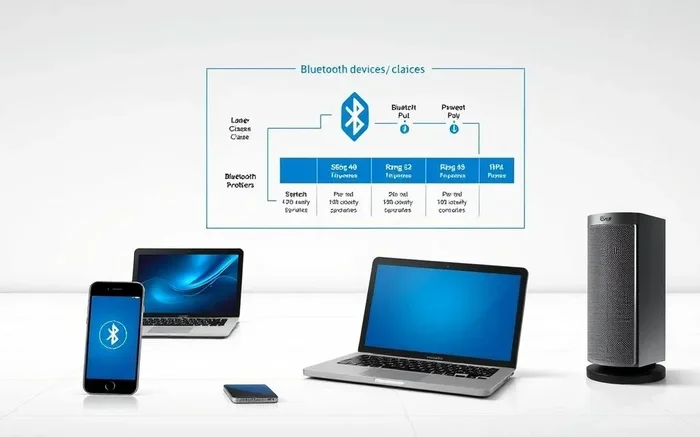
Over the years, Bluetooth has gone through many updates. Each new Bluetooth version brings better speed, longer range, and lower power use. Here is a quick look at the main versions:
- Bluetooth 1.0 to 2.0: Early versions with short range and slow speeds. Range was about 30 feet.
- Bluetooth 3.0: Introduced faster data transfer but still relied on WiFi for heavy tasks.
- Bluetooth 4.0: Brought Bluetooth Low Energy (BLE). Great for fitness trackers and smart devices.
- Bluetooth 5.0: Doubled the range to about 800 feet. Much faster and more stable.
- Bluetooth 5.3 and newer: Improved efficiency, better multi-device connections, and stronger security.
The Bluetooth range you get depends on your device and the version it supports. Most everyday devices like headphones and speakers work within 30 feet. But newer devices with Bluetooth 5.0 can go much farther, even through walls and obstacles.
Does Bluetooth Need WiFi To Function
This is the big question, and the answer is simple. Bluetooth does not need WiFi to connect devices. Bluetooth and WiFi are two completely different wireless technologies. They both use radio waves, but they operate differently and serve different purposes.
WiFi connects your device to the internet through a router. It gives you access to websites, apps, and online services. Bluetooth connects your devices to each other. It does not touch the internet at all. Think of WiFi as a highway to the online world, and Bluetooth as a private bridge between two devices right next to each other.
So when you connect your Bluetooth headphones to your phone at the gym, there is no internet involved. When you use a wireless speaker at a camping trip with no WiFi, Bluetooth still works perfectly. The two devices talk directly to each other using their own built-in radios.
When Bluetooth Does Need Internet
There are some situations where Bluetooth and internet overlap. But in those cases, it is not the Bluetooth connection itself that needs the internet. It is the apps or services running on your device. Here are a few examples:
- Streaming online music: If you use Spotify or Apple Music through your Bluetooth headphones, the app needs internet to fetch the songs. But the Bluetooth connection between your phone and headphones does not.
- Smart home devices: Some Bluetooth smart speakers need WiFi to access cloud services. The Bluetooth part just handles the local connection.
- Firmware updates: Some devices download updates over the internet after you pair them via Bluetooth.
Notice the pattern. The Bluetooth connection itself never needs WiFi. It is always the apps or services layered on top that require internet access.
How Bluetooth Works Without An Internet Connection
Understanding how Bluetooth works without internet is easier than you might think. Let us walk through a real-world example.
Imagine you are at a park with no WiFi and no cell signal. You want to listen to music stored on your phone using a portable speaker. Here is what happens:
- You turn on Bluetooth on both your phone and the speaker.
- The speaker becomes visible and ready to pair.
- Your phone detects the speaker and you tap to connect.
- The two devices establish a direct wireless link using radio waves.
- Music data flows from your phone to the speaker through this direct connection.
No internet. No router. No cellular data. Just two devices talking directly to each other. This is the beauty of Bluetooth connectivity. It is self-contained and independent.
Bluetooth vs WiFi: Key Differences
People often confuse Bluetooth and WiFi because both are wireless. But they are built for different jobs. Here is a quick comparison:
- Bluetooth: Connects devices directly. Uses very little power. Short range. No internet needed.
- WiFi: Connects devices to the internet. Uses more power. Longer range. Requires a router and ISP.
Another key difference is speed. WiFi is much faster than Bluetooth, which is why we use WiFi for streaming high-definition video. Bluetooth is designed for smaller bursts of data like audio, keystrokes, and sensor readings. This is why Bluetooth streaming of music works so well, even though it does not need much bandwidth.
If you want to go deeper into how these two technologies compare, you can check out our article on using HDMI for video and Bluetooth for audio. It explains how different connections handle audio and video separately.
Devices That Use Bluetooth Without WiFi
Almost any device that supports Bluetooth can work without WiFi. Here are some of the most common examples:
Bluetooth Headphones and Earbuds
Bluetooth headphones are the most popular wireless devices in the world. Whether you use them for commuting, working out, or gaming, they do not need WiFi. They connect directly to your phone, tablet, or laptop using Bluetooth. Even Bluetooth headphones for gaming work without an internet connection, though some gaming features like online multiplayer do need WiFi.
If you are wondering whether your wireless headphones work with a gaming console, we have a detailed guide on using Bluetooth headphones for gaming that covers this topic thoroughly.
Bluetooth Speakers
Bluetooth speakers are perfect for outdoor use, parties, and travel. You can pair them with your phone and play music stored on your device or played from a local playlist. No WiFi required. Some speakers also support Bluetooth speaker features that let you amplify your voice, which works entirely offline.
You can even turn your regular wired speakers into wireless ones using a Bluetooth adapter. Check out our guide on turning regular speakers into Bluetooth for step-by-step instructions.
Gaming Controllers
Many modern gaming controllers use Bluetooth to connect to consoles and PCs. The Xbox Wireless Controller, for example, can pair with Xbox One and Windows devices using Bluetooth. You can play local games, practice offline, and enjoy full functionality without ever touching the internet.
Want to know more about connecting Bluetooth controllers to your Xbox? Our article on pairing Bluetooth headphones to Xbox One covers Bluetooth connectivity with Xbox in detail.
Smartwatches and Fitness Trackers
Most fitness trackers and smartwatches use Bluetooth connectivity to sync with your phone. They track your steps, heart rate, and sleep patterns locally and then sync the data when you are back in range. These devices work great without WiFi for day-to-day tracking.
Car Stereos and Hands-Free Systems
Modern car stereos often support Bluetooth for music streaming and phone calls. You can connect your phone to your car’s audio system and play music from your device. This works even if your car has no internet connection at all. If you want to upgrade an older car stereo to support Bluetooth, we have a guide on upgrading your car stereo to Bluetooth.
Can You Use Bluetooth For Gaming Without Internet
Yes, absolutely. Bluetooth gaming works great without internet. You can pair your wireless controller, headphones, and keyboard to your console or PC and enjoy a full gaming experience. Local multiplayer games, single-player campaigns, and offline modes all work perfectly over Bluetooth.
The only thing you cannot do without internet is play online multiplayer games or download new content. But the Bluetooth connection between your devices remains fully functional at all times.
Some people wonder if Bluetooth adds lag to gaming. The truth is that modern Bluetooth, especially version 5.0 and above, has very low latency. For most casual gaming, you will not notice any delay at all. Competitive gamers who need ultra-low latency might prefer wired connections, but Bluetooth has come a long way.
Quick Tips For Using Bluetooth Offline
- Keep your devices within 30 feet of each other for the best connection.
- Turn off Bluetooth on devices you are not using to save battery.
- Update your device firmware to get the latest Bluetooth improvements.
- If you experience connection issues, turn Bluetooth off and back on to reset the connection.
- Keep your devices away from WiFi routers and microwaves, as they can interfere with the Bluetooth signal.
Common Bluetooth Myths Debunked
There are a lot of misunderstandings about Bluetooth. Let us clear up a few of the most common ones.
Myth: Bluetooth Uses WiFi
This is false. Bluetooth uses its own radio frequency. It does not need WiFi to function. They are separate technologies that happen to both be wireless.
Myth: Bluetooth Does Not Work Without Cell Service
Also false. Bluetooth does not use your cellular network at all. It works completely offline, whether you have cell service or not.
Myth: Bluetooth Is Slow
Bluetooth has gotten much faster over the years. Bluetooth 5.0 and newer versions offer speeds that are more than enough for audio streaming and file transfers.
Myth: Bluetooth Is Not Secure
Modern Bluetooth includes strong encryption and security features. While no wireless technology is 100% risk-free, Bluetooth is generally safe for everyday use.
Expert Insights And Final Thoughts
Does Bluetooth need WiFi? Now you know the clear answer: no. Bluetooth is a self-contained wireless technology that connects devices directly to each other. It does not rely on your internet connection, your router, or any online service. Whether you are at home, in the car, at the gym, or in the middle of nowhere, Bluetooth will keep working.
The key thing to remember is that while Bluetooth itself does not need the internet, the apps you use alongside Bluetooth might. Streaming a song from Spotify requires WiFi or data. But playing that same song from your offline playlist through Bluetooth headphones needs nothing but the Bluetooth connection between your phone and your headphones.
If you are looking to get the most out of your wireless devices, understanding how Bluetooth works is essential. It helps you troubleshoot connection issues, make better purchasing decisions, and use your devices more efficiently. Next time you are in a place with no WiFi, do not worry. Your Bluetooth devices will still work just fine.
For more tips on wireless technology and device connectivity, check out our other guides. Whether you are curious about using a Bluetooth speaker without Bluetooth enabled or want to learn about JBL speaker pairing with iPhones, we have you covered.
Embrace the freedom of wireless. Bluetooth gives you the power to connect your devices anywhere, anytime, with or without internet. That is the real beauty of this technology.
Frequently Asked Questions
Can I use Bluetooth headphones without WiFi?
Yes, you can. Bluetooth headphones connect directly to your device using radio waves. They do not need WiFi or internet to play music stored on your device or to take phone calls. The Bluetooth connection works independently of your internet connection.
Does Bluetooth work on a plane?
Yes, Bluetooth works on most airlines. You can pair your headphones and devices during the flight. However, you may need to enable airplane mode first and then turn Bluetooth back on separately. The Bluetooth connection does not require internet while in the air.
Can two phones connect via Bluetooth without internet?
Absolutely. Two phones can pair with each other using Bluetooth without any internet connection. You can transfer files, share contacts, and use other Bluetooth features between phones. The connection is direct and does not go through any router or online service.
Why does my Bluetooth connection drop when I have no WiFi?
Bluetooth should not drop just because you have no WiFi. If your connection is unstable, it might be due to distance, interference from other devices, or low battery. Try moving closer to the paired device and turning Bluetooth off and back on to reset the connection.
Can I stream music via Bluetooth without using data?
Yes, if the music is stored on your device. Streaming from an app like Spotify or Apple Music uses data, but playing music from your local library over Bluetooth uses zero data and no internet. The Bluetooth connection itself does not consume any data plan.
Is Bluetooth the same as WiFi?
No, Bluetooth and WiFi are different wireless technologies. WiFi connects your device to the internet through a router. Bluetooth connects your devices directly to each other over short distances. They serve different purposes and work independently of each other.