Does A Wireless Printer Need Wi Fi Or Bluetooth To Work
A wireless printer does not need both Wi-Fi and Bluetooth to function. You can use either one depending on your setup and needs. Most wireless printers support Wi-Fi as the primary connection method, while Bluetooth offers a shorter-range alternative for quick print jobs. Understanding the difference helps you set up your wireless printer the right way from day one.
Wireless printers have changed the way we print at home and in the office. No more tangled cables. No more running across the room with a USB stick. You just send a print job from your phone or laptop and the printer does the rest.
But here is the big question. Does a wireless printer need Wi-Fi or Bluetooth to work? The short answer is that it needs at least one of them. But the full picture is more interesting than that. Let us walk through everything you need to know.
When you buy a wireless printer, the box often says it supports “wireless connectivity.” But what does that really mean? Does it mean Wi-Fi? Does it mean Bluetooth? Or does it mean both? This guide breaks it all down so you can make a smart choice.
Key Takeaways
- Wi-Fi is the most common connection type for wireless printers and offers the longest range.
- Bluetooth provides a quick, cable-free pairing option but works over shorter distances.
- Some printers support both Wi-Fi and Bluetooth, giving you flexibility in how you connect.
- Wi-Fi Direct lets you print without a router, which is great for on-the-go printing.
- Bluetooth works well for simple print jobs from phones and tablets without extra setup.
- Your choice depends on your needs, including range, speed, and the devices you use.
📑 Table of Contents
- What Makes A Printer “Wireless”
- Wi-Fi vs Bluetooth For Wireless Printers
- Do You Need Wi-Fi For A Wireless Printer
- Can You Use Both Wi-Fi And Bluetooth Together
- Which Connection Type Should You Choose
- Common Wireless Printer Problems And Fixes
- Expert Tips For The Best Wireless Printing Experience
- Frequently Asked Questions
- Final Thoughts
What Makes A Printer “Wireless”
A wireless printer is any printer that connects to your devices without a cable. You do not need to plug in a USB cord to send a print job. Instead, the printer talks to your phone, tablet, or computer through the air.
There are two main ways this happens. The first is Wi-Fi connectivity. The second is Bluetooth wireless technology. Some printers use both. Others use just one. It all depends on the model and what you need.
The beauty of a cable-free printing setup is convenience. You can place your printer anywhere in the room. As long as it has power and a signal, you can print from across the house. This is why wireless printers have become so popular in homes and small offices.
How Wi-Fi Enables Wireless Printing
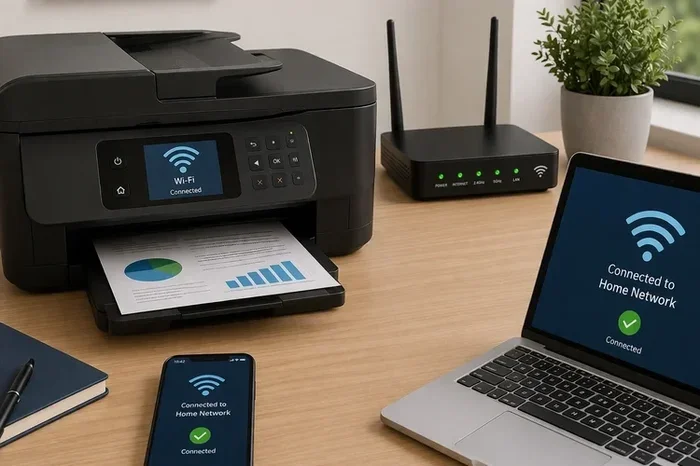
Wi-Fi is the most popular way to connect a wireless printer. When your printer joins your home network, any device on that same network can send print jobs to it. Your phone, your laptop, even a smart TV can talk to the printer through the router.
Most modern printers come with Wi-Fi enabled features right out of the box. You simply enter your Wi-Fi password during setup, and the printer joins your network. From that point on, printing is seamless.
One great feature is Wi-Fi Direct. This lets your printer create its own small network. You do not need a router at all. Your phone connects directly to the printer, and you can print even if you are not connected to the internet. This is perfect for quick jobs when you are in a hurry.
How Bluetooth Enables Wireless Printing
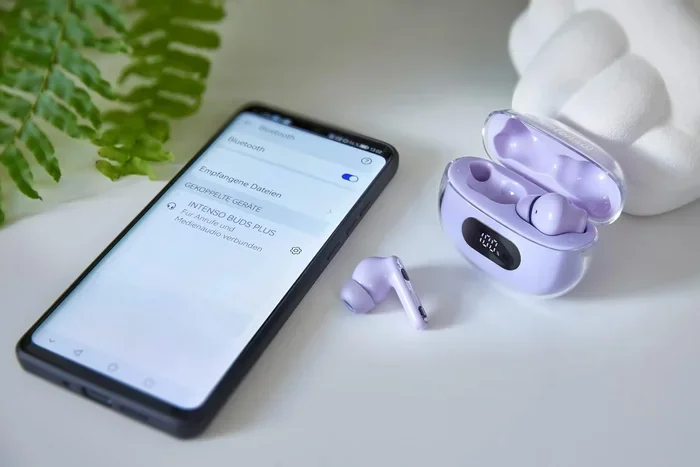
Bluetooth works differently from Wi-Fi. It uses short-range radio waves to connect two devices directly. You pair your phone with the printer, and then you can send print jobs one at a time.
Bluetooth wireless printing is simple. There is no router involved. No network password to remember. You just turn on Bluetooth on both devices, pair them, and print. It is a great option for people who want a quick and easy setup.
But Bluetooth has limits. The range is shorter than Wi-Fi. You usually need to be within about 30 feet of the printer. Also, Bluetooth is generally slower for large print jobs. It works best for documents and photos, not for big batches of pages.
Wi-Fi vs Bluetooth For Wireless Printers
Now let us compare the two connection types side by side. This will help you understand which one fits your situation better.
| Feature | Wi-Fi | Bluetooth |
|---|---|---|
| Range | Up to 150 feet or more | Up to 30 feet |
| Speed | Fast, great for large jobs | Slower, best for small jobs |
| Setup | Requires network password | Simple pairing process |
| Devices Supported | Multiple devices at once | One device at a time |
| Internet Needed | No (with Wi-Fi Direct) | No |
| Best For | Home offices, heavy use | Quick prints, mobile devices |
As you can see, Wi-Fi and Bluetooth each have their strengths. Wi-Fi is better for households with multiple users and heavy printing needs. Bluetooth is better for quick, simple jobs from a single device.
Range And Coverage Comparison
Wi-Fi coverage is much wider than Bluetooth. If your printer is in the living room and you are printing from your bedroom, Wi-Fi handles that easily. Bluetooth would struggle at that distance.
This is why most families prefer Wi-Fi printers. Everyone in the house can print from their own room without any hassle. You do not need to walk over to the printer every time.
Speed And Print Quality
Wi-Fi generally offers faster data transfer than Bluetooth. This means large documents and high-resolution photos print quicker over Wi-Fi. Bluetooth can handle the job too, but it takes longer for bigger files.
In terms of wireless print quality, the connection type does not affect the output. A photo printed over Wi-Fi looks the same as one printed over Bluetooth. The difference is only in how fast the file gets to the printer.
Do You Need Wi-Fi For A Wireless Printer
The most common setup for a wireless printer involves Wi-Fi. Your printer joins your home network, and all your devices can reach it. This is the default way most people set up their printers.
But here is something important. A wireless printer does not always need Wi-Fi. If your printer supports Bluetooth only, you can print without ever connecting to a Wi-Fi network. The printer and your phone talk directly to each other.
Some printers support Wi-Fi Direct, which is a middle ground. The printer creates its own network, so your device connects to it directly. No router is needed. No internet is needed. You just need to be within range.
If you are wondering whether you can buy a portable Wi-Fi device to help with your setup, check out our guide on Can You Buy A Wi-Fi Stick. It covers options for adding wireless connectivity to almost any device.
Setting Up Wi-Fi On Your Printer
Setting up Wi-Fi on a wireless printer is straightforward. Most printers have a simple setup wizard. You turn on the printer, go to the network settings, and select your home Wi-Fi network. Then you enter the password and wait for the connection.
Once connected, you can print from any device on the same network. Your phone, your kids’ tablet, your work laptop, it all works. This is the power of a network printer setup.
One tip: if you have trouble connecting, try moving the printer closer to your router. Walls and distance can weaken the signal. A stronger signal means more reliable printing.
Setting Up Bluetooth On Your Printer
Bluetooth setup is even simpler. You turn on Bluetooth on your phone or tablet. You put the printer in pairing mode. The two devices find each other, and you are connected.
Bluetooth is great for quick print jobs. You want to print a recipe from your phone while cooking? Bluetooth handles that easily. You need to print a document from your iPad in the next room? Bluetooth might not reach that far.
If you are looking for ways to connect your printer to an iPhone, check out our article on Can I Connect Wi-Fi Printer To Iphone. It has step-by-step instructions for iPhone users.
Can You Use Both Wi-Fi And Bluetooth Together
Yes, many wireless printers support both Wi-Fi and Bluetooth at the same time. This gives you the best of both worlds. You can use Wi-Fi for heavy printing and Bluetooth for quick, on-the-go jobs.
When both are active, your printer can connect to multiple devices. One person might be printing over Wi-Fi from a laptop while another prints a photo over Bluetooth from a phone. It all works at the same time.
This dual-connection feature is becoming more common in modern printers. If you buy a new wireless printer, there is a good chance it supports both. Always check the specs before you buy.
Sharing Your Printer Over A Network
If you want to share your wireless printer with others in your home, Wi-Fi is the way to go. You can set up the printer on your home network, and everyone can access it from their own devices.
For those who want to share their internet connection through a laptop to enable printer sharing, you can read our guide on Can We Share Wi-Fi Through Laptop. It explains how to turn your laptop into a sharing hub.
Bluetooth, on the other hand, is a one-to-one connection. You pair with one device at a time. This makes it less ideal for shared printing in a household with multiple users.
Which Connection Type Should You Choose
Choosing between Wi-Fi and Bluetooth depends on your needs. Here are some simple guidelines to help you decide.
Choose Wi-Fi if:
- You print often and in large volumes
- Multiple people in your home need to print
- Your printer is far from your devices
- You want the fastest print speeds
- You plan to use the printer for work or school
Choose Bluetooth if:
- You only need to print occasionally
- You mostly print from one mobile device
- You want a simple, no-router setup
- Your printing needs are light and basic
- You are printing photos directly from your phone
For most households, Wi-Fi is the better choice. It offers more flexibility and works for everyone in the family. But Bluetooth is a nice bonus feature for quick, simple jobs.
Common Wireless Printer Problems And Fixes
Even the best wireless printers can have connection issues. Here are the most common problems and how to fix them.
Problem 1: The printer will not connect to Wi-Fi. This is the most common issue. Try restarting your router and the printer. Make sure you are entering the correct password. If the problem continues, move the printer closer to the router.
Problem 2: Bluetooth pairing fails. Make sure Bluetooth is turned on on both devices. Delete old pairings and try again. Sometimes restarting both devices solves the problem quickly.
Problem 3: Print jobs get stuck in the queue. This often happens when the connection is weak. Check your Wi-Fi signal strength. Try moving closer to the printer or the router. You can also restart the print spooler on your computer.
Problem 4: The printer shows as offline. This usually means the printer lost its network connection. Reconnect it to your Wi-Fi network and try again. A simple reboot of both devices often fixes this.
For those who want to expand their wireless coverage to reach the printer, you might consider a Wi-Fi booster. Check out our article on Can You Buy Temp Wi-Fi for options that can help strengthen your wireless signal in any area of your home.
Expert Tips For The Best Wireless Printing Experience
Here are some tips from experts to get the most out of your wireless printer.
- Keep your printer firmware updated. Manufacturers release updates that improve connectivity and fix bugs. Check for updates regularly through the printer’s app or web panel.
- Place your printer in a central location. This gives the best Wi-Fi coverage to all rooms in your home.
- Use the manufacturer’s app. Most printer brands have a free app that makes setup and troubleshooting easier. It also lets you print from anywhere.
- Secure your wireless network. Use a strong password for your Wi-Fi. This prevents unauthorized users from printing on your printer or accessing your network.
- Print a test page regularly. This helps you catch connection issues early before you need to print something important.
One more thing to keep in mind. If you are using a work network, your employer may have specific rules about printer connections. Some work networks block certain types of wireless traffic for security reasons. Always check with your IT department if you are setting up a printer at work.
Frequently Asked Questions
Can a wireless printer work without Wi-Fi or Bluetooth?
No, a wireless printer needs at least one of these connections to function without a cable. If it has neither Wi-Fi nor Bluetooth, it is not a wireless printer. You would need a USB or other wired connection to use it.
Is Bluetooth printing slower than Wi-Fi printing?
Yes, Bluetooth is generally slower than Wi-Fi for sending print data. For small documents and photos, the difference is barely noticeable. For large documents or high-resolution images, Wi-Fi is noticeably faster.
Can I print from my phone without Wi-Fi using Bluetooth?
Yes, you can. Bluetooth printing does not require an internet connection or a Wi-Fi network. You just pair your phone directly with the printer and send the print job. This is great for printing on the go.
How far can a Bluetooth printer be from my device?
Bluetooth typically works within about 30 feet. Walls and obstacles can reduce this range. Wi-Fi, on the other hand, can reach up to 150 feet or more depending on your router and environment.
Do I need a router for a wireless printer to work?
Not always. If you use Wi-Fi Direct or Bluetooth, you do not need a router. Wi-Fi Direct lets the printer create its own network, and Bluetooth connects directly to your device. A router is only needed when you want multiple devices to share the printer over a home network.
Which is better for a home office, Wi-Fi or Bluetooth?
Wi-Fi is better for a home office. It supports multiple devices, offers faster speeds, and has a longer range. Most home office users print regularly and from different devices, so Wi-Fi provides the flexibility needed for a productive workspace.
Final Thoughts
The answer to whether a wireless printer needs Wi-Fi or Bluetooth is simple. It needs at least one of them. Wi-Fi is the go-to choice for most people because of its range, speed, and ability to connect multiple devices.
Bluetooth is a great backup option for quick and simple print jobs. It is easy to set up and does not require a router. Together, they give you flexible options for printing without cables.
When you are shopping for a new printer, look for one that supports both Wi-Fi and Bluetooth. This gives you the most flexibility. You can use Wi-Fi for your main printing needs and Bluetooth for quick jobs on the side.
Wireless printing is all about convenience. Set up your printer the right way, and you will never have to worry about cables again. Whether you are printing a work document from your laptop or a photo from your phone, a wireless printer makes it easy and effortless.