Do You Need Special Speakers For Karaoke Fun Times
You do not always need special speakers for karaoke, but the right ones make a huge difference. Many people use regular Bluetooth speakers or even DJ speakers to sing their favorite songs. The key is finding a setup that delivers clear vocals, handles bass well, and keeps the party going without distortion. Whether you are hosting a small gathering or a big bash, choosing the right karaoke speakers can turn an ordinary night into an unforgettable event.
So you want to host a karaoke night. Maybe it is a birthday party, a weekend hangout, or just a fun way to unwind after a long week. The first question that pops up is whether you need special speakers for karaoke. The short answer is no, but the full answer is a lot more interesting.
Karaoke speakers come in all shapes and sizes. Some are built specifically for singing and mic input. Others are regular party speakers that happen to work great for karaoke too. The difference between a good time and a terrible one often comes down to the speaker setup you choose.
In this guide, we will walk through everything you need to know. We will cover what makes a speaker good for karaoke, whether your current speakers will work, and how to set up a system that sounds amazing. Let us dive in.
Key Takeaways
- Regular speakers can work for karaoke: You do not always need specialized gear to get started.
- Bluetooth and portable speakers are popular choices: They are easy to set up and move around for any party.
- Speaker wattage and vocal clarity matter most: Look for speakers that handle mid-range frequencies well for singing.
- Pairing multiple speakers boosts sound: You can link speakers together for a fuller, louder karaoke experience.
- Your setup depends on your space: Small rooms need less power, while larger areas demand stronger, dedicated systems.
- Budget-friendly options exist: You do not have to spend a fortune to enjoy great karaoke sound at home.
📑 Table of Contents
- What Makes a Speaker Good for Karaoke
- Can You Use Regular Speakers for Karaoke
- Types of Speakers Best for Karaoke
- Key Features to Look For in Karaoke Speakers
- Setting Up Your Home Karaoke System
- Common Mistakes People Make with Karaoke Speakers
- Expert Insights on Karaoke Speaker Selection
- Conclusion
What Makes a Speaker Good for Karaoke
Not all speakers are created equal when it comes to singing. Some excel at playing music, while others are built to handle live vocals. Understanding what to look for helps you make a smart choice.
Vocal Clarity and Mid-Range Performance
The most important thing in karaoke is vocal clarity. When someone is singing, you want the voice to sound crisp and full. Mid-range frequencies are where the human voice lives. Speakers that handle this range well make vocals sound natural and rich.
Cheap speakers often muddy the vocals. They boost the bass too much and leave the singing sounding muffled. If you want your guests to sound great, look for speakers that prioritize the mid-range. This is where karaoke-specific speakers shine over generic Bluetooth options.
Mic Input and Feedback Handling
Karaoke requires at least one microphone input. Most regular Bluetooth speakers do not have a mic input at all. This is a big deal if you are serious about singing. A speaker with a dedicated mic jack lets you plug in a wired microphone and get started right away.
Feedback handling is another key factor. When a mic is too close to a speaker, you get that awful screeching sound. Good karaoke speakers are designed to reduce feedback. They handle the mic signal differently than regular speakers do. If you are wondering can I use any speaker for DJ setups, the same logic applies to karaoke. Not every speaker handles live input well.
Power Output and Volume
How loud do you need your karaoke setup to be? For a small room with a few friends, a 20-watt speaker might be plenty. For a backyard party or a larger living room, you will want something in the 50 to 100-watt range.
Volume is not just about being loud. It is about staying clear at high volumes. Some speakers distort when you push them hard. This ruins the singing experience fast. Look for speakers that maintain clarity even when turned up. Speaker wattage for karaoke is a term worth knowing because it directly affects your party vibe.
Can You Use Regular Speakers for Karaoke
Here is the good news. You can absolutely use regular speakers for karaoke in many cases. If you already have a decent set of speakers at home, you might not need to buy anything new. Let us break down when regular speakers work and when they fall short.
When Regular Speakers Work Fine
If your regular speakers have an aux input or a 3.5mm jack, you can connect a karaoke machine or your phone directly. Many modern Bluetooth speakers also allow aux input, which opens up more options. For casual singing at home, a portable Bluetooth speaker can do a surprisingly good job.
Here are situations where regular speakers work well for karaoke:
- Small gatherings: A few friends singing in a living room does not need massive power.
- Phone or tablet output: Most karaoke apps work fine through a standard aux cable or Bluetooth connection.
- Background singing: If karaoke is not the main event, regular speakers are perfectly fine.
- Short sessions: For a quick sing-along, any decent speaker will do the job.
When Regular Speakers Fall Short
There are times when regular speakers just will not cut it. If you are hosting a big party with lots of singers, you need more power and better vocal handling. Regular speakers also tend to lack mic inputs, which limits your setup options.
Another issue is bass response. Many regular speakers are not designed to handle the low frequencies that make karaoke tracks sound full and professional. The music can feel flat or thin without proper bass. This is where investing in a better speaker makes a real difference.
Also, consider wireless speakers for singing that offer both Bluetooth and aux options. These give you flexibility whether you are using a karaoke machine or streaming from a phone.
Types of Speakers Best for Karaoke
Not all karaoke setups are the same. Different types of speakers serve different needs. Let us look at the most popular options and who they work best for.
Portable Bluetooth Karaoke Speakers
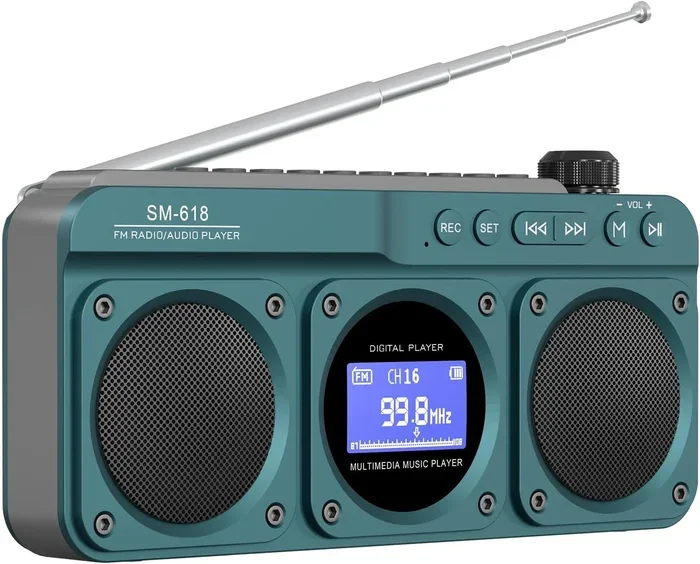
These are the most popular choice for home karaoke. They are compact, easy to carry, and connect to your phone wirelessly. Many portable karaoke speakers come with built-in microphones or mic inputs. Brands like Marshall and Doss make options that work well for both music and singing.
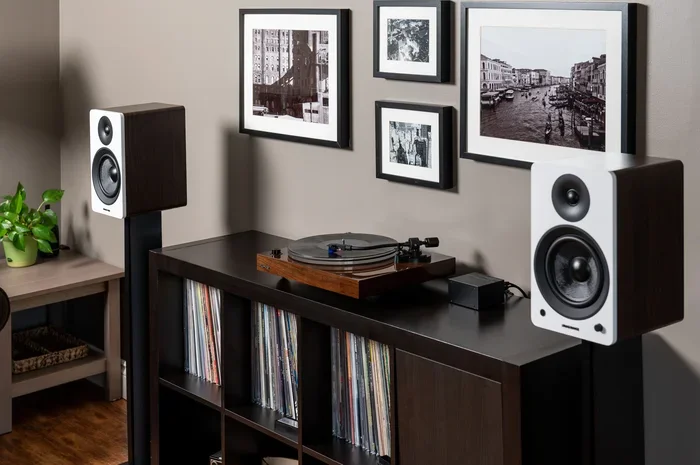
If you already own a pair of Marshall speakers, you might wonder can I pair two Marshall speakers together for a karaoke setup. The answer is yes, in many cases. Pairing speakers gives you stereo sound and more volume, which is great for karaoke nights.
PA Speakers and Portable Sound Systems
PA speakers are the heavy hitters of the karaoke world. They deliver powerful, clear sound and can fill a large space easily. Many PA systems come with built-in mixers that let you adjust mic levels and music volume separately.
These are ideal for outdoor events, large parties, or anyone who takes karaoke seriously. The downside is size and weight. PA systems are not as portable as Bluetooth speakers, but the sound quality is hard to beat.
All-in-One Karaoke Machines with Speakers
All-in-one karaoke machines come with built-in screens, speakers, and mic inputs. They are the easiest option for beginners. You plug them in, load a disc or connect to an app, and you are ready to sing.
The built-in speakers in these machines are usually decent for small rooms. However, for larger spaces, you may want to connect external speakers. This gives you more flexibility and better sound. Home karaoke setup experts often recommend this approach for the best results.
Smart Speakers with Karaoke Apps
Smart speakers like the Mi Smart Speaker can work for karaoke in a pinch. You can use voice commands to play karaoke tracks and sing along. However, smart speakers typically lack mic inputs, which limits their usefulness for a true karaoke experience.
If you are curious, can I use Mi Smart Speaker for calls and similar functions, yes. But for karaoke with a real microphone, you will need a different type of speaker. Smart speakers are better suited as background music players, not full karaoke systems.
Key Features to Look For in Karaoke Speakers
Shopping for karaoke speakers can be overwhelming with so many options out there. Here are the features that matter most. Keep these in mind and you will find the perfect setup.
Mic Input Options
Look for speakers with at least one mic input, preferably two if you plan on singing duets. XLR and 6.3mm jack inputs are the most common. Some speakers even have wireless mic support, which adds convenience.
Battery Life
If you want a portable setup, battery life is crucial. Most good karaoke speakers offer 6 to 12 hours of playtime. For a full party night, aim for at least 8 hours. Nothing kills the fun faster than a dead speaker in the middle of your favorite song.
Connectivity Choices
Bluetooth is the most common wireless option. But for the best sound quality, look for speakers that also offer aux input, USB, and even SD card slots. The more connection options, the more versatile your setup becomes. Some people also ask can I use HDMI for video and Bluetooth for audio when setting up a karaoke system with a screen. This is a great approach for a full multimedia karaoke experience.
Build Quality and Portability
Karaoke speakers take a beating at parties. They get knocked around, moved from room to room, and sometimes dropped. Choose speakers with sturdy builds and carrying handles. A good carrying case is a nice bonus for portable systems.
Setting Up Your Home Karaoke System
Setting up a karaoke system at home is easier than most people think. You do not need a degree in audio engineering. With the right gear and a little planning, you can have a professional-sounding setup in under an hour.
Step-by-Step Setup Guide
Here is how to set up a basic home karaoke system:
- Choose your speaker: Pick a speaker with a mic input and good battery life. Place it in a central location in your room.
- Connect your karaoke source: This could be a karaoke machine, a phone running a karaoke app, or a laptop with a karaoke track playlist.
- Plug in the microphone: Use a wired mic for reliability, or go wireless if your speaker supports it. Make sure the mic is positioned away from the speaker to avoid feedback.
- Adjust the levels: Start with the music at a comfortable level and the mic at a moderate volume. Have a test singer check the balance before the party starts.
- Add lights if you want: LED strips or a simple disco light set the mood. It is not required, but it makes the experience more fun.
Tips for Better Sound
Want your karaoke to sound even better? Try these tips:
- Place speakers at ear level: This gives the best sound spread across the room.
- Use an equalizer app: Many Bluetooth speakers have companion apps that let you adjust EQ settings. Boost the mids for clearer vocals.
- Keep the speaker away from walls: This reduces echo and bass buildup that can muddy the sound.
- Turn off other noise sources: Close windows and turn off the TV. Less background noise means better vocal clarity.
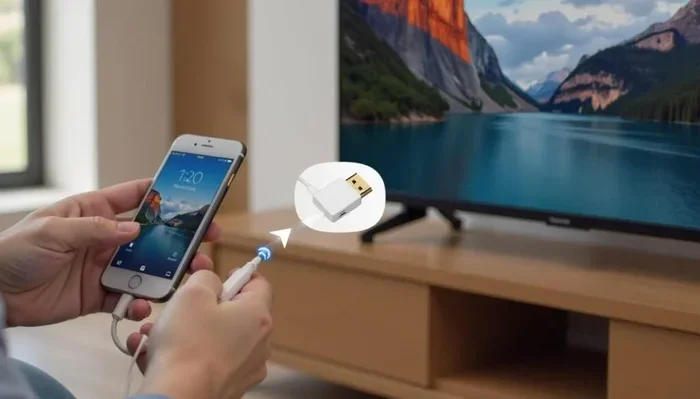
If you want to connect your phone to a TV for lyrics, you might wonder about different connection methods. Using Bluetooth for audio while keeping video on a separate cable is a smart approach. This is similar to the concept behind can I use HDMI for video and Bluetooth for audio, where you split the signal for the best results.
Common Mistakes People Make with Karaoke Speakers
Even with the best intentions, people make mistakes when setting up their karaoke speakers. Avoiding these common pitfalls saves you from a frustrating night.
Buying a Speaker Without Mic Input
This is the number one mistake. You buy a cool Bluetooth speaker, get it home, and realize it has no way to connect a microphone. Always check for mic inputs before you buy. Some speakers that look like they should have one do not, so double-check the specs.
Choosing Too Much Bass
Bass is fun for dancing, but too much bass drowns out vocals. When you are singing karaoke, you want the voice to be front and center. Choose a speaker with adjustable EQ so you can turn down the bass and boost the mids.
Ignoring Speaker Placement
Where you put your speaker matters more than you think. Placing it in a corner amplifies the bass too much. Putting it behind a couch blocks the sound. Place your speaker in an open area at about head height for the best results.
Using the Wrong Type of Speaker Cable
Not all cables are created equal. A cheap aux cable can introduce static and reduce sound quality. Invest in a good quality cable, especially if you are running a long distance from your karaoke source to the speaker.
Forgetting About Feedback
Feedback is the enemy of every karaoke night. When the mic picks up sound from the speaker and amplifies it, you get that horrible screech. Keep the mic pointed away from the speaker and maintain a good distance. This simple step prevents most feedback issues.
Expert Insights on Karaoke Speaker Selection
We spoke with audio professionals and frequent karaoke hosts to gather their top advice. Here is what they had to say about choosing the right speakers for karaoke.
Start with what you have: Many experts recommend testing your current setup before buying new gear. You might be surprised at how well your existing speakers perform for casual karaoke.
Prioritize vocal range over bass: A speaker that sounds great for music might not be ideal for singing. Look for balanced sound with strong mid-range performance.
Consider the venue: Indoor karaoke needs different speakers than outdoor karaoke. For outdoor setups, weather resistance and higher wattage are important. For indoor use, portability and clarity take priority.
Do not overlook speaker pairing: Linking two speakers together creates a richer soundstage. Whether you pair two Marshall speakers or connect a portable system with a dedicated PA, the result is a more immersive karaoke experience.
Many people also ask whether they need to buy special equipment just for singing. The truth is, the same principles that apply to DJ speakers apply to karaoke speakers. Both need to handle live input, deliver clear vocals, and project sound evenly across a space.
One last tip from the pros: practice with your setup before the big night. Run through a few songs, adjust levels, and fix any issues. This small step makes a huge difference when your friends arrive and the party kicks off.
Conclusion
So, do you need special speakers for karaoke fun times? The answer is no, but having the right speakers makes everything better. You can start with what you have and upgrade as you get more serious about your karaoke game.
Karaoke speakers are all about vocal clarity, mic input, and enough power to fill your space. Whether you choose a portable Bluetooth speaker, a PA system, or an all-in-one machine, the most important thing is that it works for your setup and your space.
Take the time to understand your needs. Consider the size of your room, the number of singers, and your budget. With the right speaker setup, every karaoke night becomes a memorable one. Grab a mic, pick your favorite songs, and let the good times roll.
Frequently Asked Questions
Can I use any Bluetooth speaker for karaoke?
Many Bluetooth speakers can work for karaoke, but you need one with a mic input. Without a mic input, you can only play karaoke tracks, not sing along with a live microphone. Check the specs before you buy to make sure the speaker supports microphone connections.
What wattage speaker do I need for karaoke at home?
For a small room, 20 to 40 watts is usually enough. For larger spaces or outdoor parties, look for 50 to 100 watts. The right wattage depends on your room size and how loud you need the sound to be. More watts do not always mean better sound, but they do mean more volume without distortion.
Do I need a special karaoke machine if I have good speakers?
No, you do not need a special machine. You can use karaoke apps on your phone or tablet and connect them to your speakers. A karaoke machine is helpful because it often includes built-in speakers and effects, but it is not required. Your existing speakers plus a phone or laptop can create a great karaoke setup.
How can I improve vocal clarity with my karaoke speaker?
Use an equalizer app to boost mid-range frequencies, which is where the human voice sits. Position the speaker at ear level and keep it away from corners. Also, make sure your microphone is not too close to the speaker to reduce feedback and keep vocals crisp and clear.
Can I pair two regular speakers for a karaoke setup?
Yes, pairing two speakers can improve your karaoke sound. Some speakers support wireless pairing through their companion apps. This creates stereo sound and fills the room better. Just make sure both speakers are compatible with pairing and that your karaoke source can output to both simultaneously.
Are wireless microphones better than wired ones for karaoke?
Wireless microphones offer more freedom of movement, which is great for performers who like to dance around. Wired microphones are more reliable and do not need charging. For most home karaoke setups, either type works well. Choose based on your preference and budget.
=== INTERNAL LINKS ===
For more on speaker setups, check out Can I Use Any Speaker For DJ to understand how DJ speakers compare to karaoke setups. You might also want to learn how to pair two Marshall speakers together for a more immersive karaoke experience. If you are looking to upgrade your current gear, turning regular speakers into Bluetooth is a great budget-friendly option. Finally, for a full multimedia setup, explore using HDMI for video and Bluetooth for audio alongside your karaoke system.