Do All Hoverboards Play Music Here Is What You Need To Know
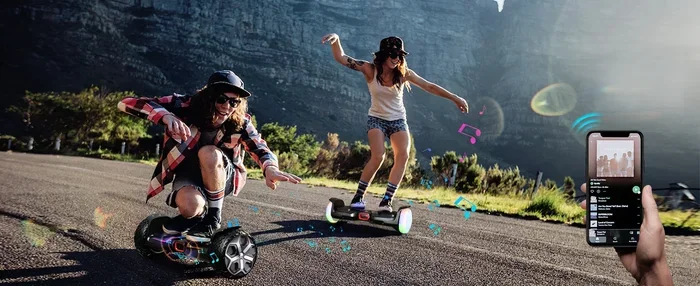
Not all hoverboards play music, but many modern self-balancing scooters come with built-in Bluetooth speakers that let you enjoy your favorite tunes while you ride. The music feature varies widely depending on the brand, model, and price point. Some hoverboards offer surprisingly loud and clear audio, while others have weak or no speakers at all. This guide breaks down everything you need to know about hoverboard music capabilities.
You just bought a shiny new hoverboard, and you are excited to cruise around the neighborhood. Then you wonder, does it play music? The short answer is maybe. Not all hoverboards come with built-in speakers or audio features. But the good news is that many do, and the technology has gotten surprisingly good in recent years.
If you are shopping for a new ride or curious about what your current board can do, this guide covers everything. We will look at how hoverboard music systems work, which models have them, and what to look for when buying one. By the end, you will know exactly what to expect from hoverboard speakers and how to get the best audio experience on your board.
Key Takeaways
- Not every hoverboard has music: Budget models often skip speakers entirely, while mid-range and premium boards usually include Bluetooth audio.
- Bluetooth is the standard: Most music-enabled hoverboards connect wirelessly to your phone or other devices for easy playback.
- Speaker quality varies a lot: Some hoverboards deliver decent sound, while others are barely audible outdoors.
- Music adds to the fun: Riding with your favorite songs makes the experience more enjoyable, especially for kids and teens.
- Check for aux input too: Some models offer a 3.5mm jack as a backup if Bluetooth isn’t available.
- Battery life matters: Playing music drains your hoverboard battery faster, so keep that in mind on long rides.
📑 Table of Contents
- How Hoverboard Music Systems Work
- Do All Hoverboards Have Music Features
- What to Look for in a Music Hoverboard
- Connecting Your Phone to a Hoverboard
- Popular Hoverboard Brands with Music Features
- Tips for Getting the Best Music Experience on Your Hoverboard
- Common Problems with Hoverboard Music
- Is Music Worth It on a Hoverboard
- Final Thoughts
How Hoverboard Music Systems Work
Most music-enabled hoverboards use a simple setup. A small Bluetooth speaker gets built into the deck or the foot pads. This speaker connects to your phone, tablet, or music player wirelessly. Once paired, any audio from your device plays through the hoverboard’s speakers.
The speaker itself is usually quite small. It sits inside the body of the board near the center or near the wheels. Some higher-end models use larger drivers that produce louder and clearer sound. The audio quality depends on the speaker size, the amplifier, and the overall design of the board.
Bluetooth Connectivity
Bluetooth is the most common way to connect your device to a hoverboard. Most boards use Bluetooth 4.0 or newer, which gives you a reliable connection up to about 30 feet. You simply turn on Bluetooth on your phone, search for the hoverboard in your available devices, and tap to pair.
Once connected, you can play music from any app. Spotify, Apple Music, YouTube, or even your local music library all work fine. The hoverboard acts as a portable speaker for your device. This is a really nice feature if you want to share your music with friends while you ride together.
Some boards also support app connectivity, which lets you control the music directly from your phone. You can adjust volume, skip tracks, or pause playback right from the companion app. This makes the whole experience smoother and more convenient.
Aux Input Options
Not all hoverboards use Bluetooth. Some older or simpler models come with a 3.5mm aux input instead. This is a standard headphone jack that lets you plug in any audio cable directly.
An aux input can be handy if your phone does not support Bluetooth or if you want a wired connection for better stability. The sound quality through an aux cable is usually pretty good too. Just keep in mind that a cable can get in the way while you ride, so Bluetooth is often the better choice.
Do All Hoverboards Have Music Features
Here is the honest truth. No, not all hoverboards play music. The presence of a speaker depends on the brand, the model, and the price. Let us break this down by category so you know what to expect.
Budget Hoverboards
Cheap hoverboards under $100 usually do not have any music features at all. Manufacturers cut costs wherever they can, and speakers are one of the first things to go. These boards focus on basic movement and balance. If music is important to you, you will need to spend a little more.
Some budget boards might have a very basic speaker that makes beeping sounds for alerts but nothing you would call music. Do not expect to stream your favorite playlist on these models.
Mid-Range Hoverboards
Hoverboards in the $100 to $300 range are where you start to see music features more often. Many boards in this category include Bluetooth speakers that work well for casual listening. The sound is decent for outdoor riding, though it may not win any audio awards.
Popular brands in this price range often advertise music playback as a key selling point. If you are looking for a board that plays music without breaking the bank, this is the sweet spot to target.
Premium Hoverboards
High-end hoverboards over $300 often come with premium audio systems. Some models use upgraded speakers that deliver rich bass and clear highs. A few even include surround sound or multiple speakers for a more immersive experience.
These boards are designed for riders who want the full package. Great build quality, smooth ride, and excellent sound all in one device. If you love music and want it to be a big part of your riding experience, a premium board is worth the investment.
What to Look for in a Music Hoverboard
Not all music features are created equal. When shopping for a hoverboard that plays tunes, here are the key things to check.
Speaker Quality and Volume
The most important factor is how the speakers actually sound. A board might claim to have music, but if the volume is too low or the sound is tinny, it will not be fun. Look for boards with larger speaker drivers and built-in amplifiers.
Outdoor riding means you need volume to compete with wind noise and traffic. A quiet speaker will not help much on a busy street or in a park. Try to find reviews that mention the actual sound quality before you buy.
Bluetooth Range and Stability
A strong Bluetooth connection makes a big difference. You do not want your music to cut out every time you lean forward. Look for boards with Bluetooth 4.0 or higher for a stable and reliable connection.
The range also matters. A 30-foot range gives you plenty of room to move around while your phone stays in your pocket or on your belt clip. Some boards have shorter ranges, which can be frustrating if you like to move around while riding.
Battery Impact
Playing music uses power. Your hoverboard battery has to run the motors and the speakers at the same time. This means your riding time will be shorter when music is on. Most boards lose about 10 to 20 percent of their battery life when playing music continuously.
If you plan on long rides, keep this in mind. You might want to bring a portable charger or limit your music playback to shorter trips. Some riders turn the speakers off when they do not need them to save battery.
Connecting Your Phone to a Hoverboard
Setting up music on your hoverboard is usually pretty easy. Here is a quick step-by-step guide that works for most Bluetooth-enabled boards.
- Turn on your hoverboard and make sure it is fully charged.
- Enable Bluetooth on your phone or music device.
- Put the hoverboard in pairing mode. Most boards have a Bluetooth button or you can hold down the power button for a few seconds.
- Search for available devices on your phone. Your hoverboard should appear in the list.
- Tap to connect. You may hear a beep or see a light flash when the pairing is successful.
- Open your music app and start playing a song. The audio should now come through the hoverboard speakers.
If you are having trouble connecting, try turning Bluetooth off and back on. You can also check if your phone is too far away from the board. A quick reset of both devices usually fixes most connection issues.
For those who want better audio quality, consider using do they make earbuds for android phones if you prefer a personal listening experience while riding. However, please always prioritize safety and stay aware of your surroundings when using any audio device while riding.
Popular Hoverboard Brands with Music Features
Several brands have made music a core feature of their hoverboards. Here are some of the most well-known options on the market right now.
| Brand | Price Range | Music Feature | Sound Quality |
|---|---|---|---|
| Razor | $100 – $250 | Bluetooth speaker | Good for the price |
| Segway | $200 – $500 | Built-in Bluetooth audio | Very good |
| Hover-1 | $80 – $200 | Bluetooth speaker | Decent |
| Tomoloo | $150 – $350 | LED lights + Bluetooth speaker | Great for the price |
| Gotrax | $100 – $300 | Bluetooth speaker | Good |
Each brand offers a slightly different audio experience. Razor and Gotrax are popular choices for families and casual riders. Segway tends to offer higher-quality audio for riders who want premium sound. Tomoloo stands out for combining music with fun LED light effects that make night riding extra entertaining.
Many of these brands also support do cell phones have mp3 players as a music source, so you can play downloaded music without needing an internet connection. This is great for rides where you do not have cellular service or Wi-Fi.
Tips for Getting the Best Music Experience on Your Hoverboard
Want to make the most of your hoverboard’s music features? Here are some practical tips that really help.
- Keep your phone close. The closer your phone is to the hoverboard, the stronger the Bluetooth signal. A pocket or a small handlebag works great.
- Charge both devices. A low battery on your phone or hoverboard can cause audio dropouts. Start your ride with full charges.
- Use lossless audio files. Higher-quality music files sound better through any speaker. If you have the option, choose lossless or high-bitrate formats over compressed ones.
- Control volume from your phone. Most hoverboard speakers do not have their own volume buttons. Use your phone’s volume controls instead for the easiest adjustment.
- Pair only one device at a time. Some boards struggle with multiple paired devices. Keep your music device as the only connected device for the best experience.
- Consider external speakers. If your board’s built-in speaker is too quiet, you can pair a do plantronics headsets work with cell phones style wireless speaker to your phone separately for louder audio.
Another great option for riders who want premium sound is to check if do beats work well with iPhone or similar high-quality wireless earbuds or speakers. While this is a personal audio solution rather than a shared one, it gives you excellent sound quality on your ride.
Common Problems with Hoverboard Music
Hoverboard speakers are not perfect. Here are some common issues riders face and how to fix them.
Music Keeps Disconnecting
This is the most common complaint. Bluetooth connections can drop if you are too far from your phone or if there are too many obstacles in the way. Walls, trees, and other electronics can interfere with the signal. Moving closer to your phone usually fixes this right away.
If the problem keeps happening, try unpairing and re-pairing the devices. Sometimes a simple reset of both the hoverboard and your phone clears up connection issues.
Sound Is Too Quiet
Budget hoverboard speakers are often quite quiet. They sound fine in a quiet room but get lost outdoors. If you ride in a noisy area, you may not hear your music at all.
The best fix is to choose a board with larger speakers or to add an external speaker. Some riders also modify their boards with aftermarket speakers, though this can void your warranty.
Music Drains the Battery Too Fast
Playing music on your hoverboard uses extra power. On longer rides, this can cut your range significantly. If you need to ride for a long time, consider turning off the speakers and saving your battery for the actual riding.
You can also lower your phone’s volume to reduce the power needed by the hoverboard speaker. A small trade-off that can add several more minutes of ride time.
No Sound at All
If you get no sound, first check that Bluetooth is actually connected. Your phone might be playing music through its own speaker instead of the hoverboard. Go to your phone’s Bluetooth settings and make sure the hoverboard is the active audio output device.
If the connection is fine but you still hear nothing, the speaker itself might be faulty. Contact the manufacturer for support or check if your warranty covers speaker replacement.
Is Music Worth It on a Hoverboard
This really comes down to personal preference. If you love listening to music while you do things, then yes, a music-capable hoverboard adds a lot of fun. Riding with your favorite playlist makes the experience feel more like a party than just transportation.
For kids and teenagers, music-enabled hoverboards are especially popular. The combination of lights, movement, and sound creates an exciting experience that keeps them active and entertained. Many parents find that the music feature makes their kids more excited about riding.
For adults, the music feature is a nice bonus but not a dealbreaker. If you mainly use your hoverboard for commuting or exercise, you might not need built-in speakers. But if you ride for fun, music can really enhance the experience.
When you are deciding, think about how you plan to use the board. If you ride in quiet areas or on short trips, a speaker might not matter much. But if you ride for fun with friends, music makes the whole thing more enjoyable and social.
Final Thoughts
The answer to whether all hoverboards play music is no, but a lot of them do. The market has shifted toward including Bluetooth speakers as a standard feature, especially in mid-range and premium boards. If music matters to you, always check the product specs before buying.
Look for boards with Bluetooth 4.0 or higher, decent speaker size, and positive reviews about sound quality. These three things will make sure you get a hoverboard that actually delivers good music while you ride.
Music and hoverboards go together surprisingly well. The combination of gliding smoothly and hearing your favorite tunes creates a unique and joyful experience. Whether you are cruising through the park or hanging out with friends, a music-capable hoverboard takes the fun to the next level.
So the next time someone asks you, do all hoverboards play music, you can give them a confident answer. Not all of them do, but many do, and the ones that do can make your rides a whole lot more enjoyable.
Frequently Asked Questions
Can I connect any phone to a hoverboard speaker?
Yes, as long as your phone supports Bluetooth, you can connect it to a music-enabled hoverboard. iPhone, Android, and even tablets work with most hoverboard speakers. Just make sure your device has Bluetooth turned on and is within range of the board.
Does playing music on a hoverboard drain the battery faster?
Yes, playing music does use extra battery power. Most riders see about a 10 to 20 percent reduction in ride time when music is playing constantly. If you need maximum ride time, consider turning off the speakers when you do not need them.
Can I use my hoverboard speaker to make phone calls?
Some hoverboards can handle phone calls through their built-in speaker, but the quality is usually not great. The sound is small and may be hard to hear outdoors. For clear calls, it is better to use your phone directly or a dedicated headset.
Are aftermarket speakers available for hoverboards that do not have them?
Yes, you can add external Bluetooth speakers to any hoverboard. Portable wireless speakers are small, affordable, and easy to carry. Just attach one to your board with a strap or clip and pair it with your phone the same way you would with built-in speakers.
What is the best volume level for riding with music?
Keep the volume at a level where you can still hear traffic and your surroundings. Safety should always come first when riding. Loud music can block important sounds like car horns or people calling out to you. A moderate volume is the sweet spot for fun and safety.
Do all hoverboard brands include music features in their higher-end models?
Most major brands include Bluetooth speakers in their mid-range and premium models. However, it is always best to check the product specifications before buying. Not every expensive hoverboard has music features, so do your research to be sure.
=== CONCLUSION ===
Not all hoverboards play music, but a growing number of them do, and the feature is becoming more common at every price level. Whether you are a casual rider or a music lover, choosing a hoverboard with a good speaker can really upgrade your experience.
Remember to check for Bluetooth connectivity, speaker quality, and battery impact before you buy. These three factors determine how much you will actually enjoy the music feature on your board. Take your time, read reviews, and pick a board that fits your needs and budget.
With the right hoverboard, your rides become more than just a way to get around. They become a fun, musical adventure every time you step on the deck. So go ahead, find the perfect board, queue up your favorite playlist, and enjoy the ride.