Can You Use A Non Roku Speaker With A Roku Tv Easily
Yes, you can absolutely use a non Roku speaker with a Roku TV. Whether you prefer Bluetooth, HDMI ARC, or an optical cable, connecting an external speaker to your Roku TV is simple and opens up a world of better sound. This guide walks you through every method, so you can enjoy richer audio without buying a Roku-branded speaker.
So you just got a Roku TV, and you are loving the streaming experience. But the built-in speakers? They leave a lot to be desired. Maybe you already own a great speaker from another brand, or you want to invest in one that fits your style better. The big question is: can you use a non Roku speaker with a Roku TV?
The short answer is a resounding yes. A non Roku speaker works just fine with your Roku TV, and you have several ways to make the connection. Whether it is a Bluetooth speaker sitting on your shelf or a full-size soundbar from another manufacturer, your Roku TV can work with them all. You do not need to limit yourself to Roku-branded audio accessories.
In this guide, we will walk you through every method to connect a non Roku speaker to your Roku TV. We will cover Bluetooth pairing, HDMI ARC connections, optical audio setups, and even some troubleshooting tips when things do not go as planned. By the end, you will know exactly how to get the best sound out of your setup without spending extra on Roku-specific gear.
Key Takeaways
- Multiple Connection Options: You can connect a non Roku speaker via Bluetooth, HDMI ARC, optical audio, or even a 3.5mm aux cable to your Roku TV.
- Bluetooth Is the Easiest Method: Most non Roku speakers pair wirelessly with Roku TVs in just a few steps, making it the go-to option for many users.
- HDMI ARC Offers Better Sync: For a more stable connection with less audio delay, HDMI ARC is the best wired option for your non Roku speaker setup.
- Check Compatibility First: Not all non Roku speakers work perfectly with every Roku TV model, so always verify your TV’s audio output options before buying.
- Common Issues Are Fixable: Problems like Bluetooth pairing failures or no sound output can usually be solved with simple troubleshooting steps.
- You Do Not Need a Roku Speaker: A non Roku speaker can deliver equal or even superior sound quality compared to Roku’s own audio products.
📑 Table of Contents
- What Is A Non Roku Speaker And Why Use One With A Roku Tv?
- Ways To Connect A Non Roku Speaker To Your Roku Tv
- Bluetooth Connection: The Easiest Method For Most Users
- Using HDMI ARC And Optical Audio For Better Sound Quality
- Best Non Roku Speakers For Roku TV Users
- Common Problems And How To Fix Them
- Expert Tips For Getting The Best Audio From Your Non Roku Speaker
- Key Takeaways
- Conclusion
What Is A Non Roku Speaker And Why Use One With A Roku Tv?
A non Roku speaker is any external speaker that is not made by Roku itself. This includes brands like JBL, Sony, Bose, Sonos, Amazon Echo, and many others. These speakers connect to your Roku TV through various methods to improve your listening experience. Many people already own speakers from other brands and want to use them with their new Roku TV.
Using a non Roku speaker with your Roku TV makes a huge difference in sound quality. The built-in speakers on most Roku TVs are small and flat. They simply cannot produce deep bass or rich, full-bodied audio. An external speaker fills your room with clearer dialogue, stronger bass, and a more immersive soundstage. Whether you are watching movies, streaming music, or playing games, the audio improvement is noticeable right away.
Types Of Non Roku Speakers You Can Use
Not all speakers are the same, and your choice depends on what you value most. Here are the common types of non Roku speakers that work with Roku TVs:
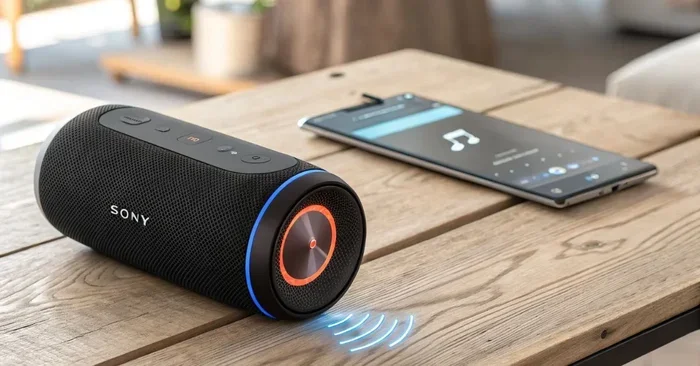
- Bluetooth Speakers: Portable and wireless. Brands like JBL, Anker, and Ultimate Ears fall into this category. They connect over Bluetooth and are easy to set up.
- Soundbars: Larger speakers that sit below your TV. Sonos, Vizio, and Samsung make popular options. Many soundbars connect via HDMI ARC or optical cable.
- Wireless Home Theater Systems: Multi-speaker setups that include a subwoofer and rear speakers. These create a true surround sound experience.
- Smart Speakers: Devices like Amazon Echo or Google Nest can double as speakers for your Roku TV through Bluetooth or auxiliary connections.
- Portable Bluetooth Speakers: Great for casual use. You can even take them to another room and pair them with your phone if needed.
Each type has its strengths. A Bluetooth speaker gives you flexibility and portability. A soundbar delivers room-filling sound. A wireless home theater system offers the most immersive experience. The good news is that your Roku TV supports all of these options.
Ways To Connect A Non Roku Speaker To Your Roku Tv
Connecting a non Roku speaker to your Roku TV is straightforward. You have several methods to choose from, depending on what your speaker and TV support. Let us break down each option so you can pick the best one for your setup.
Method 1: Bluetooth Connection
Bluetooth is the simplest and most popular way to connect a non Roku speaker to a Roku TV. Most modern Roku TVs support Bluetooth audio output. This means you can pair any Bluetooth-compatible speaker wirelessly. No cables, no fuss, just a quick pairing process.
Here is how to do it:
- Turn on your non Roku speaker and put it in pairing mode.
- On your Roku TV remote, press the Home button.
- Navigate to Settings, then select Audio.
- Choose Bluetooth and select your speaker from the list.
- Once paired, your Roku TV audio will stream to the speaker automatically.
If you already use a device like the Amazon Echo, you might want to check out how Alexa can work as a Bluetooth speaker for other devices. The pairing process is similar across most Bluetooth speakers and Roku TVs.
The Bluetooth method works well for most situations. However, it does have one downside: slight audio delay. This means the sound might not perfectly match the video, especially during fast-action scenes. For most casual watching, this delay is barely noticeable. But if you are a movie buff who cares about perfect audio sync, you might want to try another method.
Method 2: HDMI ARC Connection
HDMI ARC (Audio Return Channel) is the best wired option for connecting a non Roku speaker to your Roku TV. It provides a stable connection with minimal audio delay. If your speaker or soundbar has an HDMI ARC port, this is the method to choose.
Here is what you need to do:
- Connect one end of an HDMI cable to the HDMI ARC port on your Roku TV.
- Connect the other end to the HDMI ARC port on your speaker or soundbar.
- Go to Settings on your Roku TV, then Audio.
- Enable HDMI ARC and set your external speaker as the audio output.
HDMI ARC also lets you control your speaker volume using the Roku TV remote. This is a huge convenience. You do not need a separate remote for your speaker. Everything stays streamlined through your Roku setup.
If you are curious about how HDMI and Bluetooth can work together for audio and video separately, you can learn more about using HDMI for video and Bluetooth for audio in other setups.
Method 3: Optical Audio Cable
An optical audio cable is another reliable option. It uses a digital connection to send audio from your Roku TV to your non Roku speaker. The picture quality is not affected because this cable carries audio only. This method works well when your speaker does not support Bluetooth or HDMI ARC.
To use an optical cable:
- Find the optical audio output on your Roku TV. It is usually labeled “Optical Out.”
- Connect one end of the optical cable to your TV.
- Connect the other end to the optical input on your speaker.
- Go to Settings on your Roku TV, then Audio, and select Optical as the output.
An optical connection delivers clear, crisp digital audio. It is a solid choice if you want reliable sound without worrying about Bluetooth interference or wireless signal drops.
Method 4: Auxiliary (3.5mm) Cable
If your non Roku speaker has a 3.5mm audio input, you can use a simple aux cable. This is the oldest method, but it still works. Just plug one end into your Roku TV’s headphone jack and the other into your speaker. It is not the most elegant solution, but it gets the job done. This method works great with portable Bluetooth speakers that have an aux input mode.
Bluetooth Connection: The Easiest Method For Most Users
Let us talk more about Bluetooth because it is the method most people will use. A non Roku Bluetooth speaker pairs with your Roku TV in seconds. You do not need any extra cables or adapters. As long as your Roku TV supports Bluetooth audio output, you are good to go.
Here are some tips to make Bluetooth pairing work smoothly:
- Keep your speaker within 10 feet of your Roku TV for the strongest signal.
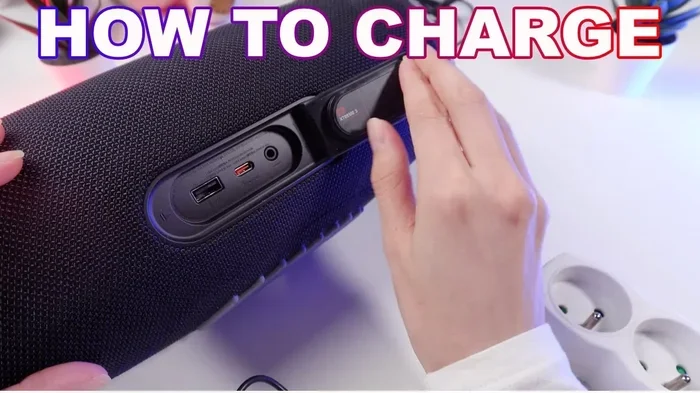
- Make sure your speaker is fully charged before pairing.
- Turn off other Bluetooth devices nearby that might interfere with the connection.
- If pairing fails, restart both your Roku TV and the speaker, then try again.
- Some Roku TV models may need you to enable Bluetooth in the settings first.
Bluetooth is especially convenient if you use a portable wireless speaker. You can move it from room to room and pair it with your Roku TV wherever you go. This is great for casual viewing in the kitchen or bedroom. However, keep in mind that Bluetooth range is limited. If you go too far from the TV, the connection may drop.
Some users wonder if they can use their phone as a speaker instead. If you are curious, you can check out how you can turn your phone into a Bluetooth speaker for alternative audio setups.
Using HDMI ARC And Optical Audio For Better Sound Quality
While Bluetooth is convenient, it is not always the best for audio quality. Bluetooth compression can slightly reduce sound fidelity. If you want the best possible audio from your non Roku speaker, a wired connection is the way to go.
Why HDMI ARC Is Superior
HDMI ARC offers several advantages over Bluetooth:
- No Audio Delay: The sound stays perfectly in sync with the video. This is critical for movies and gaming.
- Higher Audio Quality: HDMI ARC supports uncompressed audio, which means richer, more detailed sound.
- Single Cable Solution: One HDMI cable handles both audio and control signals.
- Volume Control: You can adjust the speaker volume using your Roku TV remote.
If you are using a soundbar or home theater system, HDMI ARC is almost always the better choice. It provides a stable, high-quality connection that Bluetooth simply cannot match.
When To Choose Optical Audio
Optical audio is a great middle ground. It offers better quality than Bluetooth but does not require the HDMI ARC port. Some older speakers and soundbars only have optical inputs. In these cases, an optical cable is your best bet for connecting a non Roku speaker to your Roku TV.
The tradeoff is that optical cables do not carry control signals. You will need to use your speaker’s remote to adjust volume. But the audio quality is excellent, and the connection is very stable.
Best Non Roku Speakers For Roku TV Users
If you are shopping for a new speaker to pair with your Roku TV, you have plenty of great options. You do not need to buy a Roku-branded product. Here are some of the best non Roku speakers that work beautifully with Roku TVs:
| Speaker | Connection Type | Best For | Price Range |
|---|---|---|---|
| JBL Flip 6 | Bluetooth | Portable, casual viewing | $100-$130 |
| Sonos Beam | HDMI ARC, Optical | Movie watching, home theater | $300-$450 |
| Bose SoundLink Revolve | Bluetooth | 360-degree sound, portability | $200-$300 |
| Sony HT-S200F | HDMI ARC, Optical | Budget soundbar with subwoofer | $150-$200 |
| Amazon Echo (4th Gen) | Bluetooth, Aux | Smart speaker with good audio | $80-$100 |
Each of these speakers brings something different to the table. A portable Bluetooth speaker like the JBL Flip 6 is perfect if you want flexibility. A soundbar like the Sonos Beam delivers theater-quality audio. The Amazon Echo is a great budget option if you also want a smart assistant built in.
When choosing a speaker, consider what matters most to you. Do you want portability? Go Bluetooth. Do you want the best sound quality? Choose HDMI ARC or optical. Do you want versatility? A smart speaker like the Amazon Echo can handle multiple roles in your home.
Common Problems And How To Fix Them
Connecting a non Roku speaker to your Roku TV is usually smooth. But sometimes, things go wrong. Here are the most common issues and how to solve them.
Bluetooth Pairing Fails
If your speaker will not pair with your Roku TV, try these steps:
- Make sure Bluetooth is enabled on your Roku TV. Go to Settings, then Audio, and check the Bluetooth option.
- Restart both your Roku TV and the speaker. Power them off, wait 30 seconds, and turn them back on.
- Move the speaker closer to the TV. Bluetooth range is typically about 10 feet.
- Remove any other Bluetooth devices from the pairing list on your TV and try again.
- Check if your speaker is in pairing mode. Most speakers need you to hold a button to enter pairing mode.
No Sound From The Speaker
If the connection works but you hear no sound, try these fixes:
- Make sure the speaker is set as the audio output. Go to Settings, then Audio, and select your external speaker.
- Check the volume on both your Roku TV and the speaker. Both need to be turned up.
- If using an HDMI ARC or optical cable, make sure the cable is securely plugged in at both ends.
- Try disconnecting and reconnecting the speaker.
Audio Delay Or Lip Sync Issues
Audio delay is frustrating but common with Bluetooth connections. Here is how to reduce it:
- Switch from Bluetooth to HDMI ARC or optical for a wired connection.
- If you must use Bluetooth, check if your speaker has a low-latency mode.
- Reduce the distance between the TV and the speaker.
- Make sure nothing is interfering with the Bluetooth signal, like microwaves or other wireless devices.
Expert Tips For Getting The Best Audio From Your Non Roku Speaker
Once you have your non Roku speaker connected to your Roku TV, a few simple tips can elevate your experience even further. These small adjustments make a big difference in daily use.
First, always update your Roku TV software. Roku regularly releases updates that improve Bluetooth stability and audio performance. Go to Settings, then System, then About, and check for updates. Keeping your TV current ensures the best compatibility with external speakers.
Second, position your speaker wisely. Placing a Bluetooth speaker near a wall or corner can boost bass and make the sound feel fuller. For soundbars, make sure they sit directly below your TV with nothing blocking the sound output.
Third, experiment with your TV’s audio settings. Roku TVs have built-in audio enhancements like “Dialogue Enhancement” and “Night Mode.” These settings can make a noticeable difference in clarity, especially for dialogue-heavy shows and movies. You can find them under Settings, then Audio, then Advanced Audio Settings.
Finally, if you have multiple speakers, consider creating a stereo pair or multi-room setup. Some non Roku speakers support pairing two units together for stereo sound. This doubles your audio quality without spending a fortune on a full home theater system.
Remember, your Roku TV is a versatile device. It works with speakers from virtually every major brand. You are not locked into any single ecosystem. Feel free to mix and match gear to find the setup that sounds best in your home.
Key Takeaways
- Multiple Connection Methods: You can connect a non Roku speaker to your Roku TV using Bluetooth, HDMI ARC, optical audio, or an aux cable.
- Bluetooth Is Simple But Has Limitations: It is the easiest setup but may have slight audio delay compared to wired options.
- HDMI ARC Delivers The Best Experience: For stable, high-quality audio with no delay and remote control integration, HDMI ARC is the top choice.
- Compatibility Is Broad: Most non Roku speakers from any brand will work with your Roku TV. Always check the connection options first.
- Troubleshooting Is Straightforward: Most common issues like pairing failures or no sound can be fixed with simple steps like restarting devices or checking settings.
- You Save Money: Using a speaker you already own saves you from buying a Roku-specific audio product. Your existing gear works just as well.
Conclusion
Using a non Roku speaker with your Roku TV is not only possible, it is easy and rewarding. You have multiple connection methods to choose from, and the sound quality improvement over built-in TV speakers is dramatic. Whether you go with a simple Bluetooth connection or a premium HDMI ARC setup, your listening experience will get a serious upgrade.
Do not feel locked into buying Roku-branded accessories. Your Roku TV is designed to work with a wide range of external speakers. Pick the speaker that fits your budget, your style, and your room, and follow the connection method that works best for your setup. The steps in this guide will help you get there without any hassle.
Now that you know how to connect a non Roku speaker to your Roku TV, you are ready to enjoy richer, clearer, more immersive audio every time you watch your favorite shows. Grab your speaker, follow the steps, and start enjoying better sound today.
Frequently Asked Questions
Can I connect any Bluetooth speaker to my Roku TV?
Most Bluetooth speakers work with Roku TVs that support Bluetooth audio output. Check your Roku TV settings under Audio to see if the Bluetooth option is available. If it is, you can pair virtually any Bluetooth speaker with your TV.
Do I need any special cables to connect a non Roku speaker?
It depends on the connection method. For Bluetooth, no cables are needed. For HDMI ARC, you need an HDMI cable. For optical audio, you need an optical cable. For aux connections, you need a 3.5mm cable. Most of these cables are common and affordable.
Will using a non Roku speaker void my Roku TV warranty?
No. Connecting an external speaker to your Roku TV does not void the warranty. Roku TVs are designed to work with external audio devices. Just make sure you follow the manufacturer’s instructions for proper connection.
Why is there a delay between the video and audio when using Bluetooth?
Bluetooth compression causes a slight delay in audio transmission. This is a common issue with all Bluetooth audio connections, not just with Roku TVs. Switching to a wired connection like HDMI ARC or optical eliminates this delay completely.
Can I use more than one speaker with my Roku TV at the same time?
Roku TVs typically support one Bluetooth audio output at a time. However, some speakers support stereo pairing, where two units work together as a single speaker system. Check your speaker’s manual for stereo pairing instructions.
Is HDMI ARC better than Bluetooth for Roku TV audio?
Yes, HDMI ARC is generally better than Bluetooth for Roku TV audio. It provides a more stable connection, higher audio quality, no audio delay, and lets you control volume with your Roku remote. If your speaker supports HDMI ARC, it is the preferred method.