How Do I Watch Movies On My Greyhound Bus Ride Tonight
Watching movies on your Greyhound bus is easier than you think. You can stream or download content using Greyhound WiFi, a portable hotspot, or offline downloads before your trip. This guide covers every method, tip, and trick to keep you entertained all night long.
You just booked a Greyhound bus ticket and you have a long ride ahead. Maybe it is a six-hour trip to visit family. Maybe it is an overnight journey across several states. Whatever the reason, one thing is clear — you want to watch movies on your Greyhound bus tonight. The good news is that watching movies on a Greyhound bus is totally doable. You just need the right setup and a little planning. This guide walks you through every option, from using the built-in Greyhound WiFi to downloading films ahead of time. By the end, you will know exactly how to make your bus ride feel like a mini movie theater.
So many people ask us about entertainment for long bus rides. The truth is, Greyhound trips can be boring if you are not prepared. The WiFi on Greyhound buses has come a long way, but it is not always perfect. That is why we cover multiple methods in this article. Whether you are a Netflix binge-watcher, a YouTube lover, or someone who prefers downloaded films, we have you covered. Let us dive in and get you set up for the best bus ride movie night ever.
Key Takeaways
- Greyhound WiFi lets you stream movies online: Connect to the bus WiFi and use Netflix, Hulu, or YouTube with the right setup.
- Downloading movies offline is the best backup: Save films before your trip in case the WiFi is slow or unavailable.
- A portable WiFi hotspot boosts your connection: Devices like a mobile hotspot can give you faster, more reliable internet on the road.
- Power and comfort matter for long rides: Bring a charger, headphones, and a tablet or laptop for the best movie experience.
- Troubleshooting common WiFi issues saves time: Knowing how to fix slow or broken connections keeps your entertainment running smoothly.
- Planning ahead makes all the difference: Pick your movies, charge your devices, and test your setup before you board.
📑 Table of Contents
- Can You Watch Movies on a Greyhound Bus?
- How Greyhound WiFi Works for Streaming
- Downloading Movies for Offline Viewing
- Using a Portable WiFi Hotspot on Greyhound
- What You Need for the Best Bus Movie Experience
- Troubleshooting Common Greyhound WiFi Problems
- Best Movies and Shows for Greyhound Bus Rides
- Expert Tips for a Smooth Movie Night on Greyhound
- Conclusion
Can You Watch Movies on a Greyhound Bus?
The short answer is yes. Streaming movies on a Greyhound bus works if you have a device and a decent connection. Most Greyhound buses offer free WiFi these days. But the quality of the connection can vary a lot. Some routes have fast, stable internet. Others barely load a webpage. This is why having a backup plan is so important. You do not want to be stuck on a five-hour ride with nothing to watch.
Here are the main ways you can watch films on Greyhound during your trip:
- Use the Greyhound WiFi to stream online: Connect to the bus network and watch Netflix, Hulu, or YouTube.
- Download movies before you leave: Save content to your phone or tablet so you do not need internet at all.
- Bring a portable WiFi hotspot: Use a mobile hotspot device for a faster, more reliable connection.
- Use offline movie apps: Apps like Netflix and Amazon Prime let you download and watch without a signal.
Each method has its pros and cons. We will break them all down so you can pick what works best for your trip. Streaming on long bus rides is fun, but it depends heavily on the WiFi. Downloading gives you peace of mind. A hotspot gives you control. Let us look at each one in detail.
Why People Love Watching Movies on the Bus
There is something about being on the road that makes a good movie feel even better. You are watching from your seat, the world outside is passing by, and you are totally absorbed in a story. Bus ride movies have become a thing because they turn dead time into fun time. Instead of staring at the ceiling or scrolling through social media on repeat, you get to enjoy a full film. It makes the hours fly by.
Also, let us be real — bus rides can be long and sometimes uncomfortable. Having a good movie to watch helps you relax. It takes your mind off the bumps in the road. It gives you something to look forward to. And if you are traveling alone, it beats the awkward silence. Entertainment for long bus rides is not a luxury. It is a necessity for a good trip.
How Greyhound WiFi Works for Streaming
Greyhound offers free WiFi on most of its buses. The service is called Greyhound WiFi, and it lets you connect to the internet while you ride. You can browse the web, check email, and yes — stream movies. But there are some things you need to know before you try to stream movies on bus WiFi.
The WiFi on Greyhound buses uses a cellular data connection. The bus has a router that picks up cell signal and shares it with passengers. This means your internet speed depends on cell coverage along your route. In areas with strong signal, you can stream in decent quality. In rural areas or tunnels, the connection may drop or slow down a lot.
How to Connect to Greyhound WiFi
Connecting to the Greyhound bus WiFi how to connect process is simple. Here are the steps:
- Turn on your device WiFi settings.
- Look for the network named “Greyhound WiFi” or something similar.
- Open your browser. You should be redirected to a login page.
- Accept the terms of use or enter any required info.
- Wait for the connection to establish.
- Open your streaming app and start watching.
That is it. The whole process takes less than a minute. But here is a quick tip — Greyhound bus WiFi not working is a common complaint. If the login page does not load, try clearing your browser cache. You can also try switching between HTTP and HTTPS in your URL bar. Sometimes just restarting your device WiFi fixes the problem.
Best Streaming Apps for Greyhound WiFi
Not all streaming apps work the same on Greyhound WiFi. Some need a lot of data. Others work well even on slow connections. Here are the best apps to use:
- Netflix: Great for downloaded content. You can also stream, but set the quality to low or medium to save data.
- YouTube: Works well on slower connections. You can lower the video quality for smoother playback.
- Hulu: Good for TV shows and movies. Streaming works if the WiFi is decent.
- Amazon Prime Video: Lets you download movies offline, which is perfect for bus travel.
- Tubi: A free streaming service with lots of movies. Great if you do not want to pay for a subscription.
Pro tip: Netflix on Greyhound works best when you download movies ahead of time. This way, you do not depend on the WiFi at all. Hulu on bus rides is also a solid choice if you already have a subscription. Both apps let you download content to your device before you leave.
Downloading Movies for Offline Viewing
This is the most reliable way to watch movies on your Greyhound bus. You download the films before your trip and watch them without needing any internet. No WiFi needed. No buffering. No frustration. Offline movie download is a game changer for bus travelers.
Almost all major streaming apps let you download content. Netflix, Amazon Prime, Disney+, and even YouTube Premium support offline downloads. You just need enough storage space on your device. A single movie can take up anywhere from 1 to 4 gigabytes, depending on the quality you choose.
How to Download Movies Before Your Trip
Follow these simple steps to get your movies ready:
- Open your streaming app on your phone or tablet.
- Find the movie or show you want to watch.
- Look for the download icon (usually a downward arrow).
- Tap download and wait for the file to save.
- Make sure the download is complete before you leave.
- Go to your app’s offline or downloaded section to find your movies.
Download your movies the night before your trip. This gives you time to fix any issues. Downloading movies for Greyhound travel is smart because you never know how good the WiFi will be on the bus. Having your own library of movies means you are always entertained.
How Much Storage Do You Need?
Here is a quick look at how much space different movie qualities use:
| Video Quality | Space Per Hour | Two-Hour Movie |
|---|---|---|
| Standard (480p) | About 1 GB | About 2 GB |
| High (720p) | About 2 GB | About 4 GB |
| Full HD (1080p) | About 3.5 GB | About 7 GB |
If your phone or tablet has limited storage, download in standard or high quality. You will still get a good viewing experience. Save full HD for devices with plenty of space. Best movies for bus travel are ones you have already seen or ones you do not mind watching on a smaller screen.
Using a Portable WiFi Hotspot on Greyhound
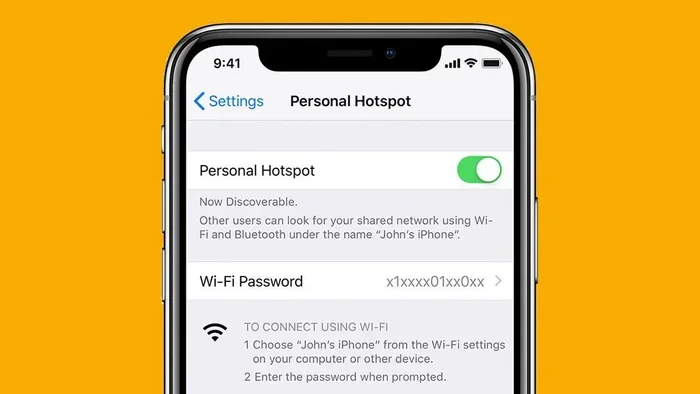
If the Greyhound bus WiFi is not enough for you, a portable WiFi hotspot can be a lifesaver. A hotspot is a small device that creates your own internet connection using a cellular data plan. You are not sharing bandwidth with dozens of other passengers. This means faster speeds and a more reliable connection.
Portable hotspots are small and easy to carry. You can slip one into your pocket or bag. Most hotspots work with major carriers like AT&T, Verizon, and T-Mobile. You buy a data plan, turn on the device, and connect your phone or tablet just like you would with regular WiFi.
Pros and Cons of Bringing a Hotspot
Here is a quick comparison to help you decide if a hotspot is worth it:
- Pros: Faster speeds than bus WiFi, more reliable connection, works on routes with weak cell signal (some models), you control your own data usage.
- Cons: Costs extra money for the device and data plan, adds another thing to carry, may need to be charged during long trips.
A hotspot is especially useful if you travel often on Greyhound buses. If you watch movies on Greyhound bus rides regularly, the cost pays for itself fast. You get better streaming quality and fewer interruptions. Some popular portable hotspot brands include Skyroam, GlocalMe, and TP-Link.
Quick Tips for Using a Hotspot on the Bus
- Check your data plan before you leave. Streaming movies uses a lot of data.
- Position the hotspot near a window for better cell signal reception.
- Lower the streaming quality if the connection is weak.
- Bring a portable charger for your hotspot device.
- Test the hotspot at home first to make sure everything works.
What You Need for the Best Bus Movie Experience
Watching movies on a Greyhound bus is not just about internet and content. You also need the right gear. A good setup makes a huge difference in how much you enjoy your trip. Think of it like setting up a mini home theater — but on wheels.
Here is what you should bring:
- A tablet or laptop: A bigger screen makes movies so much better than a phone. Tablets like the iPad or Samsung Galaxy Tab are perfect for bus viewing.
- Good headphones: Noise-canceling headphones block out engine noise and chatter. They let you focus on the movie. Wired or wireless both work fine.
- A portable charger: Long bus rides drain your battery fast. A high-capacity power bank keeps your device running all night.
- A neck pillow: You want to be comfortable while you watch. A good neck pillow supports your head and neck during the ride.
- An eye mask and earplugs: These help if you want to rest between movies or if other passengers are being loud.
Power Outlets on Greyhound Buses
Most Greyhound buses have power outlets or USB ports at each seat. This is great news for watching movies on long bus trips. You can charge your device while you watch. But not all buses have working outlets. It is always a good idea to bring a portable charger just in case. Arrive early and grab a seat near the power outlet if you can. This small tip can save your movie night.
Also, bring your charging cables. It sounds obvious, but so many people forget theirs. A dead phone or tablet in the middle of a ride is no fun. Keep your cables and your power bank in an easy-to-reach bag. You want to be able to plug in without digging through your luggage.
Troubleshooting Common Greyhound WiFi Problems
Even with the best plans, Greyhound WiFi can give you trouble sometimes. The connection may drop, the speed may slow down, or the login page may not load. These issues are frustrating, but most of them are easy to fix. Knowing what to do ahead of time saves you a lot of stress on your trip.
Slow WiFi Speed
Slow speeds are the most common problem on Greyhound buses. When too many passengers are streaming at the same time, the bandwidth gets stretched thin. Here is what you can do:
- Lower the video quality in your streaming app. Watch in 480p instead of 1080p.
- Close other apps running in the background.
- Move to the front or back of the bus where the signal might be stronger.
- Try streaming during off-peak hours if possible.
- Switch to downloaded content instead of streaming.
WiFi Connection Drops Frequently
If your Greyhound bus WiFi keeps disconnecting, try these fixes:
- Turn your WiFi off and back on.
- Forget the network and reconnect.
- Restart your device.
- Clear your browser cache if the login page is stuck.
- Use a VPN app — some passengers report that this helps with stability.
Sometimes the WiFi just does not work on certain routes. This is when your offline movie downloads really shine. Always have a backup plan. Downloaded movies never let you down, no matter how bad the WiFi is.
Login Page Will Not Load
This is a common issue with Greyhound WiFi not working at the login stage. Try these steps:
- Open a new incognito or private browser window.
- Type 1.1.1.1 or connectivitycheck.gstatic.com in the address bar.
- Disable and re-enable your WiFi.
- Restart your device completely.
- Try a different browser if one does not work.
Most of the time, one of these steps will get you connected. It is annoying when it happens, but it is fixable. Stay patient and try a few options before giving up.
Best Movies and Shows for Greyhound Bus Rides
Not all movies are great for watching on a bus. You want films that are engaging enough to keep your attention but not so intense that you miss your stop. Best movies for bus travel are usually ones with a good pace, strong story, and enough excitement to keep you hooked.
Here are some great picks for your Greyhound bus ride tonight:
- Adventure films: Movies like Indiana Jones or The Mummy keep you on the edge of your seat.
- Classic comedies: Films like Superbad or Bridesmaids are fun and lighthearted.
- Thriller series: Shows like Breaking Bad or Stranger Things are perfect for a long ride.
- Feel-good movies: The Pursuit of Happyness or Forrest Gump make any trip better.
- Documentaries: If you want something chill, documentaries are great for bus viewing.
Make a list of what you want to watch before you leave. This way, you do not waste time scrolling through options on the bus. Entertainment for long bus rides is all about preparation. A little planning goes a long way toward making your trip enjoyable.
Expert Tips for a Smooth Movie Night on Greyhound
We have put together some insider tips from frequent bus travelers who know how to make the most of their Greyhound bus entertainment:
- Download everything the night before. Do not wait until you are on the bus. WiFi can be unpredictable, and you do not want to be stuck with nothing to watch.
- Bring a backup device. If your phone battery dies, a tablet or laptop gives you another option.
- Use earphones with a mic. This lets you take calls if needed without removing your headphones.
- Pack snacks that are not messy. Crinkly wrappers and greasy fingers are bad news for your device and your movie experience.
- Set an alarm for your stop. Nothing ruins a good movie moment like missing your destination.
- Keep your belongings close. Use a backpack or a bag that stays with you at all times.
These tips might seem small, but they make a huge difference. The goal is to make your bus ride movie night as smooth and enjoyable as possible. When you are prepared, you can relax and just enjoy the show.
Conclusion
Watching movies on your Greyhound bus is one of the best ways to pass the time on a long ride. With Greyhound WiFi, offline downloads, and a portable hotspot, you have plenty of options to keep yourself entertained. The key is to plan ahead. Download your favorite movies, charge your devices, and bring the right gear. A little preparation turns a boring bus ride into a fun movie night on the road.
Remember, not every Greyhound bus has perfect WiFi. That is why having offline movies as a backup is so important. Combine that with a good pair of headphones, a charged portable charger, and a comfortable seat, and you are set for an enjoyable trip. Now you know exactly how to watch movies on your Greyhound bus ride tonight. So grab your popcorn, settle into your seat, and enjoy the show. Your next Greyhound trip is going to be a lot more fun than you expected.