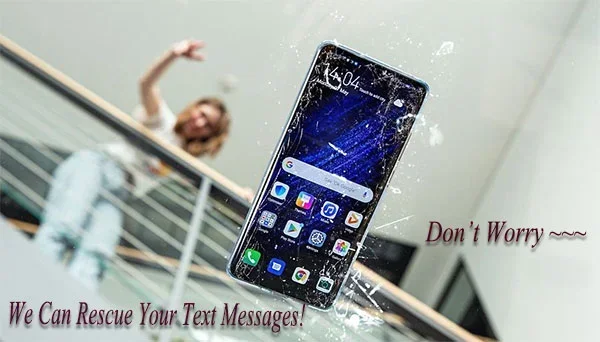
How Do I Check My Text Messages If My Phone Is Broken
You can still check your text messages even if your phone is broken. There are several simple methods available, including using your SIM card, logging into cloud backups, or accessing your carrier account online. This guide walks you through every option step by step.
Losing access to your phone is stressful enough. But losing your text messages on top of that can feel like a real blow. You might worry about missing important conversations, confirmation codes, or even sentimental exchanges with loved ones. The good news is that you can still check your text messages if your phone is broken. There are multiple ways to do this, and most of them are simple and free.
Whether your phone has a cracked screen, a dead battery, or water damage, your messages are likely still out there somewhere. They might be stored on your SIM card, backed up in the cloud, or logged on your carrier’s servers. This guide will show you exactly how to find them. You do not need to be a tech expert to follow along.
Let us walk through each method one by one. By the end of this article, you will know exactly what to do and which option works best for your situation. You will also learn how to prevent this problem from happening again in the future.
Key Takeaways
- SIM Card Method: Your text messages may still live on your SIM card even when your phone screen is shattered or unresponsive.
- Cloud Backups: iCloud and Google Drive often store your messaging history automatically if you had backup enabled.
- Carrier Account Access: Most mobile carriers let you view your text message logs through their online portal or app.
- Screen Mirroring: You can mirror your broken phone’s screen to another device using wireless casting tools.
- Professional Help: Data recovery specialists can extract messages from damaged phones in many cases.
- Prevention Matters: Setting up automatic backups now saves you from losing messages later.
📑 Table of Contents
- Why Your Messages Are Still Safe Even When Your Phone Is Broken
- How to Check Messages Using Your SIM Card
- Using Cloud Backups to View Your Text Messages
- Logging Into Your Carrier Account to Access Messages
- Screen Mirroring and Remote Access Options
- When to Seek Professional Data Recovery Help
- Preventing Future Message Loss
- Conclusion
Why Your Messages Are Still Safe Even When Your Phone Is Broken
Many people assume that a broken phone means lost messages forever. That is not true. Your text messages exist in several places beyond just your phone’s internal storage. Understanding where your messages live is the first step to getting them back.
When you send or receive a text message, it passes through your carrier’s network. It also gets stored on your device and sometimes on your SIM card. If you have backup features turned on, your messages may also be saved in the cloud. So even if your phone’s screen is shattered or its motherboard is damaged, your data is not necessarily gone.
The key is knowing which backup method you had active. Let us explore each option in detail.
Where Text Messages Live
Text messages are stored in a few different locations:
- Your phone’s internal memory – This is where messages live day to day.
- Your SIM card – Some carriers save a copy of your SMS history on the SIM.
- Cloud services – iCloud for iPhone users and Google Drive for Android users.
- Your carrier’s servers – Your mobile provider may keep logs of your messaging activity.
- Third-party messaging apps – Apps like WhatsApp or Messenger store chats on their own servers.
Knowing where your messages are stored helps you choose the right recovery method. Let us now look at each method in action.
How to Check Messages Using Your SIM Card
The SIM card is one of the easiest ways to access your text messages when your phone is broken. A SIM card is the small chip that connects your phone to your mobile network. It stores basic data, including some of your text messages.
Step-by-Step: Retrieving Messages from Your SIM
Here is how you can check your messages using your SIM card:
- Remove the SIM card from your broken phone. Use a SIM ejector tool or a small paperclip to open the SIM tray.
- Insert the SIM card into another phone. This can be an old phone, a friend’s phone, or even a basic backup phone.
- Open the messaging app on the new phone. Look for a folder labeled “SIM messages” or “Messages on SIM.”
- Browse through your conversations and read them as you normally would.
Keep in mind that not all SIM cards store every message you have ever received. Some carriers only save a limited number of texts on the SIM. But for recent messages, this method works very well.
Limitations of the SIM Card Method
This method has a few drawbacks you should know about:
- Not all phones save messages to the SIM by default.
- The number of messages stored on a SIM is usually limited.
- Multimedia messages (MMS) with pictures or videos may not be saved on the SIM.
- You need physical access to the SIM card, which means you need to remove it from the broken device.
Despite these limits, the SIM card method is one of the fastest and simplest ways to check your messages. It should always be your first try.
Using Cloud Backups to View Your Text Messages
If you have cloud backup turned on, you are in luck. Both Apple and Android devices offer built-in backup tools that can save your entire messaging history. You can access these backups from any device with an internet connection.
Checking Messages via iCloud (iPhone Users)
If you use an iPhone, your messages may be backed up to iCloud automatically. Here is how to check:
- Go to icloud.com on any web browser.
- Sign in with your Apple ID and password.
- Click on “Messages.” If you have iCloud Messages enabled, all your text conversations will appear here.
- Browse and read your messages just like you would on your phone.
You can also check your messages on another Apple device, such as an iPad or a Mac. As long as you are signed in with the same Apple ID, your messages should sync automatically.
Checking Messages via Google Drive (Android Users)
Android users can use Google Drive to back up their messages. Here is the process:
- Open Google Drive on any computer or another phone.
- Sign in with the Google account linked to your broken phone.
- Look for a backup file from your phone. This is usually found under “Backups” in the left menu.
- Download and open the backup file to view your messages.
Note that Google Drive backups of messages are not always as easy to read as iCloud messages. You may need a third-party app to decode the backup file. Apps like “SMS Backup & Restore” can help you view and organize your backed-up messages.
Third-Party Messaging Apps and Cloud Storage
Many people use messaging apps like WhatsApp, Facebook Messenger, or Telegram. These apps store your chat history on their own cloud servers. You can often log into these apps on a new device and access all your old messages.
- WhatsApp – You can back up chats to Google Drive or iCloud and restore them on a new phone.
- Facebook Messenger – Your messages are tied to your Facebook account and accessible from any browser.
- Telegram – Telegram stores all messages in the cloud by default, making them easy to access anywhere.
If you use any of these apps, try logging in on another device. You may find that all your messages are waiting for you there.
Logging Into Your Carrier Account to Access Messages
Your mobile carrier may have a record of your text messages. Most major carriers offer online portals or mobile apps where you can view your account details, including messaging history. This method does not require your phone to be working at all.
How to Access Your Carrier’s Message Logs
Here is a general guide that works for most carriers:
- Go to your carrier’s website. This could be Verizon, AT&T, T-Mobile, or any other provider.
- Log into your account using your username and password.
- Navigate to your billing or usage section. Many carriers list message counts and sometimes even message content here.
- Look for a messaging or SMS log. Some carriers provide detailed records of sent and received texts.
Keep in mind that carriers typically do not store the full content of every message forever. They may only keep records for a certain period, usually 90 days to a year. But for recent messages, this method can be very useful.
| Carrier | Online Portal | Message History Available? | How to Access |
|---|---|---|---|
| Verizon | My Verizon | Yes, limited | Account dashboard under Usage |
| AT&T | AT&T Account | Yes, limited | Billing and usage section |
| T-Mobile | T-Mobile Account | Yes, limited | Usage and details page |
| Sprint | Sprint Account | Yes, limited | Account overview section |
Calling Your Carrier for Help
If you cannot find message logs online, try calling your carrier’s customer service. Explain that your phone is broken and you need to access your text messages. Some carriers can email or text your message history to another number. This is not always guaranteed, but it is worth asking about.
Screen Mirroring and Remote Access Options
If your broken phone still turns on but has a cracked or unresponsive screen, you might be able to see your messages using screen mirroring. This lets you display your phone’s screen on another device, like a tablet, laptop, or smart TV.
Using Wireless Screen Mirroring
Here is how to mirror your phone’s screen wirelessly:
- For Android: Use Google Cast or Samsung Smart View to cast your screen to a Chromecast, smart TV, or another Android device.
- For iPhone: Use AirPlay to mirror your screen to an Apple TV or a Mac on the same Wi-Fi network.
Once your screen is mirrored, you can navigate your phone using the other device. Open your messaging app and read your texts on the larger screen. This works well if the touch screen is cracked but still partially responsive.
Using USB Debugging for Android
If you had USB debugging enabled before your phone broke, you can connect it to a computer and access your messages that way:
- Connect your phone to a computer using a USB cable.
- Open a command prompt or terminal on the computer.
- Use ADB (Android Debug Bridge) commands to pull your message database.
- Open the database file on your computer to read your messages.
This method requires some technical knowledge. If you are not comfortable with command-line tools, you might want to skip this step and try the other methods first.
When to Seek Professional Data Recovery Help
Sometimes, none of the DIY methods work. Your phone might be completely dead, water-damaged, or too broken to turn on. In these cases, professional data recovery services can help you check your text messages.
What Professional Recovery Services Do
Data recovery specialists have tools and techniques that go far beyond what most people can do at home. They can:
- Extract data directly from the phone’s storage chip.
- Repair the phone’s motherboard temporarily just enough to access your files.
- Use specialized software to read data from damaged devices.
- Recover deleted messages that you thought were gone forever.
How to Choose a Reliable Recovery Service
Not all data recovery services are created equal. Here is what to look for:
- Look for certified professionals. Certifications from organizations like the International Association of Computer Investigative Specialists (IACIS) are a good sign.
- Check reviews and ratings. Look for services with a strong track record of successful recoveries.
- Ask about upfront pricing. Reputable services will give you a clear price estimate before they start working.
- Make sure they offer a no-data, no-pay policy. This protects you if they cannot recover your messages.
Professional recovery can be expensive, ranging from $100 to $1,000 or more depending on the damage. But if your messages are extremely important, it may be worth the cost.
Preventing Future Message Loss
Once you have recovered your messages, take steps to make sure you never lose them again. Prevention is always easier than recovery.
Enable Automatic Cloud Backups
Both iPhone and Android offer automatic backup options. Make sure yours are turned on:
- iPhone: Go to Settings, tap your name, then iCloud, and turn on Messages.
- Android: Go to Settings, then System, then Backup, and enable Google One backup.
Use a Third-Party Backup App
For extra peace of mind, use a dedicated backup app. Apps like “SMS Backup & Restore” for Android or “iMazing” for iPhone let you save your messages to your computer or an external drive. This gives you a backup that does not depend on cloud services.
Keep Your SIM Card Safe
Your SIM card is a small but powerful tool for message recovery. Keep it in a safe place, especially if you ever need to replace your phone. You can transfer your SIM to a new device and keep all your messages intact.
Regularly Export Your Messages
Make it a habit to export your text messages to a file every few weeks. This way, even if your phone is lost or destroyed, you will have a complete copy of your conversations saved on your computer or in the cloud.
Conclusion
Checking your text messages when your phone is broken is easier than you might think. You have several reliable options available, from using your SIM card to logging into your carrier account or accessing cloud backups. Each method has its strengths, and the best one depends on your specific situation.
Start with the simplest methods first – try your SIM card and cloud backups before moving on to more advanced options. If those do not work, reach out to your carrier or consider professional data recovery services.
Remember that the best defense against message loss is prevention. Set up automatic backups today so that you never have to worry about losing your text messages again. Your future self will thank you.
Take action now. Pick the method that fits your situation and try it today. You might be surprised at how easy it is to get your messages back.
Frequently Asked Questions
Can I recover deleted text messages from a broken phone?
Yes, in many cases you can recover deleted messages even from a broken phone. Cloud backups, SIM card data, and professional recovery services can all help. The sooner you act, the better your chances of success.
Do I need to pay for a data recovery service?
Not always. Many recovery methods are free, such as checking your SIM card or cloud backup. Professional services do charge fees, but some offer free estimates or only charge if they successfully recover your data.
How long do carriers keep text message records?
Most carriers keep message metadata for 90 days to one year. The actual content of messages is usually not stored for long periods. Check with your specific carrier for their retention policy.
Can I access my messages on a new phone if my old phone is broken?
Yes, you can. If you had cloud backup enabled, simply log into your account on the new phone and restore your messages. If you use a SIM card, just transfer the SIM to the new phone and your messages will be there.
What should I do if my phone fell in water and I need my messages?
Do not try to turn on the phone. Instead, remove the SIM card immediately and try the SIM method on another phone. Then, contact a professional data recovery service as soon as possible for the best chance of retrieving your data.
Are text messages backed up to Google Drive automatically on Android?
Only if you have Google One backup enabled. Go to your Android settings and check your backup status. If it is turned off, your messages may not be saved to the cloud. Turn it on now to protect future messages.