How Do I Avoid Roaming Charges On A Cruise Vacation
Roaming charges on a cruise can wreck your vacation budget fast. This guide shows you exactly how to avoid roaming charges on a cruise with simple, proven strategies. You will learn about shipboard WiFi, offline tricks, and data alternatives that keep you connected without the scary bills.
Planning a cruise is one of the best ways to unwind. You get beautiful ocean views, great food, and nonstop entertainment. But there is one thing that can turn a dream vacation into a wallet nightmare: roaming charges.
Roaming charges on a cruise happen when your phone connects to networks outside your home carrier’s coverage area. At sea, your phone looks for signals from cell towers on shore or satellite networks. Each connection can trigger fees that add up fast. A single day of accidental data use can cost you 50 dollars or more.
The good news is that you can take control. With a few smart moves before and during your trip, you can stay connected without the bill shock. This guide walks you through every practical step to avoid roaming charges on a cruise vacation.
Whether you are a first-time cruiser or a seasoned traveler, these tips will help you save real money. Let us dive in.
Key Takeaways
- Turn off data roaming before you board: This single step prevents most surprise charges.
- Use shipboard WiFi wisely: Buy packages that match your real needs instead of defaulting to the priciest plan.
- Download everything before departure: Offline maps, movies, and guides work without any internet.
- Leverage your phone as a hotspot: Check if your carrier offers a plan that works at sea.
- Use free WiFi at port stops: Many ports offer free or cheap internet access you can tap into.
- Communicate through messaging apps on WiFi: Apps like WhatsApp and iMessage work over WiFi and cost nothing extra.
📑 Table of Contents
Understanding Roaming Charges On Cruise Ships
Before you can avoid roaming charges, you need to understand how they work. Cruise ships travel across international waters and dock in foreign ports. Your phone does not know the difference between home and abroad when it searches for a signal.
How Data Roaming Works At Sea
When your phone is on, it constantly looks for a network. On a cruise, it may connect to a shipboard cell tower or a satellite link. Your home carrier treats this as international roaming. They charge you for every kilobyte of data, every text message, and every minute of call time.
Most carriers apply international roaming rates that are much higher than domestic rates. Some charge per megabyte. Others add daily fees on top of usage charges. These costs stack up quickly, especially if you are posting photos or streaming music.
Common Types Of Cruise Roaming Fees
- Data roaming fees: Charges for using mobile data outside your home network.
- Voice roaming fees: Costs for making or receiving calls while abroad.
- SMS fees: Charges for sending or receiving text messages.
- Daily access fees: Some carriers add a flat daily charge just for being on a roaming network.
The simplest way to stop these charges from piling up is to turn off data roaming before you step onto the ship. This one action blocks your phone from using any cellular network outside your home zone.
Why Cruise Internet Costs So Much
You might wonder why cruise ship WiFi is so expensive. The answer comes down to technology and logistics. Ships use satellite-based internet systems to provide connectivity at sea. These systems are costly to operate and maintain.
Satellite Vs. Shore-Based WiFi
Most cruise ships rely on satellite connections. Satellites orbit thousands of miles above the Earth. The signal has to travel up and back down, which creates latency and limits bandwidth. This is why cruise WiFi often feels slow and expensive.
Some newer ships use shore-based WiFi when near coastlines. This can be faster and cheaper. But even with improvements, cruise internet remains pricier than what you pay at home. Carriers and cruise lines pass these costs on to passengers.
Who Sets The Prices For Shipboard WiFi
Cruise lines partner with telecom companies to provide onboard internet. The prices you see on the ship are set by these partnerships. You will often find tiered packages — basic, standard, and premium. The basic plan may be enough for light browsing, but streaming and video calls need the premium tier.
Understanding this pricing structure helps you make smarter choices. You do not have to buy the most expensive package if you know how to use WiFi efficiently.
Ways To Avoid Roaming Charges On A Cruise
Now let us get to the practical part. Here are the best strategies to avoid roaming charges on a cruise and keep your phone useful without draining your wallet.
Turn Off Data Roaming Before Boarding
This is the single most important step. Go into your phone settings and disable data roaming. On iPhone, go to Settings, then Cellular, then Cellular Data Options, and toggle off Data Roaming. On Android, go to Settings, then Network, then Mobile Network, and turn off Data Roaming.
Once data roaming is off, your phone will not use any cellular data abroad. You can still make calls and send texts over WiFi if you have internet access. This one change can save you hundreds of dollars over a week-long cruise.
Use Airplane Mode Strategically
Putting your phone in airplane mode disables all wireless connections. This includes cellular, WiFi, and Bluetooth. It is the safest way to ensure zero roaming charges.
But you do not have to stay in airplane mode the entire trip. You can turn it off when you connect to shipboard WiFi or free port WiFi. This gives you control over when and how your phone uses data. Toggle airplane mode on and off as needed throughout the day.
Download Everything Before You Leave
One of the best ways to stay entertained without using data is to download content before departure. This includes maps, movies, music, podcasts, and guidebooks.
- Offline maps: Download Google Maps or Apple Maps for your ports of call. You can navigate without any data connection.
- Movies and shows: Load Netflix, Amazon Prime, or Disney+ content onto your device for offline viewing.
- Music: Download playlists from Spotify or Apple Music to enjoy during sea days.
- Reading material: Save articles, ebooks, or PDFs for downtime.
When you have everything saved offline, you do not need to rely on shipboard WiFi for entertainment. This also means you can keep your data roaming off the entire trip.
Buy A Data Plan That Works At Sea
Some carriers offer international plans or add-ons designed for travelers. Before your cruise, check with your provider about options that cover data at sea. Can I Add A Hotspot To My Att Unlimited Plan 2 is a great example of a plan feature worth exploring if you are an AT&T customer.
You may also consider a temporary international plan. These plans often offer daily or weekly data packages at lower rates than standard roaming. They give you just enough data for essentials like messaging and navigation without the fear of overage charges.
Use Messaging Apps Over WiFi
When you connect to shipboard WiFi, you can use apps that do not require cellular data. WhatsApp, Facebook Messenger, iMessage, and Telegram all work over WiFi. You can send texts, voice messages, and even make calls without using your cellular plan.
This is a game changer for staying in touch with family back home. As long as you have WiFi, you can communicate freely. Just make sure you are connected to the ship’s WiFi network and not accidentally using your cellular data.
Tap Into Free WiFi At Port Stops
Many cruise ports offer free or low-cost WiFi in public areas. When your ship docks, you can step off and connect to local networks. This gives you a chance to check messages, update social media, or browse the web without using your cellular data.
Just be careful with public WiFi. Use a VPN if possible, and avoid logging into sensitive accounts like banking. Port WiFi is convenient but not always secure.
Tips For Staying Connected Without Breaking The Bank
Staying connected on a cruise does not have to mean spending a fortune. With the right approach, you can balance connectivity and cost.
Choose The Right Shipboard WiFi Package
Most cruise lines let you buy WiFi before your trip at a discount. Check the cruise line’s website for pre-purchase options. You will usually find three tiers:
- Basic: Enough for messaging and light browsing. Often the most affordable.
- Standard: Good for video calls and streaming at lower quality.
- Premium: Fast enough for HD streaming and large downloads.
If you only need to check in with family and post the occasional photo, the basic plan is all you need. Do not overspend on speed you will not use.
Set Data Alerts On Your Phone
Even with data roaming turned off, it is smart to set data usage alerts. Both iPhone and Android let you set a data limit that triggers a warning. This helps you catch any accidental data use early.
Go to your phone settings and look for Data Usage or Cellular Data. Set a low threshold so you get notified if anything slips through. This is a simple safety net that gives you peace of mind.
Charge Your Phone With Offline Entertainment
One underrated tip is to bring a portable charger. When you are not worrying about finding a WiFi connection, you can focus on offline entertainment. Downloaded movies, games, and books will keep you busy for hours.
Also consider bringing a pair of headphones with a built-in microphone. This lets you make WiFi calls without needing to hold your phone. It is a small accessory that makes a big difference.
Use WiFi Calling When Available
If your carrier supports WiFi calling, this is a great way to make calls without using cellular minutes. WiFi calling routes your calls through the ship’s WiFi network instead of cell towers. It works just like a regular call but costs nothing extra in roaming fees.
Check with your carrier to confirm they support WiFi calling. Then make sure it is turned on in your phone settings before you leave. You will be able to call home from the ship without worrying about charges.
What To Do Before Your Cruise Departs
A little preparation goes a long way toward avoiding roaming charges. Here is a pre-cruise checklist to keep you on track.
Contact Your Carrier
Call your mobile carrier at least a week before your cruise. Ask them about international roaming options and any travel-friendly plans they offer. Some carriers have special packages for cruise passengers. Others can temporarily adjust your plan to reduce fees.
Make sure you understand exactly what will and will not be charged while you are at sea. Get the details in writing if possible.
Update Your Phone And Apps
Before you leave, update your operating system and all apps. This ensures offline features work smoothly. Download any maps, shows, or content you will need during the trip.
Also clear out old files to make room for new downloads. A full phone is a phone that cannot hold the content you need for offline use.
Test Your Settings At Home
Practice turning on airplane mode, connecting to WiFi, and using offline apps before your trip. This helps you get comfortable with the process. You do not want to fumble with settings while the ship is pulling out of port.
Prepare A Backup Communication Plan
Agree on a communication plan with family or travel partners. Let them know you will be checking in at specific times over WiFi. This sets expectations and reduces the urge to use cellular data constantly.
You can also share your shipboard WiFi login details with close family members. They can reach you through messaging apps without you needing to use your cellular plan.
Final Thoughts On Avoiding Roaming Charges
Roaming charges on a cruise do not have to ruin your vacation. With the right preparation and a few smart habits, you can stay connected and keep your budget intact. The key is to plan ahead, use WiFi whenever possible, and keep cellular data off when you do not need it.
Turn off data roaming, download offline content, buy the right WiFi package, and use messaging apps over shipboard internet. These simple steps add up to big savings. You will come home with great memories and no surprise bills.
Remember, the goal of a cruise is to relax and enjoy yourself. Do not let the fear of roaming charges stress you out. With these tips, you are fully equipped to stay connected on your terms. Avoiding roaming charges on a cruise is not about going offline — it is about being smart with how you stay online.
Now you have everything you need. Plan ahead, pack your devices, and get ready for the cruise of a lifetime — without the bill shock.
Frequently Asked Questions
How do I turn off data roaming on my phone?
On iPhone, go to Settings, then Cellular, then Cellular Data Options, and toggle off Data Roaming. On Android, go to Settings, then Network, then Mobile Network, and turn off Data Roaming. This single step blocks all cellular data use outside your home network.
Can I use my phone hotspot on a cruise?
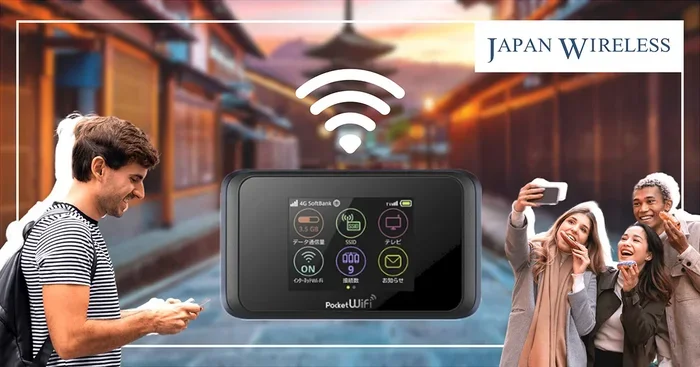
Using your phone as a hotspot on a cruise can be tricky. It may still trigger roaming charges if your phone connects to a cellular network at sea. Check with your carrier first. Some plans, like those that allow you to Can I Get Wi-Fi From My Phone, may offer limited at-sea hotspot use, but it is best to confirm before you travel.
Is cruise ship WiFi worth the cost?
It depends on your needs. If you just want to check messages and browse light web pages, a basic package is usually enough. If you need video calls or streaming, you will need a premium plan. Buying WiFi before your trip online almost always saves money compared to buying onboard.
What happens if I accidentally use data on a cruise?
Do not panic. Contact your carrier right away and explain the situation. Some carriers may waive or reduce first-time accidental roaming charges. Going forward, double-check that data roaming is turned off before boarding.
Can I get free WiFi at cruise ports?
Many cruise ports offer free WiFi in public areas like cafes, parks, and town centers. The signal may be weak or limited, so it is best for quick checks rather than heavy use. Always use a VPN when connecting to public WiFi for security.
How can I find Wi-Fi without a password at ports?
Some ports and cruise terminals offer open WiFi networks that do not require a password. You can also check if your cruise line provides a guest WiFi network with free access in certain areas. Look into whether you can Can I Get Wi-Fi Without A Password through your carrier or a portable hotspot device.
=== CONCLUSION ===
Avoiding roaming charges on a cruise is entirely doable with the right approach. You do not need to be a tech expert. Just follow the steps in this guide and you will be well prepared. From turning off data roaming to downloading offline content, each tip saves you real money. The best part is that you can still stay connected with family and friends using WiFi and messaging apps. Your cruise vacation should be about relaxation and fun, not about worrying over phone bills. Take these lessons, plan ahead, and enjoy every moment on the open sea.