How Can I Make Free Calls Without A Phone Number Online
You can make free calls without a phone number using VoIP apps, web-based services, and messaging platforms that work over Wi-Fi or mobile data. This guide covers the best tools, step-by-step setup instructions, and safety tips so you can call anyone for free without sharing your real number. Whether you need privacy, anonymity, or just want to save money, these methods work on any device.
Have you ever wanted to make a call without using your real phone number? Maybe you value your privacy. Maybe you do not have a SIM card. Or maybe you just want to save money on your phone bill. Whatever the reason, making free calls without a phone number is entirely possible today. You do not need a traditional phone plan or a carrier contract. All you need is an internet connection and the right app or service.
In this guide, we will walk you through every method you can use to make free calls without a phone number online. We will cover the best apps, web-based services, and privacy tools available right now. You will learn how each option works, what its pros and cons are, and which one fits your needs best. Let us get started.
Key Takeaways
- VoIP apps like TextNow and Google Voice let you call for free without a SIM card or phone number.
- Web-based calling services work right in your browser with no downloads needed.
- Messaging apps such as WhatsApp and Skype offer free voice calls over Wi-Fi or data.
- Burner apps give you temporary numbers for private and anonymous calling.
- Staying safe is essential — always use encrypted services and avoid sharing personal details.
- Free international calls are possible with the right app, saving you from roaming charges.
- Most free calling methods work on smartphones, tablets, and computers alike.
📑 Table of Contents
- Why You Might Want to Make Free Calls Without a Phone Number
- Best Free Calling Apps That Do Not Require a Phone Number
- How VoIP Technology Makes Number-Free Calls Possible
- Web-Based Calling Services for Free
- Tips for Staying Safe When Making Anonymous Calls
- Common Mistakes to Avoid When Using Free Call Services
- Comparison of Free Calling Options
- Quick Tips for Getting the Best Free Calling Experience
- Expert Insights on Number-Free Calling
- Key Takeaways
- Conclusion
Why You Might Want to Make Free Calls Without a Phone Number
There are many reasons people look for ways to call without revealing their phone number. Some reasons are practical. Others are about privacy and safety. Here are the most common ones:
- Privacy protection: You do not want strangers, businesses, or anyone else to see your real number when you call.
- No SIM card available: You might be using a tablet or an old device that does not have a SIM slot.
- Saving money: Traditional calling plans can be expensive, especially for international calls.
- Anonymous communication: You may need to contact someone without revealing your identity.
- Traveling abroad: Roaming charges can add up fast. Free internet calling avoids that completely.
- Temporary needs: You might only need a number for a short period, like selling items online or signing up for a service.
No matter your reason, the solutions below will help you make free calls without a phone number easily and safely.
Who Benefits Most From Number-Free Calling?
Freelancers, travelers, online sellers, privacy advocates, and anyone who communicates frequently online can benefit. Even regular phone users save money by switching to free VoIP calling for local and international conversations. The beauty is that these tools work on almost any device.
Best Free Calling Apps That Do Not Require a Phone Number
When most people think about making free calls without a phone number, they think of apps. These applications use your internet connection to place calls. They do not need a traditional phone line or SIM card. Here are the top options you should try.
TextNow
TextNow is one of the most popular free calling apps available. It gives you a real phone number for free. You can call any US or Canadian number at no cost. The app works on both Android and iOS devices. You simply download it, sign up with an email address, and start calling.
One great thing about TextNow is that it does not require you to verify with an existing phone number. You get a free number assigned to your account. This makes it perfect for calling without a phone number while still reaching people who only accept calls from real numbers.
Google Voice
Google Voice is a powerful tool for free internet calling. It gives you a dedicated phone number that you can use to make and receive calls. However, Google Voice does require you to sign in with an existing phone number during setup. After that, you can use it without revealing your real number to others.
The app works on any device with a browser or the Google Voice app. It offers features like call forwarding, voicemail transcription, and spam filtering. It is one of the best options for people who want a reliable free calling experience.
Skype
Skype has been around for a long time, and it remains one of the best VoIP services for free calls. You can call other Skype users anywhere in the world for free. Skype uses your internet connection, whether that is Wi-Fi or mobile data. No phone number is needed to create an account or start calling.
Skype also offers low-cost rates for calling landlines and mobile numbers that are not on Skype. But the free peer-to-peer calling between Skype users is more than enough for most people. It works on Windows, Mac, iOS, and Android.
WhatsApp is a messaging app with free voice and video calling. It uses your internet connection to make calls, so there are no carrier charges. You do need a phone number to sign up, but you can use a secondary or virtual number. Once set up, your contacts do not see your real number unless you share it.
WhatsApp is available on virtually every smartphone. It supports free international calls and group calls with up to 32 people. It is one of the most widely used communication apps in the world.
Viber
Viber is another excellent free calling app that does not require a phone number for the person you are calling. You can make free voice and video calls to other Viber users worldwide. The app also has a feature called Viber Out, which lets you call non-Viber users at low cost. But the free Viber-to-Viber calls are unlimited and high quality.
Facebook Messenger
If you already use Facebook, then Facebook Messenger is an easy choice for free calls without a phone number. You can call other Messenger users for free over Wi-Fi or data. No phone number is needed — just a Facebook account. It supports both voice and video calls and works on mobile and desktop.
How VoIP Technology Makes Number-Free Calls Possible
Voice over Internet Protocol, commonly known as VoIP, is the technology behind all free internet calling. Instead of using traditional phone lines, VoIP converts your voice into digital data packets. These packets travel over the internet to the person you are calling. This is how you can make free calls without a phone number and without any carrier involvement.
How VoIP Works in Simple Terms
When you speak into your phone or computer, the VoIP app records your voice. It then breaks that recording into small digital packets. These packets travel through your internet connection to the recipient. The receiving app reassembles the packets into sound. All of this happens in milliseconds. The person on the other end hears your voice clearly.
Because VoIP uses the internet instead of phone networks, there are no per-minute charges. You do not need a phone plan or a SIM card. You only need a stable internet connection. This is why free VoIP calling has become so popular around the world.
Wi-Fi Calling vs. Data Calling
You can use VoIP over Wi-Fi or mobile data. Wi-Fi calling is usually free and works well at home or in offices. Data calling uses your mobile data plan. Most free calling apps work on both. If you have unlimited data, you can call anywhere without worrying about limits. If your data is limited, stick to Wi-Fi for the best experience.
Why VoIP Is Better Than Traditional Calling
- Cost savings: Free calls to other app users. Low rates for calls to non-app numbers.
- No phone number required: You can create accounts and call without sharing your real number.
- Global reach: Call anyone in the world with an internet connection.
- Extra features: Video calls, messaging, file sharing, and more all in one app.
- Device flexibility: Use your phone, tablet, laptop, or desktop computer.
Web-Based Calling Services for Free
Not everyone wants to download an app. That is where web-based calling services come in. These services let you make free calls directly from your browser. No installation is required. No phone number is needed. You just open the website and start talking.
Google Hangouts (Now Google Meet)
Google Meet, formerly known as Google Hangouts, is a web-based communication platform that supports free voice and video calls. You can call other Google Meet users without providing a phone number. All you need is a Google account. This makes it a convenient option for free calls without a phone number.
Skype Web Version
Skype also has a web version that works in your browser. You do not need to install anything. Just go to the Skype website, sign in, and start a call. The web version supports free calls to other Skype users. It is a great option when you are using a shared or public computer.
Discord
Discord is primarily a gaming platform, but it also offers excellent free voice calling. You can join voice channels and talk to friends or colleagues for free. No phone number is required to use Discord. It works in your browser or as a desktop app. Many people do not realize Discord is a powerful free VoIP calling tool.
Zoom
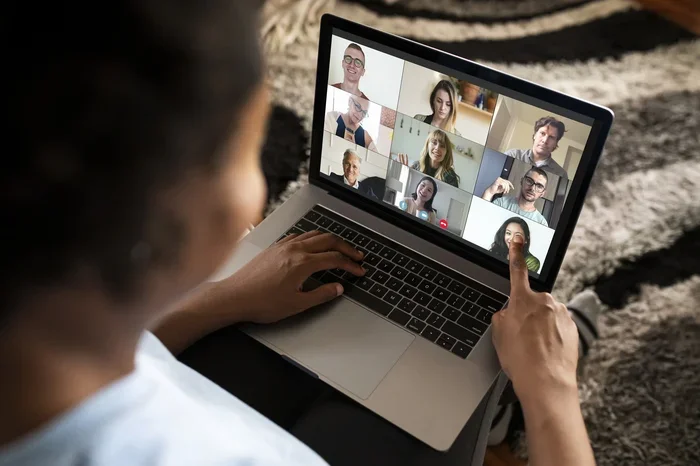
Zoom is widely known for video conferencing, but it also supports free audio calls. You can start a Zoom meeting and invite others to join via voice only. The free version has a 40-minute limit for group calls, but one-on-one calls have no time limit. Zoom does not require a phone number to create an account.
Tips for Staying Safe When Making Anonymous Calls
When you make free calls without a phone number, privacy and safety should be your top priority. Here are some essential tips to keep you protected.
Use Encrypted Services
Always choose apps that offer end-to-end encryption. Encryption ensures that your calls cannot be intercepted or listened to by third parties. Apps like Signal, WhatsApp, and Viber provide strong encryption for your voice calls. Avoid using unknown or suspicious calling websites that do not mention their privacy policies.
Do Not Share Personal Information
Even when you are calling anonymously, be careful about what you share. Do not give out your real name, address, or financial details unless you trust the person completely. Anonymous calling is meant to protect your identity, so protect it.
Use a VPN for Extra Security
A Virtual Private Network, or VPN, adds an extra layer of privacy to your internet activity. It hides your IP address and encrypts your data. When combined with a free calling app, a VPN makes it very difficult for anyone to trace your calls back to you. Many reputable VPN services are available for free or at a low cost.
Be Aware of Scams
Unfortunately, some people use anonymous calling to scam others. If someone calls you and asks for money or personal information, be cautious. Do not share anything you are not comfortable sharing. Privacy tools are meant to protect you, not to enable fraud.
Check App Permissions
Before installing any free calling app, check what permissions it requests. A calling app should only need access to your microphone and internet. If an app asks for access to your contacts, camera, or location, think twice before installing it. Stick to well-known apps from trusted developers.
Common Mistakes to Avoid When Using Free Call Services
Making free calls without a phone number is easy, but there are some common mistakes that can cause problems. Here is what to watch out for.
Using Unreliable or Sketchy Apps
Not all free calling apps are created equal. Some apps may collect your data, show excessive ads, or even contain malware. Always download apps from official stores like Google Play or the Apple App Store. Read reviews and check the developer’s reputation before installing anything.
Ignoring Internet Connection Quality
VoIP calls depend entirely on your internet connection. If your Wi-Fi or data signal is weak, your call quality will suffer. You may experience dropped calls, lag, or poor audio. Always use a strong and stable connection for the best voice over IP experience.
Forgetting to Check Data Usage
Even though the calls are free, they still use your data. Voice calls typically use about 1 MB of data per minute. Video calls use more. If you are on a limited data plan, monitor your usage carefully. Use Wi-Fi whenever possible to avoid eating into your data allowance.
Not Verifying the Person You Are Calling
When you call someone anonymously, make sure you know who you are talking to. Scammers can also use anonymous calling to trick you. Always verify the identity of the person on the other end, especially if they are asking for sensitive information or money.
Skipping Software Updates
Keep your calling apps updated. Updates fix security vulnerabilities and improve performance. An outdated app can be a security risk. Set your apps to update automatically so you always have the latest version.
Comparison of Free Calling Options
With so many options available, it can be hard to choose. Here is a quick comparison of the most popular free calling services that do not require a phone number.
| App/Service | Requires Phone Number | Free Calls To | Platforms | Encryption |
|---|---|---|---|---|
| TextNow | No | US/Canada numbers | Android, iOS, Web | No |
| Google Voice | Yes (for setup) | US/Canada numbers | Android, iOS, Web | Yes |
| Skype | No | Skype users worldwide | All platforms | Yes |
| Yes (for setup) | WhatsApp users | All platforms | Yes | |
| Viber | No | Viber users worldwide | All platforms | Yes |
| Facebook Messenger | No (Facebook account) | Messenger users | All platforms | Yes |
| Discord | No | Discord users | All platforms | Yes |
As you can see, each service has its strengths. TextNow is great if you want a free phone number without any existing number. Skype and Viber are best for international calls. WhatsApp and Messenger are ideal if you already use them daily.
Quick Tips for Getting the Best Free Calling Experience
- Use Wi-Fi whenever possible to avoid using your mobile data and to get the best call quality.
- Use headphones with a built-in microphone for clearer sound and less background noise.
- Close other apps while calling to free up bandwidth and prevent call drops.
- Test your mic and speakers before an important call to make sure everything works.
- Keep your app updated to enjoy the latest features and security improvements.
- Have a backup plan in case your internet goes down, such as a secondary calling app.
Expert Insights on Number-Free Calling
According to industry experts, VoIP calling has completely changed how people communicate. The technology has matured significantly over the past decade. Call quality is now comparable to or even better than traditional phone calls. Most experts recommend using well-established apps with strong privacy policies.
Privacy advocates emphasize the importance of using encrypted calling services for sensitive conversations. They also recommend using a VPN alongside your calling app for an extra layer of protection. The combination of a trusted app and a reliable VPN gives you the best balance of privacy, security, and call quality.
Tech reviewers also point out that the best free calling app depends on your specific needs. If you need to call landlines, TextNow is a top choice. If you want to call friends abroad, Skype or WhatsApp works best. If you want maximum privacy, Signal is the go-to option.
Key Takeaways
- VoIP apps like TextNow and Google Voice let you call for free without a SIM card or phone number.
- Web-based calling services work right in your browser with no downloads needed.
- Messaging apps such as WhatsApp and Skype offer free voice calls over Wi-Fi or data.
- Burner apps give you temporary numbers for private and anonymous calling.
- Staying safe is essential — always use encrypted services and avoid sharing personal details.
- Free international calls are possible with the right app, saving you from roaming charges.
- Most free calling methods work on smartphones, tablets, and computers alike.
Conclusion
Making free calls without a phone number has never been easier. Whether you choose a VoIP app, a web-based service, or a messaging platform, you have plenty of options at your fingertips. The key is to pick the right tool for your needs and to stay safe while doing it.
Start by trying one of the apps we covered in this guide. TextNow is a great starting point if you want a free number. Skype is perfect for international calls. WhatsApp works well if you already use it. Each option is free, easy to set up, and does not require a traditional phone number.
Remember to prioritize your privacy. Use encrypted services, consider a VPN, and never share personal information with strangers. With the right approach, you can enjoy free, private, and high-quality calls without ever revealing your real phone number.
Try these methods today and experience the freedom of calling without boundaries. The technology is there. All you need is an internet connection and the willingness to explore your options.
Frequently Asked Questions
Can I make free calls without a phone number on any device?
Yes, most free calling apps and web services work on smartphones, tablets, laptops, and desktop computers. You only need an internet connection and the app or website. Popular options like Skype, WhatsApp, and Discord run on almost every platform.
Is it legal to make anonymous calls?
Yes, making anonymous calls is legal in most countries. However, using anonymous calling to harass, threaten, or defraud someone is illegal. Always use these tools responsibly and ethically. The goal is to protect your privacy, not to harm others.
Do free calling apps work internationally?
Many free calling apps support international calls between app users at no cost. Apps like Skype, WhatsApp, and Viber let you call people anywhere in the world for free. Calls to non-app numbers may have low fees, but app-to-app calls are always free.
Will my calls be recorded or monitored?
Most reputable encrypted calling apps do not record or monitor your conversations. Apps like Signal, WhatsApp, and Viber use end-to-end encryption. However, always read the privacy policy of any app before using it. Avoid sketchy apps that do not clearly state their privacy practices.
Do I need Wi-Fi to make free calls?
Wi-Fi is the best option for free calls, but it is not strictly required. You can also use mobile data to make calls. Just keep in mind that voice calls use about 1 MB of data per minute. If you have a limited data plan, Wi-Fi is the safer choice.
What is the best free calling app for privacy?
Signal is widely regarded as the best privacy-focused calling app. It offers end-to-end encryption by default and collects minimal user data. Other strong privacy options include WhatsApp and Viber. For maximum anonymity, combine any of these apps with a reliable VPN.