Google Lens AI Makes Discovering Everything Effortless
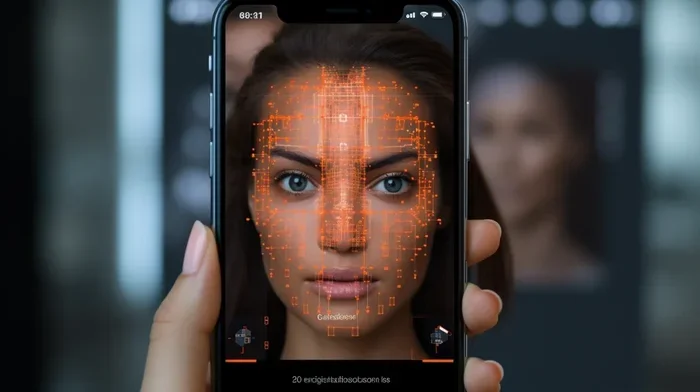
Google Lens AI is a cutting-edge visual search tool that uses artificial intelligence to identify objects, text, plants, and landmarks through your smartphone camera. It turns everyday moments into instant discoveries, making shopping, learning, and exploring simpler than ever. With real-time translation, barcode scanning, and homework help features, Google Lens AI puts a powerful assistant right in your pocket. Whether you are a student, shopper, or traveler, this tool changes how you interact with the world around you.
Google Lens AI has changed the way we interact with the world around us. It takes something as simple as pointing your phone camera at an object and turns it into a powerful discovery engine. This tool is not just a camera feature. It is a full-blown AI-powered search system that lives inside your smartphone.
Imagine walking through a foreign city. You see a sign in a language you do not understand. You point your phone at it, and Google Lens AI instantly translates it for you. Or maybe you find a beautiful plant on a hike and want to know what species it is. A quick snapshot gives you the answer in seconds. These are not futuristic fantasies. They are real features available right now through Google Lens AI.
The technology behind this tool is fascinating. It combines machine learning, image recognition, and augmented reality to understand what your camera sees. Google has invested heavily in making this visual search engine smarter over the years. Today, Google Lens AI can identify billions of objects, landmarks, animals, and text patterns with remarkable accuracy.
What makes Google Lens AI stand out from other tools? It is deeply integrated into the Android and Google ecosystem. It works inside Google Photos, the Google app, and even your default camera app. This seamless integration means you can access powerful visual search without downloading extra software. For millions of users, Google Lens AI has become an essential part of daily life.
Key Takeaways
- Instant Visual Search: Google Lens AI identifies objects, plants, animals, and landmarks in real time using your phone camera.
- Smart Shopping Features: Find similar products, compare prices, and scan barcodes effortlessly with AI-powered image recognition.
- Real-Time Translation: Translate text in over 100 languages instantly using augmented reality and OCR technology.
- Homework Help: Students can solve math problems, get step-by-step explanations, and find learning resources through visual search.
- Seamless Google Integration: Works closely with Google Assistant, Google Photos, and Google Maps for a unified experience.
- Free and Accessible: Available on both Android and iOS devices with no subscription required.
- Constantly Evolving: Machine learning improvements make Google Lens AI smarter and more accurate with every update.
📑 Table of Contents
- What Is Google Lens AI and How Does It Work?
- Key Features of Google Lens AI
- How to Use Google Lens AI on Different Devices
- Google Lens AI vs. Traditional Image Search
- Tips and Tricks for Getting the Most Out of Google Lens AI
- Common Mistakes People Make with Google Lens AI
- Privacy and Safety Considerations
- The Future of Google Lens AI
- Conclusion
What Is Google Lens AI and How Does It Work?
Google Lens AI is a visual search engine powered by artificial intelligence. It uses your smartphone camera to analyze objects, text, and scenes in real time. Unlike traditional image search, where you upload a photo and wait for results, Google Lens AI processes information instantly.
The technology relies on deep learning models trained on massive datasets. These models recognize patterns in images and match them against Google’s vast database of information. When you point your camera at something, Google Lens AI breaks down the visual elements and searches for relevant results. This process happens in milliseconds.
The core technology behind Google Lens AI includes several key components. Computer vision algorithms detect edges, shapes, and colors. Natural language processing helps understand text within images. Machine learning models continuously improve accuracy as more users interact with the tool. Together, these systems create a powerful visual search experience.
The Technology Behind the Magic
Google Lens AI uses a combination of image recognition and augmented reality. Image recognition allows the tool to identify what is in a photo. Augmented reality overlays digital information onto your real-world view. This combination creates a seamless experience that feels almost magical.
Google also uses its massive search index to power Google Lens AI. When the tool identifies an object, it searches the web for relevant information. This means you get results from the same trusted source you use for text-based searches. The integration with Google’s knowledge graph adds context and depth to every search result.
Another important piece of the puzzle is optical character recognition, or OCR technology. Google Lens AI can extract text from images with impressive accuracy. This feature powers many of the tool’s most popular functions, from translating foreign text to copying handwritten notes directly into your phone.
Key Features of Google Lens AI
Google Lens AI comes packed with features that make everyday tasks easier. Each feature is designed to solve a specific problem or save you time. Let us explore the most useful capabilities of this powerful tool.
Object Recognition and Identification
One of the most impressive features of Google Lens AI is its ability to recognize objects. Point your camera at a piece of furniture, a brand of cereal, or a pair of shoes, and Google Lens AI will identify it. It can also tell you where to buy similar items, read reviews, and compare prices.
This object recognition feature works with an incredible range of items. It can identify dog breeds, types of mushrooms, car models, and even restaurant menus. The more you use Google Lens AI, the better it becomes at understanding the world around you. Google has trained the system on billions of images, giving it a vast knowledge base to draw from.
Real-Time Text Translation
Traveling abroad? Google Lens AI has you covered. Its real-time translation feature uses augmented reality to overlay translated text onto your camera view. You can point your phone at a menu, a sign, or a book, and see the text appear in your language instantly.
This feature supports over 100 languages, making it one of the most versatile translation tools available. Unlike other translation apps that require you to take a photo and wait, Google Lens AI works in real time. The text tracking and replacement happen smoothly, making it easy to read foreign signs and documents on the go.
Barcode and QR Code Scanning
Need to scan a barcode or QR code? Google Lens AI handles this effortlessly. Point your camera at any barcode, and the tool will pull up product information, reviews, and purchasing options. This is especially handy when shopping in stores or comparing prices on the go.
The QR code scanning feature is equally powerful. Instead of downloading a separate QR scanner app, you can use Google Lens AI to read any code instantly. This saves storage space on your phone and provides a more streamlined experience. Google has optimized the scanning process to work quickly, even with damaged or blurry codes.
Homework Help and Learning Assistance
Students will love this feature of Google Lens AI. When you point your camera at a math problem or a homework question, the tool can provide step-by-step solutions. It does not just give you the answer. It shows you how to solve the problem, which is incredibly valuable for learning.
Google Lens AI also helps with science questions, history research, and language learning. You can scan a textbook page and get additional resources, definitions, and explanations. This makes Google Lens AI a powerful study companion for students of all ages. Teachers have even started recommending it as a learning aid.
Landmark and Place Recognition
Visiting a new city and want to know about a famous building or statue? Google Lens AI can identify landmarks and provide historical information, opening hours, and directions. It uses its image recognition capabilities to match what your camera sees against a database of known landmarks.
This feature works with thousands of landmarks around the world. From the Eiffel Tower to local monuments you have never heard of, Google Lens AI can tell you what you are looking at. The augmented reality overlay can also show you arrows and directions to guide you to your destination.
Shopping and Price Comparison
Google Lens AI has become a favorite tool for online shoppers. When you see something you like in a store window or on a friend, simply snap a photo. Google Lens AI will find similar products, show you where to buy them, and compare prices across different retailers.
This visual shopping feature saves time and money. You no longer need to describe an item in a search bar or try to find the right keywords. Google Lens AI understands what you want based on the image alone. It taps into Google Shopping and thousands of merchant websites to deliver relevant results.
How to Use Google Lens AI on Different Devices
Using Google Lens AI is straightforward, regardless of your device. The tool is available on both Android and iOS platforms, though the experience varies slightly between them. Here is how you can get started.
Using Google Lens AI on Android
On Android devices, Google Lens AI is deeply integrated into the system. You can access it by long-pressing the home button or tapping the Google Lens icon in the Google app. Many Android phones also have a dedicated Google Lens button in their default camera app.
Once you open Google Lens AI, you will see several icons at the bottom of your screen. Each icon represents a different search mode. The translate icon handles text translation. The text icon lets you copy text from images. The shopping icon helps you find products. The dining icon identifies dishes and finds restaurants. And the default mode handles general object recognition.
Using Google Lens AI on iPhone and iPad
Apple users can access Google Lens AI through the Google app or Google Photos. While it is not as deeply integrated as on Android, it still offers powerful visual search capabilities. You can also use the Google Chrome browser on iOS to access Google Lens AI from web images.
The experience on iOS is slightly different but equally useful. You can point your iPhone camera at objects, text, and landmarks and get instant results. Google continues to improve the iOS version of Google Lens AI with each update, bringing more features and better performance to Apple users.
Using Google Lens AI on Desktop
Did you know you can also use Google Lens AI on your computer? Google Images now includes a Google Lens AI icon that appears when you hover over any image. Clicking it opens a visual search panel where you can explore similar images, find products, or learn more about what you see.
This desktop integration is incredibly useful for shopping and research. You can right-click on any image in Google Images and use Google Lens AI to find visually similar results. It is a great way to track down the source of an image or find higher-resolution versions of photos you find online.
Google Lens AI vs. Traditional Image Search
It is easy to confuse Google Lens AI with traditional image search, but they are quite different. Traditional image search requires you to upload a photo or type a description. Google Lens AI works in real time using your camera. It understands context and provides more relevant, actionable results.
Traditional image search is great for finding similar photos or identifying famous images. Google Lens AI goes further. It can tell you what an object is, where to buy it, how to pronounce the text on it, and what it means. The AI-powered approach makes the search experience more intuitive and conversational.
Another key difference is the integration with other Google services. Google Lens AI connects seamlessly with Google Maps, Google Shopping, Google Translate, and Google Assistant. This ecosystem integration creates a more unified and powerful experience than standalone image search tools.
Tips and Tricks for Getting the Most Out of Google Lens AI
To get the best results from Google Lens AI, a few tips can go a long way. Here are some practical suggestions to help you use this tool more effectively.
- Good lighting matters. Point your camera at objects in well-lit environments for the most accurate results. Google Lens AI relies on clear images to identify items correctly.
- Hold steady. Keep your phone still when scanning. Movement can blur the image and reduce accuracy. A steady hand gives Google Lens AI the best chance to analyze what it sees.
- Get close but not too close. For small objects, move your phone closer but make sure the entire object fits in the frame. This helps the AI recognize details more effectively.
- Use the right mode. Google Lens AI offers different search modes. Choose the mode that matches what you are trying to do. Using the text mode for a translation task will give you better results than using the default mode.
- Explore the Google Lens AI settings. You can customize your experience by adjusting preferences in the Google app. This helps the tool learn your interests and deliver more relevant results over time.
- Combine with Google Photos. You can use Google Lens AI on photos already saved in your gallery. This is great for identifying objects in old pictures or extracting text from screenshots.
Common Mistakes People Make with Google Lens AI
Even though Google Lens AI is powerful, users sometimes make mistakes that reduce its effectiveness. Being aware of these pitfalls can help you get better results.
One common mistake is pointing the camera at too many objects at once. Google Lens AI works best when you focus on a single item. If your camera captures a cluttered scene, the AI may struggle to identify what matters most. Try to isolate the object you want to search for.
Another mistake is expecting perfect results every time. Google Lens AI is incredibly smart, but it is not infallible. It may misidentify rare objects or confuse similar-looking items. When this happens, try refining your search with additional keywords or taking a clearer photo. The tool improves with use, so do not get discouraged.
Some users also forget to update the Google app regularly. Google Lens AI gets better with each update as Google adds new features and improves existing ones. Keeping your app up to date ensures you always have access to the latest improvements in image recognition and AI-powered search.
Privacy and Safety Considerations
Like any tool that uses your camera and connects to the internet, Google Lens AI raises privacy questions. Google states that it does not store your images permanently. The visual data is processed in real time to generate search results, and Google claims it does not use your photos for advertising purposes.
However, it is always a good idea to review your privacy settings. You can manage what data Google collects through your Google account settings. If you are concerned about privacy, you can disable Google Lens AI in your Google app settings or clear your search history regularly.
Google Lens AI also includes safety features for younger users. Parental controls can limit access to certain features, ensuring children use the tool safely. Google has also implemented content filters to block inappropriate search results when Google Lens AI is used by minors.
The Future of Google Lens AI
The future of Google Lens AI looks incredibly promising. Google continues to invest in artificial intelligence and machine learning, and the visual search tool is a key part of that strategy. Each update brings new capabilities and improved accuracy.
We can expect Google Lens AI to become even more integrated into daily life. Future updates may include better augmented reality features, more accurate object recognition, and deeper integration with smart glasses and wearable devices. As Google’s AI models become more sophisticated, Google Lens AI will only get smarter.
The potential applications are vast. In healthcare, Google Lens AI could help identify symptoms or medications. In education, it could provide even more personalized learning experiences. In retail, it could revolutionize how we shop by making visual search the norm rather than the exception. The possibilities are truly exciting.
Conclusion
Google Lens AI has earned its place as one of the most useful tools on your smartphone. It combines the power of artificial intelligence with the convenience of your camera to make discovery effortless. Whether you are translating a foreign sign, identifying a plant, shopping for deals, or helping with homework, Google Lens AI delivers results in seconds.
The tool is free, accessible, and constantly improving. Google has built a powerful visual search engine that understands the world through your eyes. With each update, Google Lens AI becomes more accurate, more versatile, and more essential to daily life.
If you have not tried Google Lens AI yet, now is the perfect time. Open the Google app on your phone, tap the camera icon, and start exploring. You will be amazed at how much information is just a camera shot away. Google Lens AI makes discovering everything effortless, and once you start using it, you will wonder how you ever lived without it.
Frequently Asked Questions
What is Google Lens AI and how is it different from regular Google Search?
Google Lens AI is a visual search tool that uses your smartphone camera to identify objects, text, and landmarks in real time. Unlike regular Google Search where you type keywords, Google Lens AI lets you search using images. It combines image recognition, augmented reality, and machine learning to deliver instant, visual results directly from what your camera sees.
Is Google Lens AI free to use?
Yes, Google Lens AI is completely free to use. It comes built into the Google app and is available on both Android and iOS devices. There are no hidden fees or subscription requirements. All you need is a smartphone with a camera and an internet connection to access its powerful visual search features.
Can Google Lens AI work offline?
Google Lens AI requires an internet connection to deliver its full range of features. The visual search, translation, and object identification functions rely on Google’s cloud-based AI models to process and analyze images. However, some basic text extraction features may work with limited offline functionality depending on your device and settings.
How accurate is Google Lens AI at identifying objects?
Google Lens AI is highly accurate for most common objects, landmarks, plants, and animals. It is powered by Google’s advanced machine learning models trained on billions of images. Accuracy may vary for rare or unusual items, but the tool continuously improves with each update. For the best results, use good lighting and keep the camera steady when scanning.
Can I use Google Lens AI to shop for products?
Absolutely. Google Lens AI has powerful shopping features. You can point your camera at an item you like, and Google Lens AI will find similar products, show you where to buy them, and compare prices across different retailers. It also scans barcodes and QR codes to pull up product details and reviews instantly.
Is my data safe when using Google Lens AI?
Google states that it does not permanently store images captured through Google Lens AI. The visual data is processed in real time to generate search results. You can manage your privacy settings through your Google account, including clearing your search history and controlling data collection preferences. For added privacy, review the permissions granted to the Google app on your device.
=== SEO TITLE ===
Google Lens AI Makes Discovering Everything Effortless
=== META TITLE ===
Google Lens AI: Effortless Discovery at Your Fingertips
=== URL SLUG ===
google-lens-ai-makes-discovering-effortless