Does Wow Internet Include Wi Fi in Every Internet Plan
So, does Wow Internet include Wi-Fi? The short answer is that Wow Internet provides a broadband connection, but Wi-Fi equipment and setup depend on your specific plan. Most plans include a modem, and some bundles come with a wireless router, but not every plan includes full Wi-Fi coverage out of the box. Understanding what you get helps you avoid surprises and extra costs.
Let’s cut straight to the chase. You signed up for Wow Internet, and you want to know if Wi-Fi comes with it. The question seems simple, but the answer has some layers. Whether you are a new customer or thinking about switching providers, understanding what your plan includes saves time, money, and frustration.
Wi-Fi is not just one thing. It involves a modem, a router, proper setup, and sometimes even extra equipment for larger homes. Wow Internet offers several plans, and each one handles wireless connectivity differently. This guide breaks it all down so you know exactly what to expect.
By the end of this article, you will understand what comes with your Wow Internet plan, what you might need to buy separately, and how to get your wireless network running smoothly. Let us dive in.
Key Takeaways
- Wow Internet plans vary: Not every plan automatically includes a wireless router or full Wi-Fi setup.
- You may need extra equipment: Some plans require you to purchase or rent a Wi-Fi router separately.
- Self-installation is an option: You can add Wi-Fi to your PC and set up your own network with the right gear.
- Internet speed matters: Higher-speed plans often benefit from better wireless routers for full coverage.
- Check your contract: Always review what Wow Internet includes before signing up to avoid hidden fees.
- Alternatives exist: If Wi-Fi isn’t included, you can explore hotspot options as a backup.
📑 Table of Contents
What Is Wow Internet?
Wow Internet is a broadband internet service provider that offers cable and fiber internet plans. They serve customers in various regions across the United States. Their plans range from basic speeds to high-performance tiers designed for streaming, gaming, and remote work.
When you sign up for Wow Internet, you are paying for an internet connection delivered to your home. This connection comes through a cable or fiber line. But here is the key question most people ask: does that connection automatically mean you have Wi-Fi?
The answer is not always a simple yes. Wi-Fi requires specific equipment to broadcast a wireless signal throughout your home. Let us look at what that equipment is and how Wow Internet handles it.
The Difference Between Internet and Wi-Fi
This is where many people get confused. Internet and Wi-Fi are not the same thing. Internet is the connection that brings data into your home. Wi-Fi is the wireless signal that lets your devices connect to that internet without cables.
Think of it like this. Internet is the water supply coming into your house. Wi-Fi is the faucet that lets you access that water in different rooms. You need both to get things working.
Wow Internet provides the water supply. Whether the faucet comes included depends on your plan and the equipment you choose. Some plans bundle a wireless router. Others give you just a modem, and you need to provide your own router.
Does Wow Internet Include Wi-Fi Equipment?
This is the big question, and the answer depends on several factors. Wow Internet offers different tiers of service, and the equipment included varies from plan to plan. Let us break down the most common scenarios.
Plans That Include a Wireless Router
Some Wow Internet plans come with a complete package. This means you get a modem and a wireless router as part of your monthly bill. These plans are designed for convenience. You plug everything in, follow a quick setup guide, and you are online.
If your plan includes a router, you get Wi-Fi coverage throughout your home right away. This is great for most households. A standard router handles everyday tasks like browsing, streaming videos, and video calls without any hassle.
However, the router that comes with these plans may not be the most powerful option. If you live in a larger home or have many devices connected, you might notice dead spots. These are areas where the Wi-Fi signal is weak or does not reach at all.
Plans That Only Include a Modem
Other Wow Internet plans only include a modem. A modem connects your home to the internet, but it does not broadcast a wireless signal. You would need to buy or rent a separate wireless router to get Wi-Fi.
This setup gives you more control. You can choose a high-quality router that fits your needs. But it also means extra cost and effort on your part. You need to set up the router yourself and make sure it works well with your modem.
If you are comfortable with technology, this is a solid option. If not, you might prefer a plan that includes everything in one box.
Equipment Rental vs. Purchase
Wow Internet often gives you the choice between renting and buying equipment. Renting a router from Wow is convenient. You pay a small monthly fee, and they handle replacements if something breaks.
Buying your own router can save money over time. It also lets you pick a model with better range and features. Popular choices include brands like Netgear, TP-Link, and ASUS. If you go this route, you can set up Wi-Fi on your PC and connect all your devices wirelessly.
Before you decide, compare the rental fee over 12 months with the cost of buying your own router. Sometimes buying wins. Sometimes renting is the smarter choice. It all depends on your situation.
How to Check What Your Wow Internet Plan Includes
Not sure what your current plan includes? There are a few easy ways to find out. Let us walk through them.
Check Your Welcome Kit or Contract
When you first signed up for Wow Internet, you received a welcome kit or contract. This document lists all the equipment included with your plan. Look for terms like “wireless router,” “gateway,” or “modem and router combo.”
If your paperwork mentions a gateway device, that is a modem-router combo. It handles both the wired internet connection and the wireless Wi-Fi signal. You are all set.
If it only mentions a modem, you will need a separate router for Wi-Fi. This is a very common setup, so do not worry if that is the case.
Log Into Your Wow Internet Account
You can also check your plan details online. Log into your Wow Internet account on their website. Navigate to your plan or equipment section. The page should list the devices included with your service.
If you still cannot find the answer, call Wow Internet customer support. They can look up your account and tell you exactly what equipment is part of your plan. This is the fastest way to get a clear answer.
What If You Want to Upgrade?
If your current plan does not include Wi-Fi equipment and you want an upgrade, Wow Internet offers options. You can switch to a higher-tier plan that bundles a router. You can also add equipment to your existing plan for a monthly fee.
Before upgrading, consider whether a better router alone would solve your problem. Sometimes you do not need a new plan. You just need better wireless equipment.
Setting Up Wi-Fi With Wow Internet
Once you know what equipment you have, setting up your Wi-Fi is the next step. Whether you got a gateway device or a separate modem and router, the process is straightforward.
Step-by-Step Setup
Here is how to set up your Wi-Fi with Wow Internet equipment:
- Connect your modem to the cable or fiber line from the wall.
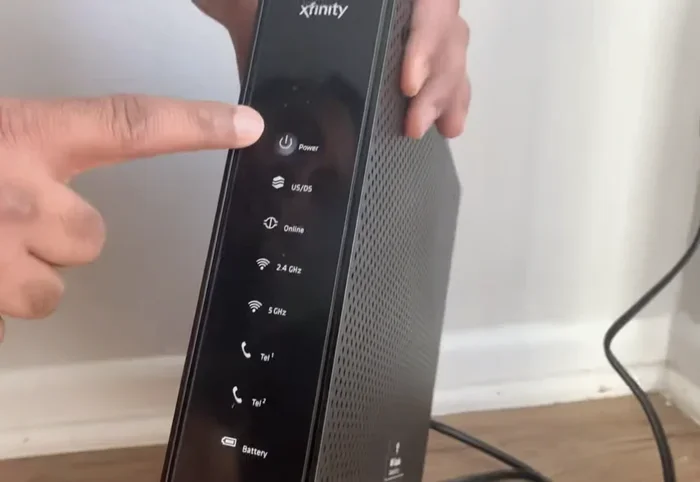
- Plug in the power adapter and wait for the modem to fully start up.
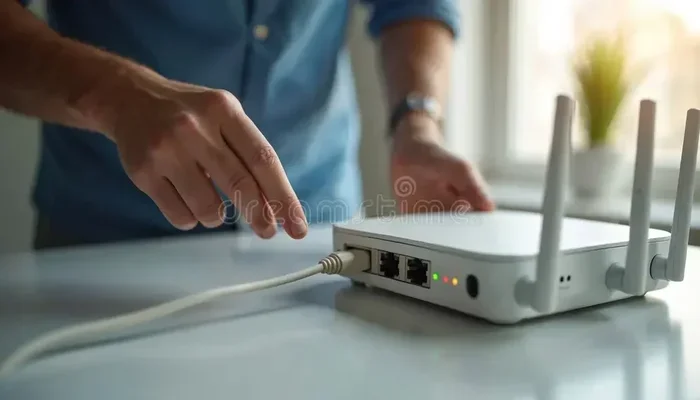
- Connect your router to the modem using an Ethernet cable, if they are separate devices.
- Plug in the router and wait for the indicator lights to stabilize.
- Find your Wi-Fi network name and password. These are usually on a sticker on the router or in your welcome guide.
- On your device, go to Wi-Fi settings, find your network, and enter the password.
That is it. You should now be connected to your wireless network. If you have trouble, try restarting both the modem and router. This fixes most setup issues.
Tips for Better Wi-Fi Coverage
Got your Wi-Fi running but the signal is weak in some rooms? Try these tips:
- Place your router in a central location in your home. Walls and furniture block the signal.
- Keep the router elevated. Putting it on a shelf works better than hiding it in a closet.
- Avoid interference. Microwaves, baby monitors, and other electronics can disrupt your Wi-Fi signal.
- Update your router’s firmware. This improves performance and security.
- Consider a Wi-Fi extender or mesh system if your home is large or has multiple floors.
These small changes can make a big difference. Many people do not realize that router placement alone can solve weak signal problems.
Wow Internet Plans and Wi-Fi: A Comparison
To help you understand the differences, here is a quick comparison of how Wow Internet plans typically handle Wi-Fi equipment.
| Plan Type | Modem Included | Router Included | Wi-Fi Included | Extra Cost |
|---|---|---|---|---|
| Basic Plan | Yes | No | No (router needed) | Router rental or purchase |
| Standard Plan | Yes | Yes (gateway) | Yes | None |
| Premium Plan | Yes | Yes (advanced gateway) | Yes | None |
| Custom Bundle | Yes | Optional | Depends on choice | Varies |
Keep in mind that plan details can change. Always confirm with Wow Internet directly before making a decision. The table above gives you a general idea of what to expect.
Common Wi-Fi Problems With Wow Internet
Even with the right equipment, Wi-Fi issues can happen. Here are the most common problems and how to fix them.
Slow Wi-Fi Speeds
If your internet plan is fast but your Wi-Fi feels slow, the router might be the bottleneck. Older routers cannot handle modern speeds. Upgrading to a newer model can boost your wireless performance significantly.
Also, too many devices on one network can slow things down. If everyone in your house is streaming, gaming, and video calling at the same time, your router may struggle. A dual-band or tri-band router handles multiple devices much better.
Wi-Fi Keeps Disconnecting
A Wi-Fi connection that drops frequently is frustrating. This often happens because of interference or outdated firmware. Try moving your router to a different location first. If that does not work, log into the router settings and check for updates.
Sometimes the issue is with the modem itself. A quick restart of both the modem and router often resolves temporary connection drops.
No Wi-Fi Signal at All
If you see no Wi-Fi networks on your device, check the basics first. Is the router plugged in? Are the lights on? Is the modem connected to the internet? These simple checks solve the problem more often than you would think.
If everything looks fine but you still have no signal, the router might need a factory reset. Refer to the router manual for instructions. This restores the default settings and usually fixes persistent issues.
Alternatives If Wow Wi-Fi Does Not Meet Your Needs
Sometimes Wow Internet’s included Wi-Fi is not enough. Maybe you live in a large home, or maybe you just need a stronger signal. The good news is there are several options.
You can buy a separate wireless router that is more powerful than the one Wow provides. Mesh Wi-Fi systems are especially popular. They use multiple units to spread Wi-Fi coverage evenly throughout your home.
Another option is to use a Wi-Fi hotspot from your phone as a backup. This works well in a pinch. If you want to learn more about hotspot options, check out this guide on getting a hotspot instead of Wi-Fi.
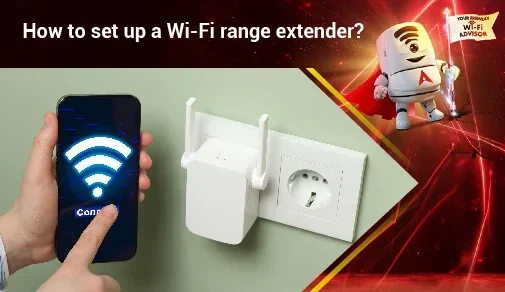
You can also look into Wi-Fi extenders. These small devices plug into a wall outlet and boost your existing Wi-Fi signal. They are affordable and easy to set up. They are a great solution for rooms that are far from your router.
Some customers also explore Wi-Fi without a password options for guest access. This is a different topic, but it is worth knowing that Wow Internet allows you to set up open networks for visitors if you choose to.
Final Thoughts
So, does Wow Internet include Wi-Fi? The answer is: it depends on your plan. Some plans come with a full wireless setup right out of the box. Others give you a modem and leave the router up to you. The key is to check your specific plan before you assume anything.
Setting up Wi-Fi with Wow Internet is not difficult. Whether you use a gateway device or a separate modem and router, the process is simple. And if you run into issues, most problems have straightforward fixes.
Take the time to understand your equipment. Know what your plan includes. And do not be afraid to upgrade or adjust your setup if your current Wi-Fi does not meet your needs. A strong wireless connection makes everything better, from streaming movies to working from home.
Wi-Fi is the bridge between your internet connection and your daily life. Make sure that bridge is solid, and you will enjoy a smooth, reliable online experience with Wow Internet.
Frequently Asked Questions
Does Wow Internet provide a Wi-Fi router with every plan?
No, not every Wow Internet plan includes a Wi-Fi router. Some plans come with a gateway device that handles both modem and router functions. Others only include a modem, which means you need to provide or rent a separate router for wireless connectivity.
Can I use my own router with Wow Internet?
Yes, you can use your own router with Wow Internet. Simply connect your router to the modem using an Ethernet cable and configure it. Using your own router gives you more control over your wireless network and can improve performance.
How much does it cost to rent a Wi-Fi router from Wow Internet?
Wow Internet typically charges a small monthly fee for router rental. The exact amount varies by plan and region. Over time, buying your own router may save you money compared to renting, so it is worth comparing both options.
What should I do if my Wow Internet Wi-Fi signal is weak?
Start by moving your router to a central location in your home. Avoid placing it near walls or electronic devices that cause interference. If the signal is still weak, consider a Wi-Fi extender or a mesh system for better coverage.
Is Wi-Fi included in the Wow Internet installation fee?
It depends on your plan and the equipment you choose. Some installation packages include a router, while others do not. Contact Wow Internet directly to confirm what is included in your specific installation fee.
Can I set up Wi-Fi without an Ethernet cable?
If your Wow Internet plan includes a gateway device with built-in Wi-Fi, you do not need an Ethernet cable for wireless setup. However, if you are using a separate modem and router, an Ethernet cable is needed to connect them initially. After that, all your devices connect wirelessly.