Does Pioneer Radio Have An App Here Is All You Need
Does Pioneer Radio have an app? Yes, Pioneer offers several mobile apps that let you control your radio, stream music, and access smart features right from your phone. The Pioneer radio app works with compatible car stereos, multimedia receivers, and home audio systems to give you seamless wireless streaming and hands-free controls. Whether you own a Pioneer multimedia receiver or a Pioneer touchscreen radio, there is an app designed to enhance your experience. Let us walk you through everything you need to know about the Pioneer app download process, features, and compatibility.
Have you ever wondered if your Pioneer radio has a companion app? The short answer is yes. Pioneer, one of the most trusted names in car audio and home entertainment, has built a range of mobile apps designed to work alongside their radios and receivers. These apps turn your smartphone into a powerful remote control, giving you access to music streaming, radio tuning, and smart features without ever leaving your seat.
If you have been searching for a Pioneer radio app, you are in the right place. This guide covers everything from app downloads and features to compatibility and setup. We will walk you through each step so you can get the most out of your Pioneer radio with your phone. Let us dive in.
Key Takeaways
- Pioneer Does Offer Radio Apps: Pioneer provides multiple apps for different device types, including car stereos, DJ controllers, and multimedia receivers.
- App Download Is Simple: You can find Pioneer apps on both the Apple App Store and Google Play Store with just a few taps.
- Key Features Include Wireless Streaming: The Pioneer radio app supports Bluetooth, USB connectivity, music streaming, and hands-free calling.
- Compatibility Matters: Not every Pioneer radio model supports app connectivity, so always check your specific unit before downloading.
- Smart Controls at Your Fingertips: The app lets you adjust tuning, presets, equalizer settings, and more without touching your radio.
- Free to Download: Most Pioneer apps are free, though some advanced features may require a compatible Pioneer device.
- Regular Updates Keep Things Running: Pioneer frequently updates its apps to improve performance and add new features.
📑 Table of Contents
- Does Pioneer Radio Have An App?
- How to Download and Install the Pioneer Radio App
- Key Features of the Pioneer Radio App
- Pioneer Radio App Compatibility
- Pros and Cons of Using the Pioneer Radio App
- Expert Tips for Getting the Most Out of Your Pioneer Radio App
- Common Mistakes to Avoid
- Frequently Asked Questions
- Final Thoughts
Does Pioneer Radio Have An App?
The short answer is a definite yes. Does Pioneer Radio have an app? Absolutely. Pioneer has developed several apps tailored to different product lines. Whether you drive a car with a Pioneer multimedia receiver, use a Pioneer touchscreen radio at home, or spin tracks with DJ gear, there is an app built for you.
These apps serve as a bridge between your radio and your smartphone. They let you stream music, adjust settings, and access smart features through a familiar touchscreen interface. The best part is that most of these apps are free to download and easy to set up.
Types of Pioneer Radio Apps
Pioneer does not make just one app. Instead, they offer several apps for different purposes and devices. Here are the main ones you should know about:
- Pioneer Smart Sync: This app works with many Pioneer car stereos and multimedia receivers. It lets you control your radio, access playlists, and use voice commands through your phone.
- Pioneer DJ App: Designed for DJs and music producers, this app works with Pioneer DJ controllers and mixers. It lets you mix tracks, manage libraries, and perform live sets.
- Pioneer CarAudio App: This app focuses on car audio setups. It helps you configure your Pioneer car stereo app settings, adjust equalizer bands, and manage connected devices.
- iDatalink Maestro: While not strictly a radio app, this tool works with Pioneer receivers to provide steering wheel controls, vehicle info display, and more.
Each app serves a specific purpose. Your choice depends on what kind of Pioneer radio or receiver you own. Always check the Pioneer website or your user manual to find the right app for your model.
How to Download and Install the Pioneer Radio App
Getting the Pioneer app download process started is straightforward. You do not need to be a tech expert to get it running. Here is how to do it step by step.
For iPhone and iPad Users
- Open the App Store on your iOS device.
- Tap the search bar and type the name of the app you need, such as “Pioneer Smart Sync” or “Pioneer DJ.”
- Find the correct app from the search results. Look for the official Pioneer logo to avoid fake apps.
- Tap “Get” and authenticate with your Apple ID or Face ID.
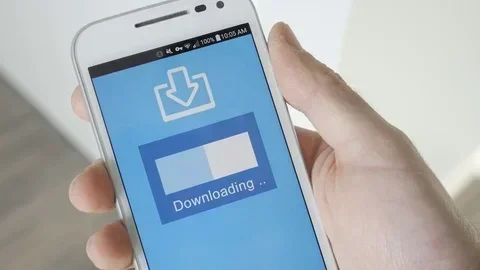
- Wait for the download to finish, then open the app.
- Follow the on-screen setup instructions to pair your Pioneer radio via Bluetooth or USB.
For Android Users
- Open the Google Play Store on your Android phone.
- Tap the search icon and type the name of the Pioneer app you want.
- Select the correct app from the results. Check the developer name to confirm it is official.
- Tap “Install” and wait for the download to complete.
- Open the app and follow the pairing instructions for your Pioneer radio.
Quick Tips for a Smooth Installation
- Make sure your phone has enough storage space before downloading.
- Connect to a stable Wi-Fi network to avoid interruptions.
- Update your phone’s operating system to the latest version for best compatibility.
- Keep your Pioneer radio turned on and in pairing mode during setup.
- If the app does not detect your radio, try restarting both devices.
The Pioneer app download process is designed to be simple. Most users complete it in under five minutes. If you run into any issues, the Pioneer support website has detailed troubleshooting guides.
Key Features of the Pioneer Radio App
So what can you actually do with the Pioneer radio app? The features are impressive and designed to make your listening experience better. Here is a closer look at what you get.
Wireless Streaming and Bluetooth Connectivity
One of the biggest draws of the Pioneer radio app is wireless streaming. Through Bluetooth connectivity, you can stream music from your phone directly to your Pioneer radio. This means no more tangled cables or fumbling with aux cords. Just pair your phone, pick a song, and enjoy.
The app also supports popular music streaming services. You can access Spotify, Apple Music, Pandora, and other apps through your Pioneer radio interface. The Pioneer wireless streaming capability keeps your music library right at your fingertips.
Radio Tuning and Preset Management
Love scanning for stations? The app lets you tune into FM and AM stations right from your phone. You can save presets, browse through stations, and even set favorite channels for quick access. This is especially handy when you are driving and want to keep your eyes on the road.
The Pioneer radio controls in the app mirror the physical buttons on your radio. You get the same functionality without reaching for the dashboard.
Equalizer and Sound Settings
Audio quality matters, and Pioneer knows this. The app gives you access to equalizer settings so you can fine-tune your sound. Adjust bass, treble, midrange, and fade levels from your phone. Some models even support 13-band graphic equalizers for serious audio buffs.
Hands-Free Calling
Safety first. The Pioneer radio app supports hands-free calling through Bluetooth. You can answer calls, hear callers through your car speakers, and use voice commands to stay connected without taking your hands off the wheel.
Music Library Access
If you store music on your phone or use a USB drive, the app lets you browse and control your library directly from the Pioneer interface. You can search by artist, album, genre, or playlist. The Pioneer car audio app makes it easy to organize and play your favorite tracks.
Vehicle Integration
For newer Pioneer multimedia receivers, the app integrates with your vehicle’s systems. You can access steering wheel controls, view vehicle diagnostics, and even adjust climate settings on supported models through the Pioneer iDatalink platform.
Pioneer Radio App Compatibility
Not every Pioneer radio works with every app. Compatibility depends on your specific model, year, and firmware version. Here is what you need to know before you start.
Which Pioneer Radios Support App Connectivity?
Most modern Pioneer multimedia receivers and Pioneer touchscreen radios support app connectivity. Look for models that mention “AppRadio,” “Smart Sync,” or “Bluetooth” in their specifications. Some older or basic models may not have this feature.
Here are some popular compatible Pioneer radio lines:
- Pioneer DMH series (DMH-W4660NEX, DMH-Z9200DAB, etc.)
- Pioneer SPH series (SPH-DA120, SPH-DA230, etc.)
- Pioneer AVH series (AVH-X2700BS, AVH-Z9200BT, etc.)
- Pioneer DEH series with Bluetooth capability
- Pioneer home theater receivers with network connectivity
Smartphone Requirements
Your phone also needs to meet certain requirements. Most Pioneer apps work with:
- iPhone running iOS 12 or later
- Android phones running Android 8.0 or later
- Bluetooth 4.0 or higher for wireless connectivity
- A stable internet connection for streaming features
Checking Your Radio Model
Not sure if your Pioneer radio is compatible? Here is how to check:
- Look at the front panel or back of your radio for the model number.
- Visit the Pioneer website and enter your model number in the support section.
- Check the user manual for “smart device” or “app connectivity” features.
- Contact Pioneer customer support for confirmation.
Taking a few minutes to verify compatibility saves you time and frustration later. Always double-check before you invest time in setting up the app.
Pros and Cons of Using the Pioneer Radio App
Like any technology, the Pioneer radio app has its strengths and weaknesses. Here is an honest look at both sides.
What We Love
- Seamless Integration: The app connects smoothly with compatible Pioneer radios. Once paired, it works reliably every time.
- Free to Use: There are no hidden subscription fees for the basic app features. You get a lot of value at zero cost.
- Intuitive Interface: The design is clean and easy to navigate. Even first-time users can figure it out quickly.
- Wireless Convenience: Bluetooth connectivity means no cables cluttering your space. Your phone stays in your pocket or mount.
- Regular Updates: Pioneer actively maintains and updates its apps to fix bugs and add new features.
Where It Falls Short
- Limited to Compatible Models: If you own an older Pioneer radio, the app may not work with it at all.
- Bluetooth Range: Wireless connectivity depends on Bluetooth range. If your phone is too far from the radio, the connection may drop.
- Some Features Require Internet: Streaming music and accessing online features need a data connection or Wi-Fi.
- Learning Curve for Advanced Features: While basic use is simple, advanced settings like equalizer tuning and vehicle integration can take time to master.
Overall, the benefits of the Pioneer radio app far outweigh the drawbacks. For anyone who owns a compatible Pioneer radio, the app is a worthwhile addition.
Expert Tips for Getting the Most Out of Your Pioneer Radio App
Want to squeeze every bit of value from your Pioneer radio app? Here are some expert-backed tips that make a real difference.
Keep Your Firmware Updated
Pioneer regularly releases firmware updates for their radios. These updates often improve Bluetooth stability, add new app features, and fix bugs. Check for firmware updates through the Pioneer app or your radio’s settings menu at least once a month.
Use Voice Commands
If your Pioneer radio supports voice commands, use them. The app integrates with Siri and Google Assistant on supported devices. You can change stations, adjust volume, and make calls without lifting a finger. This is especially useful when driving.
Organize Your Presets
Take a few minutes to organize your radio presets and music playlists through the app. Pre-set your favorite stations and create curated playlists for different moods or drives. This small step saves you time every day.
Explore the Equalizer Settings
Do not settle for factory sound settings. The app gives you access to detailed equalizer controls. Experiment with different presets or create your own custom sound profile. You will be amazed at how much better your music sounds with a few tweaks.
Enable Automatic Reconnection
Most Pioneer apps support automatic reconnection. Enable this feature so your phone reconnects to the radio whenever you get in the car. It is a small setting that makes a big difference in daily convenience.
Check for App Updates Regularly
Just like your radio firmware, the app itself gets updated. Developers push out improvements, new features, and bug fixes regularly. Turn on automatic updates in your app store to make sure you always have the latest version.
Common Mistakes to Avoid
Setting up the Pioneer radio app is generally easy, but some common mistakes can cause frustration. Here is what to watch out for.
- Skipping the Manual: Your Pioneer radio’s user manual contains specific pairing instructions. Skipping it can lead to setup problems.
- Downloading Fake Apps: Always verify the developer name before downloading. Stick to the official Pioneer apps from the Apple App Store or Google Play Store.
- Ignoring Firmware Updates: An outdated radio firmware can cause connectivity issues with the app. Keep everything up to date.
- Not Clearing Old Pairings: If your radio connects to multiple phones, old pairings can interfere with new connections. Clear old Bluetooth pairings when switching devices.
- Expecting All Features on All Models: Not every Pioneer radio supports every app feature. Check your model’s specifications to set realistic expectations.
Avoiding these mistakes ensures a smooth experience from the moment you download the app to the moment you are enjoying your favorite music on the road.
Frequently Asked Questions
Can I Use the Pioneer Radio App with Any Pioneer Radio?
No, the app only works with Pioneer radios that support app connectivity. Check your specific model’s specifications or user manual to confirm compatibility. Older or basic models may not support the app features.
Is the Pioneer Radio App Free to Download?
Yes, the Pioneer radio apps are free to download from the Apple App Store and Google Play Store. There are no subscription fees for the basic features. Some advanced features may require a compatible Pioneer device to function.
Can I Stream Music from My Phone Through the Pioneer Radio App?
Absolutely. The app supports wireless streaming through Bluetooth and USB connectivity. You can stream music from Spotify, Apple Music, Pandora, and other apps directly through your Pioneer radio. As long as you have a data connection or Wi-Fi, your music library is always accessible.
Does the Pioneer Radio App Work with Both iPhone and Android?
Yes, Pioneer offers apps for both iOS and Android devices. The app experience is similar on both platforms, with full support for Bluetooth connectivity, radio controls, and music streaming on each.
How Do I Reset the Pioneer Radio App if It Stops Working?
Start by unpairing your phone from the radio and then re-pairing them. If that does not work, try uninstalling and reinstalling the app. You can also check for app updates and firmware updates for your radio. If problems persist, contact Pioneer customer support for further assistance.
Can I Control Multiple Pioneer Devices with One App?
It depends on the app. Some Pioneer apps support multiple device profiles, allowing you to switch between different radios or receivers. Check the specific app’s features to see if multi-device support is available. The Pioneer Smart Sync app, for example, allows you to save settings for different compatible units.
Final Thoughts
Does Pioneer Radio have an app? Yes, and it is a great one. The Pioneer radio app adds a layer of convenience and smart functionality to your Pioneer radio that makes everyday listening more enjoyable. From wireless streaming and hands-free calling to equalizer tuning and preset management, the app puts powerful controls right in your pocket.
Whether you are driving to work, heading out on a road trip, or relaxing at home, the Pioneer multimedia app keeps your music, stations, and settings exactly where you want them. The setup process is simple, the features are practical, and the best part is that it is free.
If you own a compatible Pioneer radio, there is no reason not to try the app. Download it today, pair your device, and experience your Pioneer radio the smart way. You will wonder how you ever managed without it.