Does Free Wifi Track You And How To Stay Safe Online
So, does free wifi track you? The short answer is yes — many free WiFi networks collect your browsing data, track your online habits, and sometimes even sell that information to third parties. Whether you are sipping coffee at a café or waiting at an airport, your activity can be monitored. But don’t panic. This guide walks you through exactly how tracking works and, more importantly, how you can stay safe and protect your privacy while using any free network.
Key Takeaways
- Free WiFi networks often track your browsing history, location, and device information without you realizing it.
- Public hotspots use tracking cookies, DNS logging, and deep packet inspection to monitor user activity.
- Using a VPN is the single most effective way to encrypt your data and prevent snooping on free networks.
- Always look for HTTPS websites and avoid entering sensitive information on unencrypted connections.
- You can block devices and manage guest access to improve your own home WiFi security.
- Turning off auto-connect and forgetting networks after use are simple habits that boost your privacy significantly.
📑 Table of Contents
- What Happens When You Connect to Free WiFi?
- How Free WiFi Networks Track Your Activity
- Common Risks of Using Public WiFi
- How to Protect Yourself on Free WiFi
- Can You Use Your Own WiFi Instead?
- How Guest WiFi Differs from Regular WiFi
- Expert Tips for Staying Safe on Any Network
- Final Thoughts on Free WiFi Safety
What Happens When You Connect to Free WiFi?
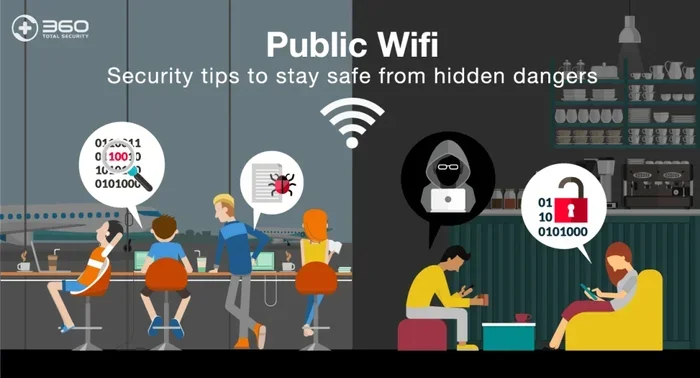
Let us start with a reality check. When you connect to free WiFi at a hotel, mall, or coffee shop, you are joining a shared network. That means other people on the same network can potentially see what you are doing online. This is not meant to scare you. It is just how public networks work.
Most people grab free WiFi without thinking twice. They click “Connect,” browse the web, check email, or shop online. But behind the scenes, the network owner and sometimes even third parties are collecting data. This data can include your browsing history, the time you spend on each page, and even your device information.
The question does free wifi track you is not just theoretical. It happens every single day on millions of networks worldwide. Understanding this is the first step toward protecting yourself. And the good news? There are real, practical steps you can take right now.
Free WiFi is convenient. It is also risky if you do not know what you are dealing with. Let us break down exactly what goes on behind the scenes when you hit that “Connect” button.
Who Owns the Network?
The business offering free WiFi owns the network. That means the café, hotel, or airport has full control over what happens on their connection. Many network owners use analytics tools to understand customer behavior. They want to know which websites you visit and how long you stay online. This helps them improve their services. But it also means your data is being collected.
Some networks even require you to log in through a portal. This portal often asks for your email, phone number, or social media account. Every piece of information you share adds to a profile about you. That profile can be used for marketing or even sold to data brokers.
What Data Is Collected?
Here is a quick look at the types of data that free WiFi networks commonly collect:
- Browsing history — every website you visit
- Device information — your phone or laptop model, MAC address, and operating system
- Location data — your physical location while connected
- Time spent online — how long and when you browse
- Login credentials — if you access accounts on unencrypted sites
- Search queries — what you type into search engines
Some of this data collection is clearly stated in the terms of service. Most people never read those terms. Others happen silently in the background. Either way, your digital footprint grows every time you connect.
How Free WiFi Networks Track Your Activity
Now that we know what data gets collected, let us talk about the methods used. Understanding the tracking techniques helps you see why privacy on free WiFi matters so much.
Tracking Cookies
Tracking cookies are small files stored on your device when you visit a website. They remember your preferences and follow you across sites. On a free WiFi network, these cookies are especially dangerous because the network owner can access them. Advertisers also use cookies to build a detailed profile of your interests.
For example, if you visit a shoe store website while connected to mall WiFi, you might see ads for those shoes later — even on a different network. That is the power of cookies.
DNS Logging
Every time you type a website address into your browser, your device sends a DNS request. This request tells the network which site you want to visit. The network owner logs these requests. DNS logging is one of the most common ways free WiFi tracks users. It does not reveal the exact pages you visit, but it shows which domains you access.
Deep Packet Inspection
Deep packet inspection, or DPI, is a more advanced tracking method. It looks inside the data packets traveling through the network. DPI can reveal the specific pages you visit, the files you download, and even the content of your messages. Not all free WiFi networks use DPI, but those that do can gather extremely detailed information about your online behavior.
MAC Address Tracking
Every device has a unique MAC address. Think of it as a digital fingerprint. When you connect to free WiFi, the network logs your MAC address. This allows the network owner to track how often you visit, how long you stay, and which areas of the venue you frequent. Some businesses use this data to analyze foot traffic and customer behavior.
Common Risks of Using Public WiFi
Beyond tracking, free WiFi comes with several security risks. These risks can have serious consequences for your personal and financial information.
Man-in-the-Middle Attacks
A man-in-the-middle attack happens when a hacker intercepts the communication between your device and the network. They can read your messages, capture login details, and even modify the data you send. These attacks are surprisingly common on unsecured public networks.
Rogue Hotspots
Rogue hotspots are fake WiFi networks set up by hackers. They mimic legitimate networks like “CoffeeShop_Free_WiFi.” When you connect, all your traffic goes through the attacker’s device. This gives them full access to your unencrypted data. Always verify the exact network name with the venue staff before connecting.
Malware Distribution
Public networks can be used to distribute malware. If your device has vulnerabilities, connecting to a compromised network can expose you to viruses, spyware, and ransomware. Keeping your device updated is essential for staying protected.
Session Hijacking
Session hijacking occurs when a thief steals your session cookie. They can then impersonate you on websites you are already logged into. This means they could access your email, social media, or even your bank account — without needing your password.
These risks are real. But here is the good news. There are effective ways to reduce your exposure and stay safe. Let us look at those now.
How to Protect Yourself on Free WiFi
Protecting yourself on free WiFi does not require advanced technical skills. A few simple habits can make a huge difference. Here is a step-by-step guide to staying safe.
Use a VPN
A Virtual Private Network, or VPN, is the best tool for protecting your privacy on public networks. A VPN encrypts all the data leaving your device. This means even if someone intercepts your traffic, they cannot read it. A VPN also hides your real IP address, making it much harder for networks to track you.
There are many reliable VPN services available. Some are free, but paid options generally offer better speeds and stronger security. Look for a VPN with a strict no-logs policy and strong encryption standards.
Stick to HTTPS Websites
Always check for the padlock icon in your browser address bar. This indicates an HTTPS connection, which encrypts the data between you and the website. Avoid entering passwords or credit card information on HTTP sites. Most modern browsers now warn you about unencrypted connections. Pay attention to those warnings.
Turn Off Auto-Connect
Many devices have a feature that automatically connects to open WiFi networks. Turn this off. You do not want your phone quietly joining a network you did not choose. Go to your WiFi settings and disable auto-connect. This simple change gives you more control over your connections.
Forget Networks After Use
After you are done using a free WiFi network, go to your settings and forget it. This prevents your device from automatically reconnecting the next time you are in the same area. It also removes the network from your list of known connections, reducing your digital footprint.
Enable Your Firewall
Your device’s built-in firewall adds a layer of protection. It monitors incoming and outgoing traffic and blocks suspicious connections. Make sure your firewall is turned on before you connect to any public network. On Windows, you can find this in the Security settings. On Mac, check System Preferences under Security & Firewall.
Avoid Sensitive Transactions
Try to avoid online banking or shopping on free WiFi. If you must conduct sensitive transactions, use your mobile data instead. Your cellular connection is far more secure than a public WiFi network. If you have no other option, make sure you are using a VPN first.
Keep Your Software Updated
Software updates often include security patches that fix known vulnerabilities. Outdated software is an easy target for hackers on public networks. Set your device to update automatically whenever possible. This ensures you always have the latest protections in place.
Use Two-Factor Authentication
Two-factor authentication, or 2FA, adds an extra layer of security to your accounts. Even if someone steals your password, they still need a second form of verification to access your account. Enable 2FA on all important accounts, especially email and banking.
These steps work together to create a strong defense. No single step is perfect, but combined, they dramatically reduce your risk.
Can You Use Your Own WiFi Instead?
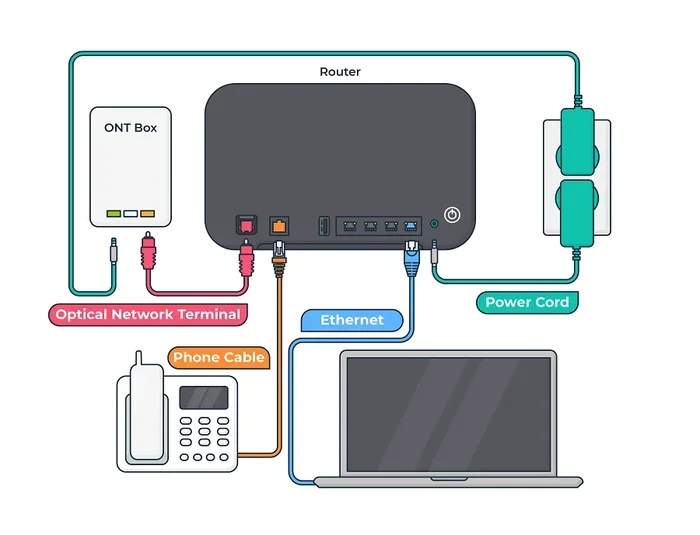
If you are concerned about public WiFi tracking, you might wonder about alternatives. One option is to buy your own WiFi box and create a personal hotspot. This gives you full control over your network and eliminates the risks of public connections.
Portable WiFi hotspots are widely available. They use cellular data to create your own private network. You can connect all your devices safely without relying on public hotspots. While this requires a monthly data plan, the peace of mind is worth it for many people.
Another option is to add mesh WiFi to your existing router at home. Mesh systems extend your coverage and improve security throughout your house. This way, you never need to rely on free public WiFi for reliable internet access.
For those who share their home network with guests, consider setting up a separate guest network. This keeps your main network private while still offering internet access to visitors. You can also block specific devices from using your WiFi if needed. These steps help you maintain control over who accesses your network.
How Guest WiFi Differs from Regular WiFi
Many businesses offer guest WiFi as a separate network from their internal systems. This is a smart security practice. But it does not mean guest WiFi is private. In fact, guest WiFi can often see what you search because the network owner still controls the connection.
Guest networks typically have fewer restrictions, which makes them more convenient. But convenience often comes at the cost of privacy. Assume that anything you do on guest WiFi can be seen by the network administrator. This mindset helps you stay cautious and make better choices online.
Some guest networks require you to agree to terms before connecting. These terms almost always include clauses about data collection. Read them if you have time, but do not assume they protect your privacy. They usually do not.
Expert Tips for Staying Safe on Any Network
We asked cybersecurity experts for their top tips on staying safe on public WiFi. Here is what they recommend:
- Always use a VPN — even on networks you trust. Encryption is your best friend.
- Check for HTTPS on every site you visit. Never enter sensitive data on HTTP pages.
- Disable file sharing on your device before connecting to public networks.
- Use a privacy-focused browser like Brave or Firefox with tracking protection enabled.
- Clear your cookies regularly to limit the data advertisers can collect about you.
- Turn off Bluetooth and NFC when not in use. These can be exploited on public networks.
- Monitor your accounts for unusual activity after using public WiFi.
These tips come from real-world experience. They are simple to follow and make a significant difference in your online safety.
Quick Tips Section
- Tip 1: Never leave your device unattended on a public WiFi network. Someone could physically access it in seconds.
- Tip 2: Use your phone’s mobile hotspot instead of free WiFi whenever possible. It is safer and more private.
- Tip 3: Install an ad blocker. Ads on free WiFi portals can sometimes contain tracking scripts or malware.
- Tip 4: Change your passwords regularly, especially after using public networks.
- Tip 5: Consider using a DNS-over-HTTPS service to encrypt your DNS requests and prevent logging.
Final Thoughts on Free WiFi Safety
So, does free wifi track you? Yes, it often does. But now you know exactly how that tracking works and, more importantly, how to fight back. You do not need to avoid free WiFi entirely. You just need to be smart about how you use it.
The digital world offers incredible convenience. Free WiFi is a part of that convenience. But convenience should never come at the cost of your privacy. By using a VPN, sticking to HTTPS sites, and following the tips in this guide, you can enjoy the benefits of free WiFi without putting your personal data at risk.
Stay informed. Stay cautious. And most importantly, stay safe online. Your digital privacy is worth protecting.
Frequently Asked Questions
Can the owner of free WiFi see my browsing history?
Yes, in most cases the network owner can see which websites you visit. They use DNS logs and tracking tools to monitor user activity. This is why using a VPN on public networks is so important.
Does a VPN prevent WiFi tracking completely?
A VPN encrypts your data and hides your browsing activity from the network owner. It does not make you completely invisible, but it dramatically reduces the amount of information that can be collected about you.
Is it safe to do online banking on free WiFi?
It is not recommended. Free WiFi networks are vulnerable to interception. If you must access your bank account, use your mobile data or a trusted VPN connection first.
How can I tell if a free WiFi network is secure?
Look for networks that require a password and use WPA3 encryption. Open networks with no password are the least secure. Always verify the network name with the business before connecting.
What should I do if I suspect my data was stolen on public WiFi?
Change your passwords immediately. Monitor your bank and email accounts for suspicious activity. Run a full antivirus scan on your device. Consider enabling two-factor authentication on all your accounts.
Are all public WiFi networks equally dangerous?
No. Networks that require a password and use encryption are safer than open networks. However, even password-protected public WiFi can track your activity. Always assume you are being monitored on any public network.
=== CONCLUSION ===
Does free wifi track you? The answer is a clear yes. Free WiFi networks track your browsing habits, collect your data, and sometimes share it with third parties. But you are not powerless. With the right tools and habits, you can enjoy the convenience of public WiFi while keeping your personal information safe. Use a VPN, stick to HTTPS sites, forget networks after use, and stay aware of your surroundings. Your online privacy is in your hands. Take control today and browse with confidence.