Does ATT Install Internet On Weekends And How Fast
Yes, AT&T can install internet on weekends, but availability depends on your location and technician scheduling. Most customers can book a weekend appointment or choose the self-install kit for faster setup. This guide covers everything you need to know about AT&T weekend internet installation, speed expectations, and how to get online as quickly as possible.
Thinking about getting AT&T internet but worried about the timing? You are not alone. Many people ask, does ATT install internet on weekends, and the answer might surprise you. Whether you work weekdays or just prefer weekend appointments, AT&T has options that can fit your schedule.
But it is not just about the day. Speed matters too. You want your internet up and running fast, especially if you have a household full of people streaming, gaming, or working from home. In this guide, we will walk through everything you need to know about AT&T weekend internet installation, how fast the setup really is, and what you can do to make the process smooth.
Let us break it all down so you know exactly what to expect before, during, and after your installation day.
Key Takeaways
- Weekend appointments are available: AT&T offers Saturday and Sunday installation slots in many areas.
- Self-install is a great alternative: You can set up your internet yourself without waiting for a technician.
- Speed depends on your plan: AT&T offers speeds ranging from 100 Mbps to 5,000 Mbps depending on your package.
- Booking early helps: Weekend slots fill up fast, so schedule your appointment as soon as possible.
- Equipment matters: Having the right router and modem makes a big difference in setup time and speed.
- Customer support is available: You can chat with AT&T support for help with scheduling and troubleshooting.
📑 Table of Contents
- Does AT&T Offer Weekend Internet Installation?
- How to Request an AT&T Weekend Installation
- AT&T Self-Install Option for Weekends
- How Fast Is AT&T Internet After Installation?
- Tips to Speed Up Your AT&T Internet Setup
- Common Problems During Weekend AT&T Installations
- AT&T Weekend Installation: What Customers Say
- Final Thoughts
Does AT&T Offer Weekend Internet Installation?
The short answer is yes. AT&T does offer weekend installation appointments in many areas across the United States. However, availability depends on your location, the type of service you need, and the demand in your area. Not every market has the same level of weekend coverage, so it is smart to check early.
Here is what you need to know about AT&T weekend technician appointments:
- Saturday appointments are widely available in most metro and suburban areas.
- Sunday appointments are more limited and may not be offered everywhere.
- Rural areas may have fewer weekend slots compared to urban locations.
- Peak seasons like summer and the holidays see higher demand, so book early.
If you are ready to get started, you can schedule your appointment through the AT&T website or by calling customer service. Many people also wonder whether they can chat with AT&T support to handle scheduling, and yes, that is another convenient option.
What Time Do Weekend Installations Happen?
AT&T typically schedules weekend installations during standard business hours, usually between 8:00 AM and 5:00 PM. The exact window depends on your local technician’s availability. You will receive a notification with a specific time window, often a few hours long, so you need to be home during that period.
Some customers report receiving early morning slots, while others get afternoon appointments. It is a good idea to clear your morning just in case. Also, make sure someone is home the entire day because the technician may need access to different parts of your house.
How to Request an AT&T Weekend Installation
Booking a weekend installation is straightforward, but there are a few steps you should follow to make sure everything goes smoothly. Here is a simple breakdown of the process.
Step 1: Check Availability in Your Area
Not all AT&T services are available everywhere. Before you book anything, confirm that AT&T internet is offered at your address. You can do this by entering your zip code on the AT&T website. This also helps you see what speed tiers are available in your neighborhood.
Step 2: Choose Your Plan
AT&T offers several internet plans with different speed tiers. Your choice will affect both your monthly bill and your overall experience. Here is a quick look at common AT&T internet plans:
- AT&T Internet 100: Up to 100 Mbps, great for light users and small households.
- AT&T Internet 300: Up to 300 Mbps, solid for streaming and moderate gaming.
- AT&T Internet 500: Up to 500 Mbps, ideal for larger families and heavy users.
- AT&T Fiber 1000: Up to 1,000 Mbps, perfect for power users and multiple devices.
- AT&T Fiber 5000: Up to 5,000 Mbps, designed for extreme performance needs.
Step 3: Schedule Your Appointment
Once you have your plan selected, you can schedule your weekend installation. You will be asked to provide a preferred date and time window. Keep in mind that weekend slots are popular, so the earlier you book, the better your chances of getting your preferred time.
During scheduling, you can also ask about the self-install option, which we will cover in detail below. Some customers prefer this route because it gives them more control over the timing.
Step 4: Prepare for the Technician
Before the technician arrives, make sure you have done a few things to speed up the process:
- Clear access to your main living area where the modem and router will go.
- Have your account number and ID ready.
- Ensure there is a power outlet near where you want the equipment placed.
- Remove any obstacles or furniture blocking the installation area.
These small steps can save you a lot of time and make the AT&T installation appointment go much faster.
AT&T Self-Install Option for Weekends
If you cannot get a weekend technician appointment or simply prefer to do it yourself, AT&T offers a self-install kit. This is a fantastic option for people who want more flexibility and faster setup without waiting for a scheduled visit.
The self-install kit comes with everything you need, including a modem, router, cables, and step-by-step instructions. You can set it up at any time that works for you, even late at night or early in the morning on a Saturday.
How Does the AT&T Self-Install Process Work?
The self-install process is designed to be simple and user-friendly. Here is what you can expect:
- Receive your kit: You will get a box with all the necessary equipment. This usually arrives within a few days of ordering.
- Connect the modem: Plug the modem into your wall jack or fiber terminal and connect it to power.
- Activate online: Follow the instructions in the kit to activate your service through the AT&T website or app.
- Set up your router: Connect the router to the modem and place it in a central location for the best coverage.
- Test your connection: Use a device to check your internet speed and make sure everything is working properly.
Most people complete the self-install process in under an hour. If you run into any issues, you can always reach out to AT&T customer support for help. Some people also choose to buy their own router and install it themselves for even more customization options.
Self-Install vs. Technician Install: Which Is Better?
Both options have their pros and cons. Let us compare them side by side:
| Feature | Self-Install | Technician Install |
|---|---|---|
| Availability | Anytime you are ready | Scheduled appointment required |
| Cost | Usually free | May include a fee |
| Speed of Setup | About 30-60 minutes | 30-90 minutes on-site |
| Expert Help | None (online support only) | On-site troubleshooting |
| Flexibility | Very high | Depends on appointment schedule |
| Best For | Tech-savvy users | Users who prefer hands-off setup |
If you are comfortable with basic tech tasks, the self-install route is often the fastest way to get online on a weekend. It removes the need to wait for a technician and gives you full control over the timing.
How Fast Is AT&T Internet After Installation?
Now let us talk about speed. After all, you want to know not just when your internet will be up but how fast it will actually be. AT&T internet speed after installation depends on several factors, including your plan, your location, and the type of connection you have.
Understanding AT&T Speed Tiers
AT&T offers a range of speed options, from basic plans to ultra-fast fiber connections. Here is a quick look at what you can expect from each tier:
- AT&T Internet 100: Download speeds up to 100 Mbps. This is enough for browsing, email, and light streaming on a few devices.
- AT&T Internet 300: Download speeds up to 300 Mbps. Great for HD streaming, video calls, and online gaming.
- AT&T Internet 500: Download speeds up to 500 Mbps. Perfect for large households with multiple users and devices.
- AT&T Fiber 1000: Symmetrical speeds up to 1,000 Mbps. Ideal for 4K streaming, large file downloads, and competitive gaming.
- AT&T Fiber 5000: Symmetrical speeds up to 5,000 Mbps. Built for power users, smart homes, and businesses.
Your actual speeds may vary based on network conditions, the number of connected devices, and your home’s layout. However, AT&T generally delivers speeds very close to what is advertised.
What Affects Your Internet Speed After Installation?
Several factors can influence how fast your internet actually performs after setup:
- Connection type: Fiber connections are faster and more reliable than DSL or fixed wireless.
- Router quality: A good router can make a huge difference in Wi-Fi coverage and speed.
- Home size: Larger homes may experience slower speeds in distant rooms.
- Number of devices: More connected devices mean shared bandwidth, which can slow things down.
- Network congestion: Peak usage times in your neighborhood can affect speeds temporarily.
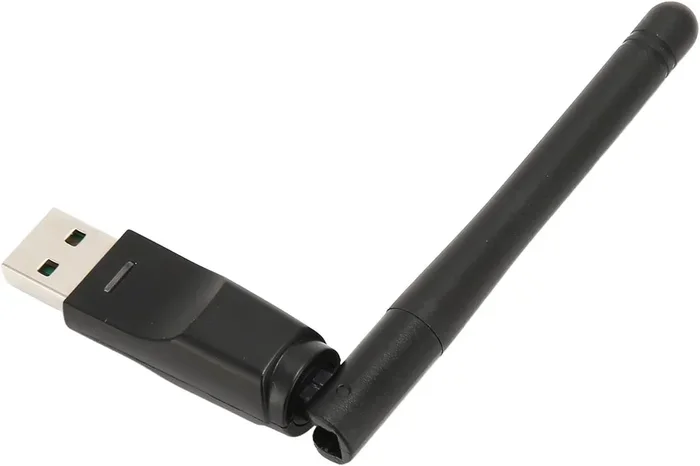
If you want to boost your setup, consider using a quality Wi-Fi adapter or upgrading your router. Also, placing your router in a central, open location helps maximize coverage throughout your home.
How to Test Your AT&T Internet Speed
After installation, you should test your internet speed to make sure everything is working as it should. Here is how:
- Connect a device directly to your router using an Ethernet cable for the most accurate test.
- Visit a speed test website like speedtest.net or the AT&T speed test tool.
- Run the test at different times of the day to see if speeds vary.
- Compare your results to the speeds promised by your plan.
If your speeds are significantly lower than expected, contact AT&T support. They can run diagnostics and help troubleshoot the issue.
Tips to Speed Up Your AT&T Internet Setup
Want to get your internet running as fast as possible? Here are some practical tips to help you breeze through the setup process, whether you are using a technician or the self-install kit.
1. Order Your Equipment Early
If you are getting a self-install kit, order it as soon as you sign up for your plan. Equipment shipping can take a few days, and you do not want to delay your setup because of a late delivery.
2. Read the Instructions Before You Start
This sounds obvious, but many people skip it. Reading the setup guide before you begin saves time and prevents mistakes. You will know exactly what to do and what tools you need.
3. Use an Ethernet Connection First
When setting up, connect one device directly to the modem with an Ethernet cable first. This ensures your base connection is strong before you start configuring Wi-Fi for other devices.
4. Update Your Router Firmware
After setup, check for router firmware updates. Updated firmware often includes performance improvements and security patches that can enhance your AT&T internet activation experience.
5. Place Your Router Strategically
Put your router in a central, elevated location. Avoid placing it near walls, metal objects, or appliances that can interfere with the signal. Good placement makes a noticeable difference in speed and coverage.
6. Set Up a Guest Network
If you have visitors or smart home devices, consider setting up a separate guest network. This keeps your main network fast and secure while still giving guests access to the internet.
Common Problems During Weekend AT&T Installations
Even with the best planning, things can go wrong during installation. Here are some common issues and how to handle them.
Technician Arrives Late
Technician delays happen, especially on weekends when schedules are tight. If your technician is running late, you can call AT&T customer service for an updated arrival time. Having a flexible schedule helps reduce frustration.
Equipment Malfunction
Sometimes the modem or router provided by AT&T may not work correctly. If this happens during your installation, the technician should replace it on the spot. For self-install setups, contact AT&T support to request a replacement.
Slow Speeds After Setup
If your internet is slower than expected after installation, try these steps:
- Restart your modem and router.
- Move your router to a different location.
- Check for firmware updates.
- Reduce the number of connected devices temporarily.
- Run a speed test to confirm the issue.
Most speed issues resolve with a simple restart or router repositioning. If the problem persists, reach out to AT&T support for further assistance.
Wi-Fi Coverage Issues
Some homes have areas with weak Wi-Fi signals, especially in basements, garages, or far rooms. If you experience coverage problems, consider using a Wi-Fi extender or mesh system. These devices help spread your signal evenly throughout your home.
AT&T Weekend Installation: What Customers Say
Customer experiences with AT&T weekend installations vary, but many report positive outcomes. People appreciate the convenience of Saturday appointments, especially those who work full-time jobs during the week. The self-install option is also a popular choice among tech-savvy users who want more control over the process.
Common praise includes fast activation times, friendly technicians, and clear instructions in the self-install kit. Some customers mention that weekend availability is limited in rural areas, which can be a drawback. Overall, AT&T has made significant improvements in scheduling flexibility in recent years.
If you are considering AT&T internet, reading real AT&T customer reviews can give you a better sense of what to expect in your specific area. Online forums and review sites are great resources for firsthand experiences.
Final Thoughts
Does ATT install internet on weekends? Yes, they do. Whether you choose a technician visit or the self-install route, AT&T gives you the flexibility to get your internet set up on a schedule that works for you. The key is to plan ahead, book early, and be prepared for installation day.
Speed after installation is another important factor. With AT&T’s range of plans, you can find a speed tier that matches your household’s needs. From basic browsing to heavy streaming and gaming, there is an AT&T plan for everyone.
Remember, the setup process does not have to be stressful. Follow the tips in this guide, stay organized, and do not hesitate to reach out to AT&T support if you need help. Getting your internet up and running on the weekend is entirely doable with the right approach.
Take action today. Check AT&T availability in your area, choose the right plan, and schedule your weekend installation. You will be online and ready to go before you know it.
Frequently Asked Questions
Can I schedule an AT&T internet installation on Sunday?
Sunday appointments are available in some areas, but they are less common than Saturday slots. Check the AT&T website or call customer service to confirm Sunday availability in your location.
Is AT&T self-install free?
Yes, the self-install kit is typically included at no extra cost when you sign up for an AT&T internet plan. You just need to follow the instructions provided in the kit.
How long does an AT&T technician installation take on weekends?
A standard technician visit usually takes between 30 and 90 minutes. The exact time depends on the complexity of the setup and any additional equipment needed.
Can I game on my AT&T Wi-Fi after weekend installation?
Absolutely. As long as you have a plan with sufficient speed, you can game on your AT&T Wi-Fi right after installation. Fiber plans offer the best experience for online gaming.
What should I do if my internet is slow after the weekend install?
Start by restarting your modem and router. If that does not help, check for firmware updates and reposition your router. You can also contact AT&T support for troubleshooting assistance.
Do I need to be home during the weekend installation?
Yes, someone must be present during the installation appointment, whether it is a technician visit or a self-install. For technician visits, access to the interior of your home is required to set up the equipment properly.