Does Delta Charge For In Flight Wi Fi What You Need To Know
Delta Air Lines offers in-flight Wi-Fi on most flights, but does Delta charge for in flight Wi-Fi? The answer depends on your plan. Delta provides both free and paid Wi-Fi options, including messaging-only access at no cost. Full internet access ranges from $7 to $28 depending on the flight length and subscription type.
If you have ever been stuck on a plane wondering if you could check your emails or stream a movie, you are not alone. The question of whether Delta charges for in flight Wi-Fi comes up all the time. Travelers want to know if they need to pay for internet at 35,000 feet or if they can get online for free. Let us break down everything you need to know about Delta Wi-Fi pricing and options.
Delta Air Lines has invested heavily in inflight connectivity over the past few years. Today, most Delta planes offer Wi-Fi service. But the cost and quality of that connection can vary a lot depending on the aircraft type, the route, and the plan you choose. Some passengers get free messaging access, while others pay full price for high-speed internet. Understanding how Delta Wi-Fi works can save you money and keep you connected when you need it most.
Key Takeaways
- Delta offers free Wi-Fi for messaging: You can use iMessage, WhatsApp, and Facebook Messenger without paying for in-flight internet.
- Paid Wi-Fi plans start at $7: Delta offers day passes and monthly subscriptions for full internet access during your flight.
- Delta Wi-Fi speed varies by aircraft: Newer planes use Viasat or Panasonic systems that offer faster speeds than older equipment.
- You can connect easily: Simply select the Delta Wi-Fi network on your device and follow the login prompts.
- Subscription options save money: A monthly Delta Wi-Fi pass costs around $49.95 and works across multiple flights.
- Not all Delta flights have Wi-Fi: Some regional jets and older aircraft may not offer internet access.
- Delta Wi-Fi works for streaming: With a paid plan, you can stream movies, browse the web, and video call during your flight.
📑 Table of Contents
- Does Delta Charge For In Flight Wi-Fi
- What You Get With Free Delta Wi-Fi
- Paid Wi-Fi Plans And What They Offer
- How To Purchase Delta Wi-Fi
- Delta Wi-Fi Compared To Other Airlines
- Tips For Getting The Most Out Of Delta Wi-Fi
- Common Problems With Delta Wi-Fi
- Is Delta Wi-Fi Worth The Money
- Final Thoughts On Delta In-Flight Wi-Fi
Does Delta Charge For In Flight Wi-Fi
The short answer is yes and no. Delta charges for full internet access, but they also offer free messaging-only Wi-Fi on most flights. This means you can send texts, use iMessage, and chat on WhatsApp without spending a dime. However, if you want to browse the web, check email, or stream content, you will need to pay for a Wi-Fi plan.
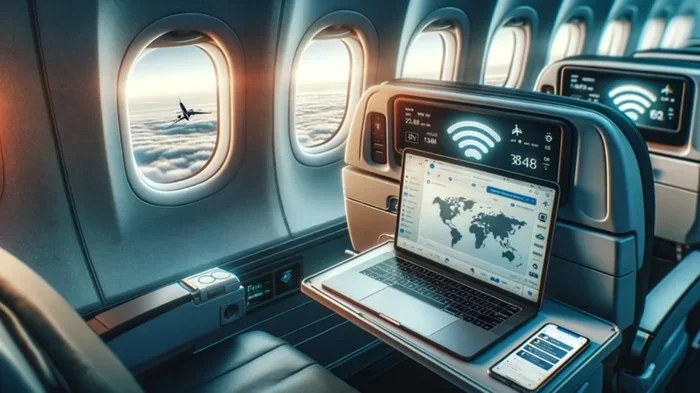
Delta Air Lines uses two main Wi-Fi systems: Viasat and Panasonic. The system installed on your plane determines the speed and reliability of your connection. Newer Delta aircraft are more likely to have the faster Viasat system, while older planes may use Panasonic or even slower options. So when you ask does Delta charge for in flight Wi-Fi, the real question is what kind of access you want and what your plane is equipped with.
How Delta Wi-Fi Pricing Works
Delta offers several Wi-Fi pricing tiers. Here is a simple breakdown of what you can expect to pay:
- Free Messaging: No cost. Works for text-based apps only.
- Day Pass (Full Internet): $7 for flights under 3 hours. $14 for flights over 3 hours.
- Monthly Subscription: $49.95 per month for unlimited Delta Wi-Fi access.
- Annual Subscription: $199.95 per year for unlimited access across all flights.
The day pass price is reasonable for a single trip. But if you fly Delta often, the monthly or annual subscription can save you a lot of money. Frequent flyers who need airplane internet on every trip should seriously consider the subscription options.
What You Get With Free Delta Wi-Fi
Delta provides free messaging Wi-Fi on the vast majority of its flights. This is a great perk that sets Delta apart from many other airlines. With free messaging, you can stay in touch with family, friends, and coworkers without paying anything extra.
Here is what you can do with free Delta Wi-Fi:
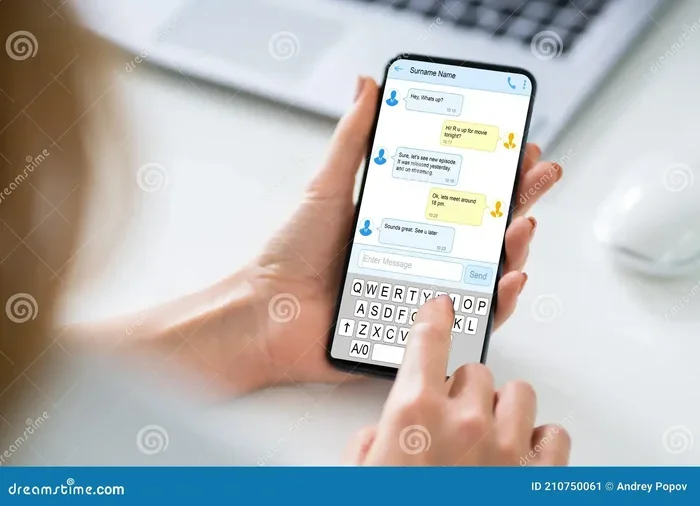
- Send and receive text messages through iMessage
- Use WhatsApp for text and voice messages
- Access Facebook Messenger
- Use iChat and other Apple messaging services
- Send and receive emails through supported apps
Keep in mind that free Wi-Fi does not allow browsing the open web. You cannot visit regular websites, check social media feeds, or stream video with the free tier. It is strictly for messaging purposes. If you need full internet access, you will need to purchase one of the paid plans.
How To Connect To Free Delta Wi-Fi
Connecting to Delta Wi-Fi is simple. Once your plane reaches cruising altitude and the crew announces that Wi-Fi is available, follow these steps:
- Open your device’s Wi-Fi settings.
- Select the network named “Delta Wi-Fi.”
- Open your web browser.
- You will be redirected to the Delta Wi-Fi portal.
- Choose the free messaging option.
- Accept the terms and start chatting.
That is all there is to it. The process is similar to how you would connect my PC to Wi-Fi without Ethernet at home. The portal handles everything for you, and you should be online within a minute or two.
Paid Wi-Fi Plans And What They Offer
If you need more than just messaging, Delta has paid plans that unlock full internet access. These plans give you the freedom to browse, stream, and work while you fly.
The Delta Wi-Fi day pass is the most popular option for occasional travelers. At $7 for short flights and $14 for longer routes, it is a fair price if you need to get work done or stay entertained during a long journey. The day pass gives you access to all websites, streaming services, and apps that work over an internet connection.
For frequent Delta flyers, the monthly and annual subscriptions are excellent values. At $49.95 per month or $199.95 per year, you get unlimited Wi-Fi access on every Delta flight. This is especially useful for business travelers who need reliable inflight connectivity for work calls, email, and file sharing.
Delta Wi-Fi Speed And Performance
Wi-Fi speed on Delta flights varies widely. The Viasat system, found on newer aircraft, offers much faster speeds than older Panasonic systems. With Viasat, you can expect speeds similar to a decent home broadband connection. This means you can stream video, join video calls, and browse without constant buffering.
On older aircraft, the Wi-Fi experience can be slower and less reliable. You may be able to check email and browse simple websites, but streaming video might be a struggle. The inflight internet cost is the same regardless of the system, so it is worth knowing what to expect before you buy a plan.
Delta has been upgrading its fleet rapidly. More and more planes now feature the Viasat system, which means better Wi-Fi for passengers. If you are flying on a newer Delta aircraft, you can expect a much better experience than you would have just a few years ago.
How To Purchase Delta Wi-Fi
Buying Delta Wi-Fi is straightforward. Once you are connected to the Delta Wi-Fi network, the login portal will appear automatically. From there, you can choose your plan and pay using a credit card or PayPal.
You can also purchase Wi-Fi in advance through the Delta app or website. This is a smart move if you want to skip the portal hassle once you are in the air. Simply log into your Delta account, go to the Wi-Fi section, and buy your plan before departure.
Here are some quick tips for buying Delta Wi-Fi:
- Buy your pass early to avoid the rush when the Wi-Fi portal loads
- Check if your credit card offers airline Wi-Fi discounts
- Consider the monthly subscription if you fly Delta more than once a month
- Remember that free messaging is always available, even if you do not buy a paid plan
Delta Wi-Fi Compared To Other Airlines
How does Delta Wi-Fi stack up against the competition? Let us take a quick look at how other major airlines handle in-flight internet.
Many airlines now offer free messaging Wi-Fi, similar to Delta. JetBlue, for example, offers free unlimited Wi-Fi on all flights, which is a standout perk. Southwest Airlines also provides free Wi-Fi with no speed limits, making it a favorite among budget-conscious travelers.
Delta’s paid plans are competitive with the rest of the industry. The day pass pricing is in line with what American Airlines and United charge. However, Delta’s subscription model is slightly more flexible and offers good value for frequent flyers.
If you are comparing airline Wi-Fi options, Delta holds its own. The free messaging tier is a nice bonus, and the paid plans are reasonably priced. For the best value, consider whether the airline you are flying offers free full Wi-Fi or just free messaging.
Tips For Getting The Most Out Of Delta Wi-Fi
Want to make the most of your Delta Wi-Fi experience? Here are some practical tips that can help.
First, download everything you need before you board. If you plan to watch movies or listen to music, download them to your device while you are still on the ground. This way, you do not need to rely on the in-flight connection for entertainment.
Second, use the free messaging tier whenever possible. If all you need is to send a few texts or check in with your team, the free option is perfect. Save your money and only upgrade to a paid plan when you truly need full internet access.
Third, charge your devices fully before the flight. Wi-Fi usage drains your battery faster than normal, so you want to start with a full charge. You might also want to bring a portable charger, especially on long flights.
Fourth, be mindful of other passengers. If you are on a video call, keep your voice low and use headphones. Not everyone wants to hear your conversation at 35,000 feet.
Finally, check the Delta app for Wi-Fi status updates. The app will tell you if Wi-Fi is available on your specific flight and what type of connection you can expect. This helps you decide whether to buy a plan or stick with free messaging.
Common Problems With Delta Wi-Fi
Delta Wi-Fi is not perfect, and sometimes you may run into issues. Here are some common problems and how to deal with them.
Slow speeds: This is the most common complaint. If the plane is full and everyone is online, speeds can drop significantly. Try disconnecting and reconnecting, or switch to a less data-heavy task like reading text emails instead of streaming video.
Connection drops: Wi-Fi can cut out during takeoff, landing, or when the plane is flying through certain weather conditions. This is normal and usually temporary. Wait a few moments and try reconnecting.
Portal not loading: Sometimes the login page does not appear automatically. In this case, try opening a new browser tab and navigating to any website. You should be redirected to the Wi-Fi portal. If that does not work, try clearing your browser cache or switching to a different browser.
Wi-Fi not available: Not all Delta flights have Wi-Fi. Some regional jets and older aircraft may not be equipped. Check the Delta app or ask a flight attendant before assuming you will have internet access.
Is Delta Wi-Fi Worth The Money
Whether Delta Wi-Fi is worth the cost depends on your needs and how often you fly. For a one-time trip, the $7 day pass is a reasonable investment if you need to stay connected for work or entertainment.
For frequent flyers, the monthly or annual subscription offers excellent value. If you take even two Delta flights per month, the subscription pays for itself quickly. The ability to work, stream, and browse during flights makes the subscription a smart choice for business travelers and digital nomads.
On the other hand, if you only fly Delta once in a while and just need to send a few messages, stick with the free tier. You do not need to pay for full internet access if messaging is all you require.
The bottom line is that Delta offers flexible options for every type of traveler. Whether you want free messaging or full-speed internet, Delta has a plan that fits your needs and budget.
Final Thoughts On Delta In-Flight Wi-Fi
So does Delta charge for in flight Wi-Fi? Yes, for full internet access. But they also offer free messaging, which is a great perk. Delta’s Wi-Fi options are flexible, affordable, and improving all the time as the airline upgrades its fleet.
Whether you are a frequent business traveler or an occasional leisure flyer, understanding Delta Wi-Fi pricing and options helps you make the best choice for your next trip. Download your content beforehand, take advantage of the free messaging tier, and consider a subscription if you fly often. With the right plan, you can stay connected and productive even at 35,000 feet.
Delta has made significant strides in inflight connectivity, and the experience continues to get better with each new aircraft they add to the fleet. Next time you book a Delta flight, you will know exactly what to expect and how to get the most out of your Wi-Fi experience.
Frequently Asked Questions
Is Delta Wi-Fi free?
Delta offers free messaging-only Wi-Fi on most flights. You can use iMessage, WhatsApp, and Facebook Messenger at no cost. Full internet access requires a paid plan starting at $7 for a day pass.
How fast is Delta Wi-Fi?
Delta Wi-Fi speed depends on the aircraft type. Newer planes with the Viasat system offer fast speeds suitable for streaming and video calls. Older planes may have slower connections that work well for browsing and email but struggle with heavy data tasks.
Can I stream Netflix on Delta Wi-Fi?
Yes, you can stream Netflix and other services with a paid Delta Wi-Fi plan. The free messaging tier does not support streaming. Speed and reliability depend on the aircraft and how many passengers are online at the same time.
How do I know if my Delta flight has Wi-Fi?
Check the Delta app before your flight. The app shows Wi-Fi availability for your specific flight. You can also ask a flight attendant after boarding. Most mainline Delta flights offer Wi-Fi, but some regional jets may not be equipped.
Can I use my own device on Delta Wi-Fi?
Yes, you can use any Wi-Fi-enabled device on Delta Wi-Fi. This includes smartphones, tablets, laptops, and even some gaming devices. Just connect to the “Delta Wi-Fi” network and follow the login prompts in your browser.
What payment methods does Delta accept for Wi-Fi?
Delta accepts major credit cards and PayPal for Wi-Fi purchases. You can also buy Wi-Fi passes in advance through the Delta app or website using the same payment methods. The process is quick and straightforward.