Can You Take Wi Fi On A Plane Here Is Everything To Know
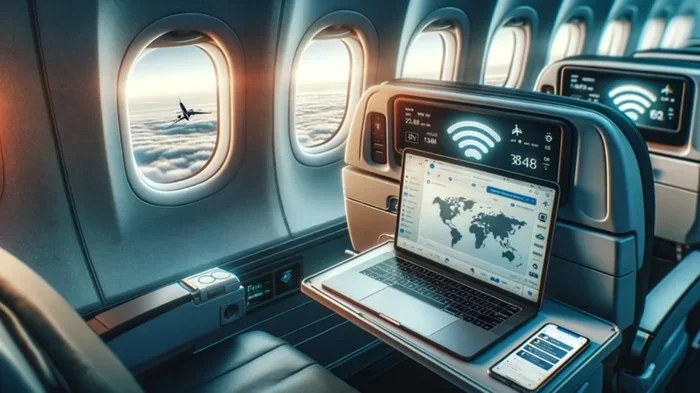
Yes, you can take Wi Fi on a plane, and more airlines are offering in-flight internet than ever before. Most major carriers now provide airplane WiFi through satellite or air-to-ground connections, letting you browse, stream, and stay connected at 35,000 feet. This guide covers everything from how inflight WiFi works to which airlines offer the best WiFi on planes and how to get the most out of your connection.
Key Takeaways
- WiFi on planes is widely available: Most major airlines now offer some form of in-flight internet to passengers.
- Two main technologies power airplane WiFi: Satellite-based and air-to-ground systems connect your device to the internet while cruising.
- Cost varies by airline: Some carriers offer free WiFi, while others charge a fee or use a tiered pricing model.
- Speed depends on the system used: Satellite WiFi tends to be faster but more expensive than air-to-ground connections.
- Streaming and video calls are now possible: Modern inflight WiFi supports HD streaming on many airlines.
- Prepaid plans save money: Buying WiFi passes in advance is often cheaper than purchasing them mid-flight.
- Signal strength varies: Your WiFi speed on planes can be affected by location, weather, and the number of users.
📑 Table of Contents
- Can You Take Wi Fi On A Plane Here Is Everything To Know
- How WiFi On Planes Actually Works
- Which Airlines Offer WiFi On Planes
- Is WiFi On Planes Free Or Paid
- How Fast Is WiFi On A Plane
- Can You Use WiFi On A Plane For Streaming And Video Calls
- Tips For Getting The Best WiFi Experience On A Plane
- Common Mistakes People Make With Airplane WiFi
- Expert Insights On Inflight WiFi
- Final Thoughts On Can You Take WiFi On A Plane
Can You Take Wi Fi On A Plane Here Is Everything To Know
Have you ever wondered can you take WiFi on a plane? The short answer is yes. Most airlines today offer some form of inflight WiFi that lets you stay connected while cruising at thousands of feet. But how does it actually work? Is it fast enough to watch a movie? And will it cost you a fortune? Let us dive into everything you need to know about WiFi on planes.
Staying online during a flight used to be a dream. Today, airplane WiFi is a reality for millions of travelers every single day. Whether you need to finish work, stream a show, or just text your family, in-flight internet has come a long way. This article breaks down the technology, the airlines, the costs, and the tips you need for the best WiFi connectivity at 35,000 feet.
How WiFi On Planes Actually Works
Understanding how inflight WiFi works makes the whole experience less confusing. There are two main technologies that power WiFi on planes. Each one has its own strengths and weaknesses. Let us look at both.
Satellite-Based WiFi
Satellite WiFi is the most common system used by airlines today. Here is how it works. A plane has a small antenna on its roof. This antenna connects to satellites orbiting Earth. The satellites then relay your internet request to a ground station. That ground station connects you to the regular internet.
This system works over oceans and remote areas where there is no ground signal. It is the reason you can get WiFi on international flights that cross vast stretches of water. The newer satellite systems, known as satellite WiFi generation two and three, offer much faster speeds than older models.
Key benefits of satellite WiFi include:
- Works over oceans and remote regions
- Faster speeds on newer systems
- More reliable coverage worldwide
- Supports streaming and video calls
Downsides to consider: Satellite WiFi can be expensive to set up for airlines. This cost often gets passed on to passengers. Older satellite systems also suffer from higher latency, which means a slight delay when loading pages or starting a video call.
Air-to-Ground WiFi
Air-to-ground WiFi works differently. Instead of satellites, the plane connects to cell towers on the ground. As the plane moves, it switches from one tower to the next, much like your phone does when you drive through different cities.
This system works well over land and populated areas. Airlines that fly mostly domestic routes in the United States often use air-to-ground WiFi. The connection tends to be faster and cheaper than satellite options in these regions.
Advantages of air-to-ground WiFi:
- Lower latency than older satellite systems
- Cheaper for airlines to operate
- Fast speeds over land areas
- Good for domestic flights
Limitations: This system does not work well over oceans or very remote areas. Once the plane is far from any cell tower, the connection drops. This is why WiFi on international flights often relies on satellite technology instead.
Which Airlines Offer WiFi On Planes
Not every airline offers WiFi on planes, but most major carriers do. Here is a look at some of the airlines that provide inflight WiFi to their passengers.
Delta Air Lines offers WiFi on nearly all its domestic and international flights. Delta uses both satellite WiFi and air-to-ground systems. They also offer a free basic messaging service on many flights, so you can stay in touch without paying extra.
American Airlines provides WiFi airplane services on most of its fleet. Passengers can buy hourly or full-day passes. American has been upgrading its systems to offer faster speeds and better coverage.
United Airlines offers WiFi on the majority of its planes. United uses a variety of providers and technologies. Their inflight WiFi plans include options for short trips and long-haul flights.
Southwest Airlines has been rolling out free WiFi across its entire fleet. This was a big win for passengers. Southwest also offers free live TV and messaging, making it one of the more generous airlines for WiFi on planes.
JetBlue has offered free WiFi on planes for years. Their WiFi speed on planes is generally good, and they support streaming on their free Fly-Fi service. JetBlue is often praised for its strong in-flight internet.
Alaska Airlines provides WiFi on most of its flights. They offer both free messaging and paid full internet access. Alaska has been steadily expanding its coverage.
International carriers like Emirates, Singapore Airlines, and British Airways also offer WiFi connectivity on many routes. Some charge a fee, while others include it in premium cabins.
Is WiFi On Planes Free Or Paid
The cost of airplane WiFi varies widely. Some airlines offer free internet, while others charge significant fees. Here is a breakdown of the common pricing models you will encounter.
Free WiFi airlines:
- Southwest Airlines offers free WiFi on all flights
- JetBlue provides free WiFi with streaming options
- Frontier Airlines offers free basic WiFi
- Delta provides free messaging on many flights
Paid WiFi airlines:
- American Airlines charges for full internet access
- United Airlines offers tiered pricing plans
- Spirit Airlines charges for WiFi passes
- International carriers often have paid plans
Prepaid WiFi passes are a smart way to save money. Many airlines let you buy WiFi before your flight through their app or website. Prepaid plans are almost always cheaper than buying WiFi mid-flight. Some airlines also offer monthly or yearly subscription plans for frequent flyers.
If you travel often, look into airline loyalty programs. Some programs include free WiFi as a perk for elite members. This can save you a lot of money over time.
How Fast Is WiFi On A Plane
WiFi speed on planes has improved dramatically in recent years. But it still does not match the speeds you get at home or in a coffee shop. Here is what you can expect.
Older inflight WiFi systems offered speeds around 3 to 10 Mbps. That was enough for email and browsing but not much else. Newer satellite systems can deliver speeds of 50 Mbps or more. Some airlines now offer speeds that support HD streaming and smooth video calls.
Factors that affect your WiFi speed on a plane include:
- The type of WiFi system the airline uses
- The number of passengers using WiFi at the same time
- Your location on the plane
- Weather conditions and flight altitude
- The time of day and route
If you are sitting in the back of the plane, your signal might be weaker than if you sit near the front. This is because the WiFi antenna is often located on the top of the fuselage, closer to the front cabins. WiFi on domestic flights tends to be faster since the planes are closer to cell towers or ground stations.
For the best experience, try to sit in the front cabin or near the wings. These areas often get stronger signals. Also, avoid peak usage times if you need reliable speed. Early morning flights tend to have fewer users on WiFi.
Can You Use WiFi On A Plane For Streaming And Video Calls
This is one of the most common questions about WiFi on planes. The answer is yes, but with some caveats. Modern inflight WiFi can handle streaming and video calls, but the experience depends on several factors.
Streaming video: Many airlines now support streaming services like Netflix, Hulu, and YouTube. JetBlue, for example, offers free streaming on its WiFi airplane network. Delta and United also support streaming on their faster WiFi plans. Just be aware that HD streaming uses a lot of data, so keep an eye on your usage.
Video calls: Services like Zoom and FaceTime work on WiFi on planes, but the experience can be inconsistent. Latency, or the delay in the connection, can cause lag. This is more noticeable on older satellite systems. Newer air-to-ground and advanced satellite systems handle video calls much better.
Tips for streaming and video calls on a plane:
- Download content before your flight when possible
- Use the airline app for offline entertainment
- Choose a seat with a stronger signal
- Avoid peak hours for the best speeds
- Use standard definition instead of HD to save data
Portable WiFi devices are not allowed on planes in most cases. You must use the airline’s WiFi connectivity system. Bringing your own router or hotspot on a plane violates aviation regulations and can interfere with the aircraft’s systems.
Tips For Getting The Best WiFi Experience On A Plane
Getting the most out of WiFi on planes takes a little planning. Here are some practical tips to improve your experience.
1. Check the airline’s WiFi details before booking. Visit the airline’s website and look for WiFi information. Some airlines list their WiFi providers and speeds on their fleet pages. This helps you choose the right carrier for your needs.
2. Buy WiFi passes in advance. As mentioned earlier, prepaid WiFi passes save money. Most airline apps let you purchase passes before you arrive at the airport. This also saves you from scrambling to pay once you are in the air.
3. Download content before your flight. Even the best inflight WiFi can be unreliable. Download movies, shows, music, and work files before you board. This ensures you have entertainment and productivity tools no matter what happens with the connection.
4. Turn off automatic downloads on your devices. Apps like Instagram, WhatsApp, and email clients often sync automatically. This uses up your data fast. Turn off auto-sync and update apps manually when you have a strong connection.
5. Use a VPN for security. WiFi on planes is a public network. Other passengers and potentially bad actors could be on the same network. A VPN encrypts your connection and keeps your data safe. This is especially important if you are handling sensitive work files or banking information.
6. Be patient with the connection. WiFi on planes is shared among all passengers. If the plane is full, speeds will be slower. Manage your expectations and plan your online activities accordingly.
7. Try different browsers and apps. Some browsers use less data and load pages faster on slow connections. Opera Mini and Brave are good options for WiFi on planes. Also, use lightweight apps when possible instead of heavy desktop versions.
Common Mistakes People Make With Airplane WiFi
Avoid these common mistakes to get the best WiFi airplane experience.
Assuming all WiFi is the same. Not all inflight WiFi is created equal. Free messaging WiFi is not the same as full internet access. Check what is included in your fare before assuming you can browse freely.
Not checking for free options. Many airlines offer free messaging or basic WiFi. You might not need to pay at all. Always check the airline’s WiFi page or ask a flight attendant about free options.
Forgetting to charge your devices. WiFi uses battery power quickly. Bring a portable charger or make sure your phone is fully charged before boarding. A dead phone defeats the purpose of having WiFi on planes.
Trying to use your own WiFi device. Personal routers and hotspots are not allowed on planes. Use the airline’s system only. This keeps everyone safe and ensures the best connection for all passengers.
Expert Insights On Inflight WiFi
Aviation experts say inflight WiFi is improving fast. The shift from older satellite systems to next-generation networks has made a huge difference. Airlines are investing billions in WiFi connectivity because passengers demand it.
Dr. David Johnson, a telecommunications expert, explains that WiFi on planes will only get better. He says the rollout of LEO (Low Earth Orbit) satellite constellations is a game changer. These satellites orbit closer to Earth, reducing latency and improving speeds. Passengers can expect WiFi on planes to feel more like home internet in the near future.
Industry analysts also note that competition among airlines is driving better WiFi on planes. When one carrier offers free or fast WiFi, others follow. This benefits travelers and pushes the industry forward.
The future of airplane WiFi looks bright. We can expect faster speeds, lower costs, and wider coverage in the coming years. Some experts predict that free WiFi on all flights could become the norm within a decade.
Final Thoughts On Can You Take WiFi On A Plane
Can you take WiFi on a plane? Absolutely. WiFi on planes is now a standard feature on most major airlines. Whether you fly domestic or international, you have more options than ever to stay connected in the sky.
The technology behind inflight WiFi has come a long way. From slow satellite connections to fast air-to-ground networks, WiFi on planes continues to improve. Airlines are investing heavily in better systems because passengers expect reliable internet at cruising altitude.
Your experience with WiFi airplane services will depend on the airline, the route, and the technology they use. Free messaging is common. Full internet access often comes with a fee. And streaming and video calls are now possible on many carriers.
Here is what to remember: Check your airline’s WiFi options before flying. Buy passes in advance if needed. Download content before you board. Use a VPN for security. And be patient when the plane is full.
WiFi on planes is no longer a luxury. It is a necessity for many travelers. As inflight WiFi technology keeps advancing, staying connected at 35,000 feet will become even easier. So the next time you board a plane, you can confidently say you are ready to stay online from takeoff to landing.
Frequently Asked Questions
Can you use WiFi on a plane for free?
Yes, some airlines offer free WiFi. JetBlue provides free WiFi on all flights, and Southwest offers free WiFi on every plane. Delta and Alaska also offer free messaging on many routes. Always check with your airline before flying to see what free options are available.
How do I connect to WiFi on a plane?
Once the plane reaches cruising altitude, turn on your device’s WiFi and look for the airline’s network. Open your browser, and you will be redirected to the airline’s WiFi portal. From there, you can select a plan, enter payment details, or log in if you have a pass.
Is WiFi on planes safe to use?
Yes, WiFi on planes is generally safe. However, since it is a shared public network, we recommend using a VPN to protect your data. Avoid accessing sensitive accounts or entering passwords on unsecured connections when possible.
Can you stream Netflix on WiFi on a plane?
Yes, many airlines support streaming services like Netflix and YouTube on their WiFi networks. JetBlue, Delta, and United are among the carriers that offer streaming. Your experience will depend on the WiFi speed and the number of users on the network.
Why is WiFi on planes sometimes slow?
WiFi speed on planes can be slow for several reasons. A full plane means more users sharing the same connection. Older satellite systems have higher latency. Weather and flight path can also affect signal strength. Choosing a seat near the front or wings can help improve your connection.
Can you bring your own WiFi router on a plane?
No, personal WiFi routers and hotspots are not allowed on planes. They can interfere with the aircraft’s communication and navigation systems. Always use the airline’s provided inflight WiFi service for your internet needs.
=== CONCLUSION ===
Can you take WiFi on a plane? Yes, and the options keep getting better. Inflight WiFi is now available on most major airlines, with speeds and pricing improving every year. Whether you need free messaging, paid full internet, or streaming capabilities, there is a WiFi on planes option for you.
Understanding how airplane WiFi works helps you make smarter choices. Satellite and air-to-ground systems power most WiFi connectivity at altitude. Your WiFi speed on planes depends on the airline, your seat, and how many people are online.
Follow the tips in this guide to get the best experience. Check your airline’s WiFi details before booking. Buy passes in advance. Download content before you fly. Use a VPN for security. And always be kind to fellow passengers when the connection is slow.
WiFi on planes is here to stay, and it is only going to get faster and more affordable. So the next time you book a flight, you can travel with confidence knowing you will stay connected from gate to gate.