Can You Still Access The Internet On Wii Console Today
Yes, you can still access the internet on Wii consoles today, but the experience is very different from what it used to be. Many Nintendo online services have been shut down, yet basic Wi-Fi connectivity, system updates, and limited browsing remain possible. This guide walks you through everything you need to know about connecting your Wii to the internet in 2024 and beyond.
Can you still access the internet on Wii consoles today? This is a question many retro gaming fans ask. The Nintendo Wii launched in 2006 and changed how families played games together. It was one of the first consoles to make wireless internet a standard feature. Back then, connecting your Wii to Wi-Fi felt like magic. You could download games, chat with friends, and browse the web from your couch.
Fast forward to today. The Wii is a discontinued console. Nintendo shut down many of its online services years ago. So does that mean the Wii internet connection is completely dead? Not exactly. You can still connect your Wii to a wireless network. You can still do some things online. But the experience is very different from what it used to be. This guide covers everything you need to know about Wii Wi-Fi setup, what still works, and how to get the most out of your old console.
Whether you are dusting off your Wii for nostalgia or trying to make it useful again, this article has you covered. We will walk through every step in plain language. No tech jargon. No confusing instructions. Just clear, practical advice for anyone who wants to connect their Wii to the internet today.
Key Takeaways
- The Wii can still connect to Wi-Fi networks using its built-in wireless adapter or a USB LAN adapter.
- Nintendo Wi-Fi Connection and the Wii Shop Channel are no longer available, which limits online features significantly.
- You can still perform system updates and access some Wii channels that require an internet connection.
- Internet browsing on Wii is possible but limited, as the Opera browser is outdated and many modern sites won’t load properly.
- Using a Wi-Fi adapter or LAN adapter can improve your connection stability compared to the built-in wireless feature.
- Homebrew and custom firmware options can restore some lost online functionality for tech-savvy users.
- Setting up Wii internet today requires workarounds since WEP and WPA-PSK (TKIP) are the only supported security protocols.
📑 Table of Contents
- Can You Still Access The Internet On Wii Consoles Today?
- How To Connect Your Wii To The Internet
- What Internet Features Are Still Available On Wii
- Common Wi-Fi Connection Problems And How To Fix Them
- Using The Wii For Internet Browsing
- Is It Worth Connecting Your Wii To The Internet Today?
- Final Thoughts On Wii Internet Access
Can You Still Access The Internet On Wii Consoles Today?
The short answer is yes. Your Wii console can still connect to a wireless network. But the long answer is more complicated. Many of the online services that made the Wii special are gone. Nintendo closed the Wii Shop Channel in January 2019. The Nintendo Wi-Fi Connection service shut down in May 2014. These were the main reasons people connected their Wii to the internet.
So what does that mean for you? It means you can no longer download classic Virtual Console games. You can no longer play Wii Sports online against strangers. You cannot browse the Wii Shop Channel for new content. But your Wii can still talk to your wireless router. It can still pull in system updates. It can still run certain channels that need a connection.
What Changed After Wii Discontinuation
Nintendo stopped supporting the Wii in 2019. That means no more official updates. No more security patches. No more online features. The company shifted its focus to the Wii U and then the Nintendo Switch. As a result, the Wii internet experience has become very limited. However, the hardware itself still works. The wireless chip inside the Wii is still functional. It just has fewer things to connect to.
Some people assume that because the Wii is old, it cannot connect to modern Wi-Fi networks. That is not true. The Wii supports wireless networks. It just has limitations when it comes to security protocols and connection speeds. We will cover those limitations in detail later in this article.
Is Wii Internet Still Useful?
You might wonder why anyone would bother connecting an old Wii to the internet today. There are actually several good reasons. Some people use their Wii as a media player. Others enjoy the nostalgia of revisiting old games. Some users explore homebrew channels that unlock new features. Even without official online services, a Wii internet connection can still add value to your retro gaming setup.
How To Connect Your Wii To The Internet
Setting up Wii internet access is straightforward. The process has not changed much over the years. Your Wii has a built-in Wi-Fi adapter. This makes wireless connections easy. You can also use a USB LAN adapter for a wired connection. Let us walk through both methods step by step.
Connecting Via Wireless Wi-Fi
To connect your Wii to a wireless network, follow these simple steps. First, turn on your Wii console. Go to the Wii Settings menu. Select Internet from the options. Choose Connection Settings. Pick an empty slot. Select Wireless Connection. Then choose your network from the list.
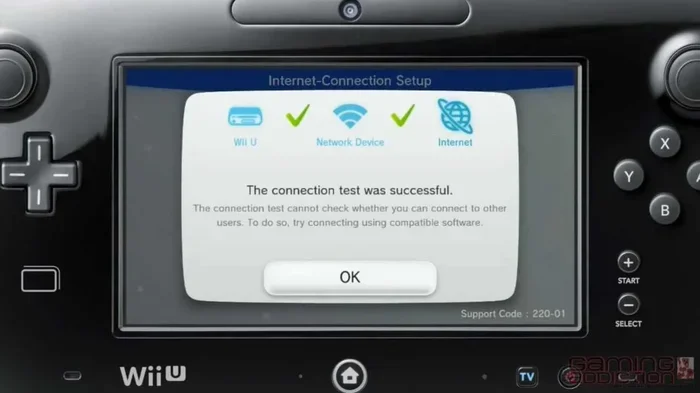
Next, enter your Wi-Fi password. Select the security type. The Wii supports WEP, WPA-PSK (TKIP), and WPA2-PSK (AES). Click Save. Then test the connection. If everything is set up correctly, your Wii will connect to the internet. You should see a confirmation screen.
Using A USB LAN Adapter For Wired Connection
Some players prefer a wired connection. It is more stable and faster. You can use a USB LAN adapter with your Wii. These adapters are affordable and easy to find. Simply plug the adapter into a USB port on your Wii. Connect an Ethernet cable from your router to the adapter.
Go to the Wii Settings menu again. Select Internet. Choose Connection Settings. Pick an empty slot. Select Wired Connection. The Wii will detect the LAN adapter automatically. Follow the on-screen prompts to complete setup. A wired connection is great if your wireless signal is weak in the room where your Wii sits.
Quick Tips For Better Wi-Fi Signal
- Move your router closer to the Wii. Walls and furniture can weaken the signal.
- Avoid placing the Wii near microwaves or cordless phones. These devices interfere with wireless signals.
- Use a Wi-Fi extender if needed. This boosts your signal to reach the Wii in another room.
- Keep your Wii software updated. Even though official updates are limited, the latest system menu helps with compatibility.
- Restart your router before connecting. This clears any temporary network issues.
What Internet Features Are Still Available On Wii
Now that you know how to set up a Wii internet connection, let us talk about what you can actually do with it. The list is shorter than it used to be. But there are still some useful features that work today.
System Updates And Wii Console Maintenance
Even though Nintendo no longer releases updates for the Wii, you can still check for them manually. The system may prompt you to connect to the internet to download any remaining updates. This is important because updates fix bugs and improve performance. A connected Wii runs smoother than one that has never been online.
You can also check your connection settings at any time. The Wii lets you test your internet speed. It shows signal strength and connection type. This is helpful if you are troubleshooting slow performance or dropped connections.
Wii Channels That Still Require Internet
Some Wii channels still attempt to connect to the internet. The Forecast channel, for example, pulls weather data from online sources. The News channel used to pull headlines from the web. The Everybody Votes Channel let players submit opinions online. While some of these channels are no longer active, others may still display cached information or limited functionality.
Mii Contest Channel and the Check Mii Out Channel were popular features. They allowed users to share their Mii characters online. These channels are now defunct. But the Mii Maker itself still works offline. You can create and edit Miis without an internet connection.
Homebrew And Custom Wii Internet Features
The Wii homebrew community is still active. Tech-savvy users have found ways to restore some online features. Custom firmware allows users to access emulated services. Some homebrew apps let you browse the web on your Wii using modern browsers. Others enable streaming services or media playback from online sources.
Homebrew is not officially supported by Nintendo. It does void your warranty. But for retro enthusiasts, it opens up a whole new world of possibilities. If you are comfortable with technical steps, homebrew can bring your Wii internet experience back to life in exciting ways.
Using Wii For Retro Gaming And Emulation
Many Wii users connect to the internet to download homebrew applications. These apps can emulate games from older consoles. You can play NES, SNES, N64, and Sega Genesis games on your Wii. Some of these emulators need online access to download ROM files or receive updates. The Wii becomes a retro gaming hub when connected to the internet.
Common Wi-Fi Connection Problems And How To Fix Them
Connecting an old console to a modern Wi-Fi network is not always smooth. Many users run into problems when trying to set up Wii internet. Here are the most common issues and how to fix them.
The Wii Cannot Detect Your Wireless Network
This is a very common problem. If your Wii cannot see your Wi-Fi network, the first thing to check is your router settings. Modern routers often use WPA3 or WPA2-PSK (AES) security. The Wii does not support WPA3. It also has limited support for WPA2-PSK (AES) in some cases.
Try changing your router to WPA-PSK (TKIP) or WEP mode temporarily. This should make your network visible to the Wii. You can always switch back to a more secure setting after connecting. Just remember that WEP is not very secure. Use it only for the initial connection setup.
Slow Internet Speed On Wii
The Wii was designed for faster internet speeds than what it can actually handle. The built-in Wi-Fi adapter only supports 802.11 b/g standards. This means maximum speeds of around 54 Mbps. In practice, you will likely see much slower speeds. If your internet is slow on the Wii, try moving closer to your router.
You can also check if other devices are using too much bandwidth. Streaming videos or large downloads on other devices can slow down your Wii connection. A USB LAN adapter can also help improve speed and stability.
Connection Drops Frequently
If your Wii keeps losing its Wi-Fi connection, the problem could be interference. Other wireless devices, baby monitors, and even Bluetooth speakers can cause interference. Try changing your router channel to reduce congestion.
A wired connection through a USB LAN adapter solves this problem completely. If you prefer wireless, consider purchasing a Wi-Fi range extender. Place it between your router and your Wii for a stronger, more stable signal.
Wii Says Connected But No Internet Access
This happens when the Wii connects to the router but cannot reach the wider internet. Check if other devices can access the internet on the same network. If they cannot, the problem is with your internet service, not the Wii.
Try power cycling your router. Unplug it for 30 seconds. Plug it back in. Wait for it to fully restart. Then try connecting the Wii again. This simple step fixes many connection issues.
Using The Wii For Internet Browsing
The Wii comes with the Opera web browser pre-installed. It was one of the first consoles to offer built-in web browsing. But how well does it work today? The short answer is not very well. The Opera browser on the Wii is outdated. It does not support modern web standards. Many websites will not load correctly or at all.
What You Can Still Browse On Wii
Simple text-based websites may still work on the Wii browser. Some older websites that do not rely on modern JavaScript or CSS might load. You can try visiting basic news sites or simple blogs. But do not expect to watch videos or use interactive websites. The Wii browser is very limited by today’s standards.
Some homebrew browser apps offer a better experience. These custom browsers support more modern web features. They can render pages that the built-in Opera browser cannot. If web browsing is important to you, installing a homebrew browser is worth the effort.
Limitations Of Wii Internet Browsing
The Wii browser does not support HTML5 video. You cannot watch YouTube or Netflix through it. Flash content does not work either. Most modern websites use JavaScript features that the Wii browser does not understand. Even simple tasks like logging into accounts can be frustrating because the browser does not handle cookies well.
Despite these limitations, some people still enjoy browsing on their Wii. It is a fun novelty. It brings back memories of a simpler time in internet history. If you just want to check a quick webpage, the Wii browser is still there waiting for you.
Is It Worth Connecting Your Wii To The Internet Today?
This is the big question. Should you bother connecting your Wii to the internet in 2024 and beyond? The answer depends on what you want to do with it. If you just want to play offline games, you do not need an internet connection. The Wii works perfectly fine without one. But if you want to explore homebrew, use certain channels, or just enjoy the nostalgia of being connected, then yes, it is worth it.
Think about what you loved most about the Wii online experience. Was it downloading classic games? Playing Mario Kart online? Chatting with friends through the Wii Message Board? Most of those features are gone now. But the console itself still works. And with a few workarounds, you can still get some of that online magic back.
Connecting your Wii to the internet today is more of a hobby project than a practical necessity. It requires patience and a willingness to deal with limitations. But for retro gaming fans, the payoff is worth the effort. There is something special about bringing an old console back to life and making it work with modern technology.
If you decide to connect your Wii, start with the basics. Set up your Wi-Fi connection. Test the speed. Explore what still works. Then decide if you want to dive deeper into homebrew and custom features. Either way, you will have a fun and rewarding experience. The Wii may be old, but it is far from dead.
Final Thoughts On Wii Internet Access
So can you still access the internet on Wii consoles today? Yes, you absolutely can. The experience is not the same as it was in 2008. Many official online services are gone. The Wii Shop Channel is closed. Nintendo Wi-Fi Connection no longer exists. But your Wii can still connect to your wireless router. It can still perform system updates. It can still run certain channels. And with homebrew, you can unlock even more possibilities.
The key is to manage your expectations. The Wii internet connection is limited by today’s standards. The browser is outdated. The supported security protocols are old. But the console still has charm and value. It is a piece of gaming history that still has things to offer.
If you have a Wii sitting in a closet, now might be the perfect time to dust it off. Set it up. Connect it to your Wi-Fi. See what still works. You might be surprised by how much fun it still is. The Wii may not be a modern console, but it still has a place in the hearts of gamers everywhere. And with the right setup, it can still connect to the internet in meaningful ways.
Whether you use it for retro gaming, homebrew experiments, or just nostalgic browsing, the Wii internet connection proves that this classic console still has life in it. Do not let the lack of official services stop you. There is still plenty to explore and enjoy. Your Wii is waiting.