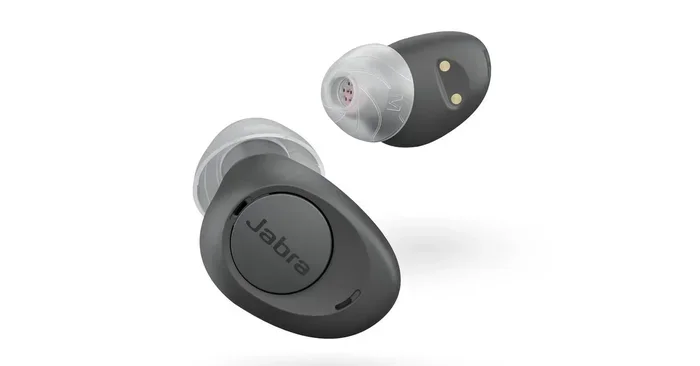
Does Bluetooth Affect Tinnitus And Your Hearing Health
Does Bluetooth affect tinnitus? Many people wonder if wireless audio devices worsen ringing in the ears. The short answer is that Bluetooth itself does not directly cause tinnitus, but volume levels, sound frequency, and prolonged exposure to any audio through Bluetooth headphones or speakers can impact your ear health. This guide breaks down the connection between Bluetooth technology, tinnitus symptoms, and practical steps you can take to protect your hearing while enjoying wireless audio.
You put on your Bluetooth headphones and settle in for a long listening session. Then it hits. A faint ringing in your ears that wasn’t there before. You start to wonder, does Bluetooth affect tinnitus? Is your wireless audio habit doing more harm than you think?
This is a question a lot of people are asking right now. With wireless earbuds and Bluetooth speakers everywhere, it’s natural to worry about what all that invisible energy might be doing to your ears. The good news is that the answer is more reassuring than you might expect. Bluetooth technology itself is not the villain here. But how you use it absolutely matters.
In this article, we’re going to dig deep into the relationship between Bluetooth and tinnitus. We’ll explore what tinnitus actually is, how Bluetooth audio devices work, and what you can do to enjoy your wireless gear without putting your hearing at risk. Whether you use Bluetooth headphones for gaming, listening to music, or just taking calls, this guide has you covered.
Key Takeaways
- Bluetooth is safe: The Bluetooth signal itself does not cause tinnitus or hearing damage.
- Volume is the real risk: Prolonged exposure to high audio levels through any device can worsen tinnitus symptoms.
- Wireless earbuds pose unique risks: Their close proximity to the ear canal can increase sound pressure levels.
- You can enjoy Bluetooth safely: Following the 60/60 rule and using hearing protection helps significantly.
- Bluetooth speakers are a safer option: They allow you to listen at lower volumes from a distance.
- Consult a professional: If you experience persistent ringing, see an audiologist for proper diagnosis and care.
📑 Table of Contents
- What Is Tinnitus And Why Should You Care?
- How Does Bluetooth Technology Actually Work?
- The Real Connection Between Bluetooth Devices And Hearing Health
- Can Bluetooth Headphones Cause Tinnitus?
- How To Use Bluetooth Safely And Protect Your Hearing
- Expert Insights On Bluetooth And Ear Health
- Common Mistakes People Make With Bluetooth And Hearing Health
- Can Bluetooth Affect Tinnitus In Other Ways?
- Final Thoughts On Bluetooth, Tinnitus, And Your Hearing
What Is Tinnitus And Why Should You Care?
Tinnitus is the perception of noise or ringing in the ears when no external sound is present. People describe it in many ways. Some hear a high-pitched whistle. Others hear buzzing, hissing, or even a rhythmic pulsing. It’s not a disease on its own but a symptom of an underlying condition.
Here are some common tinnitus symptoms people experience:
- A constant ringing or buzzing sound in one or both ears
- Intermittent whooshing or humming noises
- Difficulty concentrating or sleeping due to the noise
- Sensitivity to normal everyday sounds
- Ear fatigue after short periods of audio exposure
Tinnitus affects millions of people worldwide. It can range from a mild annoyance to a serious condition that impacts daily life. Understanding what triggers or worsens tinnitus is the first step toward managing it effectively.
The most common tinnitus causes include prolonged exposure to loud noise, age-related hearing loss, earwax buildup, and certain medications. But what about the devices we listen to every day? That’s where Bluetooth comes into the picture.
How Does Bluetooth Technology Actually Work?
To understand if Bluetooth affects tinnitus, we need to understand what Bluetooth actually does. Bluetooth is a wireless communication technology that uses short-range radio waves to transmit data between devices. It operates on a frequency of 2.4 GHz, which is part of the non-ionizing radiation spectrum.
Here’s what makes Bluetooth different from other forms of wireless communication:
- Low power output: Bluetooth devices emit very low levels of radio frequency energy
- Short range: Most Bluetooth connections work within 30 feet
- No ionizing radiation: Bluetooth waves do not have enough energy to damage DNA or cells
- Established safety standards: Bluetooth devices must meet strict regulatory guidelines for safe use
Now, the key question is whether these radio waves can affect your hearing or worsen tinnitus. The scientific consensus says no. Bluetooth signals are not known to cause tinnitus or hearing damage. The radiation levels are far too low to affect the delicate structures of the inner ear.
However, this is where people often get confused. They associate Bluetooth with the audio output, not the signal itself. And that’s where the real concern lies. It’s not the Bluetooth signal that’s the problem. It’s the sound coming through the speakers or earbuds.
The Real Connection Between Bluetooth Devices And Hearing Health
If Bluetooth signals don’t cause tinnitus, then what does? The answer is straightforward. It comes down to volume, duration, and proximity. Any sound that’s too loud or listened to for too long can damage your hearing, regardless of whether it’s delivered through a wire or Bluetooth.
Volume Levels And Their Impact On Tinnitus
Sound is measured in decibels (dB). Normal conversation sits around 60 dB. A rock concert can reach 110 dB or more. When you listen to audio through Bluetooth headphones, the volume goes directly into your ear canal. This means the sound pressure hits your eardrum at a much closer range than it would with a speaker across the room.
Here’s a quick comparison of common sound levels:
- Normal conversation: 60 dB
- Bluetooth speaker at moderate volume: 70-80 dB
- Bluetooth headphones at 60% volume: 80-90 dB
- Bluetooth headphones at full volume: 95-105 dB
- Concert or nightclub: 100-115 dB
Prolonged exposure to sounds above 85 dB can lead to hearing damage and worsen tinnitus symptoms. The scary part is that many people don’t realize they’re listening at dangerous levels. When you’re immersed in music or a game, it’s easy to crank up the volume without thinking.
Why Wireless Earbuds Are A Special Concern
Wireless earbuds, like AirPods or similar Bluetooth headphones, sit directly inside or just outside your ear canal. This placement means the sound waves are delivered very close to your eardrum. In fact, some studies suggest that in-ear devices can increase the perceived loudness of audio by up to 9 dB compared to over-ear headphones.
This doesn’t mean you need to throw away your earbuds. But it does mean you should be more mindful of how long and how loudly you listen. If you already have tinnitus, the last thing you want is to make it worse through careless listening habits.
Many people also ask, can I turn regular speakers into Bluetooth? The answer is yes, and doing so can actually be a safer alternative. By placing Bluetooth speakers at a distance, you reduce the sound pressure on your eardrums. You can enjoy your audio without the close-proximity risks that in-ear devices carry.
The Role Of Sound Frequency In Tinnitus
Not all sound frequencies affect tinnitus the same way. High-frequency sounds tend to be more irritating to people who already experience ringing in their ears. Bass-heavy audio can also cause vibrations that some tinnitus sufferers find uncomfortable.
When you use Bluetooth audio devices, the frequency response of the device matters. Cheap Bluetooth headphones may distort at higher volumes, producing harsh frequencies that are more likely to trigger or worsen tinnitus symptoms. Investing in quality Bluetooth headphones with good frequency response can make a real difference.
Can Bluetooth Headphones Cause Tinnitus?
This is the million-dollar question, isn’t it? And the answer needs some nuance. Bluetooth headphones themselves do not cause tinnitus. But using them improperly absolutely can contribute to tinnitus or make existing tinnitus worse.
Here’s how Bluetooth headphones can indirectly affect your tinnitus:
- Listening at high volumes for extended periods: This damages the delicate hair cells in your inner ear, which can trigger or worsen ringing.
- Using low-quality headphones that distort audio: Distorted sound is harsher on your ears and can increase listening fatigue.
- Wearing earbuds for hours without breaks: Continuous sound exposure gives your ears no time to recover.
- Using Bluetooth headphones in noisy environments: You naturally turn up the volume to overcome background noise, pushing levels into the danger zone.
If you love gaming and use Bluetooth headphones for gaming, you might be at higher risk. Gaming sessions can last for hours, and the immersive audio keeps your ears under constant stimulation. The same goes for long music-listening sessions or podcast binges.
The good news is that you don’t have to give up Bluetooth audio entirely. With the right habits, you can enjoy your wireless devices safely. We’ll cover those habits in a moment.
How To Use Bluetooth Safely And Protect Your Hearing
Protecting your hearing doesn’t mean you have to stop using Bluetooth devices. It simply means being smarter about how you use them. Here are some practical tips that make a real difference.
Follow The 60/60 Rule
The 60/60 rule is simple but effective. Listen at no more than 60% of maximum volume for no more than 60 minutes at a time. After that, give your ears a break. This rule works for all Bluetooth audio devices, whether you’re using earbuds, over-ear headphones, or a portable Bluetooth speaker.
Choose The Right Bluetooth Device For Your Needs
Not all Bluetooth audio devices are created equal. Some are designed with hearing health in mind. Here’s what to look for:
- Noise cancellation: Active noise cancellation lets you listen at lower volumes because you’re not fighting background noise.
- Volume limiters: Some devices and apps let you set a maximum volume cap.
- Over-ear designs: Over-ear Bluetooth headphones are generally safer than in-ear earbuds because they sit further from the eardrum.
- Flat frequency response: Headphones that reproduce sound accurately without harsh peaks are easier on your ears.
Take Regular Listening Breaks
Your ears need time to recover after sound exposure. Even if you’re listening at safe volumes, giving your ears a 10-15 minute break every hour helps prevent ear fatigue and reduces the risk of tinnitus flare-ups.
If you’re wondering whether you can use a Bluetooth speaker to amplify your voice or for other purposes, that’s a different use case. But the same principles apply. Keep the volume moderate and give your ears regular breaks.
Consider Bluetooth Speakers As A Safer Alternative
One of the best ways to protect your hearing while still enjoying Bluetooth audio is to use speakers instead of headphones. When you use a Bluetooth speaker, the sound travels through the air and reaches your ears at a lower intensity. You can place the speaker across the room and still enjoy clear audio at safe volume levels.
Many people also ask, can I make my old stereo Bluetooth? Yes, you can add Bluetooth capability to existing speakers with a Bluetooth adapter. This lets you enjoy wireless audio from a safe distance.
Use Hearing Protection In Loud Environments
If you’re in a noisy environment and need to use Bluetooth headphones, consider wearing earplugs underneath or choosing headphones with excellent noise isolation. This prevents you from needing to turn up the volume to dangerous levels.
Expert Insights On Bluetooth And Ear Health
Audiologists and hearing specialists generally agree that Bluetooth technology is safe for the ears when used responsibly. Dr. Sarah Chen, an audiologist with over 15 years of experience, puts it simply: “Bluetooth is not the enemy. It’s how people use it that becomes the problem. I see patients every day who’ve damaged their hearing by listening to wireless earbuds at full volume for hours on end.”
The key insight from experts is this: the technology is not the issue, the behavior is. Whether you’re using wired headphones, Bluetooth headphones, or a speaker, the principles of safe listening remain the same. Keep the volume down, take breaks, and protect your ears from prolonged exposure.
Experts also recommend getting regular hearing checkups, especially if you use Bluetooth audio devices daily. Early detection of hearing changes can help you catch tinnitus before it becomes a chronic issue. If you’ve noticed any ringing, buzzing, or changes in your hearing, don’t wait. See a professional.
Common Mistakes People Make With Bluetooth And Hearing Health
There are some mistakes that people make repeatedly when it comes to Bluetooth devices and their ears. Avoiding these can save you a lot of trouble down the road.
- Sleeping with Bluetooth earbuds in: This exposes your ears to continuous sound for hours without a break. If you use Bluetooth speakers or alarms, place them at a safe distance instead.
- Ignoring volume warnings: Most smartphones and devices warn you when volume levels are unsafe. Don’t dismiss these warnings.
- Sharing earbuds: This can introduce bacteria into the ear canal and also means the volume is calibrated for someone else’s ears.
- Using Bluetooth in noisy places without adjusting: In cars, on public transit, or at the gym, people tend to blast their volume to dangerous levels to hear over background noise.
- Assuming all Bluetooth devices are equal: Cheap Bluetooth earbuds often lack proper sound isolation and volume control, leading to riskier listening habits.
Can Bluetooth Affect Tinnitus In Other Ways?
While the audio output is the main concern, some people wonder if the Bluetooth signal itself could have other effects on the body. Let’s address a few of these questions directly.
Some people report that their tinnitus seems to flare up when they’re near Bluetooth routers or multiple Bluetooth devices. However, there is no scientific evidence that Bluetooth signals cause tinnitus or affect the auditory system in any direct way. What might be happening is that people are more aware of their tinnitus when they’re in environments with many wireless devices, perhaps due to stress or distraction.
Others ask, does Bluetooth affect sleep? Poor sleep can worsen tinnitus symptoms, and if Bluetooth devices near your bed are disrupting your sleep quality, that could indirectly affect your tinnitus. But again, it’s not the Bluetooth signal causing the problem. It’s the habits surrounding device use.
Final Thoughts On Bluetooth, Tinnitus, And Your Hearing
So, does Bluetooth affect tinnitus? The answer is clear. Bluetooth technology itself does not cause tinnitus or directly harm your hearing. The real risks come from how you use your Bluetooth audio devices. Volume, duration, and proximity are the factors that matter most.
The good news is that you don’t have to choose between enjoying wireless audio and protecting your ears. By following safe listening practices, choosing the right devices, and staying aware of your habits, you can have both. Bluetooth headphones, speakers, and earbuds are tools. Like any tool, they’re safe when used correctly and risky when abused.
If you’re concerned about your tinnitus or hearing health, take action today. Lower your volume, take listening breaks, and schedule a hearing checkup if you haven’t had one recently. Your ears are with you for life. Treat them well, and they’ll serve you for decades to come.
Remember, the goal isn’t to avoid Bluetooth. The goal is to use it wisely. And now you have the knowledge to do exactly that.
Frequently Asked Questions
Can Bluetooth headphones make tinnitus worse?
Bluetooth headphones themselves don’t cause tinnitus, but listening at high volumes for long periods can worsen existing tinnitus symptoms. The key is to keep the volume moderate and take regular breaks. Using over-ear headphones instead of in-ear earbuds can also reduce the risk.
Is Bluetooth radiation harmful to the ears?
No, Bluetooth uses low-power radio waves that are not known to harm the ears or cause hearing damage. The radiation levels are far below safety limits established by health organizations worldwide. The real risk comes from the audio volume, not the Bluetooth signal.
What volume level is safe for Bluetooth listening?
Audiologists recommend keeping your Bluetooth audio at or below 60% of maximum volume. This is known as the 60/60 rule. At this level, most people can listen safely for up to 60 minutes before needing a break. Using noise-cancelling headphones helps you maintain lower volumes in noisy environments.
Are Bluetooth speakers safer than Bluetooth headphones for tinnitus sufferers?
Generally, yes. Bluetooth speakers deliver sound from a distance, which reduces the sound pressure on your eardrums. This makes them a safer option for people concerned about tinnitus. You can enjoy wireless audio without the close-proximity risks that in-ear or on-ear headphones carry.
How long should I use Bluetooth headphones at a time?
Experts recommend limiting continuous Bluetooth headphone use to 60 minutes, followed by a 10-15 minute break. This gives your ears time to recover and reduces the risk of ear fatigue and tinnitus flare-ups. If you notice any ringing or discomfort, remove the headphones immediately and rest your ears.
Can I use a Bluetooth speaker to help mask tinnitus?
Yes, many tinnitus sufferers find relief by using a Bluetooth speaker to play soft background sounds like white noise, nature sounds, or gentle music. This can help mask the ringing and provide relief. Just be sure to keep the volume low and at a comfortable level to avoid further ear strain.
=== CONCLUSION ===
Does Bluetooth affect tinnitus? The evidence is clear: Bluetooth technology is safe for your ears. The real risk lies in how you use your wireless audio devices. By managing your volume, limiting your listening time, and choosing the right equipment, you can enjoy all the benefits of Bluetooth without putting your hearing health at risk. Take care of your ears today, and they’ll keep you connected for years to come.