Do You Really Need the Bose App to Connect Bluetooth
You do not always need the Bose app to connect Bluetooth. Most Bose speakers and headphones can pair directly to your device using standard Bluetooth. However, the Bose app unlocks extra features like firmware updates, equalizer settings, and multi-device management. This guide shows you exactly when the app is essential and when you can skip it entirely.
Have you ever unboxed a new Bose speaker or headset, ready to start streaming music, only to realize your phone keeps asking about an app? It is a common moment of confusion. You just want to play your favorite playlist, but now you are wondering if that Bose app is mandatory. The short answer is no. You can connect most Bose devices to Bluetooth without ever downloading a single app. But the longer answer is where things get interesting.
The Bose app is not required for basic Bluetooth connectivity. Your Bose speaker or headphones use standard Bluetooth protocols to communicate with phones, tablets, and laptops. That means the connection happens at the hardware level, independent of any software. However, the Bose app does open up a world of extras that make the experience much better. Think of it like driving a car. You can drive without GPS, but the GPS helps you find the best route.
In this guide, we will walk through everything you need to know. We will cover when you need the app, when you do not, and how to get the best Bluetooth pairing experience with your Bose gear. Whether you own a Bose SoundLink, a Bose QuietComfort headset, or a simple Bose Bluetooth speaker, this article has you covered.
Key Takeaways
- Direct Bluetooth works fine: You can connect most Bose devices without downloading any app at all.
- The Bose app adds real value: It gives you access to EQ settings, firmware updates, and custom presets.
- Pairing is simple: Putting your Bose device in pairing mode takes just a few seconds.
- You may need the app for updates: Some firmware upgrades require the app to complete the process.
- Bluetooth range matters: Keep your device within 30 feet for the best wireless connection.
- Multiple devices can connect: Some Bose speakers support Bluetooth multipoint for seamless switching.
📑 Table of Contents
- What Is the Bose App and What Does It Do?
- Can You Connect Bose Bluetooth Without the App?
- What You Gain by Using the Bose App
- Step-by-Step: Connecting Bose Bluetooth Without the App
- When You Actually Need the Bose App
- Bose App vs. Direct Bluetooth: Which Is Better?
- Common Mistakes to Avoid
- Expert Insights on Bose Bluetooth Connectivity
- Key Takeaways
What Is the Bose App and What Does It Do?
The Bose app goes by different names depending on your device. You might see it called Bose Connect, Bose Music, or Bose SoundTouch. Each version serves a slightly different purpose, but they all revolve around one goal: making your wireless audio experience smoother.
Here is what the Bose app typically offers:
- Bluetooth device management: You can see all your connected Bose devices in one place.
- Firmware updates: The app keeps your speakers and headphones up to date with the latest software.
- Equalizer controls: Adjust bass, treble, and mid-range to fine-tune your sound.
- Preset buttons: Save your favorite stations or playlists for quick access.
- Multi-device switching: Jump between connected devices without re-pairing.
- Software settings: Access features like voice prompts, auto-off timers, and volume limits.
Now, none of these features are strictly necessary for Bluetooth connectivity. Your speaker will play music just fine without them. But if you want to get the most out of your Bose gear, the app makes a noticeable difference. It is the difference between using a phone with basic calling and using a smartphone with all the apps installed.
Which Bose Devices Work With the App?
Most modern Bose wireless devices support the app ecosystem. Here are some popular examples:
- Bose SoundLink speakers (Revolve, Revolve+, Color, Mini)
- Bose QuietComfort headphones (QC35, QC45, Ultra)
- Bose Noise Cancelling earbuds
- Bose Home Speaker 500 and 300
- Bose SoundTouch portable speakers
If your device is relatively recent, chances are it works with the Bose app. Older models may not support all features, but they still connect via Bluetooth without any app at all.
Can You Connect Bose Bluetooth Without the App?
Absolutely. This is the most important thing to know. Every Bose Bluetooth device is designed to work as a standalone wireless speaker or wireless headset. The Bluetooth chip inside the device handles all the communication. You do not need any intermediary app to make that happen.
Here is how basic Bluetooth pairing works without the app:
- Turn on your Bose device.
- Put it into pairing mode. Usually, you hold down the Bluetooth button until you hear a voice prompt or see a blinking light.
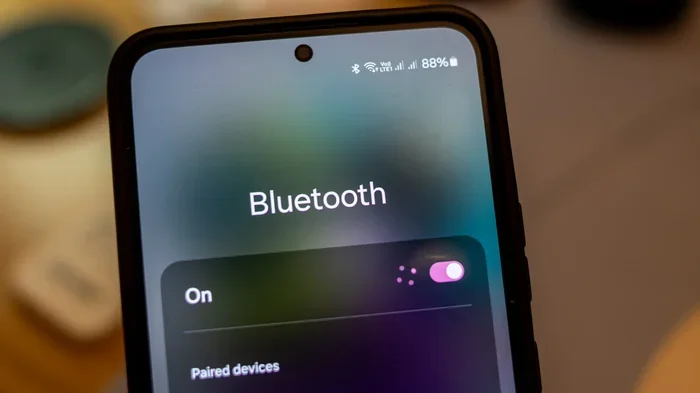
- On your phone, tablet, or laptop, go to Bluetooth settings.
- Find your Bose device in the list of available devices.
- Tap to connect. Done.
That is it. No app download. No account creation. No software update required. Your device and your phone will handshake directly, and you will be listening to music in seconds.
This is especially helpful if you are setting up a device quickly at a party or gathering. You do not want to spend five minutes downloading an app when your friends are already waiting for music. Just pair and play. And if you are looking to use a Bluetooth speaker to amplify your voice for a presentation or outdoor event, you can absolutely do that without the Bose app. The Bluetooth connection handles audio output regardless of the source.
Limitations of Connecting Without the App
While basic connection works perfectly, there are a few things you will miss out on without the app:
- You cannot update the firmware on your Bose device.
- You lose access to the built-in equalizer and sound customization tools.
- You cannot use the app’s multi-device switching feature.
- Preset buttons on the speaker or headphones cannot be customized.
- Some advanced features like voice prompts may not be configurable.
These limitations do not affect the core function of playing audio over Bluetooth. But they do matter if you want a polished, customized experience.
What You Gain by Using the Bose App
If basic Bluetooth works without the app, why bother downloading it at all? The Bose app adds layers of convenience and control that make a real difference in daily use.
First, let us talk about firmware updates. Just like your phone gets regular software updates, Bose devices receive them too. Firmware updates can fix bugs, improve Bluetooth stability, and sometimes even add new features. Without the app, you will never know these updates exist. Over time, an outdated firmware can lead to connection issues or reduced performance.
Second, the app gives you equalizer control. This is a big deal for music lovers. You can boost the bass for hip-hop, sharpen the mids for vocals, or brighten the highs for classical music. Without the app, you are stuck with the default sound profile that Bose chose for your device. It is good, but it is not personalized.
Third, the app makes multi-device management much easier. If you have multiple Bose devices in your home or office, the app lets you see their status, rename them, and manage connections from one dashboard. It is a clean, organized way to handle your wireless audio setup.
How the App Enhances Bluetooth Pairing
The Bose app also simplifies the pairing process in some situations. For example, if you have previously connected a Bose device and it forgets the pairing, the app can help you reconnect quickly. It stores device profiles and makes the process smoother than digging through your phone’s Bluetooth settings.
Some users also appreciate the app’s ability to handle Bluetooth multipoint connections. This feature lets a single Bose speaker connect to two devices at once. You can be listening to music on your phone, and when a call comes in on your laptop, the speaker switches automatically. Without the app, you would have to manually disconnect and reconnect between devices.
If you are someone who uses Bluetooth headphones for gaming, the app can also help you manage latency settings and audio profiles. These small tweaks can make a big difference in your experience, especially during competitive gaming sessions.
Step-by-Step: Connecting Bose Bluetooth Without the App
Let us walk through the exact steps. This works for nearly every Bose Bluetooth device on the market today.
Step 1: Power On Your Bose Device
Press and hold the power button on your Bose speaker or headphones. Wait for the power indicator to light up. Some devices will play a startup sound to confirm they are on.
Step 2: Enter Pairing Mode
Look for the Bluetooth button on your device. It is usually marked with the Bluetooth symbol. Press and hold it for about three to five seconds. You will hear a voice say “Bluetooth pairing” or see a blinking blue light. That means your device is ready to be found.
If you cannot find the Bluetooth button, check your user manual. Some older models use a different button combination to enter pairing mode.
Step 3: Open Bluetooth on Your Device
On your phone or tablet, go to Settings and tap Bluetooth. Make sure Bluetooth is turned on. Your device will start scanning for available connections.
Step 4: Select Your Bose Device
Look for your Bose device in the list of available devices. It will usually show up as the model name, like “Bose SoundLink Mini” or “Bose QuietComfort 45.” Tap on it to initiate the connection.
Step 5: Confirm and Play
You will hear a confirmation sound from the Bose device, and your phone will show “Connected.” Start playing music, a podcast, or a video, and the audio will stream through your Bose device instantly.
That is the entire process. No app needed. No account required. Just pure Bluetooth connectivity in under a minute.
Quick Tip: If your Bose device does not show up in the Bluetooth list, make sure it is in pairing mode. Also, try turning Bluetooth off and on again on your phone. Sometimes a simple restart of both devices solves the problem.
When You Actually Need the Bose App
There are specific situations where the Bose app becomes necessary or highly recommended. Let us go through them so you know exactly when to download it.
1. You Want to Update Firmware
Firmware updates are one of the most important reasons to use the Bose app. These updates fix bugs, improve battery life, and enhance Bluetooth range. Without the app, your device will never receive these updates automatically. Over time, this can lead to a worse experience compared to devices that stay updated.
2. You Want to Customize Sound Settings
If you are particular about audio quality, the app’s equalizer is a must-have. You can adjust the sound profile to match your personal preferences or the acoustics of your room. This level of control simply does not exist without the app.
3. You Manage Multiple Bose Devices
If your home or office has several Bose speakers or headphones, the app acts as a central hub. You can rename devices, assign them to rooms, and switch between them with ease. Managing everything from your phone’s Bluetooth settings would be a mess.
4. You Want to Use Advanced Features
Features like voice prompts, auto-off timers, and customizable button functions are only available through the app. These small details add up to a much better daily experience.
5. You Are Troubleshooting Connection Issues
If your Bose device keeps disconnecting or fails to pair, the app can help diagnose the problem. It has built-in troubleshooting tools that guide you through fixing common Bluetooth troubleshooting issues. Without the app, you are left guessing what went wrong.
Bose App vs. Direct Bluetooth: Which Is Better?
This is the question many people ask, and the honest answer is: it depends on what you value.
If you want simplicity and speed, direct Bluetooth wins. You connect, you play, and you go. There is no extra software, no background processes, and no battery drain from a running app. This approach is perfect for casual listeners who just want to enjoy their music without fuss.
If you want control, customization, and long-term performance, the Bose app wins. You get access to features that transform your device from a basic Bluetooth speaker into a fully optimized audio system. This approach is better for power users, audiophiles, and anyone who manages multiple Bose devices.
The best strategy for most people is a combination of both. Connect via direct Bluetooth for everyday use, and open the Bose app occasionally to check for updates or adjust settings. You get the best of both worlds without being tied to the app 24/7.
Comparison Table: Bose App vs. Direct Bluetooth
| Feature | Direct Bluetooth | With Bose App |
|---|---|---|
| Basic audio playback | Yes | Yes |
| Firmware updates | No | Yes |
| Equalizer customization | No | Yes |
| Multi-device switching | Manual | Automatic |
| Preset management | No | Yes |
| Troubleshooting tools | No | Yes |
| Setup time | Under 1 minute | Under 2 minutes |
| App required on phone | No | Yes |
As you can see, both methods have their strengths. Neither is wrong. The right choice depends on how much control you want over your wireless audio experience.
Common Mistakes to Avoid
Even though connecting Bose Bluetooth is straightforward, people still make mistakes that cause frustration. Here are the most common ones:
- Not putting the device in pairing mode: This is the number one reason people think their Bose device will not connect. Always confirm the pairing mode light or sound before checking your phone.
- Leaving Bluetooth on for too many devices: If your phone is connected to multiple Bluetooth devices, it can slow down discovery. Turn off Bluetooth on devices you are not actively using.
- Ignoring firmware updates: An outdated firmware can cause connection drops and audio glitches. Check for updates regularly through the Bose app.
- Standing too far away: Bluetooth has a practical range of about 30 feet. Walls and obstacles reduce this. Stay within range for the best wireless connection.
- Forgetting to disconnect old pairings: If your Bose device is still paired to a phone you no longer use, it may try to connect to that phone instead of your current one. Clear old pairings regularly.
Avoiding these simple mistakes will save you a lot of headache and keep your Bose Bluetooth experience running smoothly.
Expert Insights on Bose Bluetooth Connectivity
From a technical standpoint, Bose devices use standard Bluetooth protocols, which means they are compatible with virtually any Bluetooth-enabled device. The Bluetooth version on your Bose device determines the maximum range, audio quality, and power efficiency. Newer Bose devices support Bluetooth 5.0 or higher, which offers better range and lower latency compared to older versions.
One thing many people do not realize is that the Bose app can actually improve Bluetooth range in some cases. Firmware updates sometimes include antenna optimization and connection stability improvements. So even though the app is not required for the initial connection, it plays a role in keeping that connection strong over time.
Another expert tip is to reset your Bose device if you are having persistent pairing issues. Most Bose speakers have a reset button or a button combination that restores factory settings. After a reset, the device will appear as a fresh device in your Bluetooth list, and you can pair it again from scratch. This simple step solves the majority of stubborn connection problems.
Also, keep in mind that Bluetooth frequency operates on the 2.4 GHz band, which is shared with Wi-Fi and other wireless devices. If you are in a crowded environment with many wireless signals, you might experience interference. Moving closer to your Bose device or turning off nearby Wi-Fi can help improve the connection quality.
Key Takeaways
- You do not need the Bose app to connect Bluetooth: Standard Bluetooth pairing works without any app at all.
- The Bose app unlocks extra features: Firmware updates, equalizer controls, and multi-device management are the main benefits.
- Setup is quick and easy: You can pair your Bose device in under a minute using your phone’s Bluetooth settings.
- Firmware updates matter: They improve performance, fix bugs, and enhance Bluetooth stability over time.
- The app is helpful for troubleshooting: Built-in tools can diagnose and resolve common connection issues.
- Both methods work well: Choose direct Bluetooth for simplicity and the app for full control.
Frequently Asked Questions
Do I need to download the Bose app to connect my Bose speaker to Bluetooth?
No, you do not need the Bose app for basic Bluetooth connectivity. Your Bose speaker uses standard Bluetooth to connect to any Bluetooth-enabled device. You can pair it directly through your phone or tablet’s Bluetooth settings without downloading anything.
What can I do with the Bose app that I cannot do without it?
The Bose app gives you access to firmware updates, an equalizer for sound customization, preset management, multi-device switching, and troubleshooting tools. These features enhance your experience but are not required for basic audio playback over Bluetooth.
Can I use my Bose headphones without the Bose app?
Yes, you can. Bose headphones connect via Bluetooth just like any other wireless headphone. The app is optional and only needed if you want to access advanced features like EQ adjustments, firmware updates, or custom button mappings.
Does the Bose app drain my phone battery?
The Bose app uses minimal battery in the background. It is not a resource-heavy app. However, if you are concerned about battery life, you can simply close the app after pairing your device. The Bluetooth connection will continue working normally without the app running.
Can I connect multiple Bose devices using the app?
Yes, the Bose app lets you manage and switch between multiple Bose devices from one place. This is especially useful if you have Bose speakers in different rooms or a combination of speakers and headphones. Without the app, you would need to manually disconnect and reconnect each device through your phone’s Bluetooth settings.
Why won’t my Bose device connect to Bluetooth even without the app?
If your Bose device will not connect, make sure it is in pairing mode and within range of your phone. Try turning Bluetooth off and on again, or restart both devices. If the problem persists, resetting your Bose device to factory settings usually resolves the issue.
=== CONCLUSION ===
So, do you need the Bose app to connect Bluetooth? The clear answer is no. Your Bose device will connect to any Bluetooth-enabled device without the app, and the process is fast and straightforward. You can start listening to music, podcasts, or videos within minutes of unboxing your device.
However, the Bose app is a valuable tool if you want to go beyond the basics. It gives you firmware updates, sound customization, and advanced management features that elevate your experience. For most people, a combination of direct Bluetooth for daily use and the app for occasional maintenance is the perfect approach.
Now that you know the full picture, you can make an informed decision about whether to download the app or skip it. Either way, your Bose Bluetooth device is ready to deliver great sound whenever you need it. Just pair, play, and enjoy your wireless audio freedom.