Do Wifi Cameras Work Well Or Are They Just Not Worth It
Do wifi cameras work well for home security and monitoring? The short answer is yes, but with some important caveats. Wireless cameras offer easy setup and flexible placement, but they depend heavily on your wifi signal strength, internet speed, and network stability. This guide breaks down everything you need to know about wifi camera performance so you can make a smart buying decision.
Do wifi cameras work well? It is a question that keeps coming up in homes and offices everywhere. More people want wireless security cameras because they are easy to set up and do not require drilling holes or running cables. But the real question is whether these cameras deliver reliable performance when it matters most.
The truth is that wifi camera performance depends on several factors. Your internet speed, router placement, wall thickness, and even the number of devices on your network all play a role. A wireless surveillance camera can work beautifully in one home and fail badly in another. That is why understanding how these cameras actually work is so important before you buy.
In this article, we will cover everything you need to know. We will look at how wifi cameras perform, what affects their signal, and whether they are worth the money compared to wired options. By the end, you will know exactly what to expect from a wireless home security camera setup.
Key Takeaways
- Wifi cameras work well for most homes: They provide solid video quality and easy installation when your network is strong.
- Signal strength is everything: A weak wifi connection causes lag, dropped footage, and poor image quality.
- Wired cameras still win for reliability: If you need 24/7 stable recording, an ethernet or PoE setup may be better.
- Placement matters a lot: How and where you mount your camera affects its performance more than the camera itself.
- Mesh wifi helps a lot: Adding a mesh system can solve many connectivity problems with wireless cameras.
- Not all wifi cameras are equal: Budget models struggle with speed and range compared to mid-range and premium options.
📑 Table of Contents
How Do Wifi Cameras Actually Work
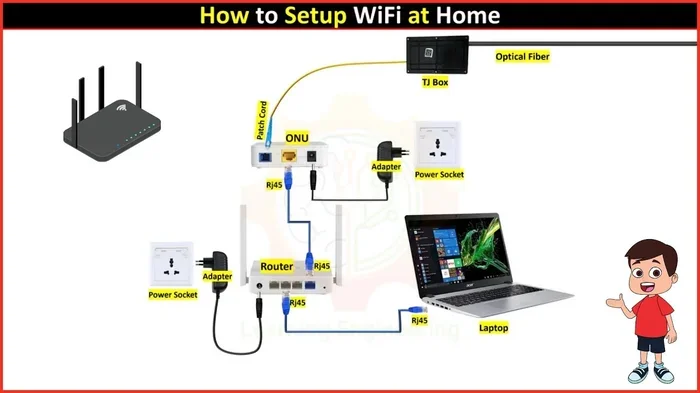
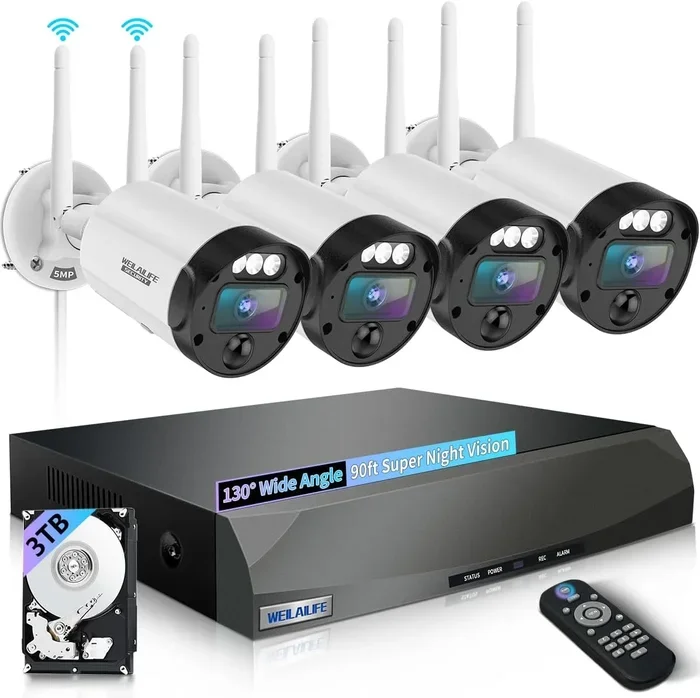
A wifi camera connects to your home network using a wireless signal instead of a cable. The camera sends video data through your router to the internet or to a local storage device like a DVR or SD card. You can then view the footage from your phone, tablet, or computer using an app or web browser.
Here is how the basic process works:
- The camera connects to your wifi network using your network name and password.
- It receives power either from a battery, a wired power adapter, or through Power over Ethernet (PoE) in some hybrid setups.
- Video data is compressed and sent over your network in real time.
- The footage is stored either in the cloud or on a local device.
- You access the live feed or recorded clips through a mobile app or software.
Most modern wireless security cameras use the 2.4 GHz wifi band. Some higher-end models also support the 5 GHz band, which offers faster speeds but shorter range. The choice of frequency band has a big impact on how well your camera performs.
Wifi Bands and Camera Performance
The 2.4 GHz band travels farther through walls and obstacles, but it is slower and more crowded. Many household devices like microwaves, baby monitors, and Bluetooth speakers use this same band. That congestion can slow down your wifi camera streaming and cause lag.
The 5 GHz band is faster and less crowded, but it does not travel as far. If your camera is close to the router, 5 GHz can give you smoother video and faster upload speeds. However, if the camera is far away or separated by thick walls, the signal may drop entirely.
Some newer cameras support dual-band connectivity, which lets them switch between 2.4 GHz and 5 GHz automatically. This can improve wifi camera reliability significantly, especially in busy households with many connected devices.
Do Wifi Cameras Work Well for Home Security
The short answer is yes, do wifi cameras work well for most home security needs. They give you live streaming, motion alerts, night vision, and two-way audio, all without running a single cable. For casual monitoring, checking on pets, or keeping an eye on your front door, a wifi camera does a great job.
But there are situations where wifi cameras fall short. If you need constant, uninterrupted recording, a wireless camera may not be the best choice. The connection can drop, the footage can lag, and the image quality can suffer when the signal is weak. Understanding these limits helps you set realistic expectations.
Where Wifi Cameras Shine
Wifi cameras work best in certain situations. Here are some examples where they really deliver:
- Indoor monitoring: Inside your home, wifi signals are usually strong and stable. Indoor cameras like the ones from Ring or Nest work very reliably.
- Front door and porch views: If your router is nearby and the camera is within range, the video feed stays smooth and clear.
- Temporary or rental setups: Renters love wifi cameras because they need no permanent installation. You can move them anywhere.
- Pet monitoring: Checking on your dog or cat during the day works great with a wireless camera.
- Vacation homes with occasional use: If you only need cameras part-time, a wifi setup is simple and effective.
Where Wifi Cameras Struggle
Wifi cameras are not perfect. There are real-world situations where their performance drops. Here are the common problem areas:
- Large properties: If your property is big, the wifi signal may not reach the far corners. A camera at the back of a large yard may lose connection often.
- Thick walls and concrete: Older homes with thick brick or concrete walls block wifi signals. The camera may keep dropping off the network.
- Heavy network traffic: If many family members are streaming, gaming, and working from home at the same time, your camera may lose bandwidth.
- Power outages: Battery-powered wifi cameras stop recording when the battery dies. Even plug-in cameras fail if the power goes out.
- Cloud storage costs: Many wifi cameras require a monthly subscription for cloud storage, which adds up over time.
One thing that affects wifi camera connectivity more than most people realize is interference from other electronics. A microwave oven running nearby can cause temporary signal drops. Even a busy wifi adapter on a nearby laptop can create congestion on your network.
What Affects Wifi Camera Performance
Several factors determine how well a wifi camera performs in your home. Let us break them down so you can understand what to look for and how to fix common issues.
Router Distance and Placement
The distance between your camera and your router is one of the biggest factors. The farther the camera is from the router, the weaker the signal gets. Walls, furniture, and even large appliances can block or weaken the signal along the way.
Here are some quick tips for better placement:
- Place your router in a central location in your home.
- Keep the router elevated and away from metal objects.
- Do not hide the router inside a closet or cabinet.
- If the camera is far away, consider moving the router closer or adding a mesh wifi system.
If your camera is too far from the router, you might also consider whether can I extend wifi with ethernet cable to bring a wired connection closer to the camera location. This hybrid approach gives you the best of both worlds.
Network Bandwidth and Speed
Wifi cameras need a certain amount of upload speed to stream video smoothly. Most cameras work fine with an upload speed of at least 2 Mbps. Higher resolution cameras need more bandwidth.
Here is a simple breakdown:
- Standard definition (720p): Needs about 1 to 2 Mbps upload speed.
- Full HD (1080p): Needs about 2 to 4 Mbps upload speed.
- 2K or 4K cameras: Need 4 Mbps or more for smooth streaming.
If your internet plan has slow upload speeds, your camera footage may lag, pixelate, or drop frames. This is one reason why do wifi cameras work well depends so much on your internet connection quality.
Number of Devices on Your Network
Every device connected to your wifi network shares the available bandwidth. Smart TVs, phones, laptops, tablets, smart speakers, and other cameras all compete for the same signal. The more devices you have, the more likely your camera will experience slowdowns.
If you have a lot of smart home devices, consider setting up a separate network just for your security cameras. Many modern routers let you create a guest network or a dedicated IoT (Internet of Things) network. This keeps your camera traffic separate from your streaming and browsing, which improves wifi camera reliability.
Wifi Cameras vs Wired Cameras
When deciding between wireless and wired cameras, it helps to compare them side by side. Each type has clear strengths and weaknesses.
Comparison Table: Wifi vs Wired Cameras
Here is a quick look at how the two types compare:
- Installation: Wifi cameras are plug-and-play. Wired cameras need drilling, cabling, and sometimes professional help.
- Placement flexibility: Wifi cameras can go anywhere with a signal. Wired cameras are limited by cable length.
- Reliability: Wired cameras rarely lose connection. Wifi cameras can drop off if the signal weakens.
- Video quality: Both can deliver excellent quality, but wired connections are more stable for high-resolution streaming.
- Power source: Wifi cameras often run on batteries or plugs. Wired cameras usually get power through the ethernet cable (PoE).
- Cost: Wifi cameras tend to be cheaper upfront. Wired systems may cost more but offer better long-term value.
If you want the most reliable setup for permanent security, a wired system is hard to beat. But for most homeowners who want a quick and flexible solution, do wifi cameras work well enough to be a great choice. The key is managing your expectations and setting up your network properly.
Common Wifi Camera Problems and How to Fix Them
Even the best wifi cameras can have issues. The good news is that most problems have simple solutions. Let us look at the most common complaints and how to solve them.
Camera Keeps Disconnecting
This is the number one issue people report with wireless cameras. The camera connects fine at first but then drops off the network after a while. The most common cause is a weak wifi signal at the camera location.
Try these fixes:
- Move the camera closer to the router.
- Remove physical obstacles between the camera and the router.
- Switch the camera to the 5 GHz band if it is close enough.
- Update your router’s firmware to the latest version.
- Reduce the number of devices on the network.
If none of these work, you might want to look into whether can I add mesh wifi to existing router. A mesh system places extra nodes around your home to extend the signal, which can solve coverage problems for cameras placed far from the main router.
Video Quality Is Poor or Laggy
Blurry or choppy video usually comes down to bandwidth issues. When the network is congested, the camera cannot send data fast enough, and the video suffers.
Try lowering the camera’s video resolution in the app settings. A 720p stream uses much less bandwidth than 4K and still gives you clear footage for most security purposes. Also, check if other devices are streaming or downloading large files at the same time.
Camera Won’t Connect to Wifi
Sometimes a brand-new camera refuses to connect. This can happen if the wifi password is wrong, the router uses an unsupported frequency, or the camera’s firmware is outdated.
Start by double-checking your wifi password. Then make sure your router is set to a frequency band the camera supports. Finally, check the manufacturer’s website for any firmware updates. A simple update often fixes connection problems.
Night Vision Issues
Many users notice that night vision on wifi cameras is not as clear as the daytime image. This is normal to some extent because infrared sensors need light to bounce off objects. But if the night vision is consistently bad, the camera may be too far from the area you want to monitor, or the built-in infrared LEDs may be too weak.
Quick tip: Avoid pointing cameras directly at windows or reflective surfaces at night. The infrared light bounces off glass and creates a washed-out image.
Are Wifi Cameras Worth the Money
Let us get to the real question. Are wifi cameras worth buying, or should you look for something else? The answer depends on what you need and what you are willing to deal with.
For most average homeowners, wifi cameras are a solid choice. They are affordable, easy to install, and work well for basic security and monitoring needs. You can check on your home from anywhere, get instant alerts when motion is detected, and talk to visitors at your door through two-way audio.
But if you need professional-grade security with zero downtime, a wired system is the better investment. Businesses, large properties, and homes with thick walls and long distances between rooms benefit from the stability of a hardwired connection.
One thing to keep in mind is that even the best wireless surveillance camera needs a good network to perform well. Before you buy any camera, make sure your wifi signal reaches the area where you plan to mount it. You can test this with your phone by checking the wifi signal strength in that spot.
Also consider whether your camera will need to work during power outages or internet downtime. If you want cameras that keep recording even when the power goes out, look for models with local storage and battery backup. And if you are worried about cameras working without internet, check out our guide on can a hidden camera work without internet for more details.
Some homeowners also wonder whether certain smart home devices interfere with camera performance. For example, some people ask if a TV antenna can be repurposed for wifi, which is actually a common misconception. If you are curious about that topic, you can read about can a TV antenna be used for wifi to clear things up.
Final Thoughts
So do wifi cameras work well? Yes, they absolutely do, as long as you set them up right and understand their limitations. A wifi camera gives you flexible, affordable, and convenient home security or monitoring. They are easy to install, work well for most indoor and outdoor setups, and give you peace of mind from anywhere.
The key to success with wireless cameras is your network. A strong wifi signal, enough bandwidth, and smart placement make all the difference. If your home network is weak, consider upgrading your router or adding a mesh system to improve coverage. Take the time to test your signal at the camera locations before you mount anything permanently.
For the best results, pair your wifi cameras with a reliable internet plan and a well-placed router. Avoid placing cameras too far from the signal source, and keep firmware updated to ensure smooth performance. With the right setup, a wireless security camera system can serve your home well for years to come.
Remember that no camera system is perfect. Wifi cameras have their quirks, but for most people, the convenience and ease of use far outweigh the occasional connection hiccup. Do your research, set realistic expectations, and you will be happy with your wireless camera setup.
Frequently Asked Questions
Do wifi cameras work without internet?
Most wifi cameras need an active internet connection to send footage to the cloud and to let you view live feeds remotely. However, some models can record to an SD card or local storage even without internet. Without a connection, you lose remote access and real-time alerts, but basic recording may still work.
How far can a wifi camera be from the router?
In open spaces, a wifi camera can work up to 150 feet from the router. Through walls and obstacles, that distance drops significantly, sometimes to 50 feet or less. Using a mesh wifi system or a wifi extender can help push the signal farther to reach distant camera locations.
Can wifi cameras work with slow internet?
Yes, but with limitations. A slow internet connection will result in lower video quality, laggy streams, and delayed motion alerts. For basic 720p cameras, an upload speed of 2 Mbps is usually enough. Higher resolution cameras need faster speeds for smooth performance.
Are wifi cameras safe from hacking?
No camera is 100% secure, but you can reduce risks by using strong passwords, enabling two-factor authentication, and keeping firmware updated. Avoid using default passwords and always change them right after setup. A secure network also helps protect your cameras from unauthorized access.
Do wifi cameras need a lot of bandwidth?
It depends on the resolution and number of cameras. A single 1080p camera uses about 2 to 4 Mbps of upload bandwidth. If you have multiple cameras streaming at once, you will need more bandwidth. A busy household with many connected devices may notice slowdowns if the network is not set up properly.
Can I use a wifi camera outdoors in cold weather?
Many outdoor wifi cameras are weatherproof and built to handle rain, snow, and extreme temperatures. Look for cameras with an IP65 or IP66 rating for reliable outdoor use. Keep in mind that extreme cold can reduce battery life in wireless cameras, so plug-in models work better in very cold climates.