Can You Use Shark Without Wifi Here Is What You Should Know
Yes, you can use Shark without WiFi. Your Shark robot vacuum will still clean your floors even when there is no internet connection. However, some smart features like app control, voice commands, and automatic scheduling will not be available. This guide covers everything you need to know about using your Shark vacuum offline.
Have you ever wondered if your Shark robot vacuum needs WiFi to work? Maybe your internet went down, or you just do not have a router set up yet. The good news is that your Shark vacuum does not need an internet connection to clean your floors.
Using a Shark vacuum without WiFi is totally possible. You will still get great cleaning performance. But you will miss out on some smart features that make life easier. Let us walk through everything you need to know about using your Shark vacuum offline.
Whether you own a Shark IQ, Shark Navigator, or another Shark model, this guide has you covered. We will look at what works, what does not, and how to get the most out of your vacuum without WiFi.
Key Takeaways
- Shark vacuums work offline: You can still run cleaning cycles without WiFi or internet access.
- Some smart features are lost: App control, voice assistants, and remote scheduling need a connection.
- Manual control is always available: You can start, stop, and direct your Shark using the buttons on the device.
- Setup does not require WiFi: You can set up and update your Shark vacuum without being online.
- Shark IQ models have offline maps: Previously saved maps work even when WiFi drops.
- Battery and cleaning performance stay the same: No WiFi means no impact on suction power or runtime.
- Reconnecting is easy: You can pair your Shark back to WiFi anytime with the SharkClean app.
📑 Table of Contents
- What Happens When You Use Shark Without WiFi
- Shark Vacuum Features That Work Offline
- How to Set Up Shark Vacuum Without WiFi
- Shark IQ vs Standard Models: Offline Capabilities
- Common Issues and Troubleshooting
- Should You Use Shark Without WiFi? Expert Advice
- Quick Tips for Using Shark Without WiFi
- Key Takeaways
- Conclusion
What Happens When You Use Shark Without WiFi
Basic Cleaning Still Works
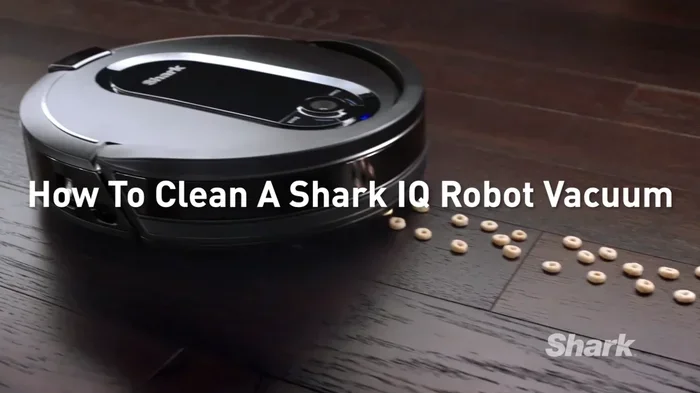
Your Shark robot vacuum does not need WiFi to do its main job. It will still sweep, mop, and vacuum your floors just like it would with an internet connection. The cleaning brushes, suction motor, and navigation sensors all work on their own.
The robot uses its built-in computer to move around your home. It bumps into walls, turns corners, and covers your floor space. None of this needs WiFi. The vacuum relies on its sensors and software, not the internet, to get the job done.
Smart Features Will Be Unavailable
When there is no WiFi, you lose access to the smart features. You cannot control your Shark vacuum through the SharkClean app. Voice commands through Alexa or Google Assistant will not work either. Remote scheduling and real-time tracking are also offline.
This means you cannot start a cleaning session from your phone. You cannot check the cleaning status or see where your robot is. You also cannot send it to a specific room using the app. These features all need a WiFi connection to function.
No Automatic Updates
Your Shark vacuum will not receive software updates without WiFi. These updates often bring new features and fix bugs. Over time, missing updates could mean your vacuum runs an older version of its software. However, this does not stop the vacuum from cleaning.
Shark Vacuum Features That Work Offline
Manual Start and Stop
You can always start and stop your Shark vacuum using the buttons on the device. Just press the Clean button on top of the robot. It will begin its cleaning cycle right away. Press the same button again to stop it.
This is the simplest way to use your Shark without WiFi. You do not need a phone or an app. The physical controls on the vacuum work fully offline.
Spot Cleaning Mode
Spot cleaning targets a specific messy area on your floor. You can activate this mode manually using the robot’s buttons. The vacuum will focus on that spot and clean it thoroughly.
Spot cleaning does not need any internet connection. It uses the robot’s local sensors to find the dirty area and clean it. This feature is very handy when you spill something and need a quick cleanup.
Return to Base Station
When the battery runs low, your Shark vacuum will return to its home base on its own. This works without WiFi. The robot uses its sensors to find the charging dock and docks itself automatically.
The home base also charges the battery. So even without WiFi, your vacuum will recharge and be ready for the next cleaning session. This is a key feature that works fully offline.
Saved Maps on Shark IQ Models
If you own a Shark IQ model, it may have saved maps of your home. These maps were created during previous cleaning sessions when WiFi was available. Once saved, they stay in the robot’s memory.
You can still use these maps to direct the vacuum to specific rooms. Just use the buttons on the robot or the remote control. The map data is stored locally, so it does not need an internet connection to work.
Scheduled Cleaning (Pre-Set Before Going Offline)
If you set up a cleaning schedule while your Shark was connected to WiFi, that schedule may still run. The robot stores schedules in its internal memory. It will follow them even after the WiFi goes away.
However, you cannot create or change new schedules without WiFi. Any new scheduling needs to be done through the app while connected. So make sure you set up your preferred schedule before losing your internet connection.
How to Set Up Shark Vacuum Without WiFi
Initial Setup Without Internet
You can set up a new Shark vacuum without WiFi. Place the home base against a wall near an outlet. Put the robot on the base to charge it fully first. Once charged, press the Clean button to start a manual cleaning cycle.
The robot will begin cleaning right away. You do not need to connect it to WiFi for this basic setup. Just make sure the home base is in a open area with enough space around it.
Using the SharkClean App Offline
The SharkClean app needs WiFi to connect to your vacuum for the first time. But once paired, you can use some features offline. The app will show the last known status of your vacuum even without a connection.
To pair the app without WiFi, you need a temporary connection. You can use your phone’s mobile hotspot. Turn on the hotspot, connect the vacuum through the app, and then turn off the hotspot. The vacuum will remember the pairing.
Pairing the Remote Control
Many Shark models come with a remote control. This remote works without WiFi. You can use it to start cleaning, stop cleaning, and send the robot back to its base.
The remote uses infrared or Bluetooth to communicate with the vacuum. Neither of these needs WiFi. This makes the remote a great backup option when your internet is down.
Shark IQ vs Standard Models: Offline Capabilities
Not all Shark vacuums are the same when it comes to offline use. The model you own affects what works without WiFi. Let us compare the two main types.
| Feature | Shark IQ Models | Standard Shark Models |
|---|---|---|
| Manual Cleaning | Yes | Yes |
| App Control Offline | Limited | Limited |
| Saved Room Maps | Yes | No |
| Voice Assistant Control | No (without WiFi) | No (without WiFi) |
| Auto-Empty Dock | Yes | No |
| Spot Cleaning | Yes | Yes |
| Return to Base | Yes | Yes |
| Scheduled Cleaning | Yes (pre-set) | Yes (pre-set) |
| Real-Time Tracking | No (without WiFi) | No (without WiFi) |
| Firmware Updates | No (without WiFi) | No (without WiFi) |
Shark IQ models have more offline features thanks to their smart mapping. Standard models rely more on random or bump-and-go cleaning. Both types clean well without WiFi. The IQ models just offer more control when you are offline.
Common Issues and Troubleshooting
Vacuum Does Not Respond to App
If your Shark vacuum does not respond to the app, check your WiFi first. A weak signal or disconnected router is the most common cause. Restart your router and try again. Make sure the vacuum and your phone are on the same network.
If you are using the vacuum without WiFi, the app will not connect. This is expected. Use the buttons on the robot or the remote control instead.
Robot Gets Lost or Stuck
Without WiFi, some Shark IQ models may not use their full mapping features. The robot might seem lost in a large or complex space. This happens because the map data is stored locally and may not update in real time.
To fix this, move the robot to an open area and press the Clean button. Let it start fresh. You can also manually guide it using the directional buttons on the robot or the remote.
Home Base Not Recognizing the Robot
If your Shark vacuum will not charge at the home base, check the charging contacts. Wipe them with a dry cloth. Make sure the home base is plugged in and the indicator light is on.
WiFi issues do not affect charging. The home base and robot communicate through direct contact, not through the internet. So a lost WiFi connection will not stop your vacuum from recharging.
No Sound or Error Beeps
Some users report that their Shark vacuum makes no sound when WiFi is off. This is normal. The robot still runs and cleans. Check visually to see if the brushes are spinning and the vacuum is moving.
If you see error lights on the robot, refer to the user manual. The error codes work the same with or without WiFi. They indicate battery issues, blockages, or sensor problems.
Should You Use Shark Without WiFi? Expert Advice
When Going Offline Makes Sense
There are good reasons to use your Shark vacuum without WiFi. Maybe you live in an area with spotty internet. Perhaps you travel often and want the vacuum to work at a secondary home without setting up WiFi each time.
Some people also prefer to keep their smart home devices off the network for privacy reasons. Using your Shark vacuum offline is a perfectly valid choice. You still get a clean home without the internet.
When You Should Reconnect to WiFi
Reconnecting your Shark vacuum to WiFi gives you access to all the smart features. You get app control, voice commands, and automatic scheduling. Software updates also flow through WiFi, keeping your vacuum running smoothly.
If you can, keep your Shark vacuum connected to WiFi. It makes the overall experience much better. But if WiFi is not available, you will still get solid cleaning performance.
Expert Tip: Use a Mobile Hotspot
Want the best of both worlds? Use your phone as a mobile hotspot. This gives your Shark vacuum a WiFi connection without needing a home router. You get all the smart features while staying mobile.
This trick works great for people who move often or live in temporary housing. Just turn on your hotspot, connect the vacuum through the app, and you are all set. When you move, just connect to a new hotspot.
Quick Tips for Using Shark Without WiFi
- Always charge fully before going offline: A full battery gives you the most cleaning time without WiFi.
- Use the remote control: It gives you more control than the robot’s buttons alone.
- Keep your floor clear: Without smart mapping, the vacuum may hit more obstacles. Remove cables and small objects first.
- Clean the sensors regularly: Dirty sensors can cause navigation issues, especially offline.
- Empty the dustbin after each use: A full dustbin reduces suction power. This matters even more without smart load sensors.
- Save your map before losing WiFi: If you have a Shark IQ model, make sure the map is saved while connected.
- Use spot cleaning for messes: It is the fastest way to handle small messes without app control.
Key Takeaways
- Shark vacuums work fully offline: The core cleaning functions do not need WiFi at all.
- Smart features need a connection: App control, voice commands, and real-time tracking go offline with your WiFi.
- Manual controls are always there: Buttons on the robot and the remote control work without any internet.
- Shark IQ models have offline maps: Saved room maps stay in the robot’s memory for later use.
- Charging and battery work normally: The home base charges your vacuum regardless of WiFi status.
- Troubleshooting is simple: Most issues when offline are easy to fix with basic steps.
- Reconnecting is quick: You can pair your Shark back to WiFi anytime through the SharkClean app.
Conclusion
So, can you use Shark without WiFi? The answer is a clear yes. Your Shark robot vacuum is designed to clean your home with or without an internet connection. The core cleaning performance does not change one bit when you go offline.
You will lose some convenient smart features. App control, voice commands, and remote scheduling all need WiFi. But the vacuum will still do an excellent job of cleaning your floors. Manual controls, spot cleaning, and automatic charging all work without any internet.
If you find yourself in a situation with no WiFi, do not worry. Your Shark vacuum is ready to go. Just press the Clean button and let it do its thing. And when your WiFi comes back, you can reconnect and enjoy all the smart features again.
Using a Shark vacuum without WiFi is simple and effective. Keep this guide handy for the next time your internet goes down. You will know exactly what to expect and how to get the most from your vacuum offline.
Frequently Asked Questions
Can I use my Shark vacuum if I do not have a WiFi router at all?
Yes, you can. Your Shark robot vacuum will clean your floors perfectly well without a WiFi router. Just use the buttons on the robot or the included remote control to start and stop cleaning sessions. All core cleaning functions work without any internet connection.
Will my Shark vacuum still map my house without WiFi?
If you own a Shark IQ model, any maps saved before losing WiFi will still be available. The robot stores map data locally in its memory. However, it cannot create new maps or update existing ones without a WiFi connection. So make sure to save your maps while connected.
Can I schedule cleanings on my Shark vacuum without WiFi?
You cannot create or change new schedules without WiFi because the SharkClean app needs an internet connection. However, any schedules you set up before going offline may still run on their pre-set times. The vacuum stores these schedules in its internal memory.
Does using Shark without WiFi affect battery life?
No, using your Shark vacuum without WiFi has no effect on battery life. The robot uses the same amount of power whether it is connected to WiFi or not. In fact, turning off WiFi might even save a tiny bit of battery since the radio is not searching for a signal.
Can I use Alexa or Google Assistant with my Shark vacuum without WiFi?
No, voice assistant features require a WiFi connection. Alexa and Google Assistant need the internet to process your commands and send them to your vacuum. Without WiFi, you will need to use the physical buttons on the robot or the remote control instead.
How do I reconnect my Shark vacuum to WiFi after using it offline?
Open the SharkClean app on your phone and make sure your phone is connected to your home WiFi network. Put your vacuum in pairing mode by holding the WiFi button on the robot. Follow the on-screen instructions in the app to reconnect. The process usually takes less than two minutes.