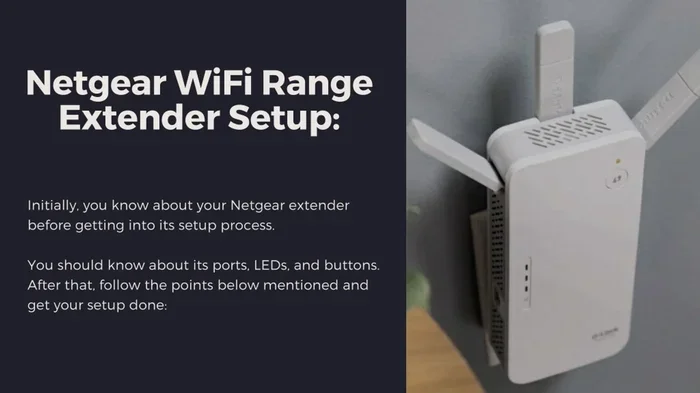
Do Wi Fi Extenders Work Find Out If They Really Help
Do Wi Fi Extenders Work? Yes, they can boost your wireless coverage and help eliminate frustrating internet dead zones. A wireless range extender picks up your existing signal and rebroadcasts it to areas your router cannot reach. However, results depend on your home network setup, signal strength, and the type of extender you choose. This guide covers everything you need to know about WiFi coverage boosters, including pros, cons, and real-world performance.
Have you ever walked into a room in your home and noticed your phone shows full bars but the internet barely loads? That annoying experience is what most people call a dead zone. It happens when your wireless signal cannot reach certain areas of your house. Maybe your bedroom is too far from the router. Or perhaps your basement has thick walls that block the WiFi signal. Whatever the reason, the result is the same: slow or no internet connectivity where you need it most.
This is exactly the problem Wi-Fi extenders promise to solve. These small devices plug into a wall outlet or sit on a shelf, and they claim to expand your wireless coverage to every corner of your home. But here is the big question: do Wi-Fi extenders really work? The short answer is yes. But the full answer is more nuanced. How well they work depends on your setup, your home layout, the type of extender you buy, and where you place it. In this guide, we will break down everything you need to know.
We will look at how these devices actually function, what happens to your network speed when you use one, and whether they are worth the money compared to other solutions like mesh networks or WiFi repeaters. By the end, you will have a clear picture of whether a wireless range extender is the right fix for your home network.
Key Takeaways
- Wi-Fi extenders do work to expand your wireless coverage and reach areas with poor or no signal.
- Network speed may drop slightly because extenders rebroadcast your existing connection rather than creating a new one.
- Dual-band extenders offer better performance than single-band models for most homes.
- Mesh networks are a more seamless alternative if you need whole-home coverage.
- Proper placement is the single most important factor in getting good results from an extender.
- Common mistakes like placing the extender too far from the router can ruin performance.
- Wi-Fi extenders are affordable and easy to set up, making them a popular choice for improving internet connectivity.
📑 Table of Contents
- How Do Wi-Fi Extenders Actually Work?
- When Should You Use a Wi-Fi Extender?
- Wi-Fi Extender vs Mesh Network vs Repeater
- Do Wi-Fi Extenders Slow Down Your Internet?
- Tips for Getting the Best Results from Your Wi-Fi Extender
- Common Mistakes People Make with Wi-Fi Extenders
- Are Wi-Fi Extenders Worth the Money?
- Frequently Asked Questions
- Conclusion
How Do Wi-Fi Extenders Actually Work?
The Basic Mechanism
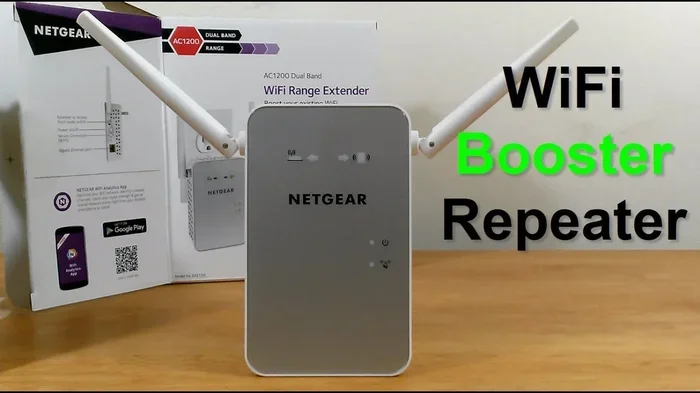
A Wi-Fi extender works by receiving the wireless signal from your existing router, amplifying it, and then rebroadcasting it to areas that need better wireless coverage. Think of it like a relay runner. The router passes the signal baton to the extender, and the extender passes it further into your home. The extender does not create a new internet connection. It simply extends the reach of the one you already have from your internet service provider.
Most extenders connect to your router wirelessly. Some higher-end models can connect via an Ethernet cable for a more stable link. The device creates a new wireless access point that shares the same network name and password as your router. This means your phones, laptops, and smart home devices can switch between the router and the extender without you needing to do anything.
What Happens to Your Bandwidth
Here is where things get interesting. When a wireless range extender receives your WiFi signal and rebroadcasts it, it uses the same radio to both listen and transmit. This means the extender effectively cuts your available bandwidth in half. If your router delivers 100 megabits per second, the extender might only pass along 50 megabits per second to devices connected through it.
This does not mean your internet will feel terrible. For basic tasks like browsing the web, checking email, or streaming music, the speed reduction is barely noticeable. But for heavy tasks like 4K video streaming or large file downloads, you might notice a slowdown. The impact depends heavily on the quality of the extender and whether it uses dual-band technology.
When Should You Use a Wi-Fi Extender?
Identifying Dead Zones in Your Home
Not every home needs a WiFi signal booster. Before you spend money, it helps to identify where your wireless coverage actually falls short. Walk through your home with your phone or laptop. Open a speed test app or website and check the signal strength in each room. Pay special attention to areas where the signal drops to one or two bars.
Common trouble spots include:
- Basements where thick concrete walls block the signal
- Second floors that are far from the router on the ground floor
- Backyards or garages that are outside the router’s range
- Bedrooms at the opposite end of the house
- Home offices in rooms with multiple walls between them and the router
If you only have one or two problem areas, a single network extender can often solve the issue. But if your entire home has weak coverage, you might want to consider a larger solution.
Small Spaces vs Large Homes
The size of your home matters a lot when deciding if an extender is the right choice. For apartments or small homes under 1,000 square feet, a router placement adjustment might be all you need. Moving your router to a central, elevated location can sometimes eliminate dead zones entirely without buying extra hardware.
For medium-sized homes between 1,000 and 2,000 square feet, one wireless range extender placed strategically can work well. For larger homes over 2,000 square feet, you might need multiple extenders or a different approach altogether. This is where mesh WiFi systems start to make more sense, as we will discuss shortly.
Wi-Fi Extender vs Mesh Network vs Repeater
Comparing the Three Solutions
When people search for ways to improve their home network, they often come across three different solutions: Wi-Fi extenders, mesh networks, and WiFi repeaters. These terms get mixed up a lot, but they are not the same thing. Here is a simple breakdown of each option.
| Feature | Wi-Fi Extender | Mesh Network | WiFi Repeater |
|---|---|---|---|
| How it works | Rebroadcasts existing signal | Multiple nodes create one seamless network | Similar to extender, simpler design |
| Ease of setup | Easy, plug-and-play | Moderate, app-based setup | Very easy |
| Speed impact | Moderate speed loss | Minimal speed loss | Significant speed loss |
| Coverage area | Good for one or two rooms | Excellent for whole homes | Good for small areas |
| Price range | $20 to $80 | $100 to $400+ | $15 to $50 |
| Seamless roaming | No, devices may stick to weak signal | Yes, automatic handoff between nodes | No |
| Best for | Small to medium homes with one dead zone | Large homes needing whole-house coverage | Budget-conscious users with minor gaps |
The Wi-Fi extender is the most affordable option and works well for targeted coverage. A mesh network costs more but provides a much smoother experience because all nodes work together as one unified system. Your wireless adapter devices can roam between mesh nodes without dropping the connection. A WiFi repeater is the simplest and cheapest option but tends to lose the most throughput.
Do Wi-Fi Extenders Slow Down Your Internet?
Understanding Throughput Loss
This is the question most people want answered, and the honest answer is: it depends. A Wi-Fi extender does reduce your network speed to some degree because it has to receive and retransmit the same data. This is called throughput loss, and it is an inherent limitation of how these devices operate.
However, the amount of slowdown varies widely. A high-quality dual-band extender with Ethernet backhaul capability will lose much less speed than a cheap single-band model. If you connect the extender to your router using an Ethernet cable, the speed loss is minimal because the extender does not need to use its wireless radio to talk back to the router.
Dual-Band vs Single-Band Extenders
Dual-band extenders use both the 2.4 GHz and 5 GHz frequency bands. This gives them more flexibility and generally better performance. The 2.4 GHz band travels farther through walls but is slower. The 5 GHz band is faster but has a shorter range. A good dual-band extender can use both bands simultaneously, which helps maintain strong signal strength and faster network speed.
Single-band extenders only use the 2.4 GHz band. They are cheaper but more likely to cause noticeable speed drops. For most users, a dual-band model is the better choice, even if it costs a little more.
Another factor that affects performance is latency. Latency is the delay between sending a request and getting a response. Extenders can add a small amount of latency because the signal has to travel an extra hop. For casual browsing, this is unnoticeable. For online gaming or video calls, even a small increase in latency can be frustrating. If low latency matters to you, consider using a wired connection or a mesh system instead.
Tips for Getting the Best Results from Your Wi-Fi Extender
Optimal Router Placement
Before you even think about buying an extender, make sure your router is positioned well. A router placed in a corner of your home or tucked inside a cabinet will struggle to reach every room. Ideally, your router should be:
- Located in a central area of your home
- Placed on a shelf or mounted on a wall, not on the floor
- Away from thick walls, metal objects, and appliances that cause interference
- Elevated rather than hidden behind furniture
Good router placement can dramatically improve your wireless coverage without adding any extra hardware. Many people underestimate how much a simple repositioning can help.
Positioning Your Extender Correctly
Where you place your extender matters just as much as where you place your router. The golden rule is to put the extender halfway between your router and the area with weak signal. If you place it too close to the router, it will not help the dead zone. If you place it too far away, it will struggle to get a strong enough signal from the router to rebroadcast.
Most extenders come with a signal indicator light that shows how strong the connection is to the router. Use this to find the sweet spot. You want the light to show a strong or excellent signal, which means the extender is getting enough from the router to do its job effectively.
Also, keep your extender away from objects that can interfere with the signal. Microwaves, cordless phones, baby monitors, and even aquariums can cause interference on the 2.4 GHz band. A clear line of sight between the router, extender, and your devices always helps.
Common Mistakes People Make with Wi-Fi Extenders
Placing the Extender Too Far from the Router
This is the number one mistake people make. They plug the extender into an outlet in the dead zone and expect it to work. But if the extender cannot get a strong signal from the router, it has nothing to extend. The result is a device that makes your coverage worse, not better.
Always place the extender where it still has a strong connection to the router. It does not need to be perfect, but it should show at least three bars of signal strength from the router. This ensures the extender has enough bandwidth to rebroadcast effectively.
Ignoring Firmware Updates
Like any piece of technology, your extender’s software needs regular updates. Manufacturers release firmware updates that fix bugs, improve stability, and sometimes even boost performance. Many people set up their extender once and never think about it again. Checking for updates every few months can keep your device running smoothly and securely.
Expecting Magic Performance
Some users buy an extender expecting it to deliver the same speed as being right next to the router. That is not realistic. An extender will always introduce some speed loss because of the way it processes and rebroadcasts the signal. Understanding this limitation helps you set realistic expectations and choose the right device for your needs.
Using an Old or Incompatible Extender
Not all extenders work well with all routers. If you have a modern WiFi 6 router, using an older WiFi 4 or WiFi 5 extender will cap your speeds at the older standard. Make sure your extender supports the same wireless standard as your router for the best results. Check the specifications before you buy, and look for compatibility with your router brand if possible.
Are Wi-Fi Extenders Worth the Money?
After all of this, you might be wondering if a Wi-Fi extender is actually worth buying. The answer comes down to your specific situation. If you have a small to medium home with one or two dead zones, and your router is otherwise decent, a wireless range extender is a quick and affordable fix. Most models cost between $20 and $80, and they are easy to set up without any technical expertise.
However, if you have a large home with multiple dead zones, or if you need consistent high speeds throughout, a mesh WiFi system is a better long-term investment. Mesh systems cost more upfront but provide a much smoother experience with seamless roaming and minimal speed loss.
For renters or people who do not want to make permanent changes to their setup, a WiFi extender is an excellent option. It is portable, requires no wiring, and can be moved to a different room or home whenever you need it.
The key takeaway is that do Wi-Fi extenders work? Absolutely. They are not magic, and they are not perfect. But for the right situation, they can make a meaningful difference in your daily internet connectivity. The trick is managing your expectations and setting up the device correctly.
Before you buy, take time to understand your home’s layout and where your signal problems actually are. Measure your current signal strength in problem areas. Choose an extender that matches your router’s capabilities. And place it thoughtfully between your router and the area that needs better coverage. Follow these steps, and you will likely be very happy with the results.
Remember, no single solution works for everyone. What matters most is finding the approach that fits your home, your budget, and your internet usage habits. Whether that is a simple WiFi signal booster, a full mesh system, or just a better router placement, the goal is the same: strong, reliable wireless coverage everywhere you need it.
Frequently Asked Questions
Can I use a Wi-Fi extender with any router?
Yes, most Wi-Fi extenders work with any standard router regardless of brand. They connect to your existing wireless network just like any other device would. However, for the best performance, make sure your extender supports the same wireless standard as your router, such as WiFi 5 or WiFi 6. Check the product specifications before purchasing to confirm compatibility.
Do Wi-Fi extenders reduce internet speed?
Yes, to some degree. Because an extender has to receive and rebroadcast the signal, it causes some speed loss. The amount of reduction depends on the quality of the extender and whether it uses dual-band technology. High-quality dual-band extenders with Ethernet backhaul lose less speed than budget single-band models. For everyday tasks like browsing and streaming, the difference is often barely noticeable.
How many Wi-Fi extenders can I use in my home?
You can technically use multiple extenders, but it is not always recommended. Each extender adds another hop for the signal, which compounds the speed loss. For most homes, one extender is enough. If you need coverage for a very large home, consider a mesh WiFi system instead, as it handles multiple nodes much more efficiently than standalone extenders.
Is a Wi-Fi extender the same as a WiFi repeater?
The terms are often used interchangeably, but there is a subtle difference. A WiFi repeater is a simpler device that just rebroadcasts the signal. A Wi-Fi extender often includes additional features like better antennas, dual-band support, and Ethernet ports. In practice, both serve the same core purpose of expanding your wireless coverage, but extenders tend to offer better performance.
Will a Wi-Fi extender work if my walls are very thick?
Thick walls, especially those made of concrete or brick, can significantly weaken your WiFi signal. An extender can help, but only if it receives a usable signal from the router in the first place. If the walls block too much signal, the extender will have nothing meaningful to extend. In such cases, a mesh network with wired backhaul or powerline adapters may work better.
How do I set up a Wi-Fi extender?
Setting up a Wi-Fi extender is usually very straightforward. Most models plug directly into a wall outlet and can be configured using a smartphone app or a web browser. The process typically involves connecting to the extender’s network, selecting your home WiFi network, and entering your password. Many extenders also have a WPS button for one-touch setup. Detailed instructions come with every device, and the entire process usually takes less than 10 minutes.
Conclusion
So, do Wi-Fi extenders work? The answer is a clear yes. They are a practical, affordable way to improve your home network and push your wireless coverage into areas that your router cannot reach on its own. Whether you are dealing with a stubborn internet dead zone in your bedroom or weak signal strength in the basement, a wireless range extender can make a real difference.
That said, they are not a perfect solution. They do introduce some speed loss, and they require thoughtful placement to work well. If you have a large home or need consistently high speeds everywhere, a mesh network might be a better fit. But for most everyday users, a quality WiFi extender delivers exactly what it promises: better internet connectivity in the places you need it most.
Take the time to understand your home’s coverage gaps, choose the right device, and set it up properly. With the right approach, you can say goodbye to frustrating slow zones and hello to strong, reliable WiFi everywhere in your home.