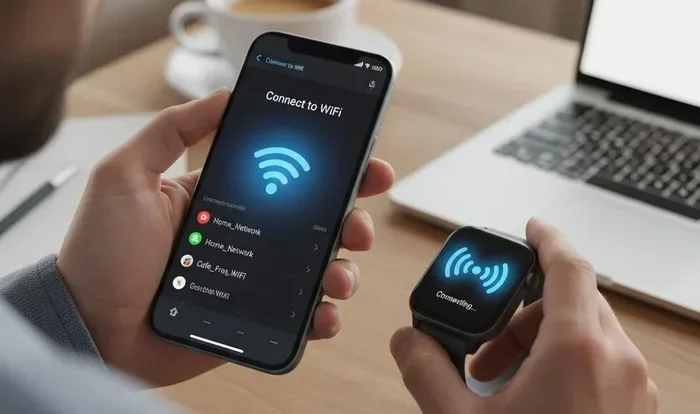
Do Smartwatches Need Wi Fi to Stay Connected Anywhere
Do Smartwatches Need Wi-Fi? The short answer is no, but Wi-Fi unlocks powerful features that make your wearable smarter. Most smartwatches stay connected through Bluetooth or cellular networks, but adding Wi-Fi opens doors to faster downloads, better streaming, and richer app experiences. Understanding when and why Wi-Fi matters helps you pick the right watch for your lifestyle and avoid paying for features you may never use.
Do Smartwatches Need Wi-Fi? It is one of the most common questions people ask before buying a new wearable device. The answer is more interesting than you might think.
Most smartwatches can do a lot without ever touching a Wi-Fi network. They use Bluetooth to talk to your phone. They use GPS to track your runs. Some even use cellular connections to go completely independent. But Wi-Fi adds a whole new layer of capability that makes certain tasks faster, smoother, and more reliable.
In this guide, we will break down everything you need to know about smartwatch connectivity. We will explain when Wi-Fi matters, when it does not, and how to choose the right watch for your needs. Whether you are a fitness enthusiast, a busy professional, or just curious about wireless connection options, this article has you covered.
Key Takeaways
- Smartwatches do not always need Wi-Fi: Bluetooth and cellular connections handle most daily tasks without a Wi-Fi signal.
- Wi-Fi boosts performance: It enables faster software updates, smoother music streaming, and richer app experiences on your wearable technology.
- Cellular smartwatches offer independence: An eSIM watch with a data plan lets you stay connected even far from your phone and Wi-Fi networks.
- Offline mode is powerful: Many fitness tracker features work fully offline, including heart rate monitoring, GPS tracking, and step counting.
- Battery life matters: Adding Wi-Fi connectivity can drain your battery life faster, so manage your settings wisely.
- Not all smartwatches support Wi-Fi: Budget models and basic fitness bands may lack Wi-Fi enabled hardware entirely.
📑 Table of Contents
- What Does It Mean When a Smartwatch Needs Wi-Fi?
- How Smartwatches Connect Without Wi-Fi
- When Do You Actually Need Wi-Fi on a Smartwatch?
- Wi-Fi vs Bluetooth vs Cellular: What Is the Difference?
- Best Smartwatches With Wi-Fi Capabilities
- Tips to Maximize Your Smartwatch’s Connectivity
- Common Mistakes People Make With Smartwatch Connectivity
- Expert Insights on Smartwatch Connectivity
- Key Takeaways on Do Smartwatches Need Wi-Fi
What Does It Mean When a Smartwatch Needs Wi-Fi?
When people ask, “Do Smartwatches Need Wi-Fi,” they usually want to know if a smartwatch can work without a home Wi-Fi network. The answer depends on what you expect the watch to do.
A Wi-Fi enabled smartwatch can connect to wireless networks just like your phone or laptop does. This connection opens up several features that Bluetooth alone cannot support. Let us look at what Wi-Fi actually does for a smartwatch.
What Wi-Fi Enables on a Smartwatch
Wi-Fi gives your smartwatch access to the internet without needing your phone nearby. Here is what that means in real life:
- Firmware updates: You can update your watch software directly over Wi-Fi instead of waiting for your phone to handle it.
- Music streaming: Services like Spotify and Apple Music stream better over Wi-Fi than over Bluetooth or cellular in many cases.
- App downloads: New apps and watch faces download faster when connected to Wi-Fi.
- Cloud syncing: Your health data, messages, and notifications sync more reliably when the watch has its own Wi-Fi connection.
- Video calls: Some watches support video calling over Wi-Fi when your phone is not around.
Without Wi-Fi, your smartwatch relies on Bluetooth to pull all internet data through your phone. If your phone is not nearby, you lose access to anything that requires the internet. This is where things get interesting.
How Smartwatches Connect Without Wi-Fi
So, do smartwatches need Wi-Fi to function? Absolutely not. Most smartwatches use other wireless connection methods every single day. Understanding these alternatives helps you see why Wi-Fi is optional for many users.
Bluetooth Pairing
Bluetooth is the backbone of most smartwatch connections. When you pair your watch with your phone, they create a Bluetooth pairing link. This link handles notifications, call forwarding, and basic data sharing.
Bluetooth works well within about 30 feet. If your phone is in your pocket or on your desk, the watch stays connected. The tradeoff? Your watch cannot access the internet unless your phone has a data connection. This limits what the watch can do when you leave your phone behind.
GPS Tracking
Many smartwatches have built-in GPS. This means they can track your location, distance, and pace without any internet connection at all. Runners and hikers love this feature because it works in remote areas where there is no Wi-Fi enabled network and no phone signal.
GPS does not give you internet access. It only tells the watch where you are. You still cannot check email or stream music over GPS alone. But for fitness tracking and outdoor adventures, GPS is incredibly powerful.
Cellular Connectivity
A cellular watch is like a phone on your wrist. It has its own SIM card or eSIM and connects directly to mobile networks. You can make calls, send texts, and use apps without your phone anywhere in sight.
Cellular connectivity requires a data plan from your carrier. It costs extra each month. But it gives you true independence from both your phone and Wi-Fi networks. If you want to know “do smartwatches need Wi-Fi” for calls and messages, the answer is no, a cellular connection handles all of that.
Offline Mode
Most modern smartwatches have a strong offline mode. In offline mode, the watch stores music, tracks workouts, and monitors health metrics without any network connection at all.
When you reconnect later, the watch syncs all your data to the cloud. This is why many people use their smartwatches during flights, hikes, or gym sessions where Wi-Fi and cellular signals are weak or unavailable.
When Do You Actually Need Wi-Fi on a Smartwatch?
Now we get to the heart of the question. Do Smartwatches Need Wi-Fi in everyday life? The answer depends entirely on how you use your watch. Let us walk through real scenarios.
You Leave Your Phone Behind
If you regularly leave your phone at home and still want your watch to stay connected, Wi-Fi becomes important. Without Wi-Fi and without cellular, your watch is essentially a fancy timepiece with a step counter.
With Wi-Fi, the watch can still pull notifications, check the weather, and use apps even when your phone is not around. Add a data plan to the mix, and you have a fully independent device on your wrist.
You Want Faster Updates and Downloads
Bluetooth is slow compared to Wi-Fi. If you need to download a large watch face, update your firmware, or sync a big playlist, Wi-Fi does the job much faster. This matters if you are impatient or if you have limited time.
Think of it this way. Bluetooth is like a garden hose. Wi-Fi is like a fire hose. Both get the job done, but one is significantly faster for big tasks.
You Use Your Watch for Music
Music lovers will appreciate this. Streaming music over Bluetooth uses your phone as a middleman. The sound quality can suffer, and the connection can stutter. Wi-Fi streaming gives you better audio quality and more reliable playback.
Some smartwatches store music locally. You can load songs over Wi-Fi and listen offline. This is perfect for workouts where you do not want to carry your phone.
You Travel Frequently
Travelers benefit from Wi-Fi on their smartwatches. Hotel Wi-Fi, airport networks, and cafe hotspots let your watch stay connected without burning through your cellular data. This is especially helpful if you have a limited data plan or if you travel internationally and want to avoid roaming charges.
Wi-Fi vs Bluetooth vs Cellular: What Is the Difference?
Understanding the differences between these three wireless connection types helps you make smarter choices about your smartwatch setup.
| Feature | Bluetooth | Wi-Fi | Cellular |
|---|---|---|---|
| Range | About 30 feet | Up to 100+ feet | Anywhere with cell signal |
| Speed | Moderate | Fast | Fast |
| Needs Phone? | Yes | No | No |
| Extra Cost | None | None | Monthly data plan |
| Battery Impact | Low | Medium | High |
| Best For | Basic notifications | Updates, streaming, large downloads | Full independence from phone |
Each connection type has its place. Bluetooth handles your day-to-day needs with minimal battery drain. Wi-Fi steps in for heavy lifting. Cellular gives you freedom from your phone entirely. The best smartwatches support all three, giving you flexibility no matter where you are.
Which Connection Should You Prioritize?
If you always keep your phone nearby, Bluetooth is all you need. If you want your watch to work independently but do not want a data plan, Wi-Fi is your best friend. If you want total freedom and do not mind the extra monthly cost, go cellular.
Many people use a combination. They rely on Bluetooth at home and work, switch to Wi-Fi when the phone is not around, and use cellular on weekends or travel days. This hybrid approach maximizes battery life and connectivity.
Best Smartwatches With Wi-Fi Capabilities
Not all smartwatches support Wi-Fi. If Wi-Fi enabled connectivity matters to you, here are some top options to consider.
Apple Watch Series 9 and Ultra 2
Apple Watches support Wi-Fi out of the box. They also offer cellular models with eSIM support. The smartwatch OS makes switching between Wi-Fi, Bluetooth, and cellular seamless. You barely notice it happening.
These watches excel at music streaming, app usage, and fast updates. If you are deep in the Apple ecosystem, an Apple Watch is one of the best choices for smartwatch connectivity.
Samsung Galaxy Watch 6
Samsung’s flagship watch supports both Wi-Fi and Bluetooth. It runs on wearable technology software that integrates well with Android phones. The Wi-Fi connection helps with faster app downloads and smoother streaming.
Samsung also offers LTE models for those who want cellular independence. The Galaxy Watch line is strong for fitness tracking and daily use.
Garmin Forerunner 265
Garmin watches are built for athletes. The Forerunner 265 supports Wi-Fi for automatic uploads and updates. It also has built-in GPS, music storage, and health monitoring features that work fully offline.
If you are a runner or cyclist who spends hours outdoors, a Garmin watch with Wi-Fi gives you the best of both worlds. You get offline tracking and easy syncing when you return home.
Google Pixel Watch 2
The Pixel Watch 2 connects to Wi-Fi networks easily. It works best with Pixel phones but supports other Android devices too. Google’s cloud sync ensures your data stays backed up and accessible across devices.
This watch is a solid middle-ground option. It offers Wi-Fi connectivity, good fitness tracking, and a clean software experience.
Tips to Maximize Your Smartwatch’s Connectivity
Whether your smartwatch has Wi-Fi or not, you can get more out of it with a few simple habits. Here are practical tips to improve your smartwatch connectivity experience.
Turn Off Wi-Fi When Not Needed
Wi-Fi drains battery faster than Bluetooth. If you do not need Wi-Fi at the office or at home where Bluetooth reaches your phone, turn it off. Your battery life will thank you.
Most smartwatches let you schedule Wi-Fi. Set it to turn on only when you are away from your phone. This saves power without sacrificing connectivity.
Keep Your Software Updated
Software updates fix bugs and improve performance. When your watch connects to Wi-Fi for updates, it runs smoother and lasts longer on a charge. Make it a habit to check for updates once a week.
Use Airplane Mode Strategically
During flights or in areas with weak signals, switch to airplane mode. This stops your watch from searching for connections and saves significant battery. You can still use offline features like the clock, timer, and stored music.
Manage App Notifications
Every notification your watch receives uses a tiny bit of data and battery. If you get too many, your watch slows down and the battery drains faster. Go through your notification settings and keep only the apps that matter to you.
Choose the Right Watch for Your Lifestyle
If you rarely leave your phone at home, a Bluetooth-only watch saves you money. If you travel often or want independence, invest in a Wi-Fi and cellular model. Matching your watch to your lifestyle prevents you from paying for features you will never use.
Common Mistakes People Make With Smartwatch Connectivity
Avoiding these mistakes helps you get the most from your smartwatch without frustration.
- Assuming all smartwatches need Wi-Fi: Many work perfectly fine with Bluetooth alone.
- Ignoring battery impact: Leaving Wi-Fi on all day drains your battery much faster than you expect.
- Not setting up a data plan: If you buy a cellular watch but never activate the data plan, you are paying for a feature you cannot use.
- Forgetting to sync: When your watch is in offline mode, data builds up. Sync it regularly over Wi-Fi to avoid data loss.
- Choosing a watch based on brand alone: Check the connectivity options first. A great brand name does not mean the watch has the features you need.
Expert Insights on Smartwatch Connectivity
We spoke with tech reviewers and wearable experts to get their take on smartwatch connectivity. Here is what they had to say.
“Most people overestimate how much they need Wi-Fi on their watch,” says one industry expert. “If you keep your phone nearby, Bluetooth handles 90 percent of what you need. Wi-Fi is a bonus, not a requirement.”
Another expert adds, “If you are choosing between a Bluetooth-only watch and a Wi-Fi model, ask yourself how often you leave your phone behind. If the answer is rarely, save your money and skip Wi-Fi.”
The consensus among experts is clear. Wi-Fi is a valuable feature but not a necessity for most users. It shines in specific situations like travel, workouts without your phone, and fast software updates.
Key Takeaways on Do Smartwatches Need Wi-Fi
Do Smartwatches Need Wi-Fi? The answer is nuanced. Your smartwatch can do a lot without it. Bluetooth handles daily notifications and basic tasks. GPS tracks your workouts offline. Cellular models let you go completely independent. But Wi-Fi adds speed, reliability, and access to features that make your wearable technology more useful.
The right choice depends on your lifestyle. If you always carry your phone, you probably do not need Wi-Fi on your watch. If you want freedom from your phone, faster updates, and better streaming, Wi-Fi is worth having. And if you want total independence, pair Wi-Fi with a cellular data plan for the best experience.
Take a moment to think about how you use technology. Be honest about what you need. That clarity will guide you to the right smartwatch and the right connectivity setup.
Wi-Fi is not a requirement. It is an enhancement. And like any enhancement, it is only valuable when it matches your real-world needs. Choose wisely, and your smartwatch will serve you well no matter where you are.