Can You Replace A Wifi Box For Better Internet Speed
Yes, you can replace your wifi box for better internet speed. Whether your ISP rental is slow or your home has grown, swapping in a better wifi router can make a real difference. This guide walks you through every option, from modem router combos to mesh WiFi systems, so you can choose what fits your home and budget.
Slow wifi drives people crazy. You tap a button, wait for a page to load, and wonder if something is wrong with your wifi box. The truth is, your current internet box might be holding you back. And the good news is that you can replace it.
Many people don’t realize they have a choice. Internet providers often rent out a gateway device that works fine but isn’t always the best option. A new wireless router or a full mesh WiFi system can boost your internet speed and improve your whole online experience.
In this guide, we will walk you through everything you need to know. We will cover why your current box might be slow, what options you have, and how to make the switch without any headaches. Whether you live in a small apartment or a big house, there is a solution for you.
Key Takeaways
- You can replace your ISP wifi box: Most providers let you use your own equipment, and it often saves money.
- Better hardware means faster speeds: A modern wireless router can unlock speeds your current box can’t deliver.
- Mesh WiFi systems are a game changer: They eliminate internet dead zones and boost WiFi coverage across large homes.
- Check compatibility first: Always confirm your internet provider supports third-party modems and routers.
- Your internet plan matters: New gear won’t help if your broadband plan caps your speed.
- Setup is usually simple: Most replacements take less than 30 minutes with basic steps.
📑 Table of Contents
- What Is A Wifi Box And Why Would You Replace It
- How To Know If Your Current Wifi Box Is Holding You Back
- Options For Replacing Your Wifi Box
- Step-By-Step Guide To Replacing Your Wifi Box
- Wifi Box Replacement And Internet Speed: What To Expect
- Common Mistakes When Replacing Your Wifi Box
- Final Thoughts On Replacing Your Wifi Box
What Is A Wifi Box And Why Would You Replace It
A wifi box is the device your internet service provider gives you. It connects to your phone line or cable and sends out a wireless signal. Some boxes are just modems. Others are modem-router combos. Both types shape how fast and how far your WiFi signal reaches.
Most ISPs hand out these boxes for free or charge a small monthly fee. Over time, these devices can feel outdated. New WiFi standards like WiFi 6 and WiFi 6E offer much better performance. If your box is several years old, it probably can’t keep up with modern demands.
How Your Wifi Box Affects Speed
Your wifi box handles two key jobs. It connects to the internet, and it shares that connection with all your devices. If the box is weak, every device feels it. Here are some ways an old box slows things down:
- Older WiFi standards: Devices using WiFi 4 or 5 can’t reach the speeds newer standards offer.
- Poor range: The signal drops off fast in larger homes.
- Fewer bands: Single-band routers can’t split traffic between devices well.
- Low bandwidth handling: Too many devices cause slowdowns.
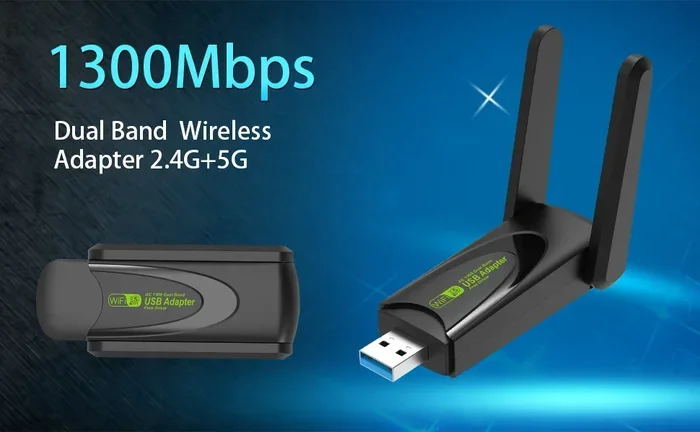
Replacing the box with a dual band router or a mesh WiFi system fixes many of these issues. You get faster download speed, smoother streaming, and better performance for online gaming.
How To Know If Your Current Wifi Box Is Holding You Back
Not sure if your box needs replacing? Look for these signs. They tell you your current network equipment is not doing its job.
Warning Signs Your Wifi Box Needs an Upgrade
- Slow load times: Pages take forever to open, even with a strong signal.
- Buffering videos: Netflix or YouTube keeps stopping to buffer.
- Dead zones: Certain rooms have no signal at all.
- Frequent disconnections: Devices drop off the network often.
- Slow upload speed: Video calls look grainy and laggy.
- Heat issues: The box gets very hot and struggles to keep up.
If you notice two or more of these problems, your broadband equipment might be the culprit. Before you blame your internet plan, run a speed test. Compare the results to what your plan promises. If your speeds are well below what you pay for, it is time to look at your home network setup.
Quick Tip: Run a speed test in different rooms. If the speed drops a lot as you move away from the box, your WiFi coverage is weak. A new router or mesh system can fix this fast.
Options For Replacing Your Wifi Box
You have several paths when you decide to swap out your wifi box. Each option has its own benefits. Let us look at what is available.
Option 1: Buy Your Own Modem Router Combo
A modem router combo does both jobs in one box. It talks to your ISP and sends out a wireless signal. This is the simplest replacement path.
Brands like Netgear, ASUS, and TP-Link make excellent combo units. Look for models that support WiFi 6 or newer. These devices handle more devices and deliver faster network performance.
Pros:
- One device does everything.
- No rental fees to your ISP.
- Better features than most ISP-provided boxes.
Cons:
- You need to check compatibility with your provider.
- Setup might require a call to your ISP.
Option 2: Separate Modem and Router
Some people prefer to split the work. You use a standalone modem from your ISP and pair it with your own wireless router. This gives you more control.
This setup works well if you want to upgrade just the router later. You keep the modem stable and swap the router when new WiFi standards come out.
Pros:
- More flexibility for future upgrades.
- Better performance in most cases.
- Easier to troubleshoot problems.
Cons:
- Two devices take up more space.
- Costs more upfront.
Option 3: Mesh WiFi System
A mesh WiFi system uses multiple units to cover your whole home. One unit connects to your modem, and the others spread the signal around. This is the best choice for larger homes or places with thick walls.
Popular mesh systems include Google Nest WiFi, Eero, and TP-Link Deco. They create one seamless network. Your phone and laptop switch between units without you even noticing.
Pros:
- Eliminates internet dead zones completely.
- Easy to expand by adding more units.
- Great WiFi coverage for large or multi-story homes.
Cons:
- More expensive than a single router.
- Requires more setup time.
Step-By-Step Guide To Replacing Your Wifi Box
Replacing your wifi box is easier than most people think. You do not need to be a tech expert. Follow these steps and you will be up and running in no time.
Step 1: Check With Your ISP
Before you buy anything, call your internet provider or check their website. Ask if they support third-party modems and routers. They will give you a list of approved devices. This step saves you from buying something that will not work.
Step 2: Choose Your New Equipment
Pick the option that fits your needs. Consider your home size, the number of devices you use, and your budget. If you have a small apartment, a single WiFi 6 router works great. For a big house, a mesh WiFi system is worth the investment.
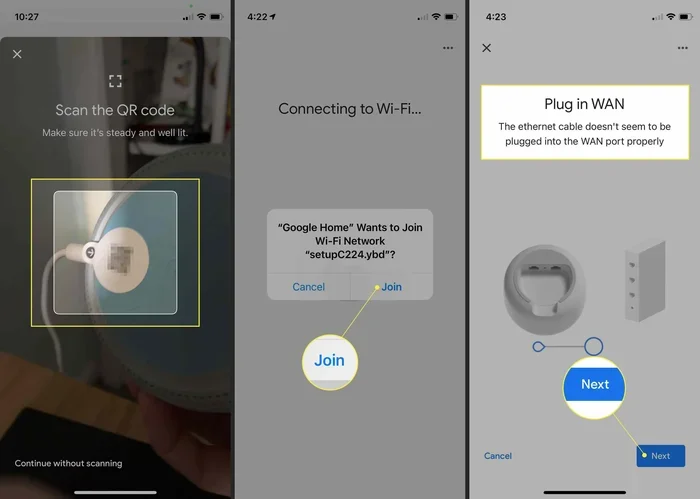
Step 3: Set Up Your New Equipment
Once your new gear arrives, follow these steps:
- Unplug your old gateway device.
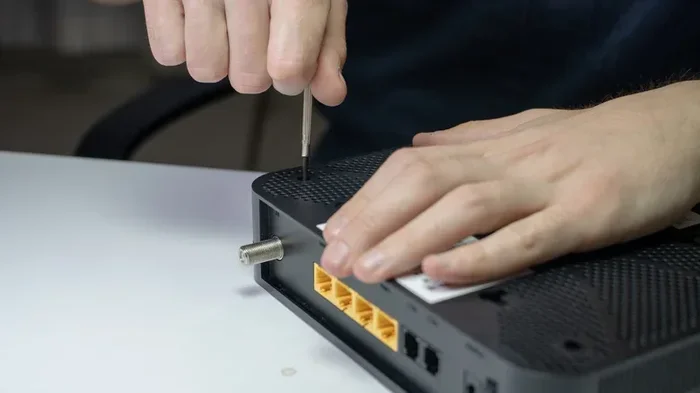
- Connect the new modem to your phone line or cable outlet.
- Plug in the router or mesh unit.
- Wait for the lights to stabilize.
- Connect to the new network using the printed credentials.
- Run a speed test to confirm everything works.
Most setups take less than 30 minutes. If you run into trouble, check the manufacturer’s app or website for guided instructions.
Step 4: Return Your Old Equipment
If you were renting a box from your ISP, you need to send it back. Most providers have a return portal or a local drop-off point. Keep your return receipt. It protects you from extra charges.
Wifi Box Replacement And Internet Speed: What To Expect
Here is the question everyone asks. Will replacing your wifi box actually make your internet faster? The answer is yes, but with some important caveats.
When A New Box Will Boost Your Speed
A new wireless router will boost your speed if your current box is the bottleneck. For example, if you pay for 200 Mbps but your old box only delivers 80 Mbps, a new WiFi 6 router can close that gap. You will see faster download speed and smoother performance across all your devices.
When A New Box Will Not Help
Sometimes the problem is not the box. If your internet plan only gives you 25 Mbps, no router will change that. Here are other situations where a new box will not fix the issue:
- Slow internet plan: Your broadband plan limits your speed.
- Old wiring: Outdated copper wiring in your home slows the connection.
- Network congestion: Too many neighbors on the same WiFi channel causes interference.
- Device limits: An old laptop or phone cannot process fast speeds.
Before you spend money, make sure your internet plan is the right fit for your needs. Upgrading your plan alongside your network equipment gives the best results.
Common Mistakes When Replacing Your Wifi Box
People make avoidable mistakes when swapping out their wifi box. Here are the most common ones and how to dodge them.
Mistake 1: Not Checking Compatibility
Buying a router without checking if your ISP supports it is a costly mistake. Some providers lock their networks to specific gateway devices. Always verify compatibility before you spend a dime.
Mistake 2: Ignoring Your Internet Plan
A fancy mesh WiFi system will not give you gigabit speeds if your plan only offers 50 Mbps. Match your new equipment to your plan. If you want faster speeds, upgrade your plan first.
Mistake 3: Placing The Router Poorly
Even the best wireless router performs badly if you hide it in a closet. Place it in a central, open location. Keep it away from thick walls and electronics that cause interference.
Mistake 4: Skipping The Setup App
Many modern routers come with a setup app. Skipping it means you miss out on updates, security patches, and performance tweaks. Take the extra 10 minutes to use the app.
Expert Insight: Place your router at waist height in an open area. Elevating it on a shelf works well too. Avoid corners and cabinets. Better placement alone can improve your WiFi signal by 30% or more.
Final Thoughts On Replacing Your Wifi Box
Replacing your wifi box for better internet speed is one of the smartest upgrades you can make. It costs less than you might think, and the difference is noticeable right away. Whether you choose a modem router combo, a separate setup, or a full mesh WiFi system, you are investing in a better online experience.
Start by checking your current speeds and comparing them to your internet plan. Then explore your options. Look at reviews, compare features, and pick the setup that fits your home. The process is simple, the savings add up, and the result is a faster, more reliable home network.
Do not let an old wifi box hold you back. Take action today and enjoy the internet the way it should be.
Frequently Asked Questions
Can I replace my ISP wifi box with my own router?
Yes, in most cases you can. Check with your internet provider first to confirm they support third-party equipment. They can also walk you through any settings changes you might need.
Will a new wifi box really improve my internet speed?
It can, especially if your current box is old or outdated. A modern WiFi 6 router delivers faster speeds and handles more devices. But your internet plan still sets the upper limit.
What is the difference between a modem and a router?
A modem connects to your internet provider and brings the signal into your home. A router takes that signal and shares it wirelessly with your devices. Many people use a single modem router combo that does both jobs.
How much does it cost to replace a wifi box?
A good wireless router costs between 50 and 200 dollars. Mesh WiFi systems run from 100 to 400 dollars depending on the number of units. Both options save you the monthly rental fee your ISP charges.
Do I need to contact my ISP after replacing the wifi box?
Sometimes yes. Your provider may need to register your new MAC address or push a settings update. Many setups work right out of the box, but it is always good to call just in case.
What is a mesh WiFi system and do I need one?
A mesh WiFi system uses multiple units to spread your signal throughout your home. You need one if you have a large house or experience internet dead zones. For small spaces, a single router usually works fine.