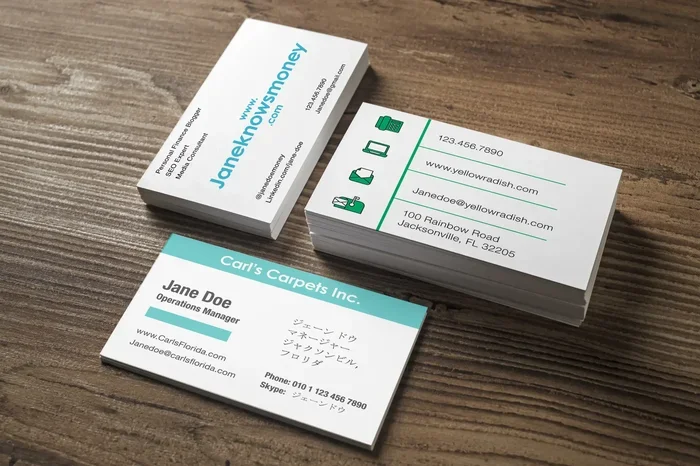
Can You Print Your Own Business Cards at Home Today
Yes, you can absolutely print your own business cards at home today. With the right printer, card stock, and design tools, you can create custom business cards that look professional and cost a fraction of what you would pay a print shop. This guide walks you through everything you need to know, from choosing the best printer to designing cards that make a lasting impression.
Can you print your own business cards at home? The answer is a resounding yes. In fact, home printing has become so good that many professionals now skip the print shop entirely. Whether you are a freelancer, a small business owner, or someone who just needs a handful of cards for a networking event, printing at home gives you speed, control, and savings.
Gone are the days when DIY meant sloppy results. Today’s printers produce crisp text and vibrant colors that rival professional prints. You do not need to be a designer either. With free templates and easy-to-use software, anyone can create custom business cards that look polished and memorable. Let us walk through everything you need to know.
Printing your own cards also means you can update them anytime. Need a new phone number? Change the design for a seasonal promotion? Just hit print. This flexibility is something traditional print shops simply cannot match. Let us dive into how you can make this work for you.
Key Takeaways
- Home printing saves money: You can produce high-quality cards for pennies per piece compared to professional print shops.
- You need the right tools: An inkjet or laser printer, quality card stock, and a design program are all you need to get started.
- Design matters just as much as printing: A well-designed card reflects your brand and leaves a professional impression.
- Avoid common mistakes: Wrong paper weight, low-resolution images, and ignoring bleed areas can ruin your prints.
- Home printing is ideal for quick needs: When you need cards fast or in small quantities, printing at home wins every time.
- Protect your digital assets: When sharing your card digitally or ordering online, always ensure your connection is secure, just as you would check your VPN settings exposing your data right now to keep your business information safe.
📑 Table of Contents
- Why People Choose to Print Business Cards at Home
- What You Need to Print Business Cards at Home
- Step-by-Step Guide to Printing Your Own Business Cards
- Designing Your Business Cards Like a Pro
- Common Mistakes to Avoid When Printing at Home
- When Home-Printed Cards Make Sense vs. Professional Printing
- Tips for Making Your Home-Printed Cards Stand Out
- Final Thoughts on Printing Your Own Business Cards
Why People Choose to Print Business Cards at Home
More and more people are turning to home printing for their business cards. The reasons are simple and compelling. Understanding them can help you decide if this approach is right for your situation.
Cost Savings Add Up Fast
Professional printing can cost anywhere from $0.25 to $1 per card. When you need hundreds or thousands, that adds up quickly. Home printing cuts that cost dramatically. A pack of quality card stock might cost you a few dollars, and your ink or toner is already in your printer. You can print as many or as few cards as you need without placing a large order.
For startups and freelancers watching their budget, this savings is huge. You get professional-looking cards without the professional price tag. Over time, the money you save can go toward other important parts of your business.
Complete Creative Control
When you print at home, you are the boss of every design choice. Want a specific shade of blue? Go for it. Need to change the layout at midnight because you updated your email? Just edit and print. No waiting for proofs, no minimum order quantities, no rush fees.
This level of control means your cards truly reflect your personal brand. You can experiment with different designs, test which versions get the best response, and swap them out whenever inspiration strikes. It is a creative freedom that professional printing simply does not offer.
Speed and Convenience
Need business cards by tomorrow? A print shop might need three to five business days. Your home printer? It can produce a fresh set in under an hour. This speed is invaluable when you are attending a last-minute networking event or meeting a new client.
There is also something to be said for the convenience of printing from your couch. No driving to a store, no waiting in line, no worrying about store hours. Your cards are always just a few minutes away.
What You Need to Print Business Cards at Home
Getting started is easier than you think. You likely already have most of what you need. Here is a breakdown of the essentials.
Choosing the Right Printer
Not all printers are created equal when it comes to printing business cards. You have two main options: inkjet and laser.
- Inkjet printers excel at producing vibrant colors and smooth gradients. They are great for cards with images, logos, or colorful backgrounds. If your cards are heavily design-focused, an inkjet printer is usually the better choice.
- Laser printers shine when it comes to text-heavy cards. They produce sharp, crisp text and resist smudging. If your cards are mostly typography with minimal graphics, a laser printer will serve you well.
Both types can produce excellent results. The key is using the right settings and quality paper. Many modern printers offer a dedicated photo or premium paper setting that dramatically improves output quality.
Selecting the Best Card Stock
Card stock is the paper you print on, and it makes a huge difference. Regular printer paper feels flimsy and cheap. Card stock gives your cards weight, durability, and a premium feel.
Look for card stock that is between 100 lb and 140 lb cover weight. This range provides a sturdy, professional feel without jamming most home printers. Here are some popular options:
- Matte finish: Elegant and easy to write on. Great for a clean, modern look.
- Glossy finish: Vibrant colors and a shiny appearance. Best for design-heavy cards.
- Textured stock: Adds a tactile element that stands out in a stack of cards.
- Recycled stock: Eco-friendly option that appeals to environmentally conscious clients.
Always check your printer manufacturer’s recommendations for compatible paper weights. Using paper that is too thick can cause jams, while paper that is too thin will feel cheap.
Design Software and Templates
You do not need expensive design software to create beautiful cards. Several free and affordable options work wonderfully:
- Canva: Free to use with thousands of business card templates. Drag and drop interface makes design effortless.
- Microsoft Word: Already on many computers. Has built-in business card templates you can customize.
- Adobe Express: Free tier available with professional-quality templates and design elements.
- GIMP: A free alternative to Photoshop for those who want more advanced design control.
Many of these tools also offer free business card templates that handle the sizing and layout for you. You simply add your information, pick a design, and you are ready to print.
Step-by-Step Guide to Printing Your Own Business Cards
Now that you have your tools ready, let us walk through the actual printing process. Follow these steps for the best results every time.
Step 1: Design Your Card
Start by choosing a template that matches your brand. Enter your name, title, phone number, email, and any other relevant contact details. Keep the design clean and uncluttered. White space is your friend. It makes the card easier to read and more visually appealing.
Use high-resolution images and logos. Anything below 300 DPI will look blurry or pixelated when printed. This is a common mistake that can undermine the professional look of your cards.
Step 2: Set Up Print Settings
Before you hit print, check your settings carefully. Set the quality to high or best. Choose the correct paper type to match your card stock. Most printers have presets for glossy, matte, and heavy paper. Selecting the right one ensures your ink adheres properly and colors look their best.
Also, make sure you are printing at actual size, not scaled to fit. A 3.5 by 2 inch card should print at exactly that size. Scaling can distort your design and make everything look slightly off.
Step 3: Load the Card Stock
This step matters more than people think. Fan the card stock before loading it to prevent multiple sheets from feeding at once. Adjust the paper guides in your printer tray so the stock fits snugly without bending. If your printer has a rear manual feed slot, use it for heavier card stock.
Print one test card first. Check the colors, alignment, and overall look. This one extra step can save you from wasting an entire batch of cards.
Step 4: Cut Your Cards to Size
Most home printers print on standard 8.5 by 11 inch paper, so you will need to cut your cards apart. A paper cutter or guillotine trimmer works best for straight, precise cuts. A ruler and craft knife can also work in a pinch, but a cutter gives you much cleaner results.
Standard business card size is 3.5 inches by 2 inches. Some people prefer a slightly larger size, like 3.75 by 2.25 inches, for a more distinctive look. Whatever size you choose, consistency is key.
Designing Your Business Cards Like a Pro
Even the best printer cannot save a poorly designed card. Your design choices matter just as much as your printing setup. Here are some principles that separate amateur cards from professional ones.
Keep It Simple and Clean
Less is more when it comes to business card design. Your name and contact information should be the star of the card. Avoid cramming in too much text or too many graphics. A clean, minimalist design is easier to read and more memorable.
Focus on two or three key pieces of information. Your name, title, phone number, and email address are usually enough. You can always direct people to your website or social media profiles for more details.
Choose Colors That Reflect Your Brand
Your business card is an extension of your brand identity. Use colors that align with your logo and overall branding. Stick to two or three colors to maintain a cohesive look. Too many colors can make the card feel chaotic and unprofessional.
If you are not sure where to start, black and white is a timeless combination that always looks polished. Add one accent color that ties into your brand for a touch of personality.
Use High-Quality Fonts
Font choice affects readability more than you might think. Stick to clean, professional fonts that are easy to read at a glance. Avoid overly decorative fonts for your main text. They may look interesting at a glance but become hard to read on a small card.
Sans-serif fonts like Arial, Helvetica, or Montserrat work well for a modern, clean look. Serif fonts like Georgia or Garamond add a touch of elegance. Pick one font for your name and another for supporting details, and you are good to go.
Common Mistakes to Avoid When Printing at Home
Home printing can produce fantastic results, but only if you avoid these common pitfalls.
- Using regular printer paper: This is the number one mistake. Regular paper looks and feels cheap. Always use proper card stock.
- Ignoring the bleed area: If your design extends to the edge of the card, you need to include a bleed area in your design. Without it, you may end up with white borders or cut-off elements.
- Printing at low resolution: Always design and export your files at 300 DPI. Lower resolutions produce fuzzy, unprofessional results.
- Skipping the test print: Always print a single test card first. This saves time, ink, and card stock when something goes wrong.
- Forgetting to check color accuracy: Colors on screen rarely match exactly when printed. Adjust your color settings and always do a test run before printing a full batch.
Another thing to keep in mind is digital security. When you share your card digitally or upload designs to online printing services, protect your business information. Review your online privacy settings and consider using a secure connection, similar to how you would check your VPN settings exposing your data right now to ensure no one intercepts your sensitive business details during transmission.
When Home-Printed Cards Make Sense vs. Professional Printing
Home printing is fantastic, but it is not the right choice for every situation. Here is a simple comparison to help you decide.
| Factor | Home Printing | Professional Printing |
|---|---|---|
| Cost per card | $0.05 – $0.15 | $0.25 – $1.00 |
| Minimum order | 1 card | 100 – 500 cards |
| Turnaround time | Minutes | 3 – 7 business days |
| Design flexibility | Unlimited changes | Limited by order process |
| Finish options | Matte or glossy stock | Spot UV, embossing, foil |
| Best for | Small batches, quick needs | Large quantities, premium finishes |
For most people just starting out or who need cards occasionally, home printing is the clear winner. But if you are a larger business that needs thousands of cards with special finishes like embossing or foil stamping, a professional printer still has the edge.
Here is the good news. You can always start with home-printed cards and upgrade to professional printing later as your business grows. There is no rule that says you must choose one forever. Many successful businesses use both approaches depending on their current needs.
Tips for Making Your Home-Printed Cards Stand Out
Want your DIY business cards to really impress? Try these pro tips that elevate your cards from basic to memorable.
- Add a personal touch. Write a short handwritten note on the back of a few cards before handing them out. It shows effort and makes the recipient remember you.
- Use a rounded corner punch. Rounded corners give your cards a polished, premium look without expensive printing processes.
- Print on both sides. A double-sided card gives you more space for information or a catchy tagline without cluttering the front.
- Include a QR code. Link to your portfolio, website, or LinkedIn profile. It is modern, convenient, and shows you are tech-savvy.
- Experiment with different stocks. Try a few different card stocks to find one that feels right in the hand and reflects your brand personality.
These small touches make a big difference. They show your attention to detail and help your cards stand out from the stack of generic ones in someone’s wallet.
Final Thoughts on Printing Your Own Business Cards
So, can you print your own business cards at home today? Absolutely. The technology, tools, and resources available make it easier than ever to produce cards that look professional and represent your brand well. You save money, gain creative control, and enjoy the convenience of printing whenever you need more cards.
Start with the basics. Get a quality printer, choose the right card stock, and use a simple template to design your first batch. As you gain confidence, you can experiment with more advanced techniques and designs. The learning curve is gentle, and the rewards are well worth the effort.
Remember, your business card is often the first impression you make. Whether you print at home or through a professional service, what matters most is that the card accurately represents you and your brand. With the tips and guidance in this article, you are well equipped to create cards you are proud to hand out.
Give it a try. Print a small batch, share them at your next meeting, and see the difference a well-crafted card can make. You might just find that home printing becomes your go-to method for all your business card needs.
Frequently Asked Questions
What kind of printer do I need to print business cards at home?
Most modern inkjet or laser printers can handle business card printing. Inkjet printers are best for colorful designs with images, while laser printers excel at sharp text. Make sure your printer supports the card stock weight you plan to use, typically between 100 lb and 140 lb cover.
How much does it cost to print business cards at home?
Home printing costs are incredibly low. A single card costs roughly $0.05 to $0.15 when you factor in card stock and ink. Compare that to professional printing which can run $0.25 to $1.00 per card. The savings are significant, especially for small quantities.
Can I use regular printer paper for business cards?
You can, but you should not. Regular paper feels thin and flimsy, which undermines the professional impression you want to make. Card stock gives your cards the weight and durability that signal quality and attention to detail.
Do I need design experience to create business cards at home?
Not at all. Tools like Canva and Adobe Express offer free templates that make design easy for beginners. You simply drag and drop elements, add your information, and customize colors and fonts. No design experience required.
What is the standard business card size for home printing?
The standard size is 3.5 inches by 2 inches. This fits perfectly in most wallets and card holders. You can also choose a slightly larger size like 3.75 by 2.25 inches if you want a more distinctive look, but the standard size is the safest choice for compatibility.
Is it better to print business cards at home or order them online?
It depends on your needs. Home printing is best for small quantities, quick turnaround, and frequent design changes. Online ordering works better for large quantities and special finishes like foil or embossing. Many people use both methods depending on the situation.