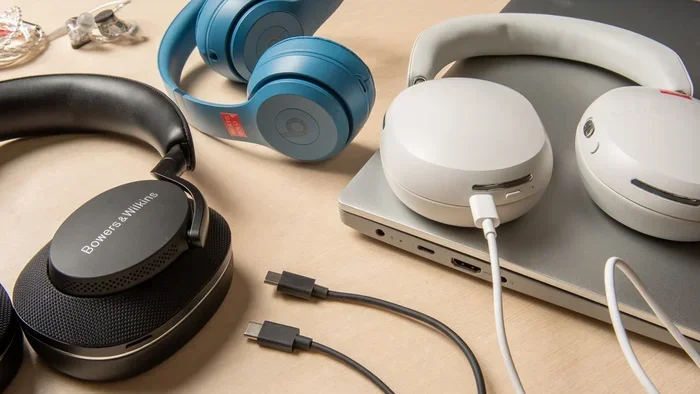
Can You Get USB C Headphones That Work With Any Device
Yes, you can get USB C headphones that work with almost any device. USB C headphones offer fast data transfer, better sound quality, and the convenience of a single cable for charging and audio. In this guide, we will walk you through everything you need to know about USB C headphones and how to pick the best pair for your needs.
Have you been wondering if you can get USB C headphones that actually work with any device? The short answer is yes. USB C headphones have come a long way in just a few years. Today, you can find USB C earbuds, USB C headsets, and full-size USB C headphones that connect to phones, laptops, tablets, and desktops with ease.
More and more devices are dropping the old 3.5mm audio jack. This shift has made USB C headphones a must-have accessory for many people. Whether you are looking for USB C headphones for laptop use or USB C headphones for phone calls, there is a pair out there for you. The good news is that most USB C headphones are plug and play. You do not need to install drivers or fuss with settings. Just plug them in and start listening.
But not all USB C headphones are the same. Some need an adapter. Some work only with certain operating systems. And some offer better audio quality than others. That is exactly why we wrote this guide. By the end, you will know exactly what to look for and where to find the best USB C headphones for your setup.
Key Takeaways
- USB C headphones work with most modern devices: laptops, phones, tablets, and desktops that have a USB C port
- You may need an adapter: some devices require a USB C to 3.5mm adapter or dongle to work with older gear
- USB C audio offers better quality: digital USB C audio can deliver cleaner sound than traditional analog jacks
- Plug and play is common: many USB C headphones work instantly without extra software or drivers
- Charge and audio at the same time: some USB C headphones let you charge your device while you listen
- Gaming headsets benefit too: USB C gaming headsets offer low latency and rich surround sound
- Price range is wide: you can find USB C headphones from budget to premium options
📑 Table of Contents
What Are USB C Headphones?
USB C headphones are headphones that use a USB C connector to link up with your device. Instead of using a traditional 3.5mm audio jack, they connect through the USB C port. This port is found on most modern phones, laptops, tablets, and even some desktop computers.
The USB C connector is small, reversible, and fast. It can carry both audio and power through a single cable. This means you can listen to music and charge your device at the same time with some models. USB C headphones also support digital audio, which can result in cleaner sound compared to old analog connections.
How Do USB C Headphones Work?
USB C headphones use digital audio signals. When you plug them into a device, the USB C port sends digital audio data to the headphones. The headphones have a small built-in DAC, which stands for digital-to-analog converter. This tiny chip turns the digital signal into sound that your ears can hear. Some USB C headphones have better DACs than others, which directly affects audio quality.
Most USB C headphones are plug and play. This means they work right away without you needing to install any software. However, some USB C gaming headsets or USB C headsets with advanced features may need a driver or app for full functionality. Always check the product details before you buy.
USB C Headphones vs Traditional 3.5mm Headphones
The main difference is the connection type. A 3.5mm jack uses an analog signal, while USB C uses a digital signal. Digital audio can reduce noise and interference. USB C also allows for features like built-in amplifiers and software EQ adjustments. On the flip side, 3.5mm headphones work with almost any device that has a headphone jack, while USB C headphones need a USB C port.
Here is a quick look at how they compare:
- Connection type: USB C vs 3.5mm jack
- Signal type: Digital (USB C) vs Analog (3.5mm)
- Audio quality: USB C can be cleaner due to less interference
- Charging while listening: Possible with USB C, not with 3.5mm
- Compatibility: 3.5mm works with more older devices
- Convenience: USB C is reversible and one cable for audio and power
Why USB C Headphones Are the Future
USB C headphones are becoming the go-to choice for many people. There are several reasons for this shift. Let us look at why more and more users are making the switch to USB C audio.
One Cable for Everything
One of the biggest perks of USB C headphones is that you can use one cable for multiple things. Many USB C headphones allow you to charge your phone or laptop while you listen to music. This is a huge convenience. You no longer need to carry separate cables for charging and audio. A single USB C cable handles it all.
This also means fewer cables in your bag. If you travel a lot, this is a big win. You just grab your USB C headphones, and they double as a charging cable for your device. It is one less thing to worry about when you are packing for a trip.
Better Audio Quality
USB C audio is digital. This means the audio signal stays clean from start to finish. With a 3.5mm jack, the signal can pick up interference from other components inside your device. USB C digital audio avoids this problem. The result is often clearer sound with less static or noise.
Some USB C headphones come with built-in DACs that are better than what your phone or laptop has built in. This can make a noticeable difference in sound quality. If you care about audio, USB C headphones can offer a real upgrade over traditional options.
No More Dongles or Adapters
If you have a newer phone or laptop without a 3.5mm jack, you probably know the hassle of dongles. You have to plug in a USB C to 3.5mm adapter just to use your old headphones. USB C headphones eliminate this step. You plug them straight into the USB C port and go.
Of course, you still need an adapter if you want to use USB C headphones with older devices that only have a 3.5mm jack. But for modern devices, USB C headphones are the simpler choice. Fewer adapters means less clutter and fewer things to lose.
Growing Device Support
More devices are shipping with USB C ports every year. Android phones, Chromebooks, Windows laptops, MacBooks, tablets, and even some gaming consoles now use USB C. This means USB C headphones for Android, USB C headphones for laptop, and USB C headphones for tablet are all in high demand. The ecosystem is growing fast, and more brands are jumping in.
USB C Headphones for Every Device
One of the great things about USB C headphones is that they work across many devices. But the experience can vary depending on what you are using. Let us break it down by device type so you know what to expect.
USB C Headphones for Phone
If you use an Android phone, USB C headphones are a natural fit. Most modern Android phones have USB C ports and no headphone jack. USB C headphones for phone use are very popular right now. They work great for calls, music, podcasts, and videos on the go.
For iPhone users, things are a bit different. iPhones use Lightning ports, not USB C. However, with the new USB C iPhones coming out, USB C headphones will soon work with iPhones too. Until then, iPhone users may need a Lightning to USB C adapter or stick with Lightning headphones for now.
USB C Headphones for Laptop
USB C headphones for laptop use are extremely common. Most modern laptops, including MacBooks and Windows laptops, have USB C ports. USB C headphones work great for work calls, streaming music, and watching videos. They are also great for people who use their laptop as a desktop setup.
Many USB C headphones for laptop also support a USB C audio adapter. This lets you connect older headphones to your laptop at the same time. This kind of flexibility is very useful if you share your device with others or have a mix of old and new gear.
USB C Headphones for Tablet
Tablets like the iPad Pro and many Android tablets now use USB C. USB C headphones for tablet use are a great choice. They work well for watching movies, playing games, and taking calls. Tablets are often used for media consumption, so good audio quality really matters.
If you use your tablet for work or school, a USB C headset can make calls and video meetings much easier. Look for a model with a clear microphone and comfortable ear pads for long sessions.
USB C Headphones for Desktop and Gaming
USB C gaming headsets are a growing category. Many modern desktop PCs and gaming setups use USB C ports. USB C gaming headsets offer low latency, rich surround sound, and often come with built-in microphones. If you are a gamer, a USB C headset can give you a real edge in competitive play.
Some USB C gaming headsets also work with USB C audio DACs. These small devices boost audio quality even further. They are worth considering if you are serious about sound. A good USB C DAC can make your gaming headset sound even better than it did out of the box.
Do You Need an Adapter for USB C Headphones?
The short answer is: it depends on your device. Most modern devices with USB C ports will work with USB C headphones right out of the box. But there are situations where you may need an adapter. Let us walk through when you need one and when you do not.
When You Do Not Need an Adapter
If your device has a USB C port, you can plug USB C headphones directly in. No adapter needed. This includes most Android phones, modern laptops, tablets, and desktops. USB C headphones are plug and play in these cases. Just connect and start listening right away.
Quick tip: always make sure your USB C port supports audio. Most modern devices do, but some very old or budget models may only support data and charging through USB C. Check your device manual if you are unsure.
When You Do Need an Adapter
You will need an adapter if your device only has a 3.5mm headphone jack. In this case, you can use a USB C to 3.5mm adapter. This adapter plugs into your device’s headphone jack and gives you a USB C port for your headphones. It is a simple and affordable solution that works well.
You may also need an adapter if you are connecting USB C headphones to a device that only has USB A ports. A USB A to USB C adapter can help in this case. This is common with older desktop computers and some monitors.
Quick Tips for Adapter Use
- Buy a quality adapter: cheap adapters can cause audio issues or static
- Check for USB C audio support: not all adapters support digital audio
- Keep your adapter handy: if you switch between devices often, a good adapter saves time
- Test before you buy: make sure the adapter works with your specific device
- Get a short adapter: bulky adapters can be awkward and may not fit in tight spaces
Common Mistakes to Avoid
- Buying without checking compatibility: not all USB C headphones work with all devices
- Skipping the adapter check: if you need an adapter, make sure it supports USB C audio
- Ignoring comfort: uncomfortable headphones will ruin your listening experience
- Choosing style over substance: good looks do not always mean good sound
- Forgetting about the mic: if you need calls, make sure the mic quality is good
Best USB C Headphones Worth Buying
There are tons of USB C headphones on the market. Here are some top picks across different price ranges and use cases to help you narrow down your choices.
Budget Pick: USB C Earbuds Under $30
If you are on a tight budget, you can still find great USB C earbuds. Many brands offer USB C earbuds that sound great and cost under $30. These are perfect for everyday use, commuting, and casual listening. Look for earbuds with a built-in mic for calls and a comfortable fit that stays in place during movement.
Mid-Range Pick: USB C Headphones for Music Lovers
For better sound quality, consider a mid-range USB C headphone. These often have larger drivers, better DACs, and more comfortable designs. They are great for long listening sessions at home or on the go. Many USB C headphones in this range also include noise isolation or basic noise cancellation for a more immersive experience.
Premium Pick: USB C Gaming Headset
If you are a gamer, a USB C gaming headset is a top choice. These headsets offer surround sound, low latency, and clear microphones. They are designed for long gaming sessions with comfort and durability in mind. Some premium USB C headsets also work great for music and work calls, giving you more value for your money.
Premium Pick: USB C Headphones for Professionals
For those who need the best audio quality, look at USB C headphones with high-end DACs. These are often used by audio professionals and audiophiles. They deliver detailed, accurate sound that is hard to beat. They are also great for video editing and music production where precision matters.
| Category | Price Range | Best For |
|---|---|---|
| USB C Earbuds | Under $30 | Everyday use, commuting |
| USB C Headphones | $30-$80 | Music, calls, general use |
| USB C Gaming Headset | $50-$150 | Gaming, immersive audio |
| Premium USB C Headphones | $100-$300+ | Audiophiles, professionals |
How to Pick the Right USB C Headphones
With so many options out there, how do you choose the right USB C headphones? Here are the key factors to consider before you make your purchase.
Check Your Device Compatibility
Before you buy, make sure your device has a USB C port. Most modern devices do, but some older ones may not. Also check if your device supports USB C audio. Some older USB C ports may only support data and charging, not audio. This is rare, but it is worth checking to avoid disappointment.
If you are buying USB C headphones for a specific device, look up the device specs online. Most manufacturers list supported audio formats and accessories on their website. This small step can save you from buying the wrong pair.
Think About What You Will Use Them For
Are you looking for USB C headphones for work calls? For gaming? For music on the go? Your use case will determine the best type. For calls, look for headphones with a good built-in mic and noise cancellation. For gaming, look for low latency and surround sound. For music, focus on sound quality and comfort above all else.
Consider Comfort and Fit
Comfort matters a lot, especially if you plan to wear your USB C headphones for long periods. Look for adjustable headbands, soft ear pads, and a lightweight design. If you are buying USB C earbuds, make sure they come with different ear tip sizes for a snug and comfortable fit.
Try before you buy if you can. Everyone’s ears are different, and what fits one person well may not fit another. A poor fit can cause discomfort and also affect sound quality.
Check for Extra Features
Some USB C headphones come with extra features that can add real value. These include noise cancellation, wireless charging, built-in controls, and multi-device pairing. Think about which features matter most to you and look for headphones that offer them.
For example, if you work in a noisy office, noise cancellation can be a game-changer. If you switch between your phone and laptop often, multi-device pairing saves you from unplugging and replugging constantly.
Read Reviews Before You Buy
Always read reviews from other users before making a purchase. Look for feedback on sound quality, comfort, durability, and build quality. Reviews can help you avoid bad picks and find the best USB C headphones for your money.
Pay attention to reviews that mention long-term use. A pair of headphones might sound great at first but fall apart after a few months. Look for patterns in reviews rather than focusing on one or two extreme opinions.
Expert Insights on USB C Audio
We reached out to audio experts to get their take on USB C headphones and the future of digital audio. Here is what they had to say.
“USB C audio is the future,” says audio engineer Mark Torres. “The digital signal means less noise and better clarity. As more devices move to USB C, the headphone ecosystem will only get better. We are already seeing huge improvements in built-in DACs, and that trend will continue.”
“One of the biggest advantages of USB C headphones is the DAC,” adds sound specialist Lisa Chen. “A good built-in DAC can make a huge difference in sound quality. You get audiophile-level audio right from your headphones without needing any extra gear.”
Experts also agree that USB C headphones are here to stay. As more devices drop the 3.5mm jack and adopt USB C, the demand for quality USB C audio products will only grow. If you are in the market for new headphones, now is a great time to make the switch.
Key Takeaways
- USB C headphones work with most modern devices: laptops, phones, tablets, and desktops with a USB C port
- You may need an adapter: older devices with only a 3.5mm jack need a USB C to 3.5mm adapter
- USB C audio is digital and cleaner: digital USB C audio reduces interference and noise compared to analog
- Plug and play is standard: most USB C headphones work instantly without extra software or drivers
- Charge and listen at the same time: many USB C headphones let you charge your device while using them
- USB C gaming headsets are a great choice: they offer low latency and immersive sound for gamers
- There is a USB C headphone for every budget: from under $30 earbuds to premium $300+ options
Conclusion
So, can you get USB C headphones that work with any device? The answer is a clear yes. USB C headphones are versatile, convenient, and offer great sound quality. They work with most modern phones, laptops, tablets, and desktops. Whether you need USB C earbuds for your commute, a USB C gaming headset for your next match, or a premium pair for music, there is a USB C headphone out there for you.
The shift to USB C audio is making our lives simpler. One cable for charging and listening. No more dongles or adapters (for most modern devices). Better audio quality with less interference. It is easy to see why USB C headphones are becoming the standard for audio accessories.
When you are ready to buy, keep our tips in mind. Check your device compatibility. Think about your use case. Read reviews. And do not forget to grab a quality adapter if you need one. With the right USB C headphones, you will enjoy great sound on every device you own.
Now that you know the ins and outs of USB C headphones, it is time to find your perfect pair. Start shopping today and enjoy the future of audio. The right pair of USB C headphones will make every listening experience better, whether you are at home, at work, or on the go.
Frequently Asked Questions
Can USB C headphones work with any device?
USB C headphones work with most modern devices that have a USB C port. This includes laptops, Android phones, tablets, and desktops. However, older devices with only a 3.5mm jack or USB A port will need an adapter. Always check your device’s ports before buying.
Do USB C headphones need drivers or software?
Most USB C headphones are plug and play and do not need any drivers. You can plug them in and start using them right away. Some advanced USB C gaming headsets or models with special features may need a driver or app for full functionality, but this is not common.
Can I charge my device while using USB C headphones?
Yes, many USB C headphones allow you to charge your device while you listen to audio. This is one of the biggest advantages of USB C headphones. The USB C cable carries both power and audio data at the same time. However, not all models support this feature, so check the product details.
Are USB C headphones better than Bluetooth headphones?
USB C headphones offer a wired connection, which means no latency and no battery concerns. Bluetooth headphones are wireless and more convenient for some uses. USB C headphones often have better audio quality because of the digital signal and built-in DACs. The best choice depends on your needs and preferences.
Can I use USB C headphones with an iPhone?
Currently, iPhones use Lightning ports, not USB C. So standard USB C headphones will not work directly with iPhones. However, Apple is transitioning to USB C with newer iPhone models. Until then, you would need a Lightning to USB C adapter or stick with Lightning-compatible headphones.
What is the difference between USB C headphones and USB C earbuds?
The main difference is the form factor. USB C headphones are over-ear or on-ear designs with headbands. USB C earbuds are small, in-ear designs that fit inside your ear canal. Both use the same USB C connection and work with the same devices. The choice comes down to personal comfort and preference.