Can I Charge My Battery Through a USB Port Right Now
Yes, you can charge many batteries through a USB port, but it depends on the battery type, USB port version, and charging requirements. Understanding USB charging basics helps you avoid damage and charge faster. This guide walks you through everything you need to know about USB battery charging safely and effectively.
Have you ever been stuck with a dead battery and a USB port nearby? It is a frustrating situation, right? The good news is that charging a battery through a USB port is possible in many cases. Whether you are at home, in the office, or traveling, USB charging has become one of the most convenient ways to power up your devices. But not all batteries work the same way with USB ports. Some charge quickly, while others need special adapters. In this guide, we will walk you through everything you need to know about USB battery charging. You will learn how it works, what to watch out for, and how to do it safely.
We will cover the different types of USB ports, their power output, and which batteries are compatible. You will also discover common mistakes that people make when charging batteries via USB and how to avoid them. By the end of this article, you will feel confident about using any USB port to charge your battery. Let us dive in and make USB charging simple for you.
Key Takeaways
- USB ports can charge batteries: Most standard batteries can be charged through USB, but voltage and current must match the battery’s requirements.
- USB-C and USB-A differ in power output: USB-C generally delivers more power than USB-A, making it better for faster charging.
- Charging speed varies: Factors like amperage, cable quality, and port type directly impact how fast your battery charges via USB.
- Safety matters: Using the wrong charger or cable can damage your battery or device.
- Power banks are USB charging heroes: They let you charge batteries and devices on the go without a wall outlet.
- Check compatibility first: Always verify your battery’s voltage and connector type before plugging into a USB port.
📑 Table of Contents
Understanding USB Charging Basics
Before you plug anything in, it helps to understand how USB charging actually works. A USB port delivers electrical power to connected devices. This power is measured in two main units: voltage and current. Voltage is the pressure of the electricity, while current is the flow rate. Together, they determine how much power reaches your battery.
How USB Ports Deliver Power
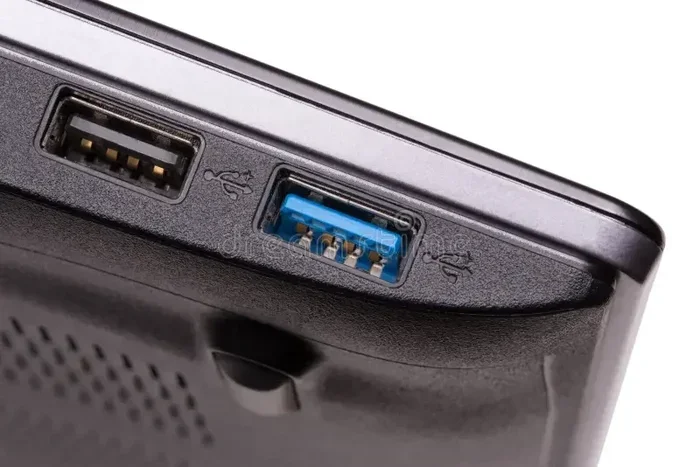
USB ports were originally designed for data transfer. Over time, they became popular for device charging too. Today, USB ports can deliver anywhere from 0.5 watts to over 100 watts, depending on the version and port type. The most common USB versions you will encounter are USB 2.0, USB 3.0, and USB-C. Each one has different power delivery capabilities.
For example, a standard USB 2.0 port typically provides 5 volts at 0.5 amps. That gives you 2.5 watts of power. A USB 3.0 port bumps that up to 5 volts at 0.9 amps, or 4.5 watts. The newer USB-C standard can deliver much more power, especially with Power Delivery technology. USB-C ports can provide 5 volts at 3 amps or more, reaching up to 100 watts in some cases.
Voltage and Current: Why They Matter
When you are charging a battery through USB, matching the right voltage and current is critical. Most small rechargeable batteries, like those in phones and tablets, operate at 5 volts. This matches standard USB output perfectly. However, larger batteries or specialized devices may need different voltage levels.
Here is a simple breakdown of common USB power outputs:
- USB 2.0: 5V at 0.5A (2.5W) — best for small devices like earbuds or remote controls
- USB 3.0: 5V at 0.9A (4.5W) — slightly faster, good for phones and small gadgets
- USB-C (Basic): 5V at 3A (15W) — fast enough for most phones and tablets
- USB-C with Power Delivery: 5V to 20V at up to 5A (100W) — can charge laptops and larger batteries
Always check your battery’s specifications before connecting it to a USB charging port. Using the wrong voltage can damage the battery or even create safety risks.
Types of USB Ports and Their Charging Capabilities
Not all USB ports are created equal. Different port types offer different levels of power output and charging speed. Knowing the differences helps you choose the right port for your battery charger needs.
USB Type-A
USB Type-A is the classic rectangular port found on most computers, wall chargers, and power strips. It has been around for decades and is still widely used. A standard USB-A port delivers 5 volts at 0.5 to 2.4 amps, depending on the charger.
USB-A ports work well for charging small batteries like those in smartphones, Bluetooth headphones, and fitness trackers. They are not ideal for larger batteries or devices that need fast charging. If you are using a USB-A port, expect slower charging speeds compared to newer port types.
USB Type-C
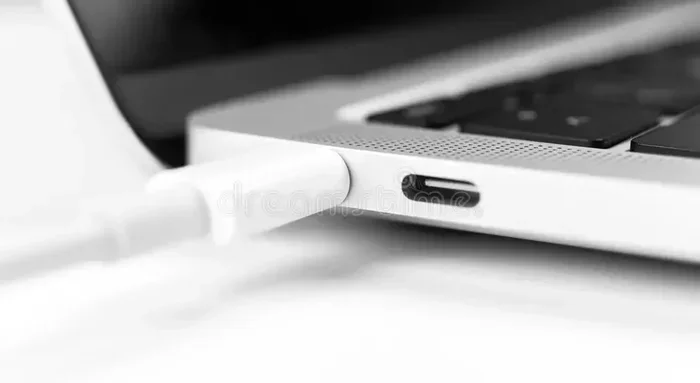
USB-C is the modern standard for device charging and data transfer. It is a small, reversible connector that can handle much higher power levels than USB-A. Most new smartphones, laptops, and tablets use USB-C ports.
One of the biggest advantages of USB-C is its support for Power Delivery (PD) technology. USB-C PD can adjust voltage dynamically, delivering exactly the right amount of power your device needs. This means faster and safer USB battery charging. Many portable chargers now come with USB-C ports for quick and efficient power delivery.
USB Type-B and Mini-USB
USB Type-B and Mini-USB are older port types you may still find on some devices. They are commonly used in printers, older cameras, and some portable electronics. These ports typically deliver 5 volts at 0.5 amps, which is the same as USB 2.0.
While they can still charge small batteries, they are not the best choice for fast charging. If your device uses these older ports, consider upgrading to a USB-C charger or using a compatible charging adapter.
Can You Charge Any Battery Through USB?
The short answer is no, not every battery can be charged through a USB port. But many common rechargeable batteries can. The key is understanding what type of battery you have and whether it supports USB charging.
Batteries That Work with USB Charging
Most modern rechargeable batteries designed for consumer electronics can be charged via USB. Here are some common examples:
- Lithium-ion batteries: Found in smartphones, laptops, tablets, and cameras. These batteries charge easily through USB ports and are the most common type of rechargeable battery today.
- Lithium-polymer batteries: Similar to lithium-ion but with a flexible design. They are used in many modern devices, including smartwatches and wireless earbuds.
- Nickel-metal hydride (NiMH) batteries: Some NiMH battery packs come with built-in USB charging capability. These are popular in rechargeable AA and AAA batteries.
- Lead-acid batteries: Some small lead-acid batteries, like those in emergency lights or UPS systems, can be charged through USB with the right adapter.
Batteries That Should NOT Be Charged via USB
Certain batteries are not designed for USB power delivery and should never be charged through a standard USB port. These include:
- Car batteries: Lead-acid car batteries require much higher voltage and current than a USB port can provide. Attempting to charge a car battery through USB is dangerous and ineffective.
- Large lithium-ion packs: Some industrial or high-capacity lithium-ion batteries need specialized charging circuits that USB cannot support.
- Primary batteries: Alkaline and zinc-carbon batteries are single-use and cannot be recharged at all, regardless of the power source.
Always read the manufacturer’s instructions for your specific battery. If the manual says it supports USB charging, you are good to go. If not, do not attempt it.
Factors That Affect USB Charging Speed
Have you ever noticed that some devices charge quickly through USB while others take forever? Several factors influence charging speed when using a USB port.
Amperage and Wattage
The amperage (amps) of a USB port determines how much current flows to your battery. Higher amperage means faster charging speeds. A port that delivers 1 amp will charge a battery slower than one that delivers 3 amps.
Wattage is the combination of voltage and current. A USB-C port with Power Delivery can push 60 or even 100 watts, which is enough to charge a laptop battery in under two hours. A standard USB-A port at 12 watts will take much longer for the same task.
Cable Quality
The charging cable you use matters more than you might think. Cheap or damaged cables can limit current flow and slow down USB battery charging. High-quality cables with proper gauge wiring ensure maximum power reaches your battery.
Look for cables that are certified by USB-IF or the device manufacturer. Avoid ultra-thin cables from unknown brands, as they often cannot handle the full power output of modern USB ports.
Battery Capacity and State of Charge
A larger battery naturally takes longer to charge than a smaller one. A phone battery with 4,000 mAh capacity will take longer to fully charge than earbuds with a 100 mAh battery, even on the same USB charging port.
Also, batteries charge fastest when they are nearly empty. As they approach full capacity, the charging speed slows down to protect battery health. This is called a “taper charge” and is a normal part of the lithium battery charging process.
Temperature and Environment
Extreme temperatures can affect charging speed and battery health. Charging in very hot or very cold environments slows down the process and may even damage the battery over time. The ideal temperature range for USB battery charging is between 50°F and 86°F (10°C to 30°C).
Quick Tips for Faster USB Charging
- Use a USB-C port with Power Delivery when possible.
- Choose a high-quality, short charging cable to reduce resistance.
- Turn off your device while charging to direct all power to the battery.
- Avoid using the device while it is charging, as this splits the power between use and charging.
- Keep your device in a cool, well-ventilated area during USB charging.
Common Mistakes People Make When Charging via USB
Even though USB battery charging is simple, many people make mistakes that slow down the process or damage their batteries. Here are the most common ones to avoid.
Using the Wrong Charger or Adapter
Not all wall chargers are the same. Using a low-quality charger that does not match your battery’s requirements can lead to slow charging or even battery damage. Always use a charger that matches the voltage and amperage your battery needs.
Ignoring Cable Quality
As mentioned earlier, cheap cables can be a major bottleneck in USB charging. A poor-quality cable may not deliver the full current the port is capable of, resulting in frustratingly slow charging speeds.
Charging in Extreme Temperatures
Leaving your device or battery in direct sunlight or a freezing car while charging via USB can harm the battery’s internal chemistry. Over time, this reduces battery capacity and shortens its lifespan.
Using Damaged Ports or Cables
A frayed charging cable or a bent USB port can cause intermittent connections, overheating, and even fire hazards. Inspect your cables and ports regularly and replace any that show signs of wear.
Overcharging the Battery
Many people leave their devices plugged in overnight, worrying about overcharging. Modern devices with lithium batteries have built-in circuits that stop charging once the battery is full. However, keeping a battery at 100% charge for extended periods can still stress the battery over time.
Expert Insight: How to Maximize Battery Health During USB Charging
According to battery experts, keeping your battery between 20% and 80% charge is the best way to extend its lifespan. This applies whether you are charging through a wall outlet or a USB port. If you use a portable charger or power bank, try not to let the battery drain completely before recharging. Partial charges are actually better for lithium battery health than full discharge cycles.
Portable Chargers and Power Banks: USB Charging on the Go
One of the best ways to charge your battery through USB while traveling is with a portable charger or power bank. These compact devices store energy in their internal batteries and deliver it through USB ports when needed.
What to Look for in a Power Bank
When choosing a portable charger for USB battery charging, consider these factors:
- Capacity: Measured in milliampere-hours (mAh). A higher mAh rating means more charges for your devices. A 10,000 mAh power bank can typically charge a smartphone 2 to 3 times.
- Port Types: Look for power banks with USB-C ports for faster charging. Some models also include USB-A ports for compatibility with older devices.
- Power Delivery Support: Power banks with USB-C PD can deliver higher wattage, making them ideal for charging laptops and larger batteries.
- Number of Ports: If you need to charge multiple devices at once, choose a power bank with multiple charging ports.
- Build Quality: Opt for reputable brands with safety certifications to ensure reliable and safe USB power delivery.
Comparison Table: Popular USB Charging Options
| Charging Option | Max Power Output | Best For | Charging Speed |
|---|---|---|---|
| Standard USB-A Wall Charger | 12W (5V/2.4A) | Phones, earbuds, small devices | Slow to Medium |
| USB-C Wall Charger | 18W to 65W | Phones, tablets, laptops | Medium to Fast |
| USB-C with Power Delivery | 65W to 100W | Laptops, larger batteries | Fast |
| Portable Power Bank (USB-C PD) | 18W to 65W | Travel, on-the-go charging | Medium to Fast |
| Standard USB 2.0 Computer Port | 2.5W (5V/0.5A) | Small devices, slow top-ups | Slow |
As you can see, USB-C with Power Delivery offers the best combination of speed and versatility for battery charger needs. If you charge multiple devices regularly, investing in a quality USB-C charger and a reliable power bank is a smart move.
Key Takeaways
- USB ports can charge batteries: Most standard rechargeable batteries can be charged through USB, but voltage and current must match the battery’s requirements.
- USB-C is the best choice for fast charging: It supports higher power output and Power Delivery technology, making it ideal for quick USB battery charging.
- Not all batteries are USB-compatible: Car batteries, industrial batteries, and single-use batteries should never be charged through a USB port.
- Cable quality affects charging speed: Always use certified, high-quality cables to get the best performance from your USB charging port.
- Power banks are great for travel: They provide convenient USB power delivery on the go, keeping your devices and batteries charged anywhere.
- Avoid common charging mistakes: Use the right charger, avoid extreme temperatures, and inspect your cables regularly for safe device charging.
Conclusion
So, can you charge your battery through a USB port? Absolutely. USB battery charging has become one of the most accessible and convenient ways to keep your devices powered up. Whether you are using a wall charger, a computer port, or a portable power bank, USB ports offer flexible and reliable power for most rechargeable batteries.
The key is to understand your battery’s requirements and match them with the right USB port and cable. Always check voltage and current specifications before connecting. Use high-quality cables and certified chargers to ensure safe and efficient charging. Avoid common mistakes like using damaged cables, charging in extreme temperatures, or forcing incompatible batteries into USB ports.
With the right setup, charging your battery through a USB port is quick, safe, and incredibly convenient. Keep these tips in mind, and you will get the most out of every USB charging session. Happy charging!
Frequently Asked Questions
Can I charge a lithium-ion battery through a USB port?
Yes, most lithium-ion batteries can be charged through a USB port. These batteries are used in smartphones, laptops, tablets, and many other devices. Just make sure the USB port provides the correct voltage and current for your battery.
How long does it take to charge a battery through USB?
Charging time depends on the battery capacity, USB port power output, and cable quality. A small battery like earbuds may charge in 1 to 2 hours, while a larger battery like a laptop may take 3 to 5 hours through USB-C Power Delivery.
Is it safe to leave a battery charging through USB overnight?
Modern devices have built-in circuits that stop charging once the battery is full. However, it is best to unplug the device once it reaches 100% to maximize battery health and avoid long-term stress on the cells.
Can I use any USB cable for battery charging?
Not all USB cables are the same. Some cables are designed for data transfer only and may not carry enough current for battery charging. Always use a cable rated for power delivery, and look for USB-IF certification when possible.
What is the difference between USB-A and USB-C for charging?
USB-A is an older port type that typically delivers up to 12 watts of power. USB-C is a newer standard that can deliver up to 100 watts with Power Delivery. USB-C is faster, more versatile, and the preferred choice for modern battery charging.
Can a power bank charge my battery through USB?
Yes, a portable power bank is essentially a battery pack with USB ports built in. It can charge most rechargeable batteries and devices on the go. Just make sure the power bank’s output matches your battery’s charging requirements for the best results.