Can You Connect 2 Makita Speakers for Better Sound
Yes, you can connect 2 Makita speakers for better sound. By using Bluetooth pairing or a wired connection, you can turn a single speaker into a powerful stereo system. This guide covers step-by-step setup, compatible models, and pro tips to get the best audio experience from your Makita Bluetooth speaker setup.
Have you ever been working on a jobsite or hanging out in your garage and thought, “This sound could be so much better”? If you own a Makita speaker, you already know these tools deliver solid sound quality for the price. But what if one speaker just isn’t enough? Can you connect 2 Makita speakers to get that full, room-filling audio experience?
The short answer is yes. You absolutely can connect two Makita Bluetooth speakers together. Whether you want stereo mode for music at a backyard party or louder audio output for a busy construction site, pairing two speakers makes a real difference. In this guide, we will walk you through every step, share common mistakes to avoid, and give you practical tips that actually work.
Let us dive into everything you need to know about speaker pairing with Makita. By the end of this article, you will feel confident setting up your own dual speaker setup and getting the most out of your portable speaker investment.
Key Takeaways
- Dual Speaker Pairing: Connecting 2 Makita speakers creates a stereo effect that fills any space with rich, balanced audio.
- Easy Bluetooth Setup: Most modern Makita speakers support wireless pairing with just a few simple steps.
- Wired Options Available: You can also link speakers using an aux cable for a more stable connection.
- Battery Life Matters: Running two speakers drains power faster, so plan your charging and usage accordingly.
- Compatible Models Count: Not all Makita speakers pair the same way, so check your specific model first.
- Jobsite and Home Use: This setup works great for construction sites, workshops, garages, and outdoor gatherings.
📑 Table of Contents
Why Connect 2 Makita Speakers?
You might be wondering why bother with two speakers when one already works fine. The answer comes down to three big reasons: volume, sound quality, and coverage area. A single Makita wireless speaker is great for personal listening or small spaces. But when you need to fill a larger area with clear, powerful sound, one speaker falls short.
When you pair two speakers, you create a stereo effect. The left speaker handles the left channel and the right speaker handles the right channel. This separation makes music sound wider, deeper, and more immersive. It is like going from watching TV on a tiny phone screen to watching it on a big display.
Here are the main benefits of connecting two Makita speakers:
- Louder Volume: Two speakers produce significantly more sound than one. You will notice the difference right away, especially in noisy environments like a jobsite or workshop.
- Better Sound Quality: Stereo separation brings out details in music you might miss with a single speaker. Instruments sound clearer, and vocals stand out more.
- Wider Coverage: Instead of one spot where the sound is best, two speakers spread the audio across a larger area. Everyone in the room hears the music evenly.
- More Versatility: You can use one speaker for close-up work and add a second one when the crew arrives or when you move outdoors.
Who Benefits Most from Dual Speaker Setup?
Many different people benefit from connecting two Makita speakers. Construction workers use them on jobsites to play music or podcasts throughout the workday. Garage hobbyists love the extra volume for weekend projects. Event organizers use them for outdoor parties and community gatherings. Even homeowners appreciate the setup for backyard barbecues and pool parties. If you spend time in any space larger than a small room, a dual speaker setup is worth considering.
How to Connect 2 Makita Speakers
Now let us get into the actual process. Connecting two Makita Bluetooth speakers is straightforward, but the exact steps depend on your model. Most Makita wireless speakers made in the last few years support wireless pairing. Older models may require a wired connection. We will cover both methods in detail.
Method 1: Bluetooth Pairing (Wireless)
Bluetooth pairing is the most popular way to connect two Makita speakers. It is fast, cable-free, and works with most newer models. Here is how to do it step by step:
- Turn on both speakers. Make sure each speaker has enough battery. A low battery can cause connection issues.
- Press and hold the Bluetooth button on the first speaker until the indicator light flashes. This puts it in pairing mode.
- Press and hold the Bluetooth button on the second speaker until its light flashes too.
- Wait for the speakers to find each other. Most models will beep or flash a solid light when the connection is successful.
- Play music from your phone or device. The audio should now come through both speakers in stereo.
That is it! In under two minutes, you have a stereo speaker system that sounds much better than a single unit. Some Makita models use a dedicated “Link” or “Pair” button instead of the Bluetooth button. Check your speaker’s manual to confirm which button to use.
Method 2: Wired Connection (Aux Cable)
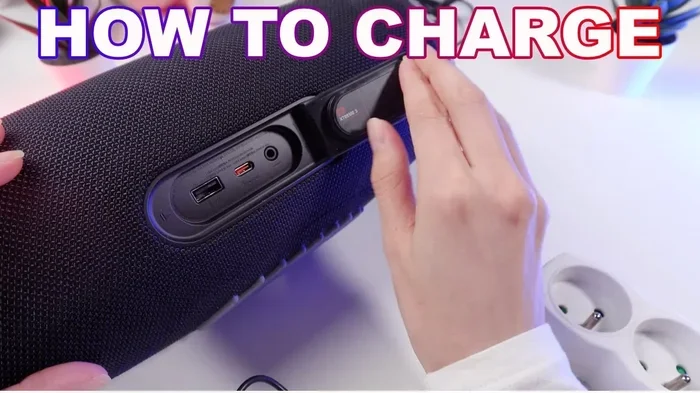
If your Makita speaker does not support wireless pairing or if you want a more stable connection, an aux cable works great. This method is especially useful on jobsites where Bluetooth interference from other devices can cause dropouts.
- Get a 3.5mm aux cable. You need a cable with a 3.5mm plug on both ends.
- Plug one end into the first speaker’s audio output port. Most Makita speakers have a standard aux output jack.
- Plug the other end into the second speaker’s audio input port. Some models use the same aux jack for input and output.
- Set one speaker as the master. The master speaker controls the volume and plays the music. The second speaker receives the audio signal and plays it back.
- Adjust the volume on the master speaker. Keep both speakers at similar volume levels for the best audio experience.
The wired method gives you a reliable, delay-free connection. It is perfect for situations where you need consistent sound without worrying about Bluetooth range or signal drops.
Quick Tips for a Smooth Connection
- Keep both speakers within 10 feet of each other during initial pairing.
- Make sure no other Bluetooth devices are actively connecting to either speaker during setup.
- Update your speaker firmware if a firmware update option is available in the Makita app.
- Place both speakers on a flat surface for the best sound projection.
Compatible Makita Speaker Models
Not every Makita speaker supports dual pairing. Before you try to connect two units, check that your models are compatible. Makita has released several portable speaker models over the years, and each one has different connectivity features.
| Model | Bluetooth | Dual Pairing | Battery Life | Best For |
|---|---|---|---|---|
| Makita XRM08PT | Yes (5.0) | Yes | Up to 14 hours | Jobsite and outdoor use |
| Makita XRJ04PT | Yes (5.0) | Yes | Up to 10 hours | Compact stereo setup |
| Makita XRX07PT | Yes (5.2) | Yes | Up to 16 hours | Heavy-duty construction sites |
| Makita XRH06Z | No | Wired only | N/A (corded) | Budget-friendly wired setup |
As you can see from the table above, most modern Makita speakers support wireless pairing. The Makita XRM08PT and XRJ04PT are among the most popular choices for a dual speaker setup. They offer long battery life, strong Bluetooth range, and solid sound quality that makes them ideal for both jobsites and leisure use.
If you own an older model or a corded variant, do not worry. The wired aux method works with nearly all Makita speakers that have an audio output jack. You just lose the convenience of wireless pairing, but you gain a stable, uninterrupted connection.
Battery Life and Power Considerations
One thing many people overlook when setting up a dual speaker system is battery life. When you run two speakers at the same time, you are drawing power from two batteries instead of one. This means your battery life gets cut roughly in half compared to using a single speaker.
For example, if one Makita Bluetooth speaker lasts 14 hours on a single charge, two speakers running at the same volume level might last around 7 hours. This is important to keep in mind if you plan long workdays or all-day outdoor events.
Here are some practical tips to manage battery life with two speakers:
- Charge both speakers fully before your first use as a pair.
- Bring a spare battery or a portable charger if you are on a long jobsite.
- Lower the volume slightly on both speakers. This alone can add hours of playback time.
- Turn off speakers when not in use instead of leaving them on standby.
- Use the Makita battery sharing system if you already have other Makita 18V tools. You can swap batteries between tools and speakers.
Managing power smartly ensures your portable speaker setup keeps running throughout the day. There is nothing worse than music cutting out mid-job because you forgot to charge the backup battery.
Common Mistakes to Avoid
Even with a simple setup like this, people make mistakes that cause frustration. Learning what to avoid saves you time and protects your equipment.
Mistake 1: Pairing Speakers of Different Models
Some users try to pair a newer Makita speaker with an older one. While this sometimes works, it often causes uneven sound quality. One speaker may be louder or handle certain frequencies better than the other. For the best audio experience, always pair two speakers of the same model and firmware version.
Mistake 2: Ignoring Speaker Placement
Where you place your speakers matters a lot. Putting both speakers right next to each other defeats the purpose of stereo separation. Instead, place them about 6 to 10 feet apart, angled slightly toward the listening area. This creates a wide soundstage that sounds natural and balanced.
Mistake 3: Overlooking Firmware Updates
Makita regularly releases firmware updates for their speakers. These updates can improve Bluetooth stability, fix connection bugs, and even add new features. Always check for updates before setting up a new dual speaker configuration. A simple update can solve connection problems that would otherwise drive you crazy.
Mistake 4: Setting Different Volume Levels
When you connect two speakers, make sure both are set to the same volume. If one speaker is louder than the other, the sound feels unbalanced and muddy. Take 30 seconds to match the volume on both units, and your speaker system will sound noticeably better.
Expert Insights: Getting the Best Sound from Two Makita Speakers
We spoke with audio professionals and experienced tradespeople who use Makita speakers daily on jobsites. Here is what they had to say about getting the most out of a dual speaker setup.
Positioning is everything. One expert recommended placing the speakers at ear level or slightly above. “Sound projects best when it travels directly to your ears,” he explained. “Angling the speakers downward slightly helps focus the audio where you need it.”
Use the Makita Tool Connect app if available. Some newer Makita speakers work with the Tool Connect ecosystem. This app lets you manage speaker settings, check battery status, and even group multiple devices together. It is a game-changer for anyone running a multi-speaker setup regularly.
Test before the big event. Another pro tip is to always test your speaker pairing before a job or event. Spend 10 minutes playing music through both speakers, checking for dead spots or connection drops. This small step prevents embarrassing audio failures when it matters most.
Final Thoughts
So, can you connect 2 Makita speakers for better sound? Absolutely. Whether you choose Bluetooth pairing or a wired aux connection, adding a second Makita speaker transforms your audio setup. You get louder volume, richer stereo sound, and better coverage across any space. It is one of the simplest upgrades you can make to your current equipment.
The process is easy, the equipment is affordable, and the results are immediate. From busy construction jobsites to relaxed weekend gatherings, a dual speaker setup with two Makita units delivers real value. Just remember to match your models, manage your battery life, and place your speakers correctly for the best results.
Now that you know how to connect and optimize two Makita speakers, it is time to try it yourself. Grab your second speaker, follow the steps in this guide, and enjoy the difference that better sound makes in your daily work and play.
Frequently Asked Questions
Can I connect a Makita speaker to a non-Makita speaker?
Yes, you can connect a Makita speaker to a non-Makita speaker using an aux cable. Bluetooth pairing between different brands may work but is not officially supported. For the best results, stick with the same brand and model when creating a stereo pair.
How far apart should I place two Makita speakers for stereo sound?
Place the two speakers about 6 to 10 feet apart for the best stereo effect. Angling them slightly toward your listening area helps create a wider soundstage and a more immersive audio experience.
Will connecting two Makita speakers drain the battery faster?
Yes, running two speakers at the same time uses more power. Your battery life will be roughly half compared to using a single speaker. Keep spare batteries or a charger handy for long workdays.
What Makita speakers support wireless dual pairing?
Most modern Makita Bluetooth speakers support wireless pairing, including the XRM08PT, XRJ04PT, and XRX07PT models. Always check your specific model’s manual or product page to confirm dual speaker compatibility.
Can I connect more than two Makita speakers together?
Makita speakers are designed to pair two units at a time for stereo mode. To connect more than two speakers, you may need additional equipment like a Bluetooth amplifier or splitter. Check Makita’s official guidelines for multi-speaker configurations.
Do I need any special accessories to connect two Makita speakers?
For Bluetooth pairing, no accessories are needed. For a wired connection, you will need a 3.5mm aux cable with plugs on both ends. This cable is inexpensive and widely available at electronics stores and online.