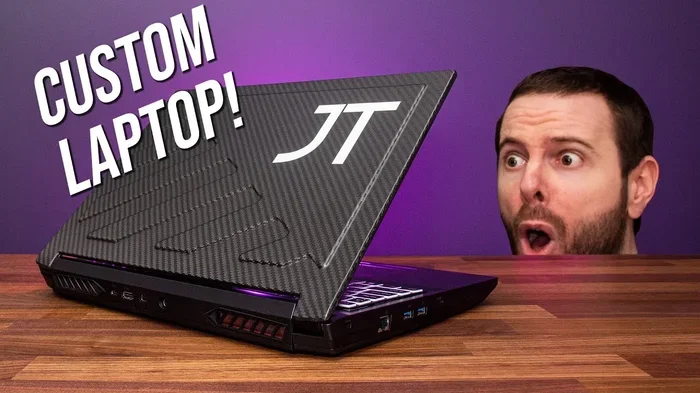
Can You Build A Custom Gaming Laptop And Save Money
Yes, you can build a custom gaming laptop, but it is not as simple as building a desktop. This guide walks you through every step, from choosing compatible parts to assembling your rig. You will learn how much you can save, what mistakes to avoid, and whether a DIY build is worth your time and effort.
Can you build a custom gaming laptop and actually save money? That is the question many gamers ask themselves when they see the sky-high prices of pre-built gaming machines. The short answer is yes. The longer answer? It depends on your skills, your budget, and how much patience you have.
Building a custom gaming laptop is very different from building a desktop PC. Laptops have tighter spaces, fewer upgrade options, and stricter compatibility rules. But if you are willing to put in the work, the rewards can be huge. You get a machine tailored exactly to your needs, and you often spend a lot less than you would on a brand-name rig.
This guide covers everything you need to know. We will break down the essential components, walk you through the build process step by step, and show you real cost comparisons. By the end, you will know whether a DIY custom gaming laptop is the right move for you.
Key Takeaways
- Building a custom gaming laptop is possible: It requires specific components and technical know-how, but it can be done.
- You can save significant money: Custom builds often cost 20-40% less than pre-built gaming laptops with similar specs.
- Component compatibility is critical: Not every GPU, CPU, or motherboard works together in a laptop chassis.
- Cooling is the biggest challenge: Laptops have limited space, so thermal management matters a lot.
- Warranty and support trade-offs exist: DIY builds may void warranties and lack manufacturer support.
- Start with a clear budget: Knowing your target price helps you choose the right parts without overspending.
📑 Table of Contents
- Is It Possible to Build a Custom Gaming Laptop?
- Essential Components for a Custom Gaming Laptop
- Step-by-Step Guide to Building Your Custom Gaming Laptop
- How Much Can You Really Save?
- Common Mistakes to Avoid When Building a Custom Gaming Laptop
- Is Building a Custom Gaming Laptop Worth It?
- Final Thoughts on Building a Custom Gaming Laptop
Is It Possible to Build a Custom Gaming Laptop?
Many people wonder whether building a custom gaming laptop is even realistic. The answer is yes, but with important caveats. Unlike desktops, where you can mix and match almost any part, laptops have much stricter requirements. The components must fit inside a specific chassis, and compatibility is not always guaranteed.
When you build a desktop gaming PC, you have freedom. You pick any case, any motherboard, any graphics card. A custom laptop build is more constrained. You often need to select parts that are designed to work together in a mobile form factor. This means your choices are narrower, but they still exist.
What Makes a Laptop Build Different?
Several key factors set laptop building apart from desktop building. Understanding these differences is essential before you start shopping for parts.
- Space constraints: Everything must fit inside a compact chassis. There is very little room for large components.
- Integrated cooling systems: Laptop cooling relies on heat pipes and compact fans. You cannot just swap in any cooler.
- Custom motherboard layouts: Many laptop motherboards are proprietary. They are designed for specific chassis models.
- Battery and power delivery: Laptops need power management circuits that desktops do not require.
- Display integration: The screen, panel, and display connector must all be compatible with your build.
These constraints do not make building impossible. They just mean you need to research carefully. A successful custom laptop build starts with knowing exactly what parts will work together.
Essential Components for a Custom Gaming Laptop
Every gaming laptop needs specific core components. Choosing the right parts is the most important step in the entire process. Here is a detailed look at what you need and what to look for.
Processor (CPU)
The CPU is the brain of your laptop. For gaming, you want a processor that handles both game logic and background tasks smoothly. Intel Core i7 and i9 mobile processors are popular choices. AMD Ryzen 7 and Ryzen 9 mobile chips are also excellent options.
When selecting a CPU for your custom gaming laptop build, consider these factors:
- Thermal design power (TDP): Lower TDP means less heat, which is critical in a laptop.
- Core count: Six or more cores handle modern games well.
- Compatibility: Make sure the CPU socket matches your chosen motherboard.
- Integrated graphics: Some CPUs have basic graphics built in, which helps during initial setup.
Graphics Card (GPU)
The GPU is the heart of any gaming laptop. It handles all the heavy lifting for rendering graphics. Mobile versions of NVIDIA GeForce RTX and AMD Radeon RX GPUs are the standard for custom gaming laptop builds.
Here are key points to keep in mind when choosing a GPU:
- Mobile vs. desktop GPUs: Mobile GPUs use less power and generate less heat. They are slightly less powerful than desktop versions but are designed for laptops.
- VRAM: At least 6GB of VRAM is recommended for modern gaming at 1080p.
- Cooling solution: Check how the GPU is cooled in your chosen chassis. Some laptops use vapor chambers for better heat dissipation.
- Driver support: NVIDIA tends to have strong driver support for gaming laptops, which is a big plus.
Motherboard
The motherboard connects all your components. In a laptop, the motherboard is often custom-designed for a specific model. This is one of the biggest differences between building a laptop and a desktop.
You may need to purchase a barebones laptop chassis, which includes the motherboard, display, and chassis already. Then you add the CPU, GPU (if not soldered), RAM, and storage yourself. This approach simplifies compatibility issues significantly.
RAM and Storage
Memory and storage are straightforward but still important. For a gaming laptop, 16GB of RAM is the sweet spot. 32GB is ideal if you plan to stream or do other heavy multitasking.
For storage, a solid-state drive (SSD) is a must. NVMe SSDs offer the fastest speeds and load times. A 1TB NVMe SSD is a great starting point for most gamers.
Display
The display matters a lot for gaming. Look for a panel with at least a 144Hz refresh rate. A 1080p IPS panel offers great color accuracy and smooth motion. If your budget allows, consider a 1440p or even a 4K display for sharper visuals.
Cooling System
Cooling is the single most challenging part of a custom gaming laptop build. Laptops generate a lot of heat in a very small space. Poor cooling leads to thermal throttling, which tanks your performance.
Look for chassis with multiple heat pipes, large fans, and good airflow design. Some builders add external cooling pads to help manage temperatures during intense gaming sessions.
Step-by-Step Guide to Building Your Custom Gaming Laptop
Now that you know what parts you need, let us walk through the actual build process. This guide assumes you are working with a barebones laptop chassis, which is the most common approach for DIY laptop builders.
Step 1: Plan Your Budget and Choose Parts
Before you touch any hardware, sit down and plan your budget. Decide how much you want to spend total. Then allocate funds to each component based on priority. For most gamers, the GPU and CPU deserve the biggest share of the budget.
Make a list of all the parts you need. Check compatibility carefully. Use online tools and forums to verify that your chosen CPU, GPU, RAM, and storage will work with your barebones chassis.
Step 2: Prepare Your Workspace
A clean, well-lit workspace is essential. Use an anti-static mat and wear an anti-static wrist strap. Static electricity can damage sensitive components. Gather all your tools, including screwdrivers, tweezers, and thermal paste.
Step 3: Install the CPU
Open the CPU socket on the motherboard. Align the notches on the processor with the socket. Gently place the CPU in and secure it with the locking mechanism. Apply a thin layer of thermal paste to the CPU surface before installing the cooler.
Step 4: Install the RAM and Storage
Push the RAM sticks into their slots at an angle until they click into place. For the SSD, insert it into the M.2 slot and secure it with a screw. Make sure all connections are firm but gentle.
Step 5: Install the GPU (If Applicable)
In some barebones laptops, the GPU is soldered onto the motherboard. In others, you can install a mobile GPU module. If your build allows it, seat the GPU carefully and secure it with screws. Connect any required power cables.
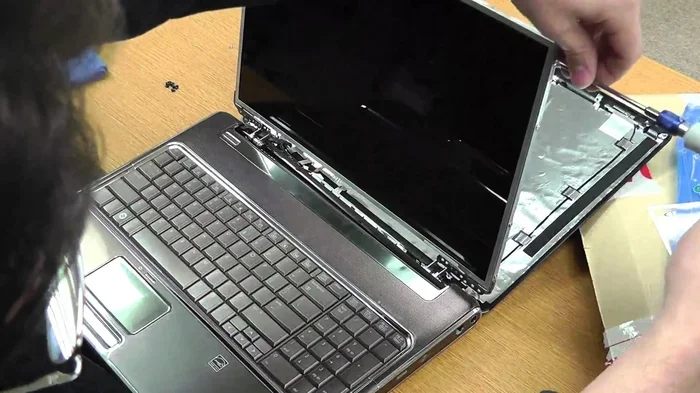
Step 6: Assemble the Chassis
Carefully place all components inside the laptop chassis. Route cables neatly to avoid blocking airflow. Close the chassis and secure all screws. Connect the display cable to the motherboard or GPU.
Step 7: Power On and Test
Plug in your laptop and power it on. Check that the display works. Enter the BIOS to verify that all components are detected. Install your operating system and update all drivers. Run a stress test to check temperatures and stability.
Quick Tips for a Smooth Build
- Take photos at every step. This helps if you need to troubleshoot later.
- Do not force any component into place. If it does not fit, check the alignment.
- Apply thermal paste in a small dot or X shape. Less is more.
- Test each component individually before full assembly if possible.
- Keep your build manual and receipts for warranty purposes.
How Much Can You Really Save?
The biggest question most people have is whether building a custom gaming laptop actually saves money. The answer is yes, but the amount varies based on your choices.
Cost Comparison: Build vs Buy
Pre-built gaming laptops from brands like Alienware, ASUS ROG, and MSI carry a premium. You are paying for the brand name, assembled labor, and bundled software. A custom build lets you skip those costs.
Here is a rough comparison of a mid-range gaming laptop build versus a comparable pre-built option:
- Custom build total: Around $1,200 to $1,500 for solid 1080p gaming performance.
- Pre-built equivalent: $1,800 to $2,200 for similar specs from major brands.
- Savings: Roughly $300 to $700, depending on the components and retailer.
These numbers can vary widely. If you choose high-end parts, the savings can be even more dramatic. On the other hand, if you make mistakes or buy incompatible parts, you could end up spending more than planned.
Where the Savings Come From
Several factors contribute to the cost savings of a DIY laptop build:
- No assembly labor cost: Pre-built laptops charge for the work of putting them together.
- No brand premium: You skip the markup that comes with big brand names.
- No bloatware: Pre-built laptops often come with unnecessary software that slows the system.
- Component flexibility: You can choose budget-friendly parts that still deliver great performance.
However, keep in mind that barebones laptop chassis can be expensive on their own. The savings come from choosing individual parts rather than buying a fully assembled machine from a premium brand.
Common Mistakes to Avoid When Building a Custom Gaming Laptop
Even experienced builders make mistakes. Knowing the common pitfalls can save you time, money, and frustration.
Skipping Compatibility Checks
This is the number one mistake. Not every CPU works with every motherboard. Not every GPU fits every chassis. Always double-check compatibility before purchasing any part. A single incompatible component can derail your entire build.
Underestimating Cooling Needs
Laptops run hot. If you do not plan for adequate cooling, your system will throttle under load. This leads to poor gaming performance and can shorten component lifespan. Invest in a chassis with strong cooling or add external cooling solutions.
Choosing the Wrong Power Supply
Laptops need the right power delivery. Using an incompatible charger or power module can damage components or cause instability. Always match the power supply to your specific build requirements.
Ignoring the Display
Gamers often focus on the internal hardware and forget about the screen. A great GPU paired with a low-quality display wastes potential. Choose a panel with good color accuracy, fast response times, and a high refresh rate.
Not Leaving Room for Upgrades
Laptops are harder to upgrade than desktops. But you should still leave some room for future improvements. Choose a chassis with accessible RAM slots and an extra M.2 SSD slot if possible.
Expert Insight: The Most Overlooked Detail
Many builders forget about the importance of the laptop chassis itself. A cheap chassis with poor build quality can cause flex, pressure on the motherboard, and inadequate ventilation. Invest in a well-designed barebones chassis even if it costs a bit more. It makes a huge difference in long-term reliability and performance.
Is Building a Custom Gaming Laptop Worth It?
This is the ultimate question, and the answer depends on your situation. Building a custom gaming laptop is worth it if you enjoy the process, want specific performance, and are comfortable working with delicate electronics.
If you prefer a plug-and-play experience, a pre-built laptop might be a better choice. Pre-built laptops come with warranties, customer support, and tested configurations. They save you time and reduce the risk of something going wrong.
But if you love tinkering, want to learn how your machine works, and want to maximize value for your money, a DIY build is incredibly rewarding. There is nothing quite like booting up a laptop you built yourself and knowing every single component inside it.
Here are a few scenarios where building makes the most sense:
- You have a specific budget: Building lets you stretch every dollar and get the most performance per dollar.
- You want a niche setup: Need a lightweight gaming laptop with a specific display? Building lets you customize every detail.
- You enjoy learning: The process teaches you a lot about hardware and how laptops work.
- You want future upgradeability: A well-planned build can be upgraded over time as new parts become available.
On the other hand, building may not be worth it if you are short on time, unfamiliar with computer hardware, or need a reliable machine for work right away. In those cases, a pre-built gaming laptop from a reputable brand is a safer choice.
Final Thoughts on Building a Custom Gaming Laptop
So, can you build a custom gaming laptop and save money? Absolutely. It takes research, patience, and a willingness to learn. But the rewards are real. You get a machine built exactly to your specifications, often at a lower cost than buying a pre-built model.
Start small if you are new to this. Watch build videos, read guides, and join online communities of DIY laptop builders. The more you learn before you start, the smoother your build will go.
Remember that building a custom gaming laptop is a journey. You will make mistakes, but you will learn from them. And the satisfaction of gaming on a machine you built with your own hands is hard to beat.
Whether you are a seasoned builder or a curious beginner, the world of custom gaming laptop builds has something to offer. Do your research, plan carefully, and enjoy the process. Your dream gaming laptop is closer than you think.
Frequently Asked Questions
Can a beginner build a custom gaming laptop?
Yes, but it requires research and patience. Beginners should start with a barebones laptop chassis, which simplifies compatibility issues. Watch tutorials, follow step-by-step guides, and take your time. It helps to have some basic experience with computer hardware before attempting a laptop build.
How much money can I save by building a custom gaming laptop?
Most builders save between $300 and $700 compared to buying a pre-built gaming laptop with similar specs. The exact savings depend on your component choices and where you buy parts. Shopping during sales and using refurbished components can increase your savings even more.
Is it easier to build a custom gaming laptop or a desktop?
Building a custom gaming desktop is significantly easier. Desktops have more space, standardized parts, and simpler assembly. Laptop builds are more complex due to tight spaces, proprietary components, and integrated displays. If you are new to building, consider starting with a desktop first.
What barebones laptop chassis are best for custom builds?
Popular options include Clevo and Tongfang chassis, which are widely used in the DIY laptop community. These chassis offer good compatibility, decent cooling, and room for customization. Research specific models to find one that matches your target build specs and budget.
Does building a custom gaming laptop void the warranty?
It can. Most barebones chassis come with their own warranty, but assembling components yourself may void certain coverage. Check the warranty terms carefully before you start. Some builders keep original packaging and parts to maintain eligibility for warranty claims on individual components.
Can I upgrade a custom gaming laptop after building it?
Yes, to an extent. Most custom laptop builds allow RAM and storage upgrades. Some chassis also support GPU module replacements. However, upgrades are more limited than on desktops. Plan your build with future upgrades in mind by choosing a chassis with accessible slots and expansion options.
=== CONCLUSION ===
Building a custom gaming laptop is absolutely possible, and it can save you real money. The process requires careful planning, compatible parts, and a steady hand. But the result is a machine that is yours through and through. You choose every component, you control the quality, and you walk away with a gaming laptop that fits your exact needs and budget.
Start with the basics. Learn about each component. Plan your build. And when you are ready, dive in. The world of custom gaming laptop building is open to anyone willing to learn. Your next gaming machine does not have to come from a store shelf. It can come from your own hands.