Can Spectrum Wifi Owner See Browsing History Easily
Yes, a Spectrum WiFi owner can potentially see some of your browsing activity, but the level of visibility depends on several factors like encryption, DNS logs, and router settings. Incognito mode does not hide your activity from the WiFi owner, and even deleted history can sometimes be recovered through router logs. This guide breaks down exactly what Spectrum can see, how WiFi tracking works, and the best ways to protect your privacy.
Have you ever wondered if the person who pays for your Spectrum WiFi can see what you do online? Maybe you are at home, at a rental property, or using a shared network at work. You might be browsing the web, streaming videos, or shopping online. And somewhere in the background, there is a WiFi router keeping track of things.
The short answer is yes. The Spectrum WiFi owner can see your browsing history to a certain degree. But the full picture is more nuanced than most people think. There are layers of visibility, limitations, and tools that both the network owner and the user can leverage.
In this article, we will break down exactly how WiFi tracking works. We will look at what Spectrum can and cannot see. We will also share practical tips to help you protect your web browsing privacy. Whether you are curious about WiFi network monitoring or worried about someone snooping on your connection, this guide has you covered.
Key Takeaways
- Spectrum WiFi owners can see DNS queries and connected device info: The network administrator has access to basic connection data and websites visited through DNS logs.
- Incognito mode does not hide your browsing from the WiFi owner: It only hides history on your device, not from the network level.
- HTTPS websites add a layer of privacy: The WiFi owner can see the domain but not the specific pages or content you view.
- A VPN is the most effective way to block WiFi tracking: It encrypts all traffic so the network owner cannot see your browsing activity.
- Router admin panels store logs: These logs can show connected devices, browsing timestamps, and domain names visited.
- Deleted browser history does not mean deleted network records: The WiFi router may still retain logs even after you clear your browser data.
- Using DNS-over-HTTPS or a custom DNS can limit visibility: These tools help prevent the WiFi owner from seeing your DNS queries.
📑 Table of Contents
How Does WiFi Tracking Work?
Every time you connect to a Spectrum WiFi network, your device communicates with the router. That router acts as a gatekeeper. It manages all the data flowing in and out of your network. And it keeps records of that activity.
Understanding how this works starts with a few basic concepts. Let us walk through them one by one.
The Role of Your WiFi Router
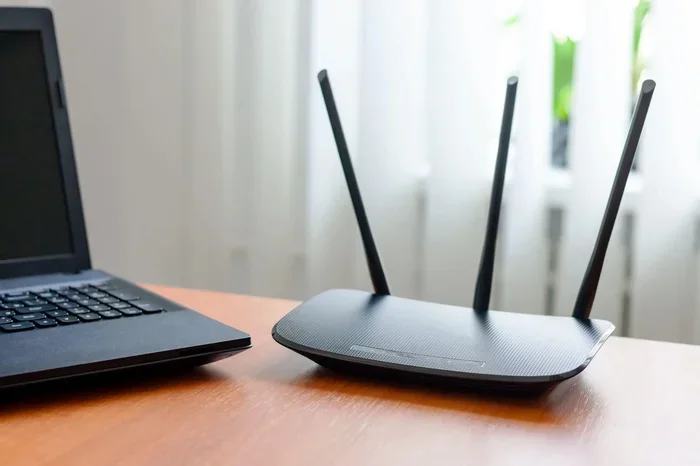
Your Spectrum WiFi router is the central hub of your network. Every device you connect — your phone, laptop, smart TV, tablet — routes through it. The router assigns IP addresses. It manages bandwidth. And it logs network activity.
Most consumer-grade routers from Spectrum come with basic logging features. These logs can include:
- Connected device names and MAC addresses
- Timestamps of connection times
- DNS queries (the websites you visit)
- Data usage per device
- URL domains accessed
Now, this does not mean someone is sitting there watching every click you make. But the data is there. It is stored in the router admin panel. Anyone with the login credentials can access it.
What Are DNS Queries?
DNS stands for Domain Name System. Think of it as the phonebook of the internet. When you type in www.example.com, your device sends a DNS query to translate that name into an IP address. That query passes through your router.
And here is the key point. The WiFi owner can see these DNS queries. So even if you visit a site and never click anything, the router still records that you visited that domain. This is one of the most common ways WiFi owners track browsing activity.
Spectrum uses its own DNS servers by default. That means your DNS queries go through Spectrum’s infrastructure first. This gives the internet service provider an additional layer of visibility.
Does Incognito Mode Help?
Here is a big misconception. Many people think incognito mode or private browsing hides their activity from the WiFi owner. It does not.
Incognito mode only deletes your browsing history from your device. It does not encrypt your traffic. It does not hide your DNS queries. And it does not prevent the router from logging your activity.
So if you are using someone else’s Spectrum WiFi and thinking incognito makes you invisible, think again. The network owner can still see which domains you visited.
What Can a Spectrum WiFi Owner Actually See?
Now that you understand the basics, let us get specific. What exactly can the Spectrum WiFi owner see when you browse the web?
Visible Information
The WiFi owner has access to several types of data. This includes:
- Domain names you visit — for example, youtube.com or amazon.com
- Connection timestamps — when you went online and for how long
- Device identifiers — which devices connected to the network
- Bandwidth usage — how much data each device consumed
- DNS query logs — a record of all domain lookups
- IP addresses accessed — the servers your device connected to
With this information, the WiFi owner can build a fairly detailed picture of your online habits. They can see that you watched YouTube for three hours last night. Or that you visited Amazon at 2 AM. But they usually cannot see the exact pages or products you viewed.
Hidden Information
There are also things the WiFi owner typically cannot see. This includes:
- Specific page URLs on HTTPS sites — they see the domain but not the page path
- Search queries on encrypted sites — Google searches over HTTPS are hidden
- Form data and passwords — if the site uses encryption
- Content of encrypted messages — WhatsApp, Signal, and similar apps
This distinction matters a lot. The WiFi owner sees the what (which domains) but not the how (specific pages or content). This is because of HTTPS encryption, which is now standard across most websites.
Can Spectrum Itself See Your Browsing History?
Spectrum, as your internet service provider, has its own level of visibility. They can see your DNS queries because your traffic routes through their DNS servers. They also maintain connection records as required by law.
However, Spectrum is subject to privacy regulations. They generally do not sell your personal browsing data. But they do retain certain logs for a period of time. And they may share data with law enforcement if legally compelled.
So the answer is both yes and no. Spectrum can see domain-level data. But they are not actively monitoring every user’s every click. They collect aggregate data for network management and legal compliance.
Does Deleting Browsing History Remove the Records?
This is one of the most common questions people ask. And the answer might surprise you.
When you delete your browsing history in Chrome, Safari, or Firefox, you are only deleting it from your device. The router still has its logs. The DNS server still has its records.
Think of it this way. You can erase your notes from your notebook. But the teacher still has a copy on the board. Deleting browser history does not delete network-level records.
The router’s admin panel stores these logs independently. Even if you clear everything on your phone or laptop, the WiFi router history remains. It stays there until someone manually clears the router logs or the logs expire based on the router’s storage settings.
This is why many people are caught off guard. They think they have been careful. They cleared their history. But the network owner still has a record of where they went online.
How to Protect Your Browsing Privacy on Spectrum WiFi
If you are concerned about WiFi owner tracking, there are several effective steps you can take. Let us go through them in order of effectiveness.
Use a VPN
A Virtual Private Network is the single most effective tool for protecting your privacy on shared WiFi. A VPN encrypts all your internet traffic before it leaves your device.
Here is how it works:
- You connect to the Spectrum WiFi network
- The VPN creates an encrypted tunnel between your device and the VPN server
- All your data passes through this tunnel
- The WiFi owner only sees that you are connected to a VPN server — nothing else
With a VPN, the WiFi owner cannot see your DNS queries. They cannot see which domains you visit. They cannot see your browsing activity at all. The only thing they see is encrypted data flowing to and from a VPN server.
Some reliable VPN options include NordVPN, ExpressVPN, and Surfshark. Many of these services offer apps that make setup simple even for non-technical users.
Use DNS-over-HTTPS
DNS-over-HTTPS (DoH) is another great privacy tool. It encrypts your DNS queries so the router cannot see them.
Most modern browsers support DoH. You can enable it in your browser settings. Firefox and Chrome both offer built-in options for encrypted DNS. When DoH is active, your DNS queries go directly to the DNS server over an encrypted connection.
This means the Spectrum WiFi router cannot log which domains you are looking up. It adds a strong layer of privacy without requiring a full VPN setup.
Use HTTPS-Only Mode
Modern browsers offer an HTTPS-only mode. This setting forces your browser to connect to websites only through secure, encrypted connections.
When you visit an HTTP site (non-secure), the browser will block the connection or warn you. This ensures that as much of your browsing as possible uses encrypted HTTPS.
The benefit is clear. Even if the WiFi owner can see the domain, they cannot see the specific pages or content. HTTPS-only mode maximizes this protection.
Avoid Sensitive Activity on Shared Networks
The simplest advice is also one of the best. If you are on a shared WiFi network, avoid logging into sensitive accounts. This includes banking, email, and health-related websites.
Even with HTTPS, the WiFi owner can see the domain you visit. If you are concerned about privacy, save sensitive activities for a trusted, private network — like your own mobile data connection.
Check Your Router Settings
If you are the one managing the network, you can check your Spectrum router settings for logging options. Log into your router admin panel and look for logging or traffic monitoring features.
From there, you can see what kind of data is being collected. You can also adjust settings to limit what gets stored. Some routers allow you to disable DNS logging entirely.
Common Myths About WiFi Privacy
There are a lot of misconceptions floating around about WiFi privacy. Let us clear up some of the most common ones.
Myth 1: Deleted History Is Gone Forever
We already covered this, but it bears repeating. Deleted browser history does not equal deleted network records. The router keeps its own logs separate from your device.
Myth 2: VPNs Slow Down Your Internet
While a VPN does add a small amount of overhead, modern VPNs are fast. The speed difference is usually negligible. And the privacy benefits far outweigh any minor slowdown.
Myth 3: Only Tech-Savvy People Can Track WiFi Activity
Many WiFi spy apps and monitoring tools are designed for everyday users. They have simple interfaces and require no technical expertise. This makes network monitoring more accessible than ever — for better or worse.
Myth 4: Home WiFi Is Always Private
Even on your own home network, the WiFi owner (that is you or your household) can see browsing activity. And if you rent a property, the landlord may have access to the router admin panel. Always assume someone can see your network activity.
Expert Insights on WiFi Privacy
Cybersecurity experts consistently recommend treating shared WiFi networks as inherently less private. According to network security professionals, the network administrator has technical access to far more data than most users realize.
One expert from a leading cybersecurity firm noted that DNS logging is the most overlooked privacy risk. Most people focus on browser history when they should be thinking about network-level tracking. The router sees everything that passes through it — and it does not forget.
Another important insight from privacy advocates is that encryption is your best friend. HTTPS, VPNs, and encrypted DNS all work to limit what anyone on the network can see. The more layers of encryption you use, the harder it is for someone to track your activity.
Experts also emphasize that no single tool is perfect. A VPN protects your traffic from the router, but your VPN provider may keep its own logs. This is why choosing a reputable, no-log VPN provider is essential. Look for services that have been independently audited and have clear privacy policies.
Key Takeaways
- Spectrum WiFi owners can see DNS queries and connected device info: The network administrator has access to basic connection data and websites visited through DNS logs.
- Incognito mode does not hide your browsing from the WiFi owner: It only hides history on your device, not from the network level.
- HTTPS websites add a layer of privacy: The WiFi owner can see the domain but not the specific pages or content you view.
- A VPN is the most effective way to block WiFi tracking: It encrypts all traffic so the network owner cannot see your browsing activity.
- Router admin panels store logs: These logs can show connected devices, browsing timestamps, and domain names visited.
- Deleted browser history does not mean deleted network records: The WiFi router may still retain logs even after you clear your browser data.
- Using DNS-over-HTTPS or a custom DNS can limit visibility: These tools help prevent the WiFi owner from seeing your DNS queries.
Conclusion
The truth about Spectrum WiFi browsing visibility is clear. Yes, the WiFi owner can see a significant amount of your online activity. They can see which domains you visit. They can see when you connect. And they can see how much data you use.
But they usually cannot see the full picture. HTTPS encryption hides specific pages and content. And with the right tools, you can dramatically limit what anyone on the network can track.
The best approach is a layered one. Use a VPN for strong encryption. Enable DNS-over-HTTPS in your browser. Turn on HTTPS-only mode. And be mindful of what you do on shared networks.
Your browsing privacy is ultimately in your hands. The tools exist. The knowledge is here. Now it is up to you to take action and protect your web browsing privacy every time you connect to WiFi.
Stay informed. Stay protected. And never assume that someone else cannot see what you do online.
Frequently Asked Questions
Can the Spectrum WiFi owner see my search history?
The WiFi owner can see which domains you visit through DNS logs. However, if you use HTTPS websites, they typically cannot see your specific search queries or the pages you view within those sites. Using a VPN will fully hide your search activity from the network owner.
Does Spectrum keep records of my browsing history?
Spectrum retains certain connection and DNS records for network management and legal compliance. However, they do not actively monitor or store detailed browsing history for individual users. They may share this data with law enforcement if required by a court order.
Can I see the browsing history of devices connected to my Spectrum WiFi?
Yes, if you have access to the router admin panel, you can view DNS query logs and connected device information. The exact details available depend on your router model and firmware. Most Spectrum routers provide basic logs through the admin interface.
Is it illegal for a WiFi owner to monitor browsing activity?
The legality depends on your jurisdiction and the context. In many places, a WiFi owner can monitor activity on their own network. However, using that data to harass, stalk, or illegally access someone’s information is against the law. Always check local regulations regarding network monitoring.
Will a VPN completely hide my browsing from the Spectrum WiFi owner?
Yes, a reliable VPN encrypts all your internet traffic, making it impossible for the WiFi owner to see which websites you visit or what you do online. The owner will only see that you are connected to a VPN server. This is the most effective privacy tool for shared networks.
Can WiFi tracking apps reveal my browsing history?
Some third-party apps claim to monitor WiFi activity. However, most require special setup or access to the router. Standard apps on your phone cannot see what other devices are doing on the same network without administrative access. Be cautious of apps that promise this capability, as many are ineffective or even malicious.