Can Label Printers Print In Color And Create Stunning Labels
Yes, label printers can print in color, and the technology has improved dramatically in recent years. Whether you need vibrant product labels, colorful shipping labels, or eye-catching barcode designs, modern color label printers deliver professional results. In this guide, we explore how color label printing works, the best printer types, and practical tips to get the most out of your color label printer.
Can label printers print in color? The short answer is a resounding yes. Over the past decade, color label printing has evolved from a niche capability into a mainstream feature. Today, businesses and hobbyists alike can produce vibrant, full-color labels for products, shipments, and organization. Whether you are a small business owner designing product labels or a warehouse manager printing shipping labels, understanding your options makes a big difference.
The world of label printing technology has expanded far beyond simple black-and-white output. Modern printers offer rich color saturation, sharp text, and detailed graphics. But not all color printers are created equal. Some excel at photo-quality labels, while others focus on speed and durability. This guide walks you through everything you need to know about label printers that print in color, so you can make an informed decision.
If you have ever struggled with organizing label data in a spreadsheet and encountered a frustrating issue like a line that won’t delete in Microsoft Excel, you know how important clean data is before sending it to any printer. Clean, well-structured data ensures your color labels come out exactly as you envisioned.
Key Takeaways
- Color label printers are widely available: Multiple technologies support full-color printing on labels.
- Inkjet and thermal printers lead the market: Each offers unique advantages for different use cases.
- Color labels boost brand recognition: Vibrant designs make products stand out on shelves.
- Resolution matters: Higher DPI produces sharper, more professional-looking labels.
- Label material affects print quality: Choosing the right stock is essential for durable, vivid results.
- Software plays a big role: The right label design tool makes color printing easy and efficient.
📑 Table of Contents
- How Do Color Label Printers Work?
- Types of Label Printers That Support Color
- Benefits of Printing Labels In Color
- Color vs. Black-and-White Labels: Which Is Right for You?
- Tips for Getting the Best Color Label Prints
- Common Problems With Color Label Printing and How to Fix Them
- How to Choose the Right Color Label Printer
- Final Thoughts on Color Label Printing
How Do Color Label Printers Work?
Understanding how a color label printer works helps you choose the right machine. Most color printers use one of two main technologies: inkjet or thermal. Each method applies color differently, and both have strengths.
Inkjet Color Printing
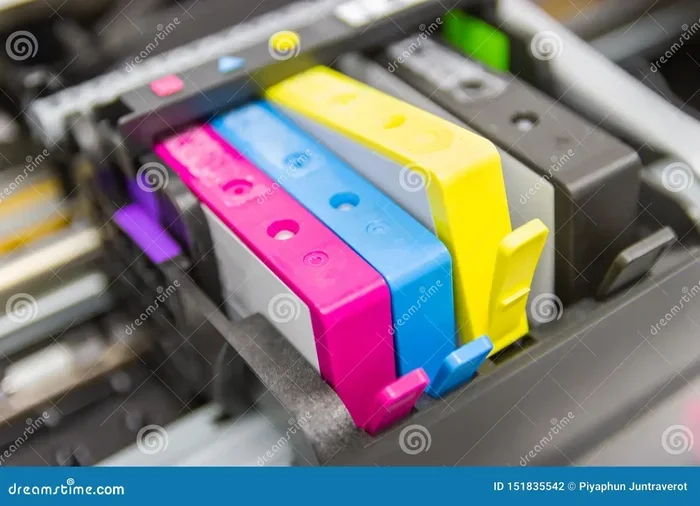
Inkjet printers spray tiny droplets of ink onto the label surface. These droplets mix to create a wide range of colors. The result is often vibrant and detailed, making inkjet a popular choice for product labels and marketing labels.
Inkjet color printing works well on many label materials, including paper, vinyl, and glossy stock. The print heads lay down cyan, magenta, yellow, and black ink in precise patterns. This process creates smooth gradients and sharp images. For businesses that need full-color labels with photographic quality, inkjet printers are a strong option.
Thermal Transfer Printing
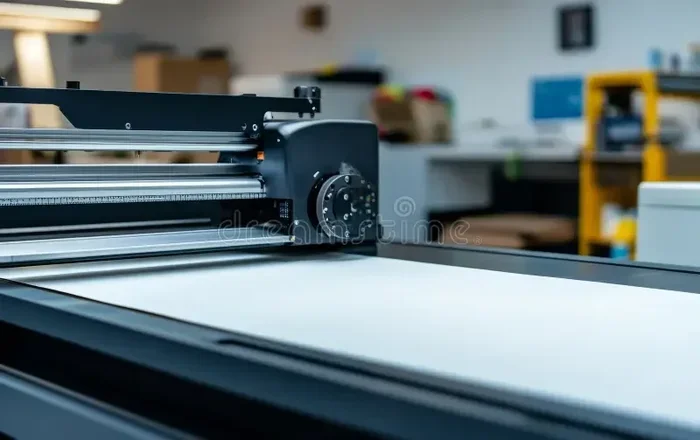
Thermal transfer printers use heat to transfer ink from a ribbon onto the label. While many thermal printers produce monochrome output, some models support color thermal printing using specialized ribbons. These printers are known for durability and resistance to fading, which makes them ideal for shipping labels and outdoor use.
Thermal transfer color printers are often used in industrial settings. They handle high-volume printing with consistent quality. The trade-off is that they tend to be more expensive upfront and require ribbon replacements.
Direct Thermal Printing with Color Options
Direct thermal printers use heat-sensitive paper to create images. Most direct thermal printers produce black-and-white output only. However, some newer models offer limited color capabilities. These printers are common for short-term labels like receipts and basic product tags.
If you need long-lasting, smudge-proof labels, direct thermal color printing may not be the best fit. But for quick, affordable labeling tasks, these machines work well.
Types of Label Printers That Support Color
Not every printer can handle color label printing effectively. Here are the main types of printers that support this feature, along with their best use cases.
Inkjet Label Printers
Inkjet label printers are the most versatile option for color output. They handle a wide range of label sizes and materials. Popular models include desktop units designed specifically for label sheets and standalone printers that accept roll-fed labels.
These printers shine when you need vibrant labels with photographs, logos, or complex graphics. Many small businesses rely on inkjet printers for product labeling because they produce professional-looking results at a reasonable cost.
- Pros: Excellent color quality, affordable entry price, supports many label materials.
- Cons: Slower print speeds, ink can smudge on certain surfaces, requires ink replacements.
Laser Label Printers with Color Capability
Color laser label printers use toner instead of liquid ink. They fuse toner onto the label surface using heat. Laser printers are known for fast print speeds and sharp text, which makes them great for business labels and high-volume tasks.
Color laser printers produce clean, professional output. They handle large print runs without slowing down. However, they tend to be bulkier and more expensive than inkjet alternatives. They also work best on specific label materials that can withstand the heat of the fusing process.
- Pros: Fast printing, sharp text, smudge-resistant output, lower cost per page.
- Cons: Higher upfront cost, limited material compatibility, larger footprint.
Dedicated Color Label Printers
Some manufacturers make printers specifically for labels. These dedicated color label printers combine the best features of inkjet and thermal technologies. They often include built-in label design software and automatic cutters.
Brands like Brother, Dymo, and Zebra offer models in this category. They are popular among retail businesses, warehouses, and event organizers. These printers simplify the entire labeling workflow, from design to cutting.
Portable Color Label Printers
For on-the-go labeling needs, portable color label printers offer a compact solution. These battery-powered units let you print labels anywhere. They are popular with field technicians, delivery drivers, and event staff.
While portable printers may not match the color quality of desktop models, they offer impressive convenience. They work well for basic color labels, name tags, and asset tags.
Benefits of Printing Labels In Color
Why invest in a color label printer? The benefits go far beyond aesthetics. Let us explore the key advantages.
Enhanced Brand Recognition
Color labels help your brand stand out. When products sit on a crowded shelf, a vibrant label design catches the eye. Consistent brand colors across your labels build trust and recognition. Studies show that colored labels improve customer recall by a significant margin.
Think about your favorite products. Chances are, their labels use bold colors and striking graphics. You can achieve the same effect for your own brand with a color label printer.
Better Information Organization
Color-coded labels make organization easier. You can assign different colors to product categories, priority levels, or departments. This visual system helps teams find what they need quickly and reduces errors.
For example, a warehouse might use red labels for urgent shipments and green labels for standard deliveries. This simple color system improves efficiency without requiring any special training.
Professional Appearance
Color labels look more polished than black-and-white alternatives. They convey professionalism and attention to detail. Whether you are printing product labels for an e-commerce store or event badges for a conference, color makes a strong impression.
First impressions matter. A well-designed color label signals quality and care. It tells your customers that you take your brand seriously.
Improved Readability and Scan Accuracy
Color can enhance barcode readability and label scannability. Some barcode scanners perform better on color backgrounds. Adding a colored border or background to your barcode labels can reduce scanning errors in busy warehouse environments.
However, it is important to test your color combinations. Certain color pairs can interfere with barcode scanning. Always verify that your color barcode labels scan correctly with your specific equipment.
Color vs. Black-and-White Labels: Which Is Right for You?
Deciding between color labels and black-and-white labels depends on your needs. Let us compare the two options side by side.
| Feature | Color Labels | Black-and-White Labels |
|---|---|---|
| Visual Impact | High | Low |
| Brand Recognition | Strong | Limited |
| Cost Per Label | Higher | Lower |
| Print Speed | Slower | Faster |
| Durability | Varies by printer | Generally good |
| Best For | Product labels, marketing | Shipping, internal use |
For most consumer-facing applications, color labels are the better choice. They attract attention and communicate brand identity. However, if you are printing large volumes of shipping labels or internal reference tags, black-and-white may be more practical and cost-effective.
Many businesses use both. They print colorful product labels with a color label printer and use black-and-white for internal logistics. This hybrid approach balances visual impact with efficiency.
Tips for Getting the Best Color Label Prints
Getting great results from your color label printer requires some know-how. Follow these practical tips to improve your print quality.
Choose the Right Label Material
Not all label materials produce the same color quality. Glossy labels tend to make colors pop, while matte labels offer a more subtle look. Vinyl and synthetic materials provide durability but may require specific ink types.
Before buying labels in bulk, print a test sheet first. Check how the colors look on your chosen material. This simple step saves time and prevents wasted supplies.
Use High-Quality Design Files
Your label design file matters just as much as the printer. Start with high-resolution images and vector graphics. Low-resolution images will look pixelated on labels, no matter how good your printer is.
Design your labels at the actual size you will print. This ensures that text and graphics are sharp and properly scaled. Most label design software lets you set the exact dimensions of your labels.
Calibrate Your Printer Regularly
Printer calibration keeps your color output consistent and accurate. Over time, print heads can drift, causing colors to shift. Most printers include calibration tools in their software. Run a calibration test at least once a month for best results.
Also, make sure your printer settings match your label material. Selecting the wrong paper type or print quality can affect color accuracy and drying time.
Manage Your Ink or Toner Levels
Running low on ink or toner affects color quality. Faded colors and streaky prints are common signs of low supplies. Replace cartridges before they run completely empty to maintain consistent label print quality.
Some printers include ink level indicators that alert you when supplies are running low. Pay attention to these warnings and stock up in advance.
Let Labels Dry Completely
Freshly printed color labels need time to dry, especially with inkjet printers. Handling wet labels can cause smudging and color transfer. Allow labels to dry fully before peeling them from the sheet or rolling them onto a spindle.
If you need to handle labels immediately, consider using a label drying tray or allowing prints to sit for a few minutes. This small step makes a big difference in the final result.
Common Problems With Color Label Printing and How to Fix Them
Even the best color label printer can encounter issues. Here are some common problems and their solutions.
Faded or Dull Colors
If your labels look faded, check your ink levels first. Low ink is the most common cause. Also, verify that you are using the correct print quality setting. Draft mode saves ink but sacrifices color vibrancy.
Another culprit is the label material itself. Some papers absorb ink differently, which can dull colors. Switching to a higher-quality label stock often fixes this problem.
Color Misalignment
When colors print out of alignment, the result looks blurry or striped. This usually happens when the print head is dirty or the media settings are incorrect. Run the printer’s cleaning cycle and recheck your settings.
Misalignment can also occur if you recently changed label sizes without updating the software settings. Always match your software configuration to the physical label dimensions.
Smudging and Smearing
Wet ink smears easily, especially on glossy or synthetic label materials. To prevent smudging, use labels designed for your printer type. Many manufacturers sell label stock specifically formulated for inkjet or laser printers.
If smudging persists, try reducing the print quality slightly or increasing the drying time between prints. Some printers offer a “slow print” mode that allows ink to set before the label exits the machine.
Data Formatting Issues
Sometimes the problem is not with the printer but with the data source. If you are pulling label information from a spreadsheet, formatting errors can cause printing problems. For instance, if you run into a situation where a line won’t delete in Microsoft Excel, it can throw off your entire label layout. Double-check your data source for hidden characters or formatting issues before printing.
Keeping your data clean and well-organized is essential for smooth label printing. Use simple, consistent formatting in your spreadsheets and databases.
How to Choose the Right Color Label Printer
With so many options available, choosing the right color label printer can feel overwhelming. Here are the key factors to consider.
Print Volume
How many labels do you print per day or per week? High-volume users need a printer with a fast print speed and a large paper capacity. Low-volume users can save money with a basic desktop model.
Consider your future needs too. If your business is growing, investing in a higher-capacity printer now can save you from upgrading later.
Color Quality Requirements
Do you need photo-quality labels or simple colored text and graphics? Product labels with photographs demand higher resolution and better color accuracy. Basic shipping labels with colored headers can look great on a lower-resolution printer.
Look for printers with a resolution of at least 300 DPI for good color quality. For photographic labels, aim for 600 DPI or higher.
Budget
Color label printers range from affordable desktop models to professional-grade machines. Set a realistic budget that accounts for both the printer and ongoing supplies like ink, toner, and label stock.
Remember that the cheapest printer often has the highest cost per label. Factor in consumable costs when comparing options.
Connectivity and Software
Modern printers offer multiple connectivity options, including USB, Wi-Fi, and Bluetooth. Wireless connectivity lets you print from any device in your workspace. Some printers also support mobile printing, which is handy for quick jobs on the go.
The included software matters too. Look for printers that come with intuitive label design software. Good software makes it easy to create, edit, and print color labels without a steep learning curve.
Final Thoughts on Color Label Printing
The answer to the question “Can label printers print in color?” is a clear and enthusiastic yes. Color label printers have become more accessible, affordable, and capable than ever before. Whether you run a small e-commerce business, manage a warehouse, or organize events, a color printer can elevate your labeling game.
From vibrant product labels to organized warehouse tags, color printing adds value at every step. The key is choosing the right printer, using quality materials, and following best practices for setup and maintenance.
Take the time to explore your options. Test different printers and label stocks. With the right approach, you can create stunning labels that look professional and stand out on any shelf or shipping dock.
If you have ever dealt with data formatting issues that caused printing headaches, you know how important clean data preparation is. A well-organized spreadsheet makes all the difference, and if you encounter any technical hiccups along the way, resources like troubleshooting guides for common spreadsheet problems can help you stay on track and keep your label printing workflow running smoothly.
Frequently Asked Questions
Can any printer print color labels?
Not every printer can print color labels effectively. Standard office printers can handle some label sheets, but dedicated color label printers deliver much better results. They are designed to handle adhesive materials, maintain color accuracy, and produce durable labels that resist smudging and fading.
What is the best type of color label printer for a small business?
For most small businesses, an inkjet color label printer offers the best balance of quality and affordability. Inkjet printers produce vibrant colors, handle various label materials, and come at a reasonable price point. If you need faster printing for higher volumes, a color laser printer may be a better fit.
Do color labels cost more than black-and-white labels?
Yes, color labels generally cost more per label. The price difference comes from ink or toner costs and the specialized label materials needed for optimal color printing. However, the added visual impact and brand recognition often justify the extra expense for consumer-facing products.
Can I print colored barcodes on my labels?
You can print colored barcodes, but you need to be careful. Some barcode scanners struggle to read barcodes printed in certain colors. Always test your colored barcode labels with your specific scanner to ensure they scan accurately. Black barcodes on a white or light background remain the most universally reliable option.
How do I make my color labels last longer?
To increase durability, use label materials designed for your printer type. Laminated labels and synthetic materials like polypropylene resist moisture, UV light, and abrasion. Also, allow printed labels to dry completely before handling them, and store unused labels in a cool, dry place.
Is it hard to design color labels?
Not at all. Most color label printers come with user-friendly design software. These programs include templates for common label sizes and pre-designed elements like logos and borders. You do not need graphic design experience to create professional-looking color labels. Simply choose a template, customize the text and colors, and print.