Can Iphone Charge With Usb Everything You Need To Know
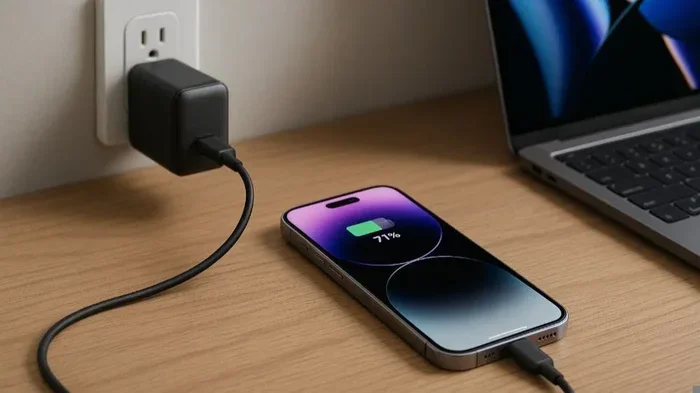
Yes, your iPhone can charge with USB — it is one of the most common and convenient ways to power up your device. Whether you use a USB-A port on an older computer or a USB-C connection on newer models, charging your iPhone through USB is simple and widely supported. This guide covers everything from iPhone charging speeds to cable compatibility and troubleshooting tips.
Have you ever plugged your iPhone into a USB port and wondered if it was actually charging? Maybe you were at an airport, sitting at a desk, or using a portable battery pack. The good news is that iPhone USB charging works on virtually every iPhone model. It is one of the simplest and most reliable ways to keep your device powered throughout the day.
But not all USB charging is the same. The type of cable, the USB port version, and the power source all play a role in how fast your phone charges. In this guide, we will walk you through everything you need to know about charging your iPhone with USB. You will learn which cables work, how to speed up charging, and what to do when things go wrong.
Whether you have the latest iPhone 15 with USB-C or an older model with a Lightning connector, this article has you covered. We will break down the technical details in plain language so you can make the best choices for your device. Let us dive right in.
Key Takeaways
- USB Charging Works on All iPhones: Every iPhone model can charge through a USB connection using the right cable and power source.
- USB-C Is the Future: Newer iPhone models use USB-C for faster charging and data transfer, while older models rely on Lightning cables.
- Charging Speed Varies: The USB port type, cable quality, and power adapter all affect how quickly your iPhone charges.
- Common Issues Are Fixable: Most USB charging problems can be solved with simple steps like cleaning the port or updating iOS.
- Use Quality Accessories: Always choose certified cables and chargers to protect your iPhone battery and ensure safe charging.
📑 Table of Contents
How iPhone Charging With USB Works
Charging an iPhone through USB is straightforward, but there are a few things happening behind the scenes. When you connect your iPhone to a USB power source, electrical current flows through the cable into your device’s battery. The rate of that flow determines how fast your phone charges.
USB stands for Universal Serial Bus. It was originally designed to connect peripherals like keyboards and printers to computers. Over time, USB evolved to carry power as well. Today, USB ports on laptops, wall adapters, and car chargers can deliver enough energy to charge your iPhone fully.
Understanding the Lightning Connector
For years, Apple used its proprietary Lightning connector on iPhones. This small, reversible plug connects to a USB cable on one end and a Lightning port on your iPhone on the other. Most people are very familiar with this setup. You plug the USB end into a charger or computer, and the Lightning end goes into your phone.
The Lightning connector supports both charging and data transfer. This means you can sync your iPhone with a computer while it charges. If you ever need to manage your device settings, such as adding prefixes to numbers on iPhone for better contact organization, connecting via USB is the way to go.
USB-A vs USB-C: What Is the Difference?
You have probably seen two main types of USB ports: USB-A and USB-C. They look very different and serve slightly different purposes.
USB-A is the flat, rectangular port you find on older computers, wall chargers, and car consoles. It has been around for decades and is still widely used. When you plug a Lightning cable into a USB-A port, your iPhone charges at a standard rate.
USB-C is a smaller, oval-shaped connector that replaced Lightning starting with the iPhone 15 series. USB-C offers faster data transfer and quicker charging. It is also a universal standard used by many Android phones, tablets, and laptops. This means one cable can charge multiple devices, which is incredibly convenient.
| Feature | USB-A | USB-C |
|---|---|---|
| Shape | Flat and rectangular | Small and oval |
| Charging Speed | Standard (5W to 12W) | Fast (up to 20W and beyond) |
| Data Transfer | Slower (USB 2.0 or 3.0) | Faster (USB 3.0 and up) |
| iPhone Models | iPhone 14 and older | iPhone 15 and newer |
| Reversible? | No | Yes |
The shift from USB-A to USB-C is a big deal for iPhone users. If you recently switched to a newer model, you may need to update your charging accessories. The good news is that USB-C cables and chargers are now affordable and widely available.
Which iPhones Support USB Charging
Every iPhone made in the last fifteen years can charge through USB. However, the type of cable and port varies by model. Here is a quick breakdown of which iPhones use which charging method.
iPhone Models and USB Compatibility
Apple has used two main connector types over the years. Understanding which one your iPhone uses helps you pick the right cable and charger.
Lightning Connector Models:
- iPhone 5 through iPhone 14
- iPhone SE (all generations)
- These models use a Lightning cable that plugs into a USB-A or USB-C power source
USB-C Connector Models:
- iPhone 15 and iPhone 15 Plus
- iPhone 15 Pro and iPhone 15 Pro Max
- iPhone 16 and newer models
- These models use a USB-C cable that connects directly to USB-C ports
If you are unsure which connector your iPhone has, look at the charging port on the bottom of your device. A Lightning port is smaller and has a flat edge. A USB-C port is slightly larger and has a symmetrical oval shape.
One important thing to note: even older Lightning iPhones can charge through a USB-C port if you use the right cable. Apple sells Lightning to USB-C cables that bridge the gap between old and new hardware. This flexibility makes it easy to mix and match accessories.
How Fast Can You Charge an iPhone With USB
Charging speed is one of the most common concerns for iPhone users. Nobody wants to wait hours for their phone to power up. The good news is that USB charging speed depends on several factors, and most of them are within your control.
USB Charging Speeds Compared
Different USB ports and adapters deliver different amounts of power. Power is measured in watts (W). The higher the wattage, the faster your iPhone charges. Here is a simple comparison of common USB charging scenarios.
| Charging Method | Typical Power Output | Approximate Charge Time |
|---|---|---|
| USB-A computer port | 2.5W to 5W | 3 to 4 hours |
| USB-A wall charger (5W) | 5W | 2.5 to 3 hours |
| USB-A wall charger (12W) | 12W | 1.5 to 2 hours |
| USB-C wall charger (20W) | 20W | 1 to 1.5 hours |
| USB-C fast charger (30W+) | 30W+ | 30 to 45 minutes (0 to 50%) |
As you can see, a USB-C fast charger dramatically reduces charging time. If you have an iPhone 15 or newer, investing in a quality USB-C power adapter is one of the best decisions you can make.
What Affects Charging Speed?
Several factors influence how quickly your iPhone charges via USB. Here are the most important ones to keep in mind.
- Cable Quality: Cheap or damaged cables limit power delivery. Always use certified cables from Apple or trusted brands.
- Power Adapter Wattage: A higher-wattage adapter charges faster. A 5W adapter is slow; a 20W or higher adapter is much better.
- USB Port Version: USB 3.0 ports deliver more power than USB 2.0 ports. Look for blue inserts inside the port to identify USB 3.0.
- iPhone Case: Thick cases can trap heat, which slows down charging. Remove the case if you notice your phone getting warm.
- Background Activity: Apps running in the background use power while charging. Close unnecessary apps for faster results.
Another factor many people overlook is ambient temperature. iPhones charge best between 62°F and 72°F (16°C to 22°C). If it is very hot or very cold, your iPhone may slow down charging to protect the battery.
Common USB Charging Problems and Fixes
Even though USB charging is simple, things sometimes go wrong. Your iPhone might not charge, it might charge slowly, or the cable might keep falling out. Here are the most common issues and how to fix them.
iPhone Not Charging When Connected to USB
This is frustrating, but it is usually easy to fix. Start with these basic steps:
- Check the cable: Try a different USB cable. Cables wear out over time, and frayed ends stop working.
- Try a different port: Plug into another USB port on your computer or use a different wall adapter.
- Clean the charging port: Dust and lint can build up inside the port. Use a soft, dry brush or a wooden toothpick to gently remove debris.
- Restart your iPhone: A simple restart can reset the charging circuit and resolve software glitches.
- Update iOS: Go to Settings > General > Software Update to make sure your iPhone is running the latest version.
Slow Charging Issues
If your iPhone charges very slowly, the problem is usually related to power output or cable quality. Here are some quick fixes.
- Use a wall charger instead of a computer USB port. Computer ports deliver less power.
- Switch to a USB-C to USB-C cable if your iPhone supports it. USB-C cables handle more power than Lightning cables.
- Avoid charging your iPhone while using it heavily. Gaming or streaming while charging creates heat and slows the process.
- Turn on Airplane Mode. This reduces background activity and lets your phone charge faster.
Loose or Unstable Connection
If your cable wobbles or falls out of the port easily, the port or the cable connector may be damaged. Try a different cable first. If the problem persists, the charging port on your iPhone might need professional cleaning or repair. Avoid forcing the cable in, as this can make the damage worse.
Best USB Chargers and Cables for iPhone
Choosing the right charger and cable makes a big difference in your daily charging experience. Not all accessories are created equal, and some are much better than others.
What to Look for in a USB Charger
When shopping for a USB charger for your iPhone, keep these factors in mind.
- Power Output: Look for at least 20W for fast charging. Higher wattage chargers (30W to 60W) work too and can charge other devices simultaneously.
- Port Type: For iPhone 15 and newer, choose a USB-C charger. For older models, USB-A to Lightning cables work fine.
- Certification: Look for MFi certification (Made for iPhone). This ensures the accessory meets Apple’s safety standards.
- Portability: If you travel often, consider a compact GaN (Gallium Nitride) charger. These are small, lightweight, and deliver high power.
Top Cable Recommendations
A good cable is just as important as a good charger. Here are some reliable options.
- Apple USB-C to USB-C Cable: The official cable for iPhone 15 and newer. Fast, durable, and MFi certified.
- Apple USB-A to Lightning Cable: Works with older iPhones and standard USB-A chargers. Reliable and widely available.
- Anker or Belkin USB-C Cables: Third-party options that offer excellent quality at lower prices. Look for braided designs for extra durability.
Remember, a cheap cable might seem like a good deal, but it can limit your charging speed or even damage your battery over time. Always go with trusted brands and certified products.
Tips to Extend iPhone Battery Life
Charging your iPhone properly is one of the best ways to keep its battery healthy over the long term. Small habits can add up and significantly extend the lifespan of your battery.
Best Charging Habits
- Charge in Short Bursts: You do not need to wait for your iPhone to drain completely before charging. In fact, keeping your battery between 20% and 80% is ideal.
- Enable Optimized Battery Charging: Go to Settings > Battery > Battery Health & Charging and turn on Optimized Battery Charging. This learns your daily routine and slows charging past 80% to reduce wear.
- Avoid Extreme Temperatures: Keep your iPhone at room temperature while charging. Heat is the biggest enemy of lithium-ion batteries.
- Use a Stable Power Source: Plug into a wall outlet rather than a flimsy USB hub. Stable power reduces stress on the battery.
What to Avoid
- Do not leave your iPhone plugged in overnight every night, even with optimized charging enabled.
- Avoid using your iPhone for intensive tasks while it charges. This generates excess heat.
- Do not use third-party chargers that are not MFi certified. They may not regulate power properly.
Following these simple tips can add years to your iPhone battery life. A healthy battery means fewer charging sessions and better overall performance.
Expert Insights on iPhone USB Charging
Over the years, USB charging technology has improved dramatically. Apple made the switch to USB-C for a reason — it is faster, more versatile, and more future-proof. If you are still using an older USB-A setup, now is a great time to upgrade your accessories.
One thing many people do not realize is that the USB cable matters just as much as the charger. A high-quality cable with proper shielding ensures consistent power delivery and protects your iPhone from voltage spikes. Always inspect your cables regularly for signs of wear, such as fraying or exposed wires.
Another expert tip is to keep a spare cable at your desk, in your car, and in your bag. Having multiple cables ensures you are never stuck with a dead phone. And if you are managing multiple Apple devices, consider investing in a multi-port USB-C charger. These allow you to charge your iPhone, iPad, and Apple Watch simultaneously from a single outlet.
Finally, stay up to date with iOS updates. Apple regularly includes battery and charging optimizations in its software releases. Keeping your iPhone updated ensures you always have the latest improvements for charging efficiency and battery health.
Key Takeaways
- Every iPhone Can Charge via USB: All iPhone models support USB charging, whether through Lightning or USB-C connectors.
- USB-C Is Faster and More Versatile: Newer iPhones benefit from USB-C’s faster charging speeds and universal compatibility.
- Charging Speed Depends on Your Accessories: The right cable and power adapter can cut your charging time in half.
- Most Charging Problems Have Simple Fixes: Clean the port, try a different cable, and update iOS before assuming hardware failure.
- Good Habits Extend Battery Life: Charge in short bursts, avoid extreme heat, and use optimized battery charging features.
- Invest in Quality Accessories: Certified cables and chargers protect your iPhone and ensure safe, efficient charging every time.
Frequently Asked Questions
Can I charge my iPhone with any USB cable?
Most USB cables will charge your iPhone, but the speed and compatibility depend on the connector type. If you have an iPhone 15 or newer, you need a USB-C cable. For older models, a Lightning cable works with USB-A or USB-C power sources. Always use MFi-certified cables for the best results and safety.
Why is my iPhone charging slowly on USB?
Slow charging usually happens because of a low-power USB port, a damaged cable, or background app activity. Try using a wall charger instead of a computer port, switch to a higher-wattage adapter, and close apps that are running in the background. Cleaning the charging port can also help improve the connection.
Is it safe to charge my iPhone with a USB-C charger?
Yes, it is completely safe. In fact, USB-C charging is the recommended method for iPhone 15 and newer models. Apple designs its devices to handle USB-C power delivery safely. Just make sure to use a certified charger and cable to avoid any risks.
Can I use a USB hub to charge my iPhone?
Yes, you can charge your iPhone through a USB hub, but the charging speed may be slower than using a direct wall charger. USB hubs typically deliver less power than dedicated chargers. If you need fast charging, plug your iPhone directly into a wall adapter instead.
How long does it take to charge an iPhone with USB?
Charging time varies based on the USB power source and your iPhone model. A standard 5W USB-A charger takes about 2.5 to 3 hours. A 20W USB-C charger can charge your iPhone to 50% in about 30 minutes and fully charge it in 1 to 1.5 hours. Using a fast charger significantly reduces the wait time.
Do I need a special charger for iPhone 15?
iPhone 15 models use USB-C, so you need a USB-C to USB-C cable and a USB-C power adapter. You do not need anything special beyond a quality USB-C charger rated at 20W or higher. If you are upgrading from an older iPhone, you may need to replace your Lightning cables and adapters.
=== CONCLUSION ===
The answer to the question can iPhone charge with USB is a resounding yes. Every iPhone model supports USB charging, and the technology has only improved over the years. From standard USB-A connections to the faster USB-C standard, you have plenty of options to keep your iPhone powered up throughout the day.
By choosing the right cable, using a quality power adapter, and following good charging habits, you can enjoy fast, safe, and reliable charging every single time. Small changes like switching to a USB-C fast charger or enabling optimized battery charging can make a big difference in the long run.
We hope this guide has answered all your questions about iPhone USB charging. Whether you are troubleshooting a slow connection or looking for the best accessories, the tips and information in this article should help you get the most out of your device. Charge smart, protect your battery, and keep your iPhone ready for whatever the day throws at you.