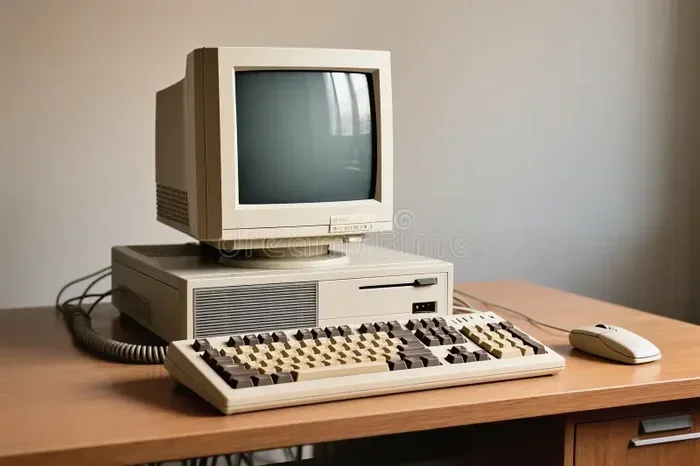
Can I Use An Old CRT TV As A Computer Monitor In 2024
Can I Use An Old CRT TV As A Computer Monitor? The short answer is yes, you absolutely can, but there are important things to know first. Using an old CRT television as a PC monitor is possible with the right cables, adapters, and a bit of patience. You will find that the experience feels very different from modern flat-screen displays. This guide covers everything you need to know about setup, picture quality, compatibility, and whether this retro approach makes sense in 2024. Read on to discover if this old-school setup is right for your needs.
If you have an old CRT TV sitting in a closet or garage, you might be wondering whether it can double as a computer monitor. The idea of repurposing an old CRT television is appealing. It saves money. It keeps old electronics out of landfills. And there is something charming about using a classic display. But can an old CRT TV really work as a functional computer monitor in 2024? The answer is more nuanced than a simple yes or no. Let us walk through everything you need to know.
Using a CRT television as a PC monitor is not a new idea. People have been doing it for decades. The technology is simple. A CRT TV receives a video signal and displays it on a screen using electron beams. Modern computers send video signals through ports like VGA, HDMI, or DisplayPort. The challenge is bridging that gap. With the right cables and adapters, you can make it work. But the experience will not match what you get from a dedicated computer monitor.
In this article, we will explore every aspect of using an old CRT TV as a computer monitor. We will cover connection methods, picture quality, performance, pros and cons, and common problems. By the end, you will know exactly whether this setup is right for you. Let us dive in.
Key Takeaways
- Yes, you can use an old CRT TV as a computer monitor with the right connections and adapters.
- Picture quality will differ significantly from modern LCD or LED monitors.
- Input lag and refresh rate may be lower than what modern monitors offer for fast tasks.
- Multiple connection types are available, including VGA, composite, and S-Video cables.
- CRT TVs work well for retro gaming and casual computing tasks like browsing and word processing.
- Screen burn-in is a real concern with prolonged static image use on CRT displays.
- It can be a budget-friendly option if you already own an old CRT TV lying around.
📑 Table of Contents
What Is a CRT TV and Why Use It as a Computer Monitor?
A CRT TV, or cathode ray tube television, is the old type of bulky television that was the standard for decades. These TVs use a vacuum tube called a picture tube to display images. Electron beams scan across the screen and light up phosphor dots to create the picture you see. This is very different from modern flat-screen TVs that use LCD, LED, or OLED technology.
So why would anyone want to use a CRT TV as a computer monitor? There are several reasons. Some people have old CRT TVs collecting dust and do not want to throw them away. Others enjoy the retro aesthetic and nostalgic feel of using vintage equipment. Some gamers prefer the look of CRT displays for old-school games. And budget-conscious users may not want to spend money on a new monitor.
Understanding CRT Display Technology
CRT displays have some unique characteristics. They offer a very fast refresh rate compared to old LCD panels. The response time is nearly instant because the phosphors light up immediately. This makes CRT TVs great for motion-heavy content. The dot pitch, which is the distance between phosphor dots, affects image sharpness. A smaller dot pitch means a crisper picture. CRT TVs also have a curved screen, which can feel different when you are used to flat panels.
The analog signal nature of CRT TVs is important to understand. They were designed to receive analog video signals from cable antennas or VCRs. Modern computers output digital signals. This mismatch is the core challenge when trying to use a CRT TV as a computer display. You need the right hardware to convert or bridge this gap.
Who Benefits Most From This Setup?
Not everyone will benefit from using a CRT TV as a monitor. The best candidates include retro gaming enthusiasts who want to play classic games on period-correct hardware. People who work with older computers or do retro computing projects also find this useful. Budget users who need a second display for basic tasks can make it work too. If you just need to check email or write documents, a CRT TV can handle the job. But if you need sharp text for graphic design or coding, you will be disappointed.
How to Connect an Old CRT TV to Your Computer
Connecting an old CRT television to a computer is the first step. The method you choose depends on the ports available on both your TV and your PC. Let us look at the options.
VGA Connection
The VGA connection is the most common and straightforward method. Many CRT TVs from the late 1990s and 2000s have a VGA input port. This is great news because computers also use VGA. You simply need a VGA cable. Plug one end into your computer and the other into the TV. This gives you a direct analog connection with decent image quality.
If your computer does not have a VGA port, you can use a VGA adapter. Many modern laptops and desktops have moved to HDMI or USB-C. A simple HDMI to VGA adapter will do the trick. These adapters are inexpensive and widely available. Just keep in mind that VGA carries an analog signal, so the image quality depends on the adapter quality.
Composite Video Connection
Composite video is the old yellow RCA connector you see on the back of many CRT TVs. Most computers do not have a composite output directly. To use this method, you need a VGA to composite converter. These converters take the VGA signal from your PC and turn it into a composite video signal the TV can display.
The picture quality with composite is lower than VGA. You will notice more color bleeding and reduced sharpness. But for basic tasks like web browsing or word processing, it works fine. Composite video is also useful when VGA is not available on the TV side.
S-Video Connection
S-Video, or Separate Video, offers better quality than composite. It splits the color and brightness signals into two separate channels. Some CRT TVs have an S-Video input. To use this, you need a VGA to S-Video converter. The image will look cleaner than composite but still not as sharp as VGA.
S-Video is a middle-ground option. It is better than composite but not as common as VGA. Check your TV for an S-Video port before buying a converter. These converters can be a bit harder to find than VGA to composite adapters.
HDMI and Modern Adapters
Some newer CRT TVs or CRT-style monitors include HDMI inputs. This makes the connection very easy. You just use a standard HDMI cable. However, true CRT TVs rarely have HDMI. If your TV does, it is likely a CRT-flat hybrid from the early 2000s. In that case, you have the easiest setup possible. Just plug in and go.
For standard CRT TVs without HDMI, you can use an HDMI to VGA adapter on the computer side. This lets your computer output through VGA, which then connects to the TV. The signal chain is a bit longer, but it works.
Audio Considerations
Do not forget about sound. VGA and composite connections carry video only. If you want audio through the TV speakers, you need a separate audio cable. A 3.5mm headphone jack to RCA cable works well. Plug the 3.5mm end into your computer and the RCA ends into the TV audio inputs. Some VGA to composite converters also include audio passthrough, which simplifies things.
Picture Quality and Performance: What to Expect
The picture quality you get from a CRT TV as a computer monitor will be very different from a modern display. Understanding what to expect helps set realistic expectations.
Resolution and Sharpness
CRT TVs typically display at lower resolutions than modern monitors. Standard definition CRT TVs show 480i or 480p resolution. High-definition CRT models can display 720p or even 1080i, but these are rare. When you connect a computer, the TV may not display the full resolution of your desktop. Text will look softer and less crisp compared to a modern LCD monitor.
The pixel density on a CRT TV is much lower than on a modern monitor. Pixel density refers to how many pixels fit into each inch of screen space. Because CRT screens are large and the resolution is low, individual pixels are more visible. This makes fine text harder to read, especially at smaller font sizes.
Refresh Rate and Motion
One area where CRT TVs actually shine is refresh rate. CRT displays can support very high refresh rates, often 75Hz, 85Hz, or even higher. Modern flat-screen monitors typically run at 60Hz. A higher refresh rate means smoother motion and less eye strain during long computing sessions. If you can set your CRT TV to a high refresh rate, the experience feels surprisingly responsive.
Input lag is another factor. Input lag is the delay between your mouse movement and what appears on screen. CRT TVs have very low input lag because the phosphors respond almost instantly. This makes them surprisingly good for fast-paced tasks and gaming, especially retro games.
Color Accuracy and Contrast
CRT TVs have a unique color profile. The colors tend to be warm and slightly saturated. Blacks on a CRT are not true black because the phosphors glow even at low brightness. This gives CRT images a distinctive look that many people find appealing. The contrast ratio on CRT TVs is decent but not comparable to modern OLED or high-end LED displays.
Color accuracy varies widely between CRT TV models and brands. Some CRT TVs have excellent color reproduction, while others look washed out or overly warm. The age and condition of the tube also affect color quality. A well-maintained CRT TV will look much better than one that has been sitting unused for years.
Screen Geometry and Distortion
CRT screens can have geometry issues. The image might be slightly curved or distorted at the edges. Some CRT TVs have geometry settings in the menu that let you adjust this. You can tweak the size, position, and shape of the image to get it looking right. These adjustments are important for a comfortable computing experience.
Burn-in is another concern with CRT displays. Burn-in happens when a static image is displayed for too long and leaves a ghost impression on the screen. This is more common with older or damaged CRT tubes. To avoid burn-in, do not leave the same screen image on for hours without moving or changing the display.
Quick Tip: Use a screensaver or set your computer to turn off the display after a few minutes of inactivity. This helps prevent screen burn-in on your CRT TV.
Pros and Cons of Using a CRT TV as a Computer Monitor
Every setup has advantages and disadvantages. Let us look at both sides of using a CRT TV as a computer monitor.
The Pros
- Cost savings: If you already own a CRT TV, you save the money you would spend on a new monitor.
- Large screen size: CRT TVs are typically 19 to 36 inches, giving you a big display area for multitasking.
- High refresh rates: CRT displays can run at 75Hz or higher, reducing eye strain and improving motion smoothness.
- Low input lag: The fast response time of CRT tubes makes for a responsive experience.
- Retro charm: There is a nostalgic appeal to using vintage technology that many people enjoy.
- Durability: CRT TVs are built like tanks. They can handle bumps and drops that would damage modern flat screens.
- Great for retro gaming: Old games look fantastic on CRT displays with their scan lines and warm colors.
The Cons
- Heavy and bulky: CRT TVs are extremely heavy and take up a lot of desk space. Moving one is a workout.
- Lower resolution: Text and fine details will not look as sharp as on a modern monitor.
- Limited connectivity: CRT TVs usually only have VGA, composite, or S-Video inputs. No USB hubs or modern ports.
- Burn-in risk: Static images can leave permanent marks on the screen over time.
- Power consumption: CRT TVs use much more electricity than modern LED monitors. Your power bill will go up.
- Weight and wall mounting: Mounting a CRT TV is difficult and requires serious wall support.
- Aging tubes: Old CRT tubes can dim over time, develop spots, or lose color accuracy.
Expert Insight: Retro computing enthusiasts often prefer CRT displays for their authentic look and feel. The scan lines and warm glow of a CRT screen create an experience that modern flat panels simply cannot replicate. If you are into vintage computing or retro gaming, a CRT TV is hard to beat.
Common Problems and How to Fix Them
Using a CRT TV as a computer monitor comes with some common challenges. Here are the issues you might face and how to solve them.
No Signal or Black Screen
If your TV shows a black screen or says “No Signal,” the first thing to check is the cable connection. Make sure the VGA or composite cable is firmly plugged in at both ends. Try a different cable if you have one available. Also check that your computer is outputting video through the correct port. Sometimes computers default to HDMI or DisplayPort even when a VGA cable is connected.
On Windows, press the Windows key plus P to open the display projection menu. Select “Extend” or “Duplicate” to send the signal to the external display. On a Mac, go to System Settings and look for Displays to configure the external output.
Image Too Large or Cut Off
A common issue is that the image extends beyond the edges of the CRT TV screen. This happens because the computer output resolution does not match what the TV can display. Go into your computer display settings and lower the resolution. Try 800×600 or 1024×768 for standard definition CRT TVs. The image should fit within the screen boundaries once the resolution matches the TV’s capabilities.
Wavy or Distorted Image
If the image looks wavy or bent, this is a geometry issue. Use the geometry settings in your TV menu to adjust the picture. Most CRT TVs have options for size, position, linearity, and pincushion correction. Adjust these until the image looks straight and properly sized. If the distortion is severe, the CRT tube may be aging and losing its calibration.
Poor Text Clarity
Text on a CRT TV will never look as sharp as on a modern monitor. To improve readability, increase the font size in your operating system settings. On Windows, go to Settings and adjust the scale and layout to 125% or 150%. On a Mac, use the Display settings to adjust the resolution and text size. Using a larger font makes a big difference in comfort.
Flickering Screen
Flickering can happen if the refresh rate is set too low. Go into your display settings and increase the refresh rate to 75Hz or higher if your CRT TV supports it. A higher refresh rate reduces flicker and makes the image more stable. If flickering persists, the CRT tube may be failing and may need professional attention or replacement.
Common Mistake: Many people try to use a CRT TV at modern resolutions like 1920×1080. This will not work well on standard definition CRT TVs. Always match your computer’s output resolution to what the TV can display.
Is It Worth It? Final Verdict for 2024
So, can you use an old CRT TV as a computer monitor in 2024? Yes, you can. But should you? That depends on your situation and what you plan to use it for.
If you already have an old CRT TV and need a second display for basic tasks, it works. Checking email, writing documents, and browsing the web are all doable. The large screen size is a bonus for multitasking. If you are a retro gaming enthusiast, a CRT TV is arguably the best way to play classic games. The image quality, refresh rate, and authentic look make old games shine.
However, if you need a primary display for work, creative projects, or anything that requires sharp text and accurate colors, a modern monitor is a much better choice. The lower resolution, reduced text clarity, and burn-in risk make CRT TVs impractical for heavy daily use. The power consumption and weight are also significant downsides in a modern workspace.
The bottom line is this. Using an old CRT TV as a computer monitor is a fun and practical project if you approach it with the right expectations. It is not a replacement for a modern monitor. But as a secondary display, a retro gaming setup, or a budget-friendly solution, it can work surprisingly well. Give it a try if you have the TV and the patience to set it up right.
Before you commit, test the connection first. Borrow the cables and adapters you need. Connect the TV to your computer and spend a few hours using it. See how the picture quality feels to you. Check for any issues with flickering, geometry, or burn-in. If everything works and you enjoy the experience, you have found a great use for an old CRT TV that would otherwise gather dust.
Remember that CRT technology is decades old. The tubes inside these TVs have a limited lifespan. If your CRT TV is very old, the image quality may have already degraded. A test session will tell you whether the TV is still in good enough condition to serve as a monitor. If the colors are faded, the geometry is badly distorted, or the screen has persistent burn-in marks, it may not be worth the effort.
In 2024, using a CRT TV as a computer monitor is more of a niche project than a practical everyday solution. But for the right person, in the right situation, it can be a rewarding and enjoyable experience. The key is knowing what you are getting into and having realistic expectations about the results.
So go ahead. Plug in that old CRT TV. Hook it up to your computer. Give it a try. You might be surprised at how much you enjoy the experience. And if it does not work out, at least you gave that old TV a second life instead of sending it to the landfill.
Frequently Asked Questions
Can I use any old CRT TV as a computer monitor?
Most CRT TVs can work as computer monitors, but the best results come from models with a VGA input. TVs with composite or S-Video inputs will work but with lower image quality. Check the back of your TV for available ports before trying this setup.
Will the picture quality be good enough for everyday use?
It depends on what you consider good. For basic tasks like web browsing and word processing, the picture quality is acceptable. For graphic design, video editing, or anything requiring sharp text and accurate colors, a modern monitor is far superior. CRT TVs have a unique look that some people find charming and others find outdated.
Is it safe to use a CRT TV for long periods as a monitor?
Using a CRT TV for extended periods is generally safe, but there are some risks. The biggest concern is screen burn-in from static images. To reduce this risk, use a screensaver, enable sleep mode, or change the display periodically. Also, CRT TVs consume more power and can get warm, so ensure proper ventilation around the unit.
What cables do I need to connect a CRT TV to a modern computer?
The most common setup requires a VGA cable if your TV has a VGA input. If your computer only has HDMI or USB-C ports, you need an HDMI to VGA adapter or a USB-C to VGA adapter. For TVs with only composite inputs, a VGA to composite converter is needed along with a yellow RCA cable for video and a 3.5mm to RCA cable for audio.
Can I play modern games on a CRT TV used as a monitor?
Playing modern games on a CRT TV is not recommended. The low resolution and limited input options make it impractical for current-generation games. However, retro games from the 1980s, 1990s, and early 2000s look fantastic on CRT displays. Many retro gaming enthusiasts consider CRT the best way to experience classic games.
How do I set up the display on my computer when using a CRT TV?
On Windows, go to Settings, then System, then Display. Click Detect to find the external display, then choose Extend or Duplicate. Adjust the resolution to match your CRT TV’s capabilities, usually 800×600 or 1024×768. On a Mac, go to System Settings, then Displays, and configure the external display there. Set the refresh rate as high as your CRT TV supports, ideally 75Hz or above.
=== CONCLUSION ===
Can I Use An Old CRT TV As A Computer Monitor? Yes, you can, and it can be a fun and practical project. Whether you are repurposing old hardware, exploring retro computing, or just looking for a big second screen, a CRT TV can serve the purpose. The setup is straightforward with the right cables and adapters. The picture quality will not match modern monitors, but it has its own unique appeal. Keep the pros and cons in mind, follow the setup tips, and enjoy the experience. Give that old CRT TV a new life and see what you think. You might just fall in love with the classic display.