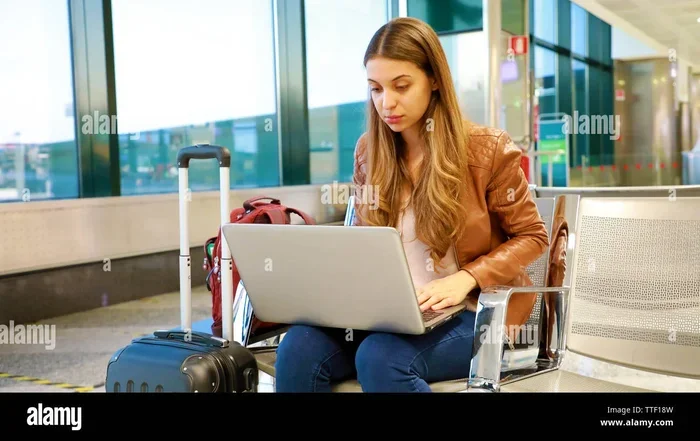
Can I Carry A Laptop Bag And A Handbag On My Flight
Yes, you can carry a laptop bag and a handbag on most flights, but it depends on your airline and ticket class. Airlines typically allow one carry-on bag and one personal item, which means your laptop bag and handbag can count as both. Understanding airline baggage policy, TSA rules, and size limits will save you time and stress at the airport.
Traveling with a laptop and a handbag can feel tricky. You want both items close at hand, but you also need to follow airline rules. The good news is that most carriers allow passengers to bring a laptop bag and a handbag on board. However, there are some important details you need to know. This guide breaks everything down so you can pack with confidence and skip the stress at the airport.
Whether you are heading out for a business trip or a weekend getaway, knowing the rules about cabin luggage makes a big difference. You will learn about airline hand luggage policy, TSA checkpoint procedures, and practical tips for carrying two bags comfortably. Let us dive in and make your next flight smoother.
Key Takeaways
- Most airlines allow one carry-on and one personal item: Your laptop bag and handbag can fit this rule if sized correctly.
- Size limits vary by airline: Always check your carrier’s specific dimensions for cabin baggage before flying.
- TSA has specific rules for electronics: Laptops may need to be removed at the checkpoint for screening.
- Pack smart with organizers: Use packing cubes and a laptop sleeve to keep both bags neat and accessible.
- Budget airlines are stricter: Low-cost carriers often enforce size and weight limits more rigorously.
- Gate agents have final say: If overhead bins are full, they may ask you to check one bag at the gate.
📑 Table of Contents
- Understanding Airline Baggage Rules
- Can You Bring Both a Laptop Bag and a Handbag?
- TSA Rules for Carrying Electronics and Bags
- Best Practices for Packing a Laptop Bag and Handbag Together
- Airline-Specific Policies You Should Know
- Common Mistakes Travelers Make
- Expert Tips for Stress-Free Travel with Two Bags
- Key Takeaways
- Conclusion
Understanding Airline Baggage Rules
Every airline has its own set of rules about what you can bring into the cabin. These rules are not the same across the board. Some carriers are generous, while others are very strict. Before you pack, it helps to understand the basics of carry-on luggage and personal item allowance.
What Counts as a Personal Item?
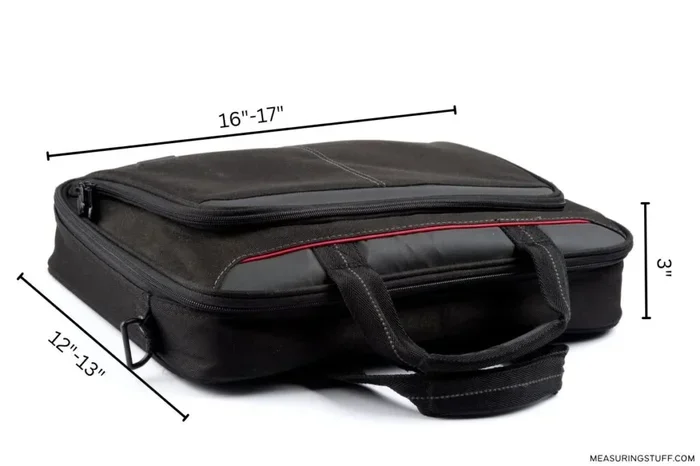
A personal item is something small that fits under the seat in front of you. It is usually smaller than a standard carry-on bag. Common examples include a purse, a small backpack, or a laptop sleeve. Most airlines define a personal item as something that measures no more than about 18 inches tall, 10 inches wide, and 12 inches deep. But these numbers can change, so always double-check with your specific carrier.
Your laptop bag and handbag can both qualify as a personal item and a carry-on, depending on their size. A large tote might count as a carry-on, while a smaller crossbody bag fits the personal item category. The key is to measure your bags before you leave home.
What Counts as a Carry-On Bag?
A carry-on bag goes into the overhead bin above your seat. Standard dimensions are usually around 22 inches by 14 inches by 9 inches. This is the bag that holds most of your essentials. If your laptop bag is bigger than a personal item, it likely counts as your carry-on. In that case, your handbag would need to be small enough to slide under the seat.
Some travelers try to bring two full-sized carry-on bags. This rarely works. Gate agents are trained to spot oversized luggage, and they will ask you to check one bag. That can cause delays and frustration right before boarding.
Can You Bring Both a Laptop Bag and a Handbag?
The short answer is yes. Most airlines let you bring a laptop bag and a handbag as long as one fits the carry-on size limit and the other fits the personal item limit. This is a common setup for travelers who need their laptop handy and want a stylish bag for other essentials.
How Airlines View Multiple Bags
Airlines generally allow one carry-on bag plus one personal item per passenger. Your two bags just need to fit into these two categories. Here is how it usually works:
- Carry-on bag: Goes in the overhead bin. Must meet the airline’s size requirements.
- Personal item: Goes under the seat in front of you. Must be smaller than the carry-on.
If your laptop bag is compact and fits under the seat, it counts as your personal item. If your handbag is larger, it might be your carry-on. The reverse is also true. The important thing is that both bags meet the size rules for their assigned category.
Does Your Ticket Type Matter?
Yes, it absolutely does. Ticket class plays a big role in your baggage allowance. Here is a quick look at how it breaks down:
- Economy Basic: Often allows only a personal item. A second bag may cost extra.
- Economy Standard: Usually allows one carry-on and one personal item.
- Premium Economy: Typically includes a carry-on and personal item, sometimes with more generous size limits.
- Business and First Class: Almost always include a carry-on and personal item, and sometimes even an extra bag.
If you are flying budget airlines, check their policy carefully. Low-cost carriers like Ryanair or Spirit often charge for any bag beyond the smallest personal item. This can make carrying both a laptop bag and a handbag more complicated and expensive.
TSA Rules for Carrying Electronics and Bags
The Transportation Security Administration, or TSA, has its own set of rules for what you can bring through the checkpoint. These rules apply to all passengers flying within the United States and through US airports. Knowing these rules ahead of time helps you move through security faster and with less stress.
Laptop Screening Procedures
At the TSA checkpoint, you will likely need to remove your laptop from its bag. TSA agents want to get a clear X-ray image of the device. This is why many travelers use a dedicated laptop sleeve or a bag with a separate laptop compartment. It makes the process smoother and faster.
Some newer airports have TSA PreCheck lanes. If you have TSA PreCheck, you can keep your laptop inside your bag. This is a huge time saver and makes traveling with a laptop bag and handbag much more convenient.
Liquid Rules and Bag Organization
TSA follows the 3-1-1 rule for liquids. Each liquid container must be 3.4 ounces or less. All containers must fit inside one quart-sized clear zip-top bag. You can bring one bag per passenger. This rule applies whether you are carrying one bag or two.
If your handbag holds your toiletries and your laptop bag holds your electronics, you will need to organize your liquids separately. Many travelers use travel organizer pouches to keep everything neat. This way, you are not scrambling to pull items out of two different bags at the checkpoint.
Power Banks and Batteries
Power banks and spare batteries must go in your carry-on bag, not checked luggage. This is an important rule that many travelers overlook. If your laptop bag has a pocket for a power bank, that is the perfect spot. Just make sure the power bank is under 100 watt-hours, which is the standard limit for most personal electronics.
Best Practices for Packing a Laptop Bag and Handbag Together
Carrying two bags on a flight is totally doable. But it takes a little planning to make sure both bags are comfortable and compliant. Here are some tried-and-true tips that make the process easy.
Choose the Right Sizes
The single most important step is picking bags that fit within your airline’s size limits. Measure your laptop bag dimensions and your handbag size limits before you buy or pack. A compact backpack that holds a 15-inch laptop often works perfectly as a carry-on. A medium-sized tote or shoulder bag can serve as your personal item.
If you are unsure about sizes, go for a smaller laptop bag. It is easier to squeeze a small bag under the seat than to fight with an oversized one at the gate.
Use Packing Cubes
Packing cubes are a game changer for travelers carrying multiple bags. They help you organize clothes, cables, and accessories inside each bag. You can also use them to compress items so everything fits more neatly. A set of small cubes in your handbag keeps things tidy, while a larger cube in your laptop bag organizes your tech gear.
Distribute Weight Evenly
Carrying two bags can strain your shoulders and back if you are not careful. Try to distribute the heavier items, like your laptop, in the bag that sits closest to your body. Use a laptop sleeve with padding to protect the device and add an extra layer of comfort when carrying it.
Some travelers use a crossbody handbag for quick access to essentials like their phone, wallet, and boarding pass. This keeps the heavier laptop bag on their back or shoulder, reducing fatigue during long walks through the airport.
Keep Essentials Accessible
Your boarding pass, passport, phone, and wallet should be easy to reach. Keep these items in your handbag or the top pocket of your laptop bag. You do not want to be digging through two bags while standing in line at the gate.
A small travel organizer pouch inside your handbag works wonders for keeping these items in one place. It also makes it easy to pull everything out quickly at the TSA checkpoint.
Airline-Specific Policies You Should Know
Not all airlines treat cabin luggage the same way. Here is a look at how some popular carriers handle a laptop bag and handbag setup.
Major US Airlines
Most major US carriers like Delta, American Airlines, and United allow one carry-on bag and one personal item for economy passengers. Their airline baggage policy generally accepts a laptop bag as a personal item as long as it fits under the seat. Handbags of reasonable size also qualify. These airlines are usually flexible with cabin baggage as long as the bins are not full.
Budget and Low-Cost Airlines
Budget carriers are a different story. Airlines like Spirit, Frontier, and Allegiant often charge for carry-on bags that are not a personal item. If both your laptop bag and handbag exceed personal item dimensions, you may need to pay a fee for one of them. Some ultra-low-cost carriers only allow a single personal item at no extra charge, so you might need to choose which bag to bring.
International Carriers
International airlines like Emirates, British Airways, and Lufthansa tend to be more generous with cabin luggage allowances. Business class passengers often get two checked bags and a carry-on plus a personal item. Even in economy, many international carriers allow a generous personal item. Always review the airline-specific rules on the carrier’s website before your trip.
Common Mistakes Travelers Make
Even experienced travelers sometimes make mistakes when carrying two bags. Here are the most common ones and how to avoid them.
Assuming All Bags Fit the Same Rules
Not every bag counts as a personal item. Airlines measure the outer dimensions, not just the interior space. A bag that looks small might still exceed the limit once handles and wheels are included. Always measure the full size of each bag, including any protruding parts.
Overpacking the Handbag
It is tempting to stuff everything into the smaller bag because it is easier to carry. But overpacking leads to a heavy, uncomfortable bag that you will regret by the time you reach your seat. Keep the handbag light and use it only for items you need during the flight.
Ignoring Gate Check Policies
If the overhead bins are full, gate agents may ask you to check one of your bags at the last minute. This is called a gate check, and your bag will be delivered to the jet bridge when you land. To avoid stress, pack anything fragile or essential in your personal item, not in the bag that might get gate-checked.
Forgetting About Boarding Group Priority
Passengers in earlier boarding groups get first access to overhead bins. If you are in a later group, there is a real chance that bin space will be limited. Carry a bag that can easily fit under the seat so you are not dependent on overhead space. This is especially important when traveling with a laptop bag and handbag combo.
Expert Tips for Stress-Free Travel with Two Bags
Experienced travelers know that carrying two bags is manageable with the right approach. Here are some insider tips that make a real difference.
- Wear your heaviest bag: If you are carrying a laptop bag and a handbag, wear the heavier one on your body. This frees up your hands and reduces strain.
- Choose bags with compatible colors: Matching or coordinating bags look more intentional and are easier to keep track of in a crowded cabin.
- Use a luggage scale: Weigh your bags before you leave home. Many airlines have cabin luggage weight limits that are not always clearly posted.
- Arrive early: Giving yourself extra time at the airport means you can handle any unexpected bag checks without rushing.
- Keep a photo of your bag dimensions: Save the airline’s size requirements on your phone. If a gate agent questions your bags, you can show the specs immediately.
Traveling with a laptop bag and a handbag does not have to be complicated. With a little preparation and the right mindset, you can glide through the airport with both bags intact and your electronics safe. The key is knowing the rules, packing smart, and staying flexible.
Key Takeaways
- Most airlines allow one carry-on and one personal item: Your laptop bag and handbag can both come on board if they fit the size rules.
- Measure your bags before you fly: Dimensions include handles and wheels, so measure the full outer size.
- TSA rules apply to all electronics: Be ready to remove your laptop at the checkpoint unless you have TSA PreCheck.
- Budget airlines enforce stricter limits: Check the policy of low-cost carriers before booking to avoid surprise fees.
- Pack essentials in the smaller bag: Keep items you need during the flight in the bag that stays under your seat.
- Gate checks happen: Always keep fragile or important items in the bag most likely to stay with you.
Conclusion
So, can you carry a laptop bag and a handbag on your flight? Absolutely. The vast majority of airlines allow one carry-on bag and one personal item, and your two bags can fit perfectly into these categories. The secret is understanding your specific carrier’s airline hand luggage policy and following the size and weight guidelines.
By measuring your bags, organizing your packing with cubes and sleeves, and staying aware of TSA procedures, you set yourself up for a smooth travel experience. Avoid the common pitfalls like overpacking or ignoring budget airline restrictions, and you will breeze through security and boarding with confidence.
Next time you prepare for a trip, take a few minutes to review your airline baggage policy and plan accordingly. A little preparation goes a long way toward making your journey comfortable and hassle-free. Safe travels, and enjoy the freedom of having both your laptop and your essentials right where you need them.
Frequently Asked Questions
Can I bring a laptop bag and a handbag on a domestic flight?
Yes, most domestic airlines allow one carry-on bag and one personal item. Your laptop bag and handbag can count as both, as long as they meet the airline’s size requirements. Always check the specific carrier’s policy before you travel.
Do budget airlines allow a laptop bag and a handbag?
Some budget airlines are stricter about cabin luggage. They may only allow one personal item for free and charge extra for a second bag. Check the airline’s website for their exact carry-on luggage rules to avoid unexpected fees.
Will I have to remove my laptop at the TSA checkpoint?
In most cases, yes. TSA agents typically ask you to take laptops out of your bag for separate screening. However, if you have TSA PreCheck, you can leave your laptop inside your bag. This makes carrying a laptop bag and handbag much more convenient.
What if both my bags are too big for the overhead bin?
Gate agents may ask you to check one of your bags at the last minute. To avoid this, make sure at least one of your bags fits easily under the seat in front of you. Choose compact sizes and avoid overpacking.
How do I choose the right size laptop bag for flying?
Look for a laptop bag that measures within the airline’s personal item dimensions, usually around 18 x 10 x 12 inches. A bag with a padded laptop sleeve and multiple compartments works best for organizing your tech gear and travel essentials.
Can I carry a laptop bag and a handbag on international flights?
Yes, international carriers generally follow the same one-carry-on-plus-one-personal-item rule. However, policies vary by airline and ticket class. Always review the airline-specific rules on the carrier’s website before your international trip.
=== CONCLUSION ===
Carrying a laptop bag and a handbag on your flight is completely doable with the right knowledge. Understanding airline baggage policy, cabin baggage size limits, and TSA checkpoint procedures puts you ahead of most travelers. Measure your bags, pack smart, and stay flexible, and you will enjoy a stress-free journey every time.