Can A Bad Charger Ruin A Laptop And What Happens Next
Yes, a bad charger can seriously damage your laptop. Using the wrong laptop charger or a faulty power adapter can cause voltage issues, battery drain, and even permanent harm to internal components. This guide explains exactly what happens when a bad charger meets your laptop and how to prevent costly repairs.
You plug in your laptop charger every single day. You probably never think twice about it. But what if that charger is bad? Can a bad charger ruin a laptop? The short answer is yes. A faulty or incompatible charger can cause serious harm to your device. And the damage might not show up right away.
Many people ignore early warning signs. They keep using a charger that sparks, gets hot, or charges slowly. This is a big mistake. A bad power adapter can slowly destroy your laptop battery, charging port, or even the motherboard. The cost of fixing this damage can be shocking. Sometimes, the laptop is beyond saving.
In this article, we will walk through everything you need to know. You will learn how a faulty charger damages a laptop, what warning signs to watch for, and how to protect your device. Whether you use an original charger or a third-party option, this guide will help you stay safe.
Key Takeaways
- Bad chargers can cause real damage: Using an incompatible or faulty charger risks voltage surges, overheating, and motherboard failure.
- Watch for warning signs: Slow charging, overheating, sparks, or unusual sounds from your charger are red flags you should never ignore.
- Third-party chargers are risky: Non-original chargers often lack proper voltage regulation, which can harm your laptop over time.
- Battery damage is common: A bad charger can degrade or even destroy your laptop battery, leading to swelling or complete failure.
- Prevention is simple: Use the right charger compatibility, check wattage ratings, and invest in quality power surge protection.
- Repair costs can be high: Ignoring charger problems may lead to expensive laptop repair bills or even a dead device.
- Act fast if you notice issues: Unplug a suspect charger immediately and have it tested or replaced.
📑 Table of Contents
- Can A Bad Charger Ruin A Laptop?
- What Happens When You Use A Faulty Charger?
- How To Spot A Bad Charger Before It Causes Damage
- Original Charger vs Third-Party Charger
- How To Protect Your Laptop From Charger Damage
- What To Do If Your Laptop Gets Damaged By A Bad Charger
- Common Mistakes People Make With Laptop Chargers
- Quick Tips To Extend Charger And Laptop Life
- Expert Insights On Charger Safety
- Final Thoughts
Can A Bad Charger Ruin A Laptop?
The idea that a charger could destroy a laptop sounds extreme. But it happens more often than you think. A bad charger does not just fail to power your device. It can send unstable voltage into your laptop. This unstable power causes stress on every component that depends on it.
Think of your laptop charger like the heart of your device. It pumps power in a steady, controlled flow. When the charger malfunctions, that flow becomes erratic. Too much voltage. Too little current. Irregular pulses. All of these problems can harm internal circuits over time.
The damage depends on several factors. These include the type of charger failure, how long you used it, and whether your laptop has built-in protection. Some laptops survive a bad charger with minor issues. Others suffer total failure. Let us break down exactly what can go wrong.
How Voltage Problems Affect Your Laptop
Every laptop needs a specific voltage and wattage to work properly. When a charger delivers too much voltage, it pushes excess power into the system. This is called an overvoltage condition. It can fry sensitive chips on the motherboard. Under-voltage is also a problem. It forces the laptop to pull power from the battery constantly, wearing it out faster.
Even small voltage fluctuations matter. Your laptop components are designed for a narrow range of power input. A faulty charger that cannot maintain steady output creates micro-surges. These surges may not kill your laptop instantly. But they degrade components slowly. Over weeks or months, the damage adds up.
Can A Bad Charger Ruin A Laptop Battery?
The laptop battery is the most vulnerable part. It sits directly in the power path between the charger and the motherboard. When a bad charger sends irregular power, the battery absorbs the first impact. This can cause several serious battery problems.
- Reduced battery lifespan: Unstable charging cycles wear out battery cells faster than normal.
- Swelling: Bad voltage can cause lithium-ion cells to swell. A swollen battery is dangerous and must be replaced immediately.
- Inability to hold a charge: Damaged battery cells lose capacity. Your laptop may only last minutes on battery.
- Complete battery failure: In worst cases, the battery stops working entirely and needs full replacement.
If your laptop battery is draining fast or getting hot for no reason, a bad charger might be the cause. Do not ignore this sign.
What Happens When You Use A Faulty Charger?
Using a faulty charger is like driving a car with a broken speedometer. You do not know what is really happening under the hood. The damage can be silent and gradual. Or it can be sudden and dramatic. Here is what commonly happens next.
Slow or Intermittent Charging
This is the most common early sign. Your laptop takes forever to charge. Or it charges a little, then stops, then starts again. A bad charger may not deliver consistent current. This puts stress on the charging circuit and the battery management system.
Many people think slow charging is normal. They blame the laptop being old. But a faulty charging cable or power adapter is often the real culprit. If your laptop used to charge quickly and now does not, check the charger first.
Overheating Of The Charger And Laptop
A charger that gets very hot is not working correctly. Some warmth is normal during charging. But if the charger is too hot to touch, something is wrong. Overheating happens when the charger is drawing more current than it should or when internal components are failing.
When the charger overheats, that heat transfers to the laptop. Your laptop fan may run louder. The bottom of the laptop may feel warm even when you are not using it. Over time, this heat exposure damages the battery and other internal parts.
Damage To The Charging Port
A bad charger can physically damage the charging port on your laptop. If the charger plug is loose or wobbly, it creates friction every time you connect it. This wears out the port. In some cases, a power surge from a faulty charger burns out the charging port entirely.
Replacing a charging port is not cheap. It requires careful disassembly of the laptop. A technician must solder or connect a new port. The cost can range from $50 to $200 depending on the laptop model. And that is before considering any additional damage the bad charger may have caused.
Motherboard And Component Failure
This is the worst-case scenario. A severe power surge from a faulty charger can reach the motherboard. The motherboard is the main circuit board of your laptop. It connects every component. When it fails, many things stop working at once.
Signs of motherboard damage include:
- The laptop will not turn on at all.
- Random shutdowns during use.
- USB ports or other peripherals stop working.
- The screen flickers or shows no signal.
- The laptop emits beeping sounds on startup.
Motherboard repairs are expensive. In many cases, the cost of repair exceeds the value of the laptop. This is why preventing charger-related damage is so important.
How To Spot A Bad Charger Before It Causes Damage
Catching a bad charger early can save you hundreds of dollars in repairs. You do not need to be a tech expert. There are clear signs that your charger is failing. Here is what to look for.
Physical Signs Of A Failing Charger
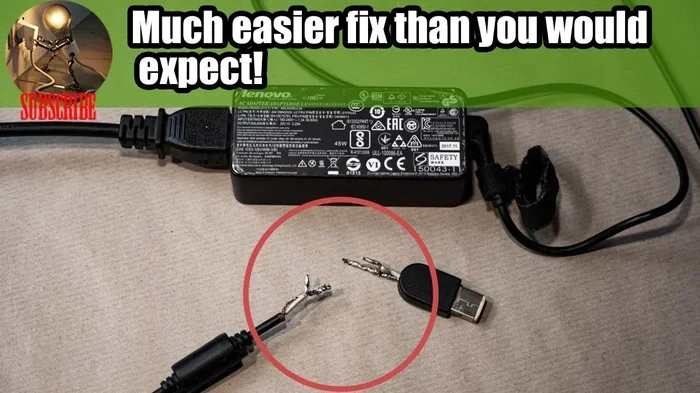
- Frayed or damaged cables: Exposed wires inside the cable are a safety hazard. They can cause short circuits.
- Bent or bent plug: A damaged plug does not fit snugly into the outlet or laptop. This creates inconsistent contact.
- Burning smell: If your charger smells like burning plastic, unplug it immediately. This means internal components are overheating.
- Visible damage or scorch marks: Check the charger brick and cable for any discoloration or melted plastic.
- Loose connection: If the charger keeps falling out of the laptop, the connector may be worn out.
Performance Signs That Something Is Wrong
- Charging stops and starts randomly: This suggests the charger cannot maintain steady output.
- Laptop only works when plugged in and plugged in: If your laptop dies the moment you unplug it, the charger may not be charging the battery properly.
- Battery percentage jumps: Sudden drops or spikes in battery percentage can signal irregular power delivery.
- Laptop runs slower than usual: Unstable power can cause the system to throttle performance to protect itself.
Testing Your Charger At Home
You do not always need a professional to check your charger. A simple multimeter can measure voltage output. Compare the reading to the charger’s rated output printed on the label. If the voltage fluctuates significantly, the charger is bad. You can also try the charger on another laptop of the same model. If the problem follows the charger, you have your answer.
Another quick test is the smell test. Plug in your charger and wait a few minutes. If you smell anything unusual, stop using it right away. Trust your senses here. They are often the first warning system you have.
Original Charger vs Third-Party Charger
One of the biggest debates among laptop users is whether to use an original charger or a third-party option. This choice matters more than many people realize when it comes to charger compatibility and laptop safety.
Why Original Chargers Are Safer
Original chargers are designed specifically for your laptop model. They match the exact wattage, voltage, and amperage requirements. The manufacturer tests these chargers thoroughly to ensure they work safely with the device.
Using an original charger means you get proper power regulation. The charger communicates with the laptop to deliver the right amount of power. It adjusts output based on what the laptop needs at any given moment. This smart charging process protects both the battery and the internal components.
Risks Of Using Third-Party Chargers
Third-party chargers are cheaper. That is their main advantage. But they often cut corners on quality. Many third-party chargers do not have the same level of voltage regulation as original ones.
Some third-party chargers claim to be compatible with multiple laptop brands. This is a red flag. Universal chargers use interchangeable tips. These tips may not fit perfectly. A loose fit means inconsistent power delivery. It also means more wear on the charging port over time.
Not all third-party chargers are bad. Some reputable brands make high-quality alternatives. If you choose a third-party option, look for certifications like UL or CE. Check that the wattage and voltage match your laptop’s requirements exactly. And always buy from a trusted seller.
| Feature | Original Charger | Third-Party Charger |
|---|---|---|
| Price | Higher | Lower |
| Voltage Regulation | Precise and stable | Varies by brand |
| Compatibility | Perfect fit | May not fit perfectly |
| Safety Certifications | Built-in | Depends on brand |
| Warranty Support | Usually included | Often limited |
| Battery Health Impact | Minimal | Can be significant |
How To Protect Your Laptop From Charger Damage
Prevention is always better than repair. Protecting your laptop from charger-related damage is simple. It just takes a few smart habits. Here is what you can do starting today.
Use The Right Charger For Your Laptop
Always check the wattage and voltage requirements before buying a replacement charger. This information is on the bottom of your laptop or in the user manual. Match the charger specifications exactly. Using a charger with higher wattage is usually safe because the laptop only draws what it needs. But using a charger with lower wattage can cause problems. It may not charge the battery properly and can overheat the charger.
Unplug During Storms And Power Surges
Lightning strikes and power surges can travel through your charger into the laptop. Unplug your laptop during thunderstorms. Even if you have a surge protector, it is safer to disconnect entirely. A power surge can fry the motherboard in an instant.
Do Not Leave The Charger Plugged In Unnecessarily
Leaving a charger plugged into the laptop 24/7 puts continuous stress on the battery. It also keeps the charger warm, which shortens its lifespan. Unplug the charger once the battery reaches 100%. If you need the laptop plugged in for long periods, use battery charge limits if your laptop supports them.
Store The Charger Properly
Do not wrap the cable tightly around the charger. This damages the internal wiring over time. Coil the cable loosely. Store the charger in a cool, dry place. Heat and moisture are the enemies of any electronic device, including your charger.
Inspect Your Charger Regularly
Get into the habit of checking your charger once a month. Look for frayed cables, bent plugs, or discoloration. Catching a problem early can prevent the damage from spreading to your laptop. A few minutes of inspection can save you hundreds of dollars.
What To Do If Your Laptop Gets Damaged By A Bad Charger
If you suspect your laptop charger has already caused damage, do not panic. There are steps you can take to limit the harm and get your laptop working again.
Step 1: Unplug The Charger Immediately
The first thing to do is disconnect the charger from the laptop. Do this carefully. Do not pull the cable. Pull the plug from the wall outlet and from the laptop gently. If the charger smells burnt or looks damaged, do not touch it with bare hands. Use a dry cloth or gloves.
Step 2: Let The Laptop Cool Down
If the laptop has been overheating, give it time to cool. Turn it off and do not use it for at least 30 minutes. Heat can cause hidden damage that gets worse with continued use.
Step 3: Check The Battery
Look at the battery indicator on your laptop. Does it show a full charge? Does the battery icon look normal? If the battery appears swollen, stop using the laptop immediately. A swollen battery is a fire hazard. Contact a professional for safe removal.
Step 4: Try A Different Charger
If you have access to a compatible charger, try it. If the laptop charges and works normally with the new charger, the old charger was likely the problem. This confirms that the issue was the charger, not the laptop itself.
Step 5: Seek Professional Help
If the laptop still will not turn on or shows unusual behavior, take it to a certified repair center. A technician can diagnose whether the charging port, battery, or motherboard was damaged. Get an estimate before approving any repairs. In some cases, the cost of repair may not be worth it for older laptops.
Common Mistakes People Make With Laptop Chargers
We all make mistakes with our chargers sometimes. But some habits are more harmful than others. Here are the most common errors and how to avoid them.
- Using the wrong charger: Every laptop has specific power requirements. Using any charger you find lying around is risky. Always match the voltage, amperage, and connector type.
- Ignoring warning signs: A charger that sparks, gets hot, or makes crackling sounds needs to be replaced. Do not keep using it and hoping for the best.
- Buying the cheapest option: A cheap charger may save you money upfront. But it can cost you much more in laptop repairs later. Quality matters when it comes to power delivery.
- Charging in bed or on soft surfaces: Soft surfaces block airflow around the charger and laptop. This traps heat and can cause overheating.
- Using a damaged cable: A cable with exposed wires is a fire and shock hazard. Replace it immediately. Do not tape it up and keep using it.
Quick Tips To Extend Charger And Laptop Life
- Unplug the charger when not in use to reduce wear and tear.
- Keep the charger away from liquids to prevent short circuits.
- Use a surge protector to guard against power spikes.
- Clean the charging port regularly with compressed air to remove dust.
- Avoid bending the cable sharply at the connector point.
- Replace the charger if it is more than 3 years old, even if it still works.
- Buy replacement chargers from reputable brands or directly from the laptop manufacturer.
Expert Insights On Charger Safety
We spoke with a certified laptop technician who has seen his share of charger-related damage. He shared some valuable insights. “The most common cause of charger damage is using the wrong charger,” he explained. “People buy cheap alternatives without checking specifications. Within a few months, the unstable power starts affecting the battery and charging circuit.”
He also emphasized the importance of power surge protection. “Even with a good charger, a sudden power surge from the wall outlet can cause damage. A quality surge protector is an inexpensive way to add a layer of defense,” he said.
His final advice was straightforward. “Treat your charger with the same care you treat your laptop. It is the lifeline of your device. A few dollars spent on a quality charger can save you hundreds in repairs.”
Final Thoughts
So, can a bad charger ruin a laptop? The answer is a clear yes. A faulty charger can damage your battery, charging port, and even the motherboard. The damage may be gradual or sudden. Either way, the results can be costly and frustrating.
The good news is that most charger-related damage is preventable. Use the right laptop charger with matching wattage and voltage. Inspect your charger regularly. Replace it at the first sign of trouble. And never underestimate the value of a quality power adapter from a trusted brand.
Your laptop is a significant investment. Taking a few simple precautions with your charger can extend its life by years. Do not wait until something goes wrong. Start protecting your device today. The small steps you take now can save you from a major headache later.
Remember, a bad charger is not just a minor inconvenience. It is a real threat to the health and longevity of your laptop. Stay informed, stay cautious, and keep your device powered safely.
Frequently Asked Questions
Can a bad charger permanently damage a laptop?
Yes, a bad charger can cause permanent damage. Voltage surges and overheating can harm the motherboard, battery, and charging port. In severe cases, the laptop may be completely unrepairable. This is why using a reliable charger is so important.
How do I know if my charger is damaging my laptop?
Watch for signs like slow charging, overheating, sparks, or a burning smell. If your laptop battery drains fast or the charging port feels loose, the charger may be the problem. Stop using the charger and have it tested if you notice any of these symptoms.
Can a third-party charger ruin a laptop battery?
Yes, third-party chargers that do not match the correct voltage and wattage can damage your battery over time. They may deliver inconsistent power, which wears out battery cells faster. Always check compatibility before using a non-original charger.
What should I do if my charger sparks when I plug it in?
Unplug it immediately and do not use it again. Sparking is a clear sign of a short circuit or internal failure. Replace the charger with one that matches your laptop’s specifications. Using a sparking charger can cause serious damage to your laptop.
How much does it cost to repair laptop damage caused by a bad charger?
Costs vary widely. A new charger costs $20 to $80. Replacing a charging port ranges from $50 to $200. Battery replacement costs $50 to $150. Motherboard repairs can exceed $300 or more. Prevention is far cheaper than repair.
Is it safe to leave my laptop plugged in all the time?
Leaving a laptop plugged in all the time is generally safe with modern laptops. They have built-in battery management systems. However, using a bad charger while plugged in can still cause problems. Make sure your charger is in good condition and matches your laptop’s power requirements.
=== CONCLUSION ===
A bad charger is more than just an annoyance. It is a genuine risk to your laptop’s health and longevity. From battery degradation to motherboard failure, the damage caused by a faulty power adapter can be extensive and expensive. The good news is that staying safe is simple. Use the right charger, watch for warning signs, and replace a damaged charger promptly.
Take a few minutes today to check your laptop charger. Look for frayed cables, loose connections, or unusual heat. If anything seems off, replace the charger before it causes harm. Your laptop will thank you for it. A little attention goes a long way in protecting your device and avoiding costly repairs. Stay proactive, stay informed, and keep your laptop running safely for years to come.