How Can I Pay My Xfinity Bill Fast and Without Stress
Paying your Xfinity bill is simple and convenient when you know your options. You can pay online through the Xfinity website, use the My Account app, call customer service, or set up autopay to never miss a due date. This guide covers every method, money-saving tip, and common mistake so you can pay your Xfinity bill quickly and with zero stress.
Have you ever stared at your Xfinity bill and wondered how on earth you’re going to get it paid? You’re not alone. Thousands of people search for ways to pay their Xfinity bill every single month. The good news is that Xfinity makes it surprisingly easy. Whether you prefer tapping a few buttons on your phone or speaking with a real person, there is a method that fits your style. In this guide, we walk you through every option, share smart money tips, and help you avoid the little mistakes that cause big headaches.
Let’s face it. Nobody enjoys paying bills. But when you know exactly where to go and what to do, the whole process becomes quick and painless. By the end of this article, you will have a clear roadmap for handling your Xfinity bill payment like a pro. No more guessing. No more stress. Just simple steps that get the job done.
Key Takeaways
- Multiple Payment Options: You can pay your Xfinity bill online, by phone, through the mobile app, or in person at an Xfinity store.
- Autopay Saves Time and Money: Setting up autopay ensures you never miss a payment and may qualify you for discounts.
- Know Your Due Date: Understanding your Xfinity billing cycle helps you avoid late fees and keeps your service active.
- Troubleshooting Is Easy: Most payment issues can be resolved quickly through the Xfinity app or by contacting support.
- Security Matters: Always use official Xfinity channels to make payments and protect your personal information.
📑 Table of Contents
- Why Paying Your Xfinity Bill on Time Matters
- How to Pay Your Xfinity Bill Online
- Paying Your Xfinity Bill Using the Mobile App
- Other Ways to Pay Your Xfinity Bill
- Common Payment Problems and How to Fix Them
- Tips to Save Money on Your Xfinity Bill
- Staying Organized with Your Xfinity Payments
- When to Contact Xfinity Customer Support
- Final Thoughts
Why Paying Your Xfinity Bill on Time Matters
Before we dive into the how, let’s talk about the why. Paying your Xfinity internet bill on time keeps your service running smoothly. Late payments can lead to fees, service interruptions, and even affect your credit score. When you stay on top of your Xfinity billing cycle, you avoid all of that mess.
Here are a few reasons timely payment matters:
- Avoid Late Fees: Xfinity charges late fees when payments are missed. These fees add up fast.
- Keep Your Service Active: Unpaid bills can lead to service suspension. Nobody wants to lose their internet.
- Protect Your Credit: Repeated missed payments may be reported to credit bureaus.
- Stay Eligible for Promotions: On-time payments keep you in good standing for discounts and offers.
The bottom line is simple. Pay on time, and everything runs smoothly. Now let’s look at exactly how to do it.
How to Pay Your Xfinity Bill Online
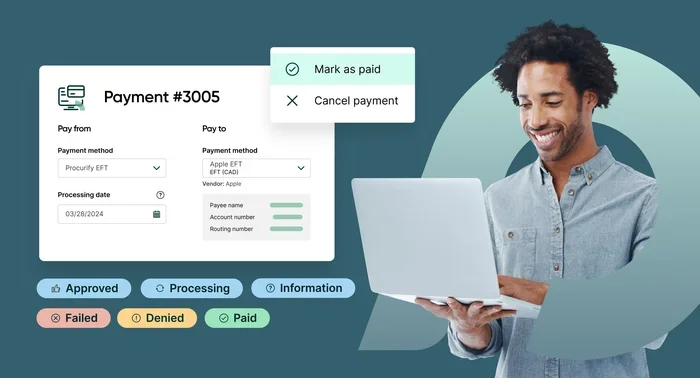
The most popular way to handle your Xfinity bill payment is through the website. It is fast, secure, and available 24 hours a day. You do not need to wait on hold or drive anywhere. Just a few clicks and your payment is processed.
Step-by-Step Online Payment Guide
- Log in to your account. Go to the Xfinity website and enter your credentials. If you do not have an account yet, you can create one in minutes.
- Navigate to the billing section. Look for the “Billing” or “Payments” tab on your dashboard.
- Choose your payment amount. You can pay the full balance, the minimum, or a custom amount.
- Enter your payment details. Use a credit card, debit card, or bank account information.
- Confirm and submit. Review the details and hit pay. You will receive a confirmation email right away.
This method works great for people who like handling things on their own schedule. You can also set up Xfinity autopay through the online portal. Autopay pulls the payment automatically each month, so you never have to remember.
Setting Up Autopay for Stress-Free Payments
Autopay is a game-changer. Once you set it up, you do not have to think about your Xfinity bill due date ever again. The payment processes automatically, and you often get a small discount as a thank-you. Here is how to set it up:
- Log in to your Xfinity account online.
- Go to the autopay or recurring payments section.
- Choose your payment method and amount.
- Confirm the setup and you are done.
Autopay removes the mental load of remembering due dates. It is one of the easiest ways to keep your account in good standing.
Paying Your Xfinity Bill Using the Mobile App
If you are like most people, your phone is always within arm’s reach. The Xfinity My Account app lets you manage your bill, check your payment history, and make payments right from your device. It is perfect for people who want to handle things on the go.
The app is available for both iPhone and Android. Once you download it and log in, you get access to all the same features as the website. You can view your bill, make a payment, set up autopay, and even chat with customer support. The Xfinity mobile app also sends you reminders before your due date, so you never miss a payment.
Quick Tips for Using the App
- Enable push notifications. This way, you get alerts about upcoming due dates and bill availability.
- Save your payment method. Storing your card details makes future payments faster.
- Check your payment history. The app keeps a record of all past transactions for easy reference.
- Use Face ID or fingerprint login. It adds a layer of security and makes signing in instant.
The app is one of the most convenient ways to handle your Xfinity payment. Whether you are on the couch, at work, or traveling, you can take care of your bill in under two minutes.
Other Ways to Pay Your Xfinity Bill
Online and app payments are the most popular methods, but they are not the only options. Xfinity offers several other ways to pay that might work better for your situation.
Pay by Phone
You can call Xfinity customer service and make a payment over the phone. This is helpful if you prefer speaking with a real person or run into issues with the online portal. Have your account number and payment details ready before you call. The phone payment line is available 24/7, so you can call whenever it is convenient.
Pay in Person
Xfinity stores and authorized retail locations accept in-person payments. This option is great if you prefer handling transactions face-to-face or if you do not have access to a computer or smartphone. Just bring your account number and a form of payment.
Pay by Mail
You can also send a check by mail. Make sure to include your account number on the check and allow extra time for delivery. This method takes longer, so it is best for people who pay well before the due date.
Set Up a Payment Plan
If you are struggling to pay the full amount, Xfinity may offer payment plans or assistance programs. Contact customer service to discuss your options. Sometimes, simply asking for help opens doors you did not know existed.
Common Payment Problems and How to Fix Them
Even with all these options, sometimes things go wrong. Here are the most common issues people face when trying to pay their Xfinity bill and how to solve them.
Payment Not Going Through
If your payment fails, check a few things first. Make sure your card has enough funds. Verify that your card details are correct. Try a different browser or clear your cache. If nothing works, contact Xfinity support for help. Sometimes the issue is on their end, and they can process the payment manually.
Missing Payment Confirmation
After you submit a payment, you should receive a confirmation. If you do not see one, check your spam folder. You can also log in to your account to verify the payment posted. If it has not, reach out to Xfinity customer service right away.
Billing Errors
Occasionally, you might notice a charge that does not look right. Review your bill carefully each month. If you spot an error, contact Xfinity billing support. They can investigate and correct the issue. Keeping your Xfinity payment history handy makes this process much easier.
Remember, most payment problems have simple solutions. Do not hesitate to reach out for help when you need it.
Tips to Save Money on Your Xfinity Bill
Paying your bill is only half the battle. The other half is making sure you are not overpaying. Here are some smart strategies to keep your Xfinity cable bill as low as possible.
Review Your Plan Regularly
Xfinity offers many different plans. Over time, your needs may change. If you are paying for speed or channels you do not use, it is time to make a change. Call Xfinity or use the app to explore current plans and promotions.
Bundle Services Wisely
Bundling internet, TV, and phone can save you money. But only bundle services you actually use. If you barely watch cable TV, consider dropping it and keeping just internet. You can also explore options like getting just Wi-Fi at home if that fits your needs better.
Take Advantage of Discounts
Xfinity offers various discounts for autopay, paperless billing, and loyalty. Make sure you are enrolled in all the programs you qualify for. These small savings add up over the year.
Check for Promotional Rates
Promotional rates expire after a set period. When they end, your bill may jump. Call Xfinity to ask about renewal offers or new customer promotions. Sometimes switching to a different promo can save you a significant amount.
Secure Your Network
An unsecured Wi-Fi network can lead to unauthorized use and slower speeds. Make sure your network is password-protected. If you are dealing with network access issues, you might want to look into how to block a device from using your Wi-Fi Xfinity to keep your connection safe and fast.
Small actions like these can lead to big savings over time. The goal is to pay only for what you need and nothing more.
Staying Organized with Your Xfinity Payments
Managing bills can feel overwhelming when you have multiple accounts and due dates. A little organization goes a long way toward keeping things stress-free.
Create a Payment Calendar
Mark your Xfinity bill due date on a calendar. Set a reminder a few days before it is due. This simple habit prevents late payments and the fees that come with them.
Keep Records
Save your payment confirmations and receipts. The Xfinity My Account app makes this easy by storing your Xfinity payment history digitally. Having records on hand is invaluable if you ever need to dispute a charge.
Set Up Notifications
Use the app or website to enable bill alerts. You can get notified when your bill is ready, when a payment is due, or when a payment is confirmed. These reminders take just a few seconds to set up but save a lot of headaches.
Organization is the secret weapon of people who never stress about bills. Take a few minutes to set up these systems, and you will thank yourself every month.
When to Contact Xfinity Customer Support
There are times when handling things on your own is not enough. If you experience persistent payment issues, unexpected charges, or service disruptions, it is time to reach out to Xfinity support. You can chat, call, or use the app to connect with a representative.
Have your account information ready when you contact support. This speeds up the process and helps the representative assist you faster. If you are traveling or dealing with international service questions, such as using your US cell phone in Iceland, Xfinity support can also help with roaming and connectivity concerns.
Customer support exists to help you. Do not hesitate to use it whenever you need assistance. A quick call or chat can solve problems that might otherwise take hours to figure out on your own.
Final Thoughts
Paying your Xfinity bill does not have to be a stressful experience. With online payments, the mobile app, autopay, phone support, and in-person options, you have more than enough ways to get the job done. The key is finding the method that works best for you and sticking with it.
Set up autopay, keep your payment records organized, and stay on top of your billing cycle. These small habits make a huge difference. You will avoid late fees, keep your service running, and save money along the way. The next time your Xfinity bill arrives, you will know exactly what to do. No stress. No hassle. Just a quick, confident payment.
Take control of your bill today. Pick the method that suits you best and put it into action. Your future self will thank you for it.
Frequently Asked Questions
Can I pay my Xfinity bill with a credit card?
Yes, you can pay your Xfinity bill with any major credit card through the website or mobile app. Simply enter your card details when making a payment, and the transaction is processed securely. Xfinity also supports debit cards and bank account payments.
Is there a fee for paying my Xfinity bill online?
No, Xfinity does not charge a fee for online payments. Paying through the website or app is completely free. However, some third-party payment methods may incur fees, so it is best to pay directly through Xfinity channels.
What happens if I pay my Xfinity bill late?
Late payments may result in a late fee and potential service interruption. Xfinity typically sends reminders before the due date, but it is still your responsibility to pay on time. Setting up autopay is the best way to avoid late payments entirely.
Can I change my Xfinity payment method at any time?
Yes, you can update your payment method anytime through the Xfinity website or mobile app. Simply go to the billing section, select your current payment method, and choose a new one. The change takes effect immediately for future payments.
How do I check my Xfinity payment history?
You can view your complete Xfinity payment history by logging into your account on the website or app. Navigate to the billing section to see all past transactions, dates, and amounts. This is helpful for tracking payments and resolving any billing disputes.
What should I do if my Xfinity payment fails?
If your payment fails, first check that your card has sufficient funds and your details are correct. Try using a different browser or clearing your cache. If the issue persists, contact Xfinity customer support for assistance. They can help identify the problem and process your payment.