Does Xfinity Allow Two Modems In One House Explained
Yes, Xfinity can support two modems in one house, but it comes with specific requirements and considerations. You will need separate accounts or a business plan, and proper network configuration is key. This guide covers everything from Xfinity policies to practical setup tips so you can make the best decision for your home network.
Living in a big house with spotty WiFi can be frustrating. You stream a movie in the living room and it buffers. You hop into the bedroom and the signal drops completely. It is tempting to think, “What if I just add a second modem?” The idea makes sense on paper. But when it comes to Xfinity, the answer is not as straightforward as you might hope.
So, does Xfinity allow two modems in one house? The short answer is yes, but there are strings attached. Xfinity has specific rules about how many modems you can run, what kind of plan you need, and how to set everything up properly. In this guide, we will walk through every detail so you do not waste time or money on a setup that does not work.
Whether you are dealing with dead zones, a large family with heavy internet usage, or you simply want better network performance, understanding Xfinity’s policies is the first step. Let us dive in and break it all down.
Key Takeaways
- Xfinity Policy: Xfinity does allow multiple modems, but each typically requires its own account or a business-tier service.
- Separate Accounts Needed: Residential plans usually limit you to one modem per account, so a second modem often means a second subscription.
- Business Plans Offer Flexibility: Business internet plans are more accommodating when it comes to running multiple modems on one property.
- Network Configuration Matters: Proper setup with the right router and ethernet connections ensures both modems work without interference.
- Cost Considerations: Adding a second modem means extra monthly fees, equipment costs, and potentially higher internet bills.
- Alternatives Exist: Mesh WiFi systems and range extenders can boost coverage without needing a second modem.
📑 Table of Contents
Understanding Xfinity’s Modem Policy
Before you rush out and buy a second modem, you need to understand how Xfinity handles modem subscriptions. Xfinity is an internet service provider that bundles modem and WiFi gateway equipment into its service plans. This means the company has a vested interest in controlling what equipment runs on its network.
One Modem Per Residential Account
For standard residential plans, Xfinity generally allows one modem per account. This is the xFi Gateway, which combines a modem and a router into a single device. It handles both your internet connection and your home WiFi. If you try to add a second modem under the same account, Xfinity may flag the account or restrict service.
The reason is simple. Xfinity charges a monthly fee for each modem or gateway on the account. This fee typically runs around $14 to $15 per month. When you have one modem, that is one fee. Two modems mean two fees. And Xfinity wants to make sure each fee is accounted for.
Business Plans Open the Door
If you need two modems in one house, the best path is a business internet plan. Xfinity offers business-tier services that are more flexible with equipment. These plans allow multiple modems on a single account because they are designed for larger properties, offices, or households with high demand.
Business plans also come with better support, static IP options, and higher speed tiers. The tradeoff is cost. Business internet is more expensive than residential plans. But if you truly need two modems, it is the most legitimate route to take.
Can You Use Your Own Modem With Xfinity?
Yes, Xfinity allows you to use a third-party modem as long as it is on their approved device list. You can find the full list on the Xfinity website. Using your own modem saves you the monthly rental fee, which can add up to $168 per year. However, using your own modem does not change the one-modem-per-account rule for residential plans.
So even if you bring your own cable modem, you still face the same limitation. A second modem would still need its own account or a business plan to work properly.
Why Would You Need Two Modems?
Understanding the reasons people want a second modem helps clarify the solutions available. Not every situation is the same, and the right answer depends on your specific needs.
Large Homes With Poor WiFi Coverage
Big houses are the number one reason people consider a second modem. A single gateway device struggles to push a strong signal through thick walls, multiple floors, and long hallways. The result is dead zones where the WiFi signal is weak or completely absent.
In these cases, adding a second modem might seem like a quick fix. But there are better alternatives, which we will cover later in this article.
Heavy Internet Usage Across Multiple Devices
Families with many connected devices put a lot of strain on a single modem. Smart TVs, gaming consoles, laptops, phones, smart home devices, and security cameras all compete for bandwidth. When too many devices connect to one modem, speeds can slow down significantly.
A second modem can help distribute the load. But again, Xfinity’s residential policy makes this tricky without a separate account.
Separate Networks for Security or Privacy
Some homeowners want a completely separate network for guests, smart home devices, or work equipment. Running a second modem creates a physically separate network that does not overlap with the primary one. This adds a layer of security and keeps your main network clean.
How to Set Up Two Modems on One Xfinity Account
If you have decided to move forward with a dual modem setup, there are specific steps you need to follow. This is not a plug-and-play situation. Proper configuration ensures both modems work without causing network conflicts.
Step One: Contact Xfinity Customer Service
Before you do anything else, call Xfinity customer service. Explain your situation and ask about adding a second modem. They will tell you whether your current plan supports it or if you need to switch to a business plan.
Be upfront about why you need two modems. If you mention coverage issues, they might suggest alternatives like the xFi Pods or a mesh system first. But if you are set on a second modem, they will guide you through the process.
Step Two: Get a Second Modem Activated
Xfinity will need to activate the second modem on their end. This may involve a separate service line or a second account. Each modem gets its own DOCSIS channel on Xfinity’s network. The activation process ensures the modem is recognized and authorized.
You can either rent a second modem from Xfinity or purchase a compatible one yourself. Just make sure it is on the approved device list to avoid compatibility issues.
Step Three: Configure the Network Properly
Once both modems are active, you need to set up the network correctly. Here are the key steps:
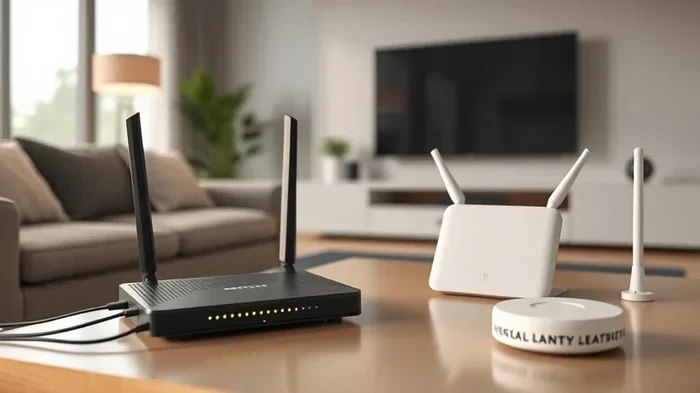
- Connect each modem to a separate router or access point. This prevents one device from becoming a bottleneck.
- Use ethernet cable connections between the modems and your main router if possible. This gives you the most stable connection.
- Assign different IP address ranges to each modem’s network to avoid conflicts.
- Set up separate SSIDs for each network so devices can connect to the strongest signal.
If you are not comfortable with network configuration, consider hiring a professional. A poorly configured dual modem setup can cause more problems than it solves, including dropped connections and slow speeds.
Step Four: Monitor Performance
After setup, keep an eye on how both modems perform. Check speeds in different parts of the house. Look for any interference between the two networks. Adjust channel settings if needed to avoid overlap.
You can also use the Xfinity xFi app to monitor your home network and see which devices are connected to which modem. This helps you optimize placement and settings over time.
Alternatives to Running Two Modems
Before committing to a second modem, consider these alternatives. Many of them are simpler, cheaper, and just as effective.
Mesh WiFi Systems
A mesh WiFi system is often the best solution for large homes with poor coverage. Instead of adding a second modem, you add satellite nodes around your house. These nodes work together with your main router to blanket your home in strong WiFi.
Popular mesh systems include the Google Nest WiFi, Amazon Eero, and Netgear Orbi. These systems are easy to set up and manage through a smartphone app. They also handle device roaming seamlessly, so your phone switches to the strongest node without dropping the connection.
WiFi Range Extenders
If a mesh system is too expensive, a simple WiFi range extender can help. These devices plug into a wall outlet and rebroadcast your existing WiFi signal to areas with weak coverage. They are affordable and easy to set up.
The downside is that range extenders can cut your speed in half because they use the same radio to receive and transmit data. For basic browsing and email, this is fine. For streaming and gaming, a mesh system is a better choice.
Powerline Adapters
Powerline adapters use your home’s existing electrical wiring to carry internet signals. You plug one adapter into an outlet near your modem and connect it with an ethernet cable. Then you plug a second adapter into an outlet in the dead zone and get a wired internet connection.
This is a great option for home offices or gaming setups where a stable wired connection matters. It bypasses WiFi limitations entirely and does not require a second modem.
Upgrade Your Current Equipment
Sometimes the real issue is not coverage. It is outdated equipment. If you are still using an older Xfinity gateway, upgrading to a newer model can dramatically improve performance. Newer gateways support more WiFi channels, faster speeds, and handle more devices without slowing down.
You can also replace the Xfinity gateway with a separate modem and router combo. A dedicated router often outperforms the built-in router in Xfinity gateways. Just make sure the modem is Xfinity-approved to avoid activation issues.
Cost Breakdown: Is a Second Modem Worth It?
Running two modems on Xfinity comes with real costs. Let us break them down so you can make an informed decision.
- Modem rental fee: $14 to $15 per month per modem. Two modems = $28 to $30 per month.
- Equipment purchase: A compatible modem costs $100 to $200 upfront. A second modem adds to that cost.
- Business plan premium: If you need a business plan for two modems, expect to pay $20 to $50 more per month than a residential plan.
- Additional router costs: You may need a second router or access point to pair with the second modem.
- Installation fees: Professional installation for a dual modem setup can cost $100 to $200.
When you add all of this up, a dual modem setup can cost an extra $50 to $100 per month. That is a significant investment. Make sure the benefits outweigh the costs before moving forward.
Common Mistakes When Adding a Second Modem
Many people run into problems when setting up a second modem. Here are the most common mistakes to avoid.
Skipping the Xfinity Approval Process
Some people just plug in a second modem and hope for the best. This rarely works. Xfinity needs to activate and recognize each modem on their network. Without proper activation, the second modem will not connect or may cause issues with your existing service.
Using Incompatible Equipment
Not every modem works with Xfinity. Using an unapproved device can lead to activation failures, poor performance, or no connection at all. Always check the Xfinity approved device list before purchasing any modem.
Ignoring Network Conflicts
When two modems are on the same property, they can interfere with each other if not configured properly. Overlapping WiFi channels, IP address conflicts, and DHCP issues are common problems. Take the time to set up each modem with unique settings to avoid these conflicts.
Forgetting About the xFi App
If you use the Xfinity xFi app to manage your network, adding a second modem can complicate things. The app is designed to manage one gateway at a time. You may need to manage the second modem separately or through a different interface.
Underestimating the Need for Proper Cabling
A dual modem setup often requires additional ethernet cabling throughout the house. If your home is not already wired for multiple internet connections, you may need to run cables through walls or ceilings. This can be messy and expensive if not planned properly.
What Xfinity Says About Multiple Modems
Xfinity’s official stance on multiple modems is clear but not always easy to navigate. According to their terms of service, each residential account is limited to one modem or gateway. This is stated in the equipment agreement you sign when you sign up for service.
However, Xfinity does not actively block customers from adding a second modem if they have a business plan or a separate account. The company’s approach is more about billing and account management than technical limitations. Their network infrastructure can technically support multiple modems at the same address.
If you want the official word, calling Xfinity customer service is the best approach. They can confirm your specific options based on your account type and location. Policies can also vary by region, so what works in one area may not apply everywhere.
Also worth noting: if you block a device from using your WiFi Xfinity network through the xFi app, that is a different feature entirely. It does not relate to adding a second modem, but it does help you manage your network more effectively. You can block specific devices, set parental controls, and prioritize bandwidth for important devices.
Final Thoughts
So, does Xfinity allow two modems in one house? Yes, but it is not a simple yes or no answer. Residential plans generally limit you to one modem per account. Business plans offer the flexibility you need for a dual modem setup. And proper configuration is essential to make everything work smoothly.
Before you invest in a second modem, explore alternatives like mesh WiFi systems, range extenders, and powerline adapters. These solutions are often more affordable and easier to set up. They solve the same coverage problems without the added complexity and cost of running two modems.
If you do decide to go ahead with two modems, work with Xfinity customer service to get everything activated properly. Follow the setup steps carefully, and monitor your network performance after installation. A well-configured dual modem setup can deliver excellent results, especially in large homes with heavy internet usage.
The bottom line is this: know your options, understand the costs, and plan your setup carefully. With the right approach, you can get strong, reliable internet coverage throughout your entire home.
Frequently Asked Questions
Can I have two Xfinity modems on the same residential account?
Typically, no. Xfinity’s residential plans allow one modem or gateway per account. To add a second modem, you usually need a business plan or a separate account. Contact Xfinity customer service to confirm your specific options.
How much does it cost to add a second modem to Xfinity?
You will pay an additional $14 to $15 per month for the second modem rental fee. If you purchase your own compatible modem, you save on the monthly fee but pay upfront. Business plans may also have higher base costs than residential plans.
Do I need a second router if I add a second Xfinity modem?
Yes, each modem works best with its own router or access point. A modem alone only provides an internet connection. You need a router to distribute that connection to your devices via WiFi or ethernet. Using a separate router with each modem gives you the best performance.
Will a second modem improve my WiFi coverage?
It can, but only if configured correctly. A second modem paired with a separate router or access point can extend coverage to areas with weak signals. However, a mesh WiFi system is often a simpler and more effective solution for coverage issues.
Can I use my own modem for a second Xfinity connection?
Yes, as long as the modem is on Xfinity’s approved device list. Using a third-party modem can save you rental fees over time. Just make sure the modem is compatible with Xfinity’s network and DOCSIS standard before purchasing.
What is the difference between a modem and a gateway in Xfinity’s system?
A modem only converts the cable signal to an internet connection. A gateway combines a modem and a router in one device. Xfinity’s xFi Gateway is a gateway device that handles both functions. If you use a separate modem, you will also need a standalone router to create your WiFi network.