Does Wifi Hotspot Cost Money Everything You Need to Know
Does Wi-Fi hotspot cost money? The short answer is: it depends on your setup and data plan. Using a mobile hotspot from your phone typically draws from your cellular data allowance, which can cost extra if you exceed limits. Standalone hotspot devices require dedicated plans, but free options like public Wi-Fi exist. This guide breaks down every cost angle so you can choose the best wireless internet solution for your needs.
Have you ever wondered does Wi-Fi hotspot cost money? It is a question many people ask, especially when they need internet on the go. The truth is that the answer is not as simple as yes or no. Your costs depend on several factors, including the type of hotspot you use, your data plan, and how much internet you consume.
In this guide, we will walk through everything you need to know about hotspot costs. Whether you are using your phone as a mobile hotspot, considering a dedicated device, or looking for free alternatives, we have you covered. By the end, you will know exactly what to expect and how to avoid surprise charges.
Key Takeaways
- Phone hotspots use your cellular data: Going over your limit means extra charges on your bill.
- Dedicated hotspot devices need their own data plan: These can cost $20 to $60 per month depending on the carrier.
- Free hotspot options exist: Public Wi-Fi and certain carrier plans offer no-cost internet sharing.
- Data caps are the biggest hidden cost: Understanding your limit prevents surprise overage fees.
- You can reduce costs: Using Wi-Fi whenever possible and monitoring usage keeps expenses low.
- Hotspot speed varies by plan and location: More expensive plans usually deliver faster wireless internet speeds.
📑 Table of Contents
What Is a Wi-Fi Hotspot?
A Wi-Fi hotspot is a physical location or device that provides wireless internet access to other devices. Think of it as a bridge. It takes an existing internet connection and shares it with phones, laptops, tablets, and other gadgets through a Wi-Fi signal.
There are many types of hotspots. Some come built into your smartphone. Others are standalone devices you carry in your pocket. Even some Wi-Fi routers can act as hotspots in certain situations. The key idea is simple: one device connects to the internet and shares that connection wirelessly.
People use hotspots every day without thinking about it. When you connect your laptop to your phone’s internet at a coffee shop, you are using a hotspot. When you tether your tablet to your phone at the airport, that is a hotspot too. Understanding how they work is the first step to managing costs.
How Does a Hotspot Work?
A hotspot works by using cellular data or a wired connection to access the internet. It then broadcasts that connection as a Wi-Fi signal. Other devices can connect to this signal just like they would connect to a home router.
Your phone or hotspot device acts as a portable hotspot. It uses its modem to pull in data from nearby cell towers. Then it shares that data with any device within range. The more devices connected, the more bandwidth gets used. This directly affects your data usage and potentially your costs.
Types of Wi-Fi Hotspots
Not all hotspots are the same. Different types come with different costs and use cases. Let us look at the most common ones.
Phone-Based Hotspots
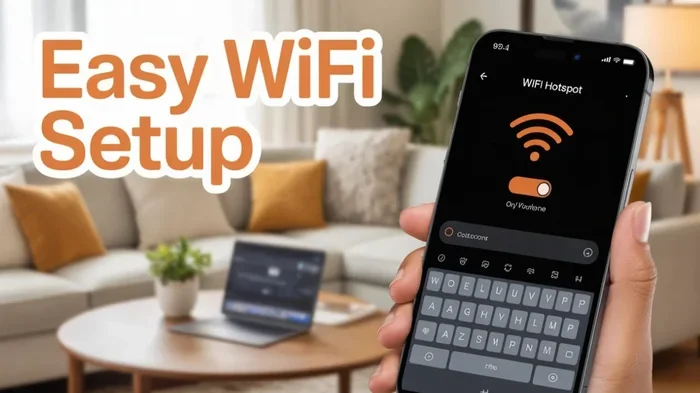
This is the most popular type. You turn on the mobile hotspot feature on your smartphone, and other devices connect to it. Your phone uses its cellular data plan to provide internet. Most modern iPhones and Android phones include this feature built in at no extra cost for the feature itself.
However, the data usage still comes from your cellular plan. If you have a limited data plan, heavy hotspot use can eat through your allowance quickly. This is where costs can sneak up on you.
Dedicated Hotspot Devices
These are standalone units designed specifically for wireless internet sharing. Brands like Verizon, AT&T, and T-Mobile sell portable hotspot devices. You insert a SIM card, activate a plan, and you have a dedicated hotspot. These devices often have better battery life and stronger signals than phone-based hotspots.
Dedicated devices usually require their own data plan. Plans range from small data packages to unlimited options. The cost depends on the carrier and the amount of data you need.
Public Wi-Fi Hotspots
Libraries, cafes, airports, and hotels often offer free public Wi-Fi. These are hotspots you can use without paying anything extra. The tradeoff is that they are usually slower and less secure than personal hotspots.
If you are careful about what you do on public networks, they are a great way to save money. Just avoid accessing sensitive accounts like banking on open networks. Using a VPN adds an extra layer of protection when you connect to public hotspots.
Router Hotspots
Many modern Wi-Fi routers can double as hotspots. Some ISPs offer gateway devices that combine a router and a hotspot in one unit. This means your home network can also broadcast a hotspot signal for guests or for use outside your home.
Some people also explore options like extending Wi-Fi with an Ethernet cable to reach areas where the wireless signal is weak. This is a great way to get better coverage without paying for additional data.
Does Using a Wi-Fi Hotspot Cost Money?
This is the big question, and the answer has many layers. Let us break it down by scenario.
Scenario 1: You Use Your Phone Hotspot on an Unlimited Plan
If you have an unlimited data plan, using your phone as a hotspot might not cost you extra in terms of overage fees. However, there is a catch. Most unlimited plans slow down your speeds after a certain amount of hotspot data. For example, AT&T limits hotspot speeds after 15 GB on many plans. So while you may not pay more, your experience could get slower.
Some carriers let you add a hotspot to your unlimited plan for an additional fee. This usually restores full speeds or gives you a higher data threshold. Check with your specific carrier to understand your plan details.
Scenario 2: You Use Your Phone Hotspot on a Limited Plan
This is where costs can add up fast. If you have a plan with 5 GB or 10 GB of data, using your phone as a hotspot will eat into that allowance quickly. Streaming a single HD movie can use 3 GB or more. If you go over your limit, most carriers charge overage fees, typically $10 to $15 per extra gigabyte.
Over a month, these overage charges can easily add $50 or more to your bill. That is why it is so important to monitor your data usage when using a hotspot regularly.
Scenario 3: You Use a Dedicated Hotspot Device
Dedicated hotspot devices always cost money. You need to buy or rent the device and pay for a monthly data plan. Plans typically range from $20 to $60 per month depending on the data allowance and carrier.
Some people find that buying their own Wi-Fi box and pairing it with a data-only SIM card is more affordable than a dedicated hotspot plan. This approach gives you more control over your costs and often better performance.
Scenario 4: You Use Free Public Hotspots
Public Wi-Fi hotspots cost nothing to use. They are funded by the businesses that provide them. Libraries, fast food chains, and shopping malls often offer free internet access. This is the most cost-effective way to get online without paying for a hotspot plan.
The main limitations are speed, reliability, and security. Public hotspots are shared among many users, so speeds can be slow during peak hours. They also lack the encryption of private networks, which means your data could be vulnerable.
How Much Does a Mobile Hotspot Cost?
The total cost of a mobile hotspot depends on several factors. Let us look at the different cost components so you can budget accordingly.
Device Costs
Phone-based hotspots cost nothing extra since you already own the device. Dedicated hotspot devices range from $50 to $200 depending on the brand and features. Some carriers offer them for free with a contract, while others require full payment upfront.
Monthly Data Costs
Data-only plans for hotspot devices typically start around $20 per month for 5 GB of data. Unlimited plans for hotspots can run $50 to $70 per month. The more data you need, the more you will pay. Here is a quick comparison:
| Plan Type | Data Allowance | Approximate Monthly Cost |
|---|---|---|
| Basic Hotspot Plan | 5 GB | $20 – $30 |
| Standard Hotspot Plan | 15 GB | $40 – $50 |
| Unlimited Hotspot Plan | Unlimited (throttled after 15-20 GB) | $50 – $70 |
| Premium Hotspot Plan | Unlimited (full speed) | $70 – $100+ |
Hidden Costs to Watch For
Beyond the monthly plan, there are hidden costs that can catch you off guard. Overage fees are the most common one. If your plan has a data cap and you go over, you will pay extra. Some carriers also charge for additional connected devices or for tethering privileges.
Another hidden cost is bandwidth throttling. Even on “unlimited” plans, your speeds may be reduced after a certain data threshold. This can make your hotspot practically unusable for streaming or video calls. Always read the fine print before signing up for any hotspot plan.
Can You Buy Hotspot Data Separately?
Yes, in many cases. Carriers like AT&T allow you to buy hotspot data separately on existing plans. This is useful if you occasionally need more data but do not want to upgrade your entire plan. You can often purchase additional gigabytes for $10 to $15 each. This pay-as-you-go approach can save money if you only need extra data occasionally.
Ways to Reduce Hotspot Costs
Nobody wants to overspend on internet access. Here are practical strategies to keep your hotspot costs low.
1. Monitor Your Data Usage
Most smartphones let you track how much data your hotspot uses. Check your settings regularly to see where you stand. Many carriers also offer apps that show real-time data usage. Staying aware of your consumption helps you avoid surprise charges.
2. Connect to Wi-Fi Whenever Possible
Use your home or work Wi-Fi for heavy tasks like downloading files or streaming videos. Save your hotspot for situations where Wi-Fi is not available. This simple habit can dramatically reduce your monthly data usage and costs.
You can also look into whether your home router supports hotspot features. Some people explore options like adding mesh Wi-Fi to an existing router to improve coverage at home, which reduces the need for a mobile hotspot altogether.
3. Choose the Right Data Plan
Not all hotspot plans are created equal. Compare options from different carriers before committing. Look for plans that match your actual usage patterns. If you only use a hotspot occasionally, a small data plan will save you money compared to an expensive unlimited plan.
4. Use Data-Saving Settings
Most phones have data-saving modes that reduce background usage. Turn on these settings when using your hotspot. Lowering video quality on streaming apps also helps conserve data. Every megabyte saved is money saved.
5. Consider a Data-Only SIM
Some MVNOs (Mobile Virtual Network Operators) offer affordable data-only plans. These can be cheaper than traditional carrier hotspot plans. Just make sure the MVNO uses a network with good coverage in your area. A wireless internet plan from an MVNO can save you $10 to $30 per month compared to major carriers.
6. Block Unauthorized Devices
If you share your hotspot with others, make sure only authorized devices connect. Unauthorized users can eat through your data quickly. Most hotspot devices let you set a password and even block specific devices. Keeping your hotspot secure protects both your data and your wallet.
Common Mistakes People Make With Hotspots
Avoiding common pitfalls can save you both money and frustration. Here are the mistakes most people make.
Not checking data limits before tethering. Many people assume their plan includes unlimited hotspot data. It often does not. Always verify your plan details before relying on your phone as a hotspot.
Leaving the hotspot on when not in use. An active hotspot drains your phone battery and can use background data even when no devices are connected. Turn it off when you are done.
Ignoring overage notifications. Most carriers send alerts when you approach your data limit. Ignoring these messages leads to surprise charges. Pay attention and adjust your usage accordingly.
Using hotspot for large downloads. Streaming HD video or downloading big files on a hotspot eats data incredibly fast. Save these activities for Wi-Fi connections whenever possible.
Not securing your hotspot. An open hotspot invites strangers to connect and use your data. Always set a strong password. If you notice unauthorized devices, you can block a device from using your Wi-Fi through your carrier’s settings or device management tools.
Expert Tips for Managing Hotspot Data
Here are some insider tips from networking professionals to help you get the most out of your hotspot without breaking the bank.
Use compression browsers. Browsers like Opera Mini compress web pages before loading them, which saves significant data. This is especially helpful when you are on a limited hotspot plan.
Update apps over Wi-Fi only. Phone and app updates can consume hundreds of megabytes. Set your devices to only download updates when connected to Wi-Fi. This prevents accidental data drain on your hotspot.
Keep your hotspot device firmware updated. Updated firmware often includes performance improvements that can help your device use data more efficiently. Check for updates from your carrier’s support page regularly.
Consider whether you can connect to Wi-Fi without a traditional adapter. Some devices can pick up Wi-Fi signals in unexpected ways. If you are traveling, research whether your destination offers free Wi-Fi before relying on your hotspot. You might be surprised how many hotels, cafes, and public spaces now offer complimentary internet access.
Explore alternatives when traveling. If you frequently travel and need reliable internet, look into local SIM cards or temporary data plans at your destination. These can be far cheaper than roaming on your home carrier’s network. Also, check whether your hotel offers free Wi-Fi before paying for a separate hotspot solution.
Final Thoughts: Does Wi-Fi Hotspot Cost Money?
So, does Wi-Fi hotspot cost money? The answer is that it can, but it does not have to. Your costs depend entirely on how you use it and what plan you have. Phone-based hotspots are essentially free to activate, but they draw from your cellular data plan, which can lead to overage charges. Dedicated hotspot devices require a monthly fee, but they offer better performance and reliability.
The best approach is to understand your usage patterns and choose accordingly. If you only need internet occasionally, free public Wi-Fi and your phone’s built-in hotspot may be all you need. If you rely on a hotspot daily, invest in a plan that matches your data needs and monitor your usage closely.
With the right strategy, you can stay connected without spending more than you need to. Knowledge is your best tool when it comes to managing hotspot costs. Now that you understand how hotspot pricing works, you can make informed decisions and avoid unexpected charges on your next bill.
Remember that the landscape of wireless internet is always changing. Carriers update their plans regularly, and new devices enter the market. Stay informed, compare options, and never be afraid to switch to a better deal. Your wallet will thank you.
Frequently Asked Questions
Is using my phone as a hotspot free?
The hotspot feature itself is free on most phones. However, the data your hotspot uses comes from your cellular plan. If you have a limited data plan, heavy hotspot use can lead to overage fees. Check your plan to understand your data allowance before using your phone as a hotspot regularly.
How much does a dedicated hotspot device cost per month?
Dedicated hotspot plans typically range from $20 to $70 per month. The cost depends on the carrier, data allowance, and whether the plan is limited or unlimited. Basic plans with 5 GB of data start around $20, while premium unlimited plans can cost $70 or more.
Can I get a hotspot without a Wi-Fi plan?
Yes, you can get a hotspot without a traditional home Wi-Fi plan. You can use your phone’s cellular data, purchase a dedicated hotspot device with a data-only plan, or rely on public Wi-Fi networks. Some carriers also let you buy hotspot data separately without committing to a full plan.
Why does my hotspot use so much data so quickly?
Hotspots use data quickly because every device connected shares the same data pool. Streaming videos, downloading files, and video calls consume the most data. Background apps on connected devices also use data without you noticing. Using data-saving settings and connecting fewer devices helps reduce consumption.
Can I block other devices from using my hotspot?
Yes, most hotspot devices and smartphones let you set a password and manage connected devices. You can also change your password regularly to prevent unauthorized access. If you share your hotspot through a carrier network, you may be able to block specific devices through your carrier’s device management tools.
What is the difference between a mobile hotspot and a portable hotspot device?
A mobile hotspot uses your phone’s cellular data and Wi-Fi broadcasting ability. A portable hotspot device is a standalone unit with its own SIM card and data plan. Portable devices typically have better battery life, stronger signals, and can connect more devices than a phone-based hotspot.
=== CONCLUSION ===
Does Wi-Fi hotspot cost money? Yes and no. The feature is free, but the data behind it is not. By understanding your plan, monitoring your usage, and exploring cost-saving strategies, you can use a hotspot without breaking the bank. Whether you choose a phone-based hotspot, a dedicated device, or free public Wi-Fi, the key is to stay informed and make choices that match your needs and budget.