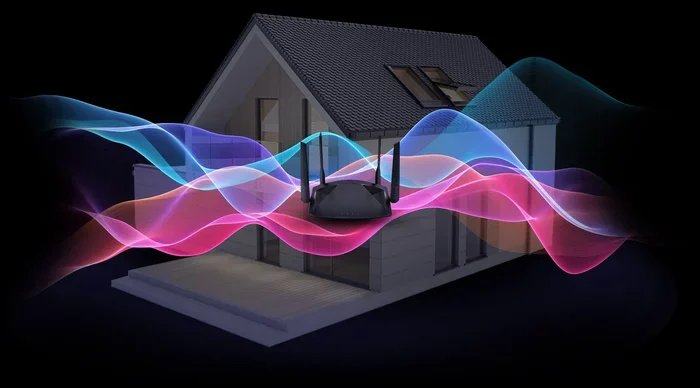
Does A Wi Fi 6 Router Make A Noticeable Difference
A Wi-Fi 6 router can significantly improve your wireless experience. You will notice faster speeds, better performance in crowded spaces, and lower latency. This guide breaks down exactly what changes when you upgrade to Wi-Fi 6 and whether the investment is worth it for your home setup.
You have probably heard the buzz around Wi-Fi 6 routers. Maybe your internet provider just upgraded your plan, or your neighbor just got one. Either way, the big question is simple: does a Wi-Fi 6 router make a noticeable difference? The short answer is yes. But the full picture is more interesting than you might think.
Wi-Fi 6, also known as 802.11ax, is the latest wireless standard. It brings real improvements that you can feel in your daily life. Whether you are streaming movies, working from home, or gaming on your Wi-Fi, a Wi-Fi 6 router changes the game. In this article, we will explore exactly what a Wi-Fi 6 router does differently. We will look at the real-world benefits, the technology behind it, and whether you should upgrade right now.
Key Takeaways
- Faster Speeds: Wi-Fi 6 delivers noticeably higher throughput compared to older standards.
- Better Device Handling: OFDMA and MU-MIMO let your router manage many devices at once without slowdowns.
- Improved Range: New antenna technology and BSS coloring extend your wireless coverage.
- Lower Latency: Gaming, video calls, and streaming benefit from reduced delays on Wi-Fi 6.
- Future-Proofing: Investing in a Wi-Fi 6 router prepares your home for the next generation of devices.
- Worth the Upgrade: If you have multiple smart devices or fast internet, a Wi-Fi 6 router makes a real difference.
📑 Table of Contents
- What Exactly Is Wi-Fi 6?
- Does Wi-Fi 6 Really Make a Speed Difference?
- How Does Wi-Fi 6 Handle Multiple Devices?
- Does Wi-Fi 6 Improve Range and Coverage?
- Is Wi-Fi 6 Worth It for Gaming and Streaming?
- Should You Upgrade to a Wi-Fi 6 Router?
- Common Mistakes People Make with Wi-Fi 6 Routers
- Expert Insights on Wi-Fi 6
- Key Takeaways
- Frequently Asked Questions
- Conclusion
What Exactly Is Wi-Fi 6?
Wi-Fi 6 is the newest generation of wireless networking technology. It replaced Wi-Fi 5 (802.11ac) as the standard for home and office networks. The Wi-Fi Alliance introduced the simple numbering system so regular users could easily identify the latest standard. Wi-Fi 6 offers faster speeds, greater efficiency, and better handling of multiple devices.
The technical improvements behind Wi-Fi 6 are impressive. But you do not need to be an engineer to understand them. The key innovations include OFDMA, MU-MIMO upgrades, and target wake time. These features work together to make your wireless network faster and more reliable. If you are still on an older router, the difference can be dramatic.
How Does Wi-Fi 6 Compare to Previous Generations?
Wi-Fi 5 was a great standard. It brought us gigabit speeds and solid performance for many years. But Wi-Fi 6 goes further in several important ways. The maximum theoretical speed jumps from 3.5 Gbps on Wi-Fi 5 to 9.6 Gbps on Wi-Fi 6. That is a huge leap on paper. But more importantly, Wi-Fi 6 handles real-world conditions much better.
Older routers struggled when many devices connected at once. Think about a typical home. You might have smartphones, laptops, smart TVs, smart speakers, and security cameras all online. A Wi-Fi 6 router manages all of these devices more efficiently. This means fewer slowdowns when everyone in the house is online.
Does Wi-Fi 6 Really Make a Speed Difference?
This is the question most people ask first. And the answer is a clear yes. A Wi-Fi 6 router delivers faster wireless speeds in real-world testing. But the speed boost depends on several factors. Let us break down what you can actually expect.
Real-World Speed Improvements
In perfect lab conditions, Wi-Fi 6 offers up to 9.6 Gbps. That sounds amazing. But your actual speed depends on your internet plan, your devices, and your home environment. Most people will see meaningful speed gains of 20 to 40 percent compared to Wi-Fi 5. That is enough to notice during large file downloads and 4K streaming.
For example, if your current Wi-Fi 5 connection gives you 100 Mbps in a busy household, a Wi-Fi 6 router might push that to 140 Mbps or higher. The improvement comes from how Wi-Fi 6 manages data traffic. It sends data more efficiently, reducing wasted time and interference.
One important thing to understand is that your internet speed from your provider sets the ceiling. A Wi-Fi 6 router cannot make your internet plan faster than what you pay for. But it can help you reach the speeds your plan promises. Many people do not actually get the full speed from their older routers because of bottlenecks.
Speed Tests You Can Run Yourself
Want to see the difference for yourself? Run a simple speed test before and after upgrading. Use a free tool like Speedtest.net or Fast.com. Test from the same spot in your home under similar conditions. Compare the download speed, upload speed, and ping. You will likely see a clear improvement with Wi-Fi 6.
Here are some quick tips for accurate testing:
- Test at the same time of day to avoid network congestion.
- Stand within a reasonable distance from the router.
- Close other apps and devices using the network during testing.
- Run at least three tests and average the results.
How Does Wi-Fi 6 Handle Multiple Devices?
This is where Wi-Fi 6 truly shines. The technology was designed for the modern home filled with connected devices. The average household now has over 20 smart devices online. A Wi-Fi 6 router handles this load far better than older models.
OFDMA: Smarter Data Delivery
OFDMA stands for Orthogonal Frequency Division Multiple Access. It is one of the biggest upgrades in Wi-Fi 6. Think of it like a highway. Older Wi-Fi was like a single-lane road where cars (data) had to wait their turn. OFDMA turns that into a multi-lane highway where many cars can travel at once.
This means your router can send data to multiple devices in a single transmission. The result is less waiting time and faster overall performance. If you have ever noticed your Wi-Fi slowing down when someone starts a video call while another person streams a movie, OFDMA directly addresses this problem.
MU-MIMO Improvements
MU-MIMO stands for Multi-User Multiple Input Multiple Output. Wi-Fi 5 introduced basic MU-MIMO, but it only worked for downloading. Wi-Fi 6 extends MU-MIMO to uploads as well. This means your router can communicate with up to eight devices simultaneously.
The practical benefit is huge. In a busy home, everyone gets a fair share of the bandwidth. No single device hogs all the capacity. If you have ever struggled with wireless connectivity during family movie night, Wi-Fi 6 changes that experience.
Does Wi-Fi 6 Improve Range and Coverage?
Another area where a Wi-Fi 6 router makes a noticeable difference is range and coverage. Many people experience dead zones in their homes. Rooms far from the router often get weak signals and slow speeds. Wi-Fi 6 addresses this with several new technologies.
BSS Coloring for Less Interference
BSS coloring is a clever feature that reduces interference from neighboring networks. In apartment buildings or dense neighborhoods, dozens of Wi-Fi networks overlap. This creates congestion and slows everyone down. BSS coloring tags each network’s data with a color code. Your router can then ignore data from neighboring networks that has a different color.
The result is a cleaner signal and better speeds, even in crowded environments. If you live in an apartment or a neighborhood with many Wi-Fi networks, you will feel this improvement. It is one of the most practical benefits of Wi-Fi 6 for everyday users.
Better Antenna Technology
Wi-Fi 6 routers use more advanced antenna technology. Many models feature beamforming, which focuses the Wi-Fi signal directly toward your devices instead of broadcasting in all directions. This targeted approach strengthens the connection and extends the effective range.
Some Wi-Fi 6 routers also support higher channel bandwidths, including 160 MHz channels. Wider channels mean more data can flow at once. This boosts both speed and coverage. If you have ever wanted to add Wi-Fi to your PC or extend coverage to a distant room, Wi-Fi 6 makes this much easier.
Is Wi-Fi 6 Worth It for Gaming and Streaming?
Gamers and streamers have high demands on their network. Low latency and consistent speeds are essential. A Wi-Fi 6 router delivers on both fronts. Let us look at why this matters.
Lower Latency for Gaming
Latency is the delay between sending a command and getting a response. In gaming, even a small delay can mean the difference between winning and losing. Wi-Fi 6 reduces latency significantly compared to older standards. The technology uses more efficient data encoding and better scheduling to minimize delays.
While a wired ethernet connection still offers the lowest latency, Wi-Fi 6 comes very close. For casual and competitive gamers alike, the improvement is noticeable. You will experience fewer lag spikes and smoother gameplay. If you have been debating whether to game on your Wi-Fi, Wi-Fi 6 gives you much more confidence.
Streaming at Higher Quality
4K streaming requires a lot of bandwidth. Multiple 4K streams at the same time can overwhelm older routers. Wi-Fi 6 handles this with ease. The higher throughput and better device management mean you can stream in 4K on multiple devices simultaneously without buffering.
Families who share a network will appreciate this most. Kids watching YouTube, parents on a video call, and someone downloading a large file can all happen at the same time. A Wi-Fi 6 router keeps everything running smoothly.
Should You Upgrade to a Wi-Fi 6 Router?
Now for the big decision. Is upgrading to a Wi-Fi 6 router worth your money? The answer depends on your situation. Let us look at the factors that matter most.
When You Should Upgrade
You should consider upgrading to a Wi-Fi 6 router if any of these apply to you:
- You have more than 10 connected devices in your home.
- Your current router is more than three years old.
- You experience slow speeds or frequent disconnections.
- You have a gigabit internet plan or faster.
- You game online or stream 4K content regularly.
- You live in a densely populated area with many Wi-Fi networks nearby.
If these points sound familiar, a Wi-Fi 6 router will make a real difference in your daily life. The upgrade is not just about faster numbers on a speed test. It is about a smoother, more reliable wireless experience.
When You Can Wait
On the other hand, you might not need to rush out and buy a new router. If your current Wi-Fi 5 router works well and you have fewer than five connected devices, the upgrade may not be urgent. Also, if your internet plan is slow, a Wi-Fi 6 router will not magically increase your speeds beyond what your plan provides.
That said, technology moves fast. Wi-Fi 6 is becoming the new standard. Many newer devices already support it. If you are buying a new router anyway, there is no reason to go back to Wi-Fi 5. The prices of Wi-Fi 6 routers have dropped significantly, making them very affordable now.
Setting Up Your New Wi-Fi 6 Router
Setting up a Wi-Fi 6 router is easier than most people think. Many modern routers come with simple setup apps that guide you through the process step by step. You can also set up your router manually through a web browser.
If you are comfortable with technology, you can buy a router and install it yourself without calling a technician. Just make sure to place your router in a central location for the best coverage. Keep it away from thick walls and metal objects. Update the firmware after setup to get the latest performance improvements and security patches.
Common Mistakes People Make with Wi-Fi 6 Routers
Even with a great Wi-Fi 6 router, some common mistakes can hold you back. Avoid these pitfalls to get the most from your upgrade.
- Not updating firmware: Router manufacturers release updates that improve performance and fix bugs. Check for updates regularly.
- Placing the router in a bad spot: A router in a closet or behind a TV will not perform well. Give it space and keep it elevated.
- Using old devices: A Wi-Fi 6 router can only deliver its full speed to devices that support Wi-Fi 6. Older devices will still work but at slower speeds.
- Ignoring channel settings: Choosing the right channel can reduce interference. Use your router’s app to find the least congested channel.
- Expecting magic: A Wi-Fi 6 router improves your network but cannot fix issues caused by a slow internet plan or ISP problems.
Expert Insights on Wi-Fi 6
Networking experts agree that Wi-Fi 6 represents a meaningful leap forward. The technology addresses the biggest pain points of modern home networks. Device density, interference, and speed consistency all improve with Wi-Fi 6.
Many professionals recommend Wi-Fi 6 as the standard for any new router purchase. The price difference between Wi-Fi 5 and Wi-Fi 6 models has narrowed considerably. This makes the upgrade accessible to most budgets. As more devices adopt Wi-Fi 6 support, the benefits will only grow.
If you are planning to build or upgrade your home network, starting with Wi-Fi 6 is the smart choice. It gives you room to grow as you add more devices. You will not need to replace your router again in a few years just to keep up with demand.
Key Takeaways
- Wi-Fi 6 delivers faster real-world speeds: Expect 20 to 40 percent improvement over Wi-Fi 5 in most homes.
- OFDMA and MU-MIMO handle many devices better: Your network stays fast even when everyone is online.
- Range and coverage improve with BSS coloring and beamforming: Fewer dead zones and stronger signals throughout your home.
- Gaming and streaming benefit from lower latency: Smoother gameplay and buffer-free 4K streaming are realistic with Wi-Fi 6.
- Upgrade if you have many devices or a fast internet plan: The value proposition is strongest for users with demanding networks.
- Wi-Fi 6 is future-proof: Newer devices increasingly support the standard, so investing now pays off long-term.
Frequently Asked Questions
Do I need Wi-Fi 6 compatible devices to see a difference?
Yes and no. A Wi-Fi 6 router works with all Wi-Fi devices, but you only get the full Wi-Fi 6 speed benefits with Wi-Fi 6 compatible devices. Older devices will still connect and work, but they will operate at their own older speeds. The biggest improvements come when multiple Wi-Fi 6 devices are on your network at the same time.
Is Wi-Fi 6 worth the extra cost?
For most households, absolutely. Wi-Fi 6 routers are now priced competitively with Wi-Fi 5 models. The improvements in speed, device handling, and range make the upgrade worthwhile. If you have a smart home with many devices, the value is even clearer.
Can a Wi-Fi 6 router improve my internet speed from my provider?
A Wi-Fi 6 router helps you reach the speeds your internet plan promises. It cannot make your plan faster than what you pay for. But many people do not get their full speed from older routers due to bottlenecks. A Wi-Fi 6 router removes those bottlenecks.
How is Wi-Fi 6 different from Wi-Fi 5?
Wi-Fi 6 is faster, more efficient, and better at handling multiple devices. It introduces OFDMA and improved MU-MIMO, which reduce congestion and latency. The theoretical maximum speed is also much higher at 9.6 Gbps compared to Wi-Fi 5’s 3.5 Gbps.
Will my old devices work with a Wi-Fi 6 router?
Yes. Wi-Fi 6 routers are fully backward compatible with older Wi-Fi standards. Your old phones, laptops, and smart devices will connect without any issues. They simply will not get the new Wi-Fi 6 speed and efficiency benefits.
Do I need a special internet plan for Wi-Fi 6?
No special plan is required. Wi-Fi 6 is a router technology, not an internet service technology. Any internet plan works with a Wi-Fi 6 router. However, to see the full benefits, you should have a plan with speeds of at least 100 Mbps or higher.
Conclusion
A Wi-Fi 6 router makes a noticeable difference in almost every aspect of your wireless experience. The speed improvements, better device handling, extended range, and lower latency all add up to a significantly better network. Whether you are a casual user or a power user, the benefits are real and easy to see.
The technology is mature, the prices are affordable, and the future-proofing value is strong. If your current router is more than a few years old or you are dealing with slow speeds and dropped connections, upgrading to a Wi-Fi 6 router is one of the best decisions you can make. Do not wait until your old router fails. Make the switch today and experience the difference that Wi-Fi 6 brings to your home network.