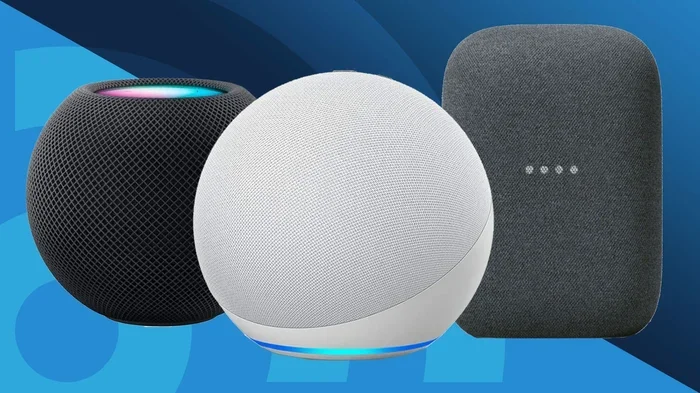
Do You Need Wifi For Wireless Speakers Fully Explained
Not all wireless speakers need WiFi to work. Many use Bluetooth, which connects directly to your device without a router. However, WiFi-enabled speakers offer greater range, multi-room audio, and smart features that Bluetooth simply can’t match. Understanding the difference helps you choose the right speaker for your needs and avoid frustration.
Key Takeaways
- WiFi is not always required: Many wireless speakers use Bluetooth instead of WiFi for audio streaming.
- WiFi speakers unlock smart features: They allow multi-room audio, voice control, and longer range compared to Bluetooth.
- Bluetooth is simpler and more portable: It works without a router and is ideal for on-the-go use.
- Your home network matters: A weak WiFi signal can cause audio dropouts, so mesh systems help.
- Setup varies by speaker type: Some connect in seconds, while others need app configuration and a stable network.
- Both options have trade-offs: WiFi offers more features, but Bluetooth uses less power and is easier to set up.
📑 Table of Contents
- Do You Need Wifi For Wireless Speakers Fully Explained
- What Does “Wireless” Actually Mean For Speakers?
- How Do Wireless Speakers Connect?
- Do You Need WiFi for Every Wireless Speaker?
- WiFi vs Bluetooth: Which Is Better for Wireless Speakers?
- Setting Up Wireless Speakers at Home
- Common WiFi Speaker Problems and How to Fix Them
- Expert Insights on Wireless Speaker Connectivity
- Do You Need WiFi For Wireless Speakers? The Final Answer
Do You Need Wifi For Wireless Speakers Fully Explained
Wireless speakers have changed the way we listen to music at home. You can place them anywhere, move them around, and enjoy your favorite tracks without tangled cables. But here is the big question that trips up a lot of people. Do you actually need WiFi for wireless speakers? The short answer is no, but the full story is much more interesting. Many wireless speakers use Bluetooth instead of WiFi, and some even use both. Your choice depends on what you want from your audio setup. This guide breaks it all down so you can make a smart decision.
Whether you are setting up a backyard party, a home theater, or a simple kitchen speaker, understanding connectivity matters. You need to know how each connection type works, what it can do, and where it falls short. Let us dive into the world of wireless speakers and find out exactly what you need.
What Does “Wireless” Actually Mean For Speakers?
The word wireless gets thrown around a lot. It sounds simple, but it covers two very different technologies. When a speaker is labeled wireless, it usually means one of two things. It either connects to your phone or device using Bluetooth, or it connects to your home network using WiFi. These are not the same thing, and they do not work the same way.
Bluetooth wireless speakers connect directly to your phone, tablet, or laptop. They do not need a router or an internet connection. You just pair them, and they play. WiFi wireless speakers connect to your home network. They need a router, and in most cases, they need the internet to unlock their full features. Smart speakers like the ones from Amazon and Google almost always need WiFi.
Here is a quick look at what each type brings to the table.
- Bluetooth speakers: Direct device-to-speaker connection. No router needed. Great for portability.
- WiFi speakers: Connect to your home network. Support multi-room audio and smart features. Need a router.
- Dual-mode speakers: Support both WiFi and Bluetooth. Give you the best of both worlds.
So when someone asks you if wireless speakers need WiFi, the answer really depends on the type of speaker you have. This is the first thing you should figure out before buying anything.
How Do Wireless Speakers Connect?
Understanding how wireless speakers connect helps you pick the right one. There are three main ways speakers connect to your audio source. Let us look at each one in detail.
Bluetooth Connection
Bluetooth is the most common way wireless speakers connect. It uses short-range radio waves to send audio from your device to the speaker. The connection is direct, which means no router is involved. You just turn on the speaker, put it in pairing mode, and select it from your phone or tablet.
Bluetooth has come a long way. Modern versions like Bluetooth 5.0 offer better range and stronger connections. You can typically get about 30 feet of range indoors before the signal gets weak. Bluetooth also uses very little power, so many portable Bluetooth speakers can run for hours on a single charge.
One thing to keep in mind is that Bluetooth does not need the internet. You can stream music stored on your phone or play offline playlists without any connection at all. This makes Bluetooth speakers perfect for trips, outdoor events, and places where WiFi is not available.
WiFi Connection
WiFi speakers connect to your home router. They use your network to receive audio data, which gives them several advantages. First, the range is much longer than Bluetooth. As long as you are within your WiFi coverage area, the speaker works. Second, WiFi handles higher-quality audio better because it has more bandwidth.
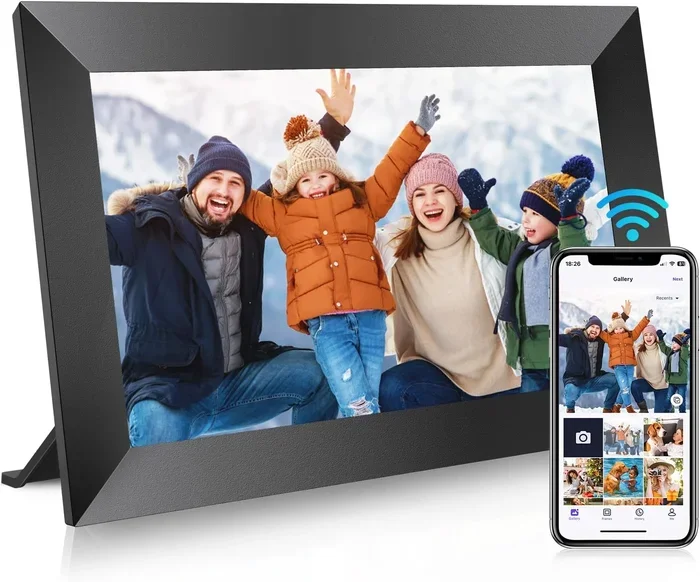
WiFi speakers also open up smart features. You can control them with voice assistants like Alexa or Google Assistant. You can set up multi-room audio, where several speakers play the same song in different rooms. Some WiFi speakers even support streaming services directly, so they do not need your phone at all.
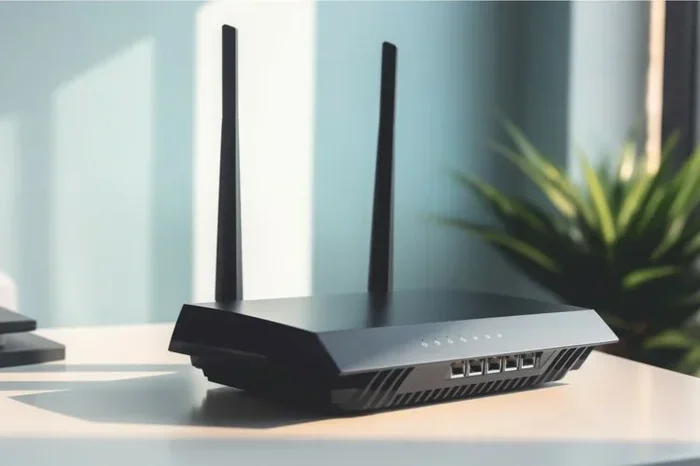
But WiFi speakers do need a router and a working network. If your WiFi goes down, the speaker may stop working or lose its smart features. This is why a strong and reliable network matters so much for WiFi speakers. If you are dealing with weak signal areas, you might want to look into ways to add mesh WiFi to your existing router for better coverage throughout your home.
AirPlay and Chromecast
Some wireless speakers use proprietary wireless protocols like AirPlay or Chromecast. These work over your WiFi network and let you stream audio from Apple or Google devices. They are not the same as Bluetooth, but they share the same basic requirement. You need a WiFi network for them to work.
AirPlay is popular for Apple users. It streams high-quality audio over WiFi and supports multi-room setups through Apple’s ecosystem. Chromecast works similarly but is built for Google devices. Both options give you more flexibility than Bluetooth, but they also depend on a stable WiFi connection.
Do You Need WiFi for Every Wireless Speaker?
This is where most people get confused. The word wireless makes it sound like WiFi is always involved, but that is not true at all. Many wireless speakers do not use WiFi in any way. They rely entirely on Bluetooth or other direct connections.
Here is a simple way to think about it. A wireless speaker just means it does not need a cable to connect to your audio source. It does not automatically mean it needs WiFi. Bluetooth speakers are wireless but do not need WiFi. WiFi speakers are also wireless, but they do need WiFi.
So how do you know which type you have? Check the product description. Look for terms like WiFi-enabled, smart speaker, or Bluetooth speaker. If it says WiFi, you will need a router. If it says Bluetooth only, you do not need WiFi at all.
For people who want simplicity and portability, Bluetooth-only speakers are the way to go. You do not have to worry about your network, passwords, or router settings. You just pair and play. For people who want advanced features and whole-home audio, WiFi speakers are the better choice.
WiFi vs Bluetooth: Which Is Better for Wireless Speakers?
Both WiFi and Bluetooth have strengths and weaknesses. The right choice depends on how and where you plan to use your speaker. Let us compare them side by side.
| Feature | Bluetooth | WiFi |
|---|---|---|
| Needs Router | No | Yes |
| Range | About 30 feet | Full WiFi coverage |
| Audio Quality | Good | Excellent |
| Multi-Room Audio | No | Yes |
| Smart Features | Limited | Full support |
| Power Usage | Low | Higher |
| Setup Complexity | Very simple | Moderate |
| Internet Required | No | Usually yes |
As you can see, each technology has its place. Bluetooth wins for simplicity and portability. WiFi wins for features and audio quality. Some people even use both in the same home, with Bluetooth speakers in the kitchen and bathroom, and WiFi speakers in the living room and bedroom.
One thing that affects both types is your WiFi signal strength. Even Bluetooth speakers can be affected by a crowded wireless environment. If your home network is overloaded, you might notice audio delays or connection issues. Keeping your router in a central location helps a lot. You can also learn more about how to extend your WiFi coverage by reading about extending WiFi with an Ethernet cable for a more stable backbone connection.
Setting Up Wireless Speakers at Home
Setting up a wireless speaker is usually pretty straightforward, but the process differs depending on the type of speaker you have. Let us walk through both setup types.
Setting Up a Bluetooth Speaker
Bluetooth speaker setup is fast and easy. Here is what you typically need to do.
- Charge your speaker fully before first use.
- Turn on the speaker and enter pairing mode.
- Open Bluetooth settings on your phone or tablet.
- Find the speaker name and tap to connect.
- Start playing music and enjoy.
That is it. No passwords, no router, no app downloads required for most speakers. You can connect a Bluetooth speaker to almost any device that has Bluetooth built in. If your PC does not have Bluetooth, you can add a USB Bluetooth adapter to get wireless audio working.
Setting Up a WiFi Speaker
WiFi speaker setup takes a few more steps. You will need your WiFi network name and password. Most WiFi speakers use a companion app to guide you through the process.
- Plug in your speaker and turn it on.
- Download the manufacturer’s app on your phone.
- Follow the on-screen instructions to connect to your WiFi network.
- Enter your WiFi password when prompted.
- Wait for the speaker to connect and confirm.
- Test the connection by playing music.
During setup, you might be asked to create an account or link a streaming service like Spotify or Apple Music. This is normal and helps unlock the full feature set. If you run into trouble connecting, make sure your phone is on the same WiFi network as the speaker. Sometimes connecting to WiFi without a WiFi adapter can be tricky on older devices, so check that your hardware supports the connection first.
Quick Tips for Better Speaker Performance
- Place your speaker within range of your WiFi router for the best signal.
- Keep your speaker away from thick walls and metal objects that block signals.
- Update your speaker firmware regularly through the companion app.
- Restart your router and speaker if you notice connection issues.
- Use a dedicated WiFi network for smart home devices if your router supports it.
For those who want to share their WiFi connection easily with guests, you can even create a QR code for your WiFi so visitors can connect their devices without typing in the password. This is especially handy when you have friends over and want them to take turns controlling the music on your WiFi speakers.
Common WiFi Speaker Problems and How to Fix Them
WiFi speakers are great, but they can have issues. Understanding common problems helps you troubleshoot quickly and get back to enjoying your music.
Audio Dropouts and Interruptions
If your WiFi speaker keeps cutting out, the most common cause is a weak WiFi signal. Walls, distance, and interference from other devices can all weaken your signal. Try moving the speaker closer to your router and see if the problem improves. You might also want to check if other devices on your network are using a lot of bandwidth, like someone streaming a video.
Another surprising cause of WiFi issues is your air conditioning unit. Yes, really. AC units can affect WiFi signals because they emit electromagnetic interference and their compressors can disrupt wireless frequencies. If your speaker works fine in one room but drops out in another, check what electrical devices are nearby.
Speaker Not Showing Up in the App
Sometimes a WiFi speaker will not appear in the companion app during setup. This usually happens when your phone is not on the same network. Make sure your phone is connected to the 2.4GHz band of your WiFi, as most speakers do not support the 5GHz band. Restarting both your phone and the speaker often fixes this issue too.
Slow Streaming or Buffering
Slow streaming usually means your WiFi speed is not fast enough for the audio quality being requested. Try lowering the audio quality settings in your speaker app. You can also check your internet speed using a free online tool. If your speed is below 5 Mbps, you may need to upgrade your internet plan or improve your home network.
Connection Keeps Dropping
A speaker that frequently disconnects may have a weak WiFi signal or be too far from the router. Interference from neighboring WiFi networks can also cause this. Changing your router’s channel can sometimes help. If you have a large home, consider adding mesh WiFi to your existing router to eliminate dead zones and keep your speakers connected everywhere.
Expert Insights on Wireless Speaker Connectivity
We asked audio enthusiasts and networking experts about the most common mistakes people make with wireless speakers. Here is what they had to say.
Do not assume all wireless means WiFi. Many buyers purchase a Bluetooth speaker expecting it to work through their home WiFi network. Bluetooth speakers do not use WiFi at all. They connect directly to your device. Always check the connection type before you buy.
Your home network setup matters more than you think. A weak router or an overloaded network can ruin the experience with WiFi speakers. Investing in a good router or mesh system pays off if you plan to use multiple WiFi speakers around the house. If you are concerned about who can access your network, remember that you can always block a device from using your WiFi on Xfinity to keep your network secure and performant.
Bluetooth is not going anywhere. Despite the rise of WiFi speakers, Bluetooth remains the most popular wireless connection for speakers. It is simple, it works everywhere, and it does not need the internet. For many people, a good Bluetooth speaker is all they will ever need.
Think about where you will use the speaker. If you want to use it in the backyard or at the beach, Bluetooth is your best bet. If you want whole-home audio and smart features, go with WiFi. And if you want both, look for a dual-mode speaker that supports WiFi and Bluetooth.
Do You Need WiFi For Wireless Speakers? The Final Answer
So, do you need WiFi for wireless speakers? The answer is: it depends. Bluetooth wireless speakers do not need WiFi at all. They connect directly to your device and work without a router or internet connection. WiFi wireless speakers do need WiFi to unlock their full features, including smart controls, multi-room audio, and streaming service integration.
The key is knowing what you want from your speaker experience. If you value simplicity, portability, and ease of use, a Bluetooth speaker is the clear winner. You do not need to worry about WiFi passwords, network settings, or router placement. Just pair and play.
If you want advanced features, better audio quality, and the ability to fill your entire home with music, WiFi speakers are worth the extra setup effort. They give you more control and more flexibility. Just make sure your home network can support them.
For the best of both worlds, consider a dual-mode speaker that supports WiFi and Bluetooth. You get the convenience of Bluetooth for quick connections and the power of WiFi for advanced features. This gives you the most flexibility and future-proofs your audio setup.
Wireless speakers have made incredible progress in recent years. The technology is better, the sound quality is higher, and the options are more varied than ever. Whether you choose WiFi or Bluetooth, the most important thing is that you enjoy your music the way you want to. So go ahead, pick the right speaker for your lifestyle, and start listening.
Remember, your wireless speaker is only as good as the connection it uses. Take the time to understand your options, set up your network properly, and you will enjoy a seamless audio experience for years to come.
Frequently Asked Questions
Can I use wireless speakers without the internet?
Yes, if your speaker uses Bluetooth only, you do not need the internet at all. You can stream music from your device’s offline library or play stored files. WiFi speakers may lose some smart features without the internet, but many can still play local audio files over Bluetooth even when offline.
What is the difference between a WiFi speaker and a Bluetooth speaker?
A Bluetooth speaker connects directly to your phone or device using short-range radio waves. A WiFi speaker connects to your home network and uses it to receive audio data. WiFi speakers offer longer range, better audio quality, and smart features, while Bluetooth speakers are simpler and more portable.
Do smart speakers like Alexa need WiFi?
Yes, smart speakers like Amazon Echo and Google Nest need WiFi to work. They rely on your internet connection to process voice commands, stream music from online services, and access smart home features. Without WiFi, they cannot perform most of their functions.
Can I connect multiple wireless speakers in different rooms?
Yes, but it depends on the speaker type. WiFi speakers and smart speakers support multi-room audio through apps like Spotify, AirPlay, or the manufacturer’s own app. Bluetooth speakers typically cannot connect to multiple rooms because they pair with only one device at a time.
Why does my WiFi speaker keep disconnecting from the network?
Common causes include a weak WiFi signal, distance from the router, interference from other electronic devices, or an overloaded network. Moving the speaker closer to the router, restarting your network, or switching to a less crowded WiFi channel can often fix the problem.
Is Bluetooth safe for wireless speakers?
Yes, Bluetooth is completely safe for wireless speakers. It uses low-power radio waves that are well within safety limits established by health authorities. Bluetooth technology has been used safely in billions of devices worldwide for many years.
=== CONCLUSION ===
Understanding whether you need WiFi for wireless speakers comes down to knowing the difference between WiFi and Bluetooth connectivity. Both technologies serve different purposes and offer unique benefits. Bluetooth speakers give you freedom and simplicity without needing a router. WiFi speakers unlock smart features and whole-home audio but require a solid network setup.
The next time someone asks you, do you need wifi for wireless speakers, you will have a clear and confident answer. Choose based on your needs, your home setup, and how you plan to use your speakers. With the right choice, you will enjoy great sound wherever you go.