Do You Really Need Wifi For A Digital Picture Frame
A digital picture frame doesn’t always need wifi to display your favorite photos. Some frames work fully offline using USB drives or SD cards, while wifi-enabled frames unlock remote updates and cloud sharing. Whether you need a connection depends on how you want to use the frame and what features matter most to you.
Do you really need wifi for a digital picture frame? This is a question a lot of people ask before buying one, and the answer might surprise you. The truth is, not every digital frame needs an internet connection. Some work beautifully without ever touching a router. Others rely heavily on wifi to deliver their full value. In this guide, we will walk through everything you need to know so you can make the right choice.
Digital picture frames have come a long way. They are no longer just screens that show a slideshow from a memory card. Today’s frames can pull photos from the cloud, update remotely through an app, and even sync with family members across the country. But here is the thing. All of that fancy tech only matters if you actually need it. If you just want to display pictures of your kids or pets on the mantelpiece, a simple offline frame might be all you need.
Let us break this down together. We will cover how wifi digital frames work, what you can do without internet, the pros and cons of each option, and how to pick the right one for your situation. By the end, you will know exactly whether you need that wifi connection or not.
Key Takeaways
- Offline frames work great: Many digital frames display photos perfectly without any internet connection using USB or SD cards.
- Wifi frames add convenience: A wireless photo frame lets you update photos remotely and sync from cloud services automatically.
- You can bridge the gap: Even without home wifi, you can use a hotspot or transfer files manually to keep your frame updated.
- Consider your needs first: If you just want to show static photos, skip the wifi. If you want live updates, a connected frame is worth it.
- Security matters: Connected frames can expose your network, so use strong passwords and keep firmware updated.
- Battery and storage vary: Both wifi and offline frames come in different sizes, battery lives, and storage capacities.
📑 Table of Contents
- What Is a Digital Picture Frame?
- Do You Need Wifi For A Digital Picture Frame?
- Wifi vs Offline Digital Frames Compared
- How to Set Up a Digital Picture Frame Without Wifi
- How to Set Up a Wifi Digital Picture Frame
- Can You Use a Digital Frame Without Home Wifi?
- Common Mistakes People Make With Digital Frames
- Expert Tips for Getting the Most From Your Digital Frame
- How to Choose the Right Digital Picture Frame
- Are There Privacy Concerns With Wifi Frames?
- Final Thoughts
What Is a Digital Picture Frame?
A digital picture frame is essentially a small television screen built into a picture frame. It displays digital photos instead of printed ones. Most frames accept SD cards, USB drives, or connect to your home network. The quality, features, and price can vary a lot from one model to the next.
How Do Digital Frames Display Photos?
There are three main ways a frame shows your pictures:
- Offline storage: You load photos onto an SD card or USB drive and plug it into the frame. No internet needed. This is the simplest method and works perfectly for most people.
- WiFi connection: The frame connects to your home network and pulls photos from a cloud service, email, or a dedicated app. You can add new photos from anywhere in the world.
- Hybrid models: Some frames support both methods. You can use an SD card for local storage and also connect to wifi for remote updates.
Each method has its place. It really comes down to what you want out of the experience.
Do You Need Wifi For A Digital Picture Frame?
The short answer is no. You do not need wifi for a digital picture frame to work. Many people buy a frame, load it with photos from their computer, and never think about connecting it to the internet. But the longer answer is that wifi opens up some really nice features that make the frame more useful over time.
When You Do NOT Need Wifi
Here are situations where a frame works great without any internet connection:
- You want a simple slideshow: If your goal is just to cycle through a folder of family photos on a shelf, an offline frame does the job perfectly.
- You have limited photos to display: A 16GB SD card can hold thousands of photos. You can swap them out whenever you want without ever going online.
- You prefer privacy: A frame that never connects to the internet cannot be hacked or accessed by anyone outside your home. This is a big plus for security-conscious users.
- Your home has poor wifi: Some houses have dead zones where the signal is weak. An offline frame removes that frustration completely.
When You DO Need Wifi
On the other hand, there are times when wifi makes a real difference:
- You want remote updates: With a wifi-enabled frame, you can send new photos to the frame from your phone while you are at work or even on vacation. No need to physically remove the SD card.
- You use cloud services: If you store all your photos in Google Photos, iCloud, or Amazon Photos, a connected frame can pull from those libraries automatically.
- You want to share with family: Some frames let multiple family members upload photos through an app. Everyone can contribute to the same frame from their own phone.
- You want automatic scheduling: Wifi frames often come with apps that let you schedule when photos change, adjust brightness, or set themes remotely.
So the real question is not whether you need wifi. It is what you want the frame to do for you.
Wifi vs Offline Digital Frames Compared
Let us look at a side-by-side comparison to make this easier to understand.
| Feature | Offline Frame | Wifi Frame |
|---|---|---|
| Internet required | No | Yes |
| Photo loading method | USB or SD card | App, cloud, or USB |
| Remote updates | No | Yes |
| Cloud syncing | No | Yes |
| Setup complexity | Very simple | Moderate |
| Price range | Lower | Higher |
| Privacy level | High | Medium |
| Family sharing | No | Yes |
As you can see, both types have clear strengths. The offline frame wins on simplicity and privacy. The wifi frame wins on convenience and features. Your choice depends on your lifestyle and how you plan to use the frame.
How to Set Up a Digital Picture Frame Without Wifi
Setting up an offline frame is incredibly easy. Here is a quick walkthrough of the process.
- Choose your frame: Pick a model that supports SD cards or USB drives. Most digital frames on the market support at least one of these.
- Transfer your photos: Plug an SD card or USB drive into your computer. Copy the photos you want to display. Organize them into folders if you want a specific order.
- Insert the storage: Push the SD card or plug in the USB drive into the frame. Most frames have clearly labeled slots.
- Power on and configure: Turn on the frame and select your preferred slideshow settings. You can usually adjust the time between photos, the transition effects, and the order of the images.
- Enjoy: That is it. Your frame is now displaying your photos with zero internet connection required.
One thing to keep in mind is that you will need to physically update the storage device when you want to change the photos. This is a minor inconvenience, but many people actually prefer it. It keeps things simple and hands-on.
How to Set Up a Wifi Digital Picture Frame
Setting up a wifi frame takes a few extra steps, but it is still straightforward for most people.
- Download the frame’s app: Most wifi frames come with a companion app for your phone. Download it from the App Store or Google Play.
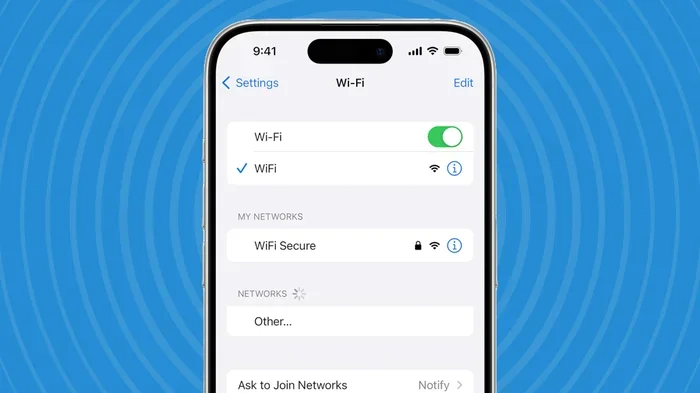
- Connect the frame to your network: Follow the on-screen instructions on the frame to join your home wifi network. You will need your wifi password. If you have trouble connecting, you might want to check whether you need a wifi adapter for your setup, or if your router settings are causing issues.
- Share your wifi credentials easily: Some frames let you generate a QR code for your wifi to make connecting other devices faster. This can be handy during setup.
- Sync your photo library: Link the app to your cloud storage or photo library. The frame will start pulling in new photos automatically.
- Customize your settings: Use the app to adjust the slideshow, set privacy preferences, and manage which photos appear on the frame.
The setup process usually takes about 10 to 15 minutes. Once it is done, the frame works on its own from that point forward.
Can You Use a Digital Frame Without Home Wifi?
Yes, you absolutely can. And there are several ways to do it even if you normally rely on a wireless connection.
Use a Mobile Hotspot
If you need to set up a wifi frame but do not have home internet, you can use your phone as a hotspot. This gives the frame a temporary network connection for the initial setup. After that, you can disconnect it and use offline mode. Some people also use a hotspot to periodically update photos without a permanent home network.
Alternatively, you can explore options like getting a hotspot instead of traditional wifi if you want a more permanent mobile solution.
Transfer Photos Manually
Even with a wifi frame, you can choose to load photos the old-fashioned way. Plug in a USB drive, copy your photos, and let the frame display them. You are not locked into using the wifi features if you do not want to.
Use an Ethernet Connection Instead
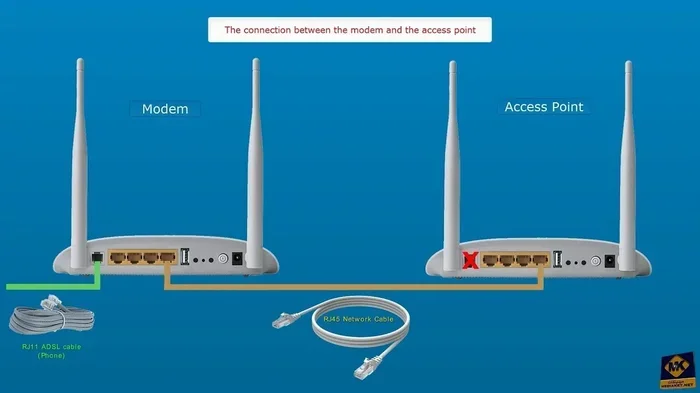
Some wifi frames also support a wired ethernet connection. If your router is far away and your wifi signal is weak, you can run an ethernet cable to the frame. This gives you a stable connection without relying on wireless signal strength. You can even extend your wifi reach with an ethernet cable if needed.
Common Mistakes People Make With Digital Frames
Here are some mistakes to avoid so you get the best experience with your frame:
- Buying a wifi frame when you do not need one: If you never plan to send photos remotely, a wifi frame is just extra cost. Save your money with a simple offline model.
- Ignoring photo resolution: Low-resolution photos look blurry on a frame screen. Always use high-quality images for the best display.
- Forgetting to update firmware: Wifi frames need firmware updates just like any smart device. Skipping updates can lead to security issues or bugs.
- Overloading the frame: Putting thousands of photos on a frame with limited memory can slow it down. Keep your photo library manageable.
- Using weak wifi passwords: A connected frame is part of your home network. Use a strong password to keep it secure.
- Placing the frame in direct sunlight: Most digital screens are not bright enough to compete with direct sun. Place the frame in a shaded spot for the best visibility.
Expert Tips for Getting the Most From Your Digital Frame
Here are some tips from people who have been using digital frames for years:
- Rotate your photos regularly: Even with a large storage card, refreshing the photo selection keeps the display feeling fresh and current.
- Use the right aspect ratio: Most frames are designed for 16:9 or 4:3 photos. Matching your photo ratio to the frame prevents black bars and cropping.
- Set a comfortable brightness: Too bright and the frame is distracting. Too dim and you cannot see the photos. Find a middle ground that works for your room.
- Label your storage cards: If you use multiple SD cards for different occasions, label them so you always know what is on each one.
- Keep the frame plugged in: Most digital frames are designed to run 24/7. Use a reliable outlet and avoid relying on battery power for long-term display.
How to Choose the Right Digital Picture Frame
With so many options on the market, choosing the right frame can feel overwhelming. Here are the key factors to consider.
Screen Size
Frames typically range from 7 inches to 15 inches. A 10-inch frame works well for a desk or nightstand. A 15-inch frame makes a statement on a living room wall. Think about where you plan to place the frame before you decide on a size.
Resolution
Higher resolution means sharper images. Look for frames with at least 1080p resolution for a crisp, clear picture. Budget frames sometimes have lower resolution, and you will notice the difference.
Storage and Memory
Internal storage varies from frame to frame. Some come with 2GB of built-in memory, while others have 16GB or more. If you plan to store a lot of photos, go for a model with more memory or one that supports external SD cards.
Connectivity Options
Do you want wifi, Bluetooth, or both? Some frames also support NFC pairing for quick connections. Think about what devices you want to connect the frame to and choose accordingly.
Battery vs Plug-In
Most digital frames need to stay plugged in. A few portable models run on battery, but they are less common and usually smaller. For a permanent display, a plug-in frame is the way to go.
Are There Privacy Concerns With Wifi Frames?
This is a valid concern, and it is worth discussing. A wifi-connected frame is essentially a small computer on your home network. Like any connected device, it could potentially be vulnerable to unauthorized access if not properly secured.
Here is what you can do to stay safe:
- Change default passwords: Always change the default admin password on your frame during setup.
- Use a strong wifi password: A robust password on your home network protects all connected devices, including your frame.
- Keep firmware updated: Manufacturers release updates to patch security holes. Check for updates regularly.
- Read the privacy policy: Some frame brands collect usage data. Check what information the frame sends back to the manufacturer.
- Use a guest network: If your router supports it, put the frame on a guest network. This isolates it from your main devices.
For most people, these steps are more than enough to keep their digital frame secure. The convenience of a connected frame is worth the small effort it takes to stay safe.
Final Thoughts
So, do you really need wifi for a digital picture frame? The honest answer is that it depends entirely on your needs. If you want a simple way to display your favorite photos on a shelf or desk, an offline frame works perfectly and costs less. If you want the convenience of remote updates, cloud syncing, and family sharing, then a wifi frame is a great investment.
The good news is that you are not locked into one choice forever. Many modern frames support both offline and online modes. You can start simple and add connectivity later if you find you want more features.
Take a moment to think about how you will use the frame every day. Will you be swapping SD cards often? Do you want to send photos from your phone while traveling? Do you care about remote control and app features? Your answers to these questions will point you in the right direction.
Digital picture frames are a wonderful way to bring your favorite memories to life. Whether you choose a simple offline model or a connected smart frame, the most important thing is that your photos are displayed in a way that makes you smile every time you walk by. Choose the option that fits your life, set it up, and enjoy your memories on display.
Frequently Asked Questions
Can I use a digital picture frame without any internet connection at all?
Yes, absolutely. Many digital frames work perfectly offline by loading photos from an SD card or USB drive. You do not need an internet connection to display your pictures. Just transfer the photos to your storage device, plug it into the frame, and you are good to go.
What are the benefits of a wifi digital picture frame?
A wifi frame lets you update photos remotely from your phone or computer. You can sync with cloud services like Google Photos or iCloud, and family members can contribute photos through an app. It removes the need to physically swap storage cards and keeps the display fresh with minimal effort.
Are wifi digital frames more expensive than offline frames?
Generally yes. Wifi frames cost more because they have additional hardware and software for connectivity. However, the price difference has narrowed over the years. A basic wifi frame can be found at a reasonable price, especially if you look for deals during sales events.
Can I connect my digital frame to wifi without a built-in wifi adapter?
If your frame does not have a built-in wifi adapter, you cannot add one externally in most cases. Some models support ethernet connections as an alternative. Before buying, check the frame’s specifications to confirm what connectivity options it supports.
Is it safe to connect a digital picture frame to my home wifi?
Yes, it is safe as long as you take basic security precautions. Change default passwords, use a strong wifi password, and keep the frame’s firmware updated. If you are concerned, you can put the frame on a separate guest network to isolate it from your other devices.
Can I turn off the wifi on my digital frame and use it offline?
Most wifi frames allow you to disconnect from the internet and use them offline. You can load photos via USB or SD card and the frame will work just like a non-wifi model. The wifi feature simply becomes available when you need it again.
=== CONCLUSION ===
A digital picture frame does not require wifi to do its job. Plenty of great frames work entirely offline using simple storage cards. But wifi adds a layer of convenience that many people genuinely appreciate. The choice comes down to your lifestyle, your budget, and how you want to interact with your photos.
Think about what matters most to you. If simplicity and privacy are your priorities, go offline. If you love the idea of sending new photos to the frame from anywhere in the world, invest in a wifi model. Either way, you are making a great choice. A digital frame brings your memories into your daily life in a way that printed photos simply cannot match.
Start with what you know, keep it simple, and enjoy the process of sharing your favorite moments with the people around you. The best frame is the one that fits your life perfectly.