Can A Gaming Laptop Last 7 Years Without Slowing Down
Can A Gaming Laptop Last 7 Years without losing speed? The short answer is yes, but only with the right care and smart decisions. A gaming laptop can absolutely survive seven years if you invest in quality hardware, keep your system clean, and stay on top of upgrades. This guide covers everything from cooling tips to hardware swaps that keep your rig running strong. By the end, you will know exactly what it takes to stretch your gaming laptop’s lifespan to the max.
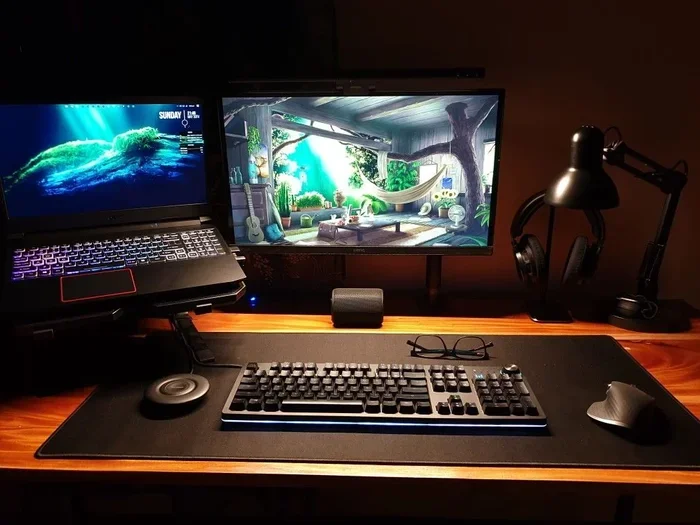
Let us talk about something that every gamer thinks about but rarely admits out loud. You just dropped a serious chunk of change on a gaming laptop. The specs look amazing. The frame rates are buttery smooth. The RGB lighting makes your desk look like a spaceship cockpit. And then that tiny voice in the back of your mind whispers, “Will this thing even last?”
Can A Gaming Laptop Last 7 Years without slowing down? That is the question burning in every buyer’s mind. The honest truth is that it depends on several factors working together. Build quality, usage habits, thermal management, and willingness to upgrade all play a role. In this deep dive, we will break down exactly what determines how long your gaming laptop survives and what you can do to push it past the seven-year mark.
Whether you are a casual player or a hardcore enthusiast, this guide gives you practical steps backed by real experience. No fluff. No filler. Just actionable advice that actually works. So grab your favorite drink, settle in, and let us get into it.
Key Takeaways
- Quality Build Matters: Laptops with premium materials and better cooling systems last significantly longer.
- Upgrades Are Your Best Friend: Swapping RAM and storage can breathe new life into an aging machine.
- Thermal Management Is Critical: Keeping temperatures low prevents performance drops and hardware failure.
- Software Maintenance Goes Hand in Hand: Driver updates, OS optimization, and bloatware removal keep things running smooth.
- Not All Laptops Are Created Equal: Budget models struggle to hit the 7-year mark compared to high-end options.
- Realistic Expectations Help: You may need to lower game settings over time, but the laptop itself can still perform well.
📑 Table of Contents
What Makes a Gaming Laptop Last 7 Years?
When you ask whether a gaming laptop can last 7 years, you are really asking about durability, performance endurance, and value retention. These three things do not always travel together. A laptop might feel fast today but struggle in three years. Or it might be slow out of the gate but hold up physically for a decade.
Understanding the pieces of the puzzle helps you make smarter buying decisions right from the start. Let us look at what really matters.
Build Quality and Materials
The chassis of your laptop sets the foundation. Plastic bodies flex over time and develop creaks. Metal frames hold up significantly better. Premium gaming laptops from brands like Lenovo, ASUS, and MSI use aluminum or magnesium alloy construction. These materials resist wear and tear far more effectively than cheap plastic.
Beyond the shell, think about the keyboard, hinges, and ports. A laptop with a sturdy hinge mechanism will survive years of opening and closing without wobbling. Cheap hinges loosen. Loose hinges lead to screen damage. That is a repair nobody wants to deal with.
Thermal Design and Cooling Systems
Heat is the number one killer of laptop components. A gaming laptop generates a lot of thermal output during intense sessions. Without proper cooling, internal temperatures soar. This leads to thermal throttling, which is when your processor and GPU deliberately slow down to avoid damage.
High-quality laptops feature multiple heat pipes, large fans, and advanced vapor chamber cooling. Budget models often cut corners here. They use smaller fans and fewer heat pipes. The result? Your laptop gets hot, loud, and sluggish much faster. Over seven years, poor thermal design means your components degrade faster than they should.
Component Quality and Brand Reputation
Not all components are created equal. A laptop with a top-tier processor and a well-reviewed GPU will age better than one with budget parts. Brands that use higher-quality capacitors, VRMs, and circuit boards build machines that survive longer. Research matters. Check reviews. Look at long-term ownership experiences from real users.
Hardware Components That Determine Longevity
Your gaming laptop is made up of several key components. Each one ages differently and contributes to overall lifespan in its own way. Let us break them down one by one.
The GPU: Your Graphics Powerhouse
The graphics processing unit handles everything you see on screen. It renders textures, shadows, lighting, and frame rates. Over time, new games demand more from the GPU. A card that runs everything at max settings today might struggle with tomorrow’s releases.
Here is the good news. Most modern GPUs from NVIDIA and AMD remain capable for five to seven years if you adjust settings. You do not always need to run at ultra-high settings. Dropping a few visual presets can make a huge difference. Laptop GPU performance does decline over time, but smart configuration keeps you in the game.
The CPU: The Brain of the Operation
The central processing unit manages calculations, physics simulations, and background tasks. A strong processor like an Intel Core i7 or AMD Ryzen 7 holds up well over the years. It might not run the newest games at peak performance after seven years, but it will still handle everyday tasks and older titles with ease.
One factor that affects CPU longevity is heat. Processors that run hot degrade faster. Keeping your laptop cool directly extends your CPU’s useful life. This is where thermal paste replacement comes in. We will cover that later.
RAM and Storage: The Unsung Heroes
Random access memory and storage often get overlooked when people think about laptop lifespan. But they matter a lot. Eight gigabytes of RAM was standard a few years ago. Today, sixteen gigabytes is the baseline for gaming. Thirty-two gigabytes is even better for longevity.
Storage type matters too. Solid state drives are significantly faster than traditional hard drives. An NVMe SSD loads games in seconds and keeps your system responsive for years. Unlike mechanical drives, SSDs have no moving parts. That means fewer things can break. Upgrading from an old HDD to a new SSD can make a five-year-old laptop feel brand new.
Battery Degradation and Replacement Options
Let us talk about the elephant in the room. Laptop batteries degrade. They lose capacity over time and with each charge cycle. After two to three years, you might notice your battery does not last as long as it used to.
Here is what most people do not know. You can replace a laptop battery. Many models have removable or replaceable battery designs. Even sealed laptops can sometimes be opened by a professional. Keeping your laptop plugged in most of the time also helps preserve battery health. Some users even remove the battery entirely when using their laptop on a desk.
How to Keep Your Gaming Laptop Running Smoothly
Buying a quality laptop is only half the battle. Maintenance is where the real longevity magic happens. You do not need to be a tech expert to keep your machine in great shape. A few simple habits make a massive difference over seven years.
Regular Cleaning and Dust Management
Dust is a silent killer. It accumulates inside your laptop over months and years. It clogs fans, coats heat sinks, and blocks airflow. When airflow gets restricted, temperatures climb. High temperatures lead to thermal throttling and component stress.
Here is what you should do. Use compressed air to blow dust out of the vents every three to six months. You can also open the back panel and clean components directly. Just make sure you unplug everything and ground yourself first. A can of compressed air costs a few dollars and can add years to your laptop’s life.
Thermal Paste Replacement
Thermal paste is the gooey substance between your CPU and GPU and their respective coolers. Over time, it dries out and loses effectiveness. Replacing it every two to three years keeps heat transfer efficient.
This is one of those maintenance tasks that many people skip. But it makes a noticeable difference. After replacing thermal paste, temperatures often drop by five to ten degrees Celsius. That is significant for long-term component health. It is also one of the easiest laptop maintenance tips you can follow.
Software Optimization and Driver Updates
Your software environment matters just as much as your hardware. Outdated drivers cause performance issues and compatibility problems. Keeping your GPU drivers updated ensures you get the best performance from your current hardware.
Beyond drivers, keep your operating system lean. Uninstall programs you do not use. Disable startup applications that eat up resources. Use built-in tools like Disk Cleanup or third-party optimizers to keep your system running smoothly. A clean system simply performs better than a cluttered one.
Using a Cooling Pad or Elevating Your Laptop
Sometimes simple physics makes all the difference. Elevating the back of your laptop improves airflow underneath. A cooling pad with built-in fans adds extra airflow to the bottom vents. These small accessories are inexpensive but effective.
Some gamers swear by laptop stands. Others prefer a simple stack of books. The point is to keep air flowing freely around your machine. During intense gaming sessions, every degree matters. Lower temperatures mean better performance and longer component life.
When Should You Upgrade Your Gaming Laptop?
Even with the best care, there comes a time when upgrading makes more sense than repairing. Knowing when that moment arrives saves you money and frustration. Here are clear signs your laptop has run its course.
Performance No Longer Meets Your Needs
If your favorite games no longer run at acceptable frame rates even after lowering settings, it might be time to move on. A seven-year-old laptop will eventually struggle with modern titles. But that does not mean the laptop is useless. It just means it has shifted roles. Many older laptops become excellent machines for browsing, office work, streaming, and casual gaming.
Hardware Compatibility Limitations
Not all laptops allow upgrades. Some have soldered RAM and non-replaceable storage. Before buying a laptop with longevity in mind, check what components you can upgrade. Models with accessible RAM slots and M.2 SSD slots give you far more flexibility over time.
Repair Costs vs Replacement Costs
At some point, repair costs exceed the value of the laptop. A broken screen, failed motherboard, or dead keyboard might cost more to fix than a new machine. This is especially true for older models where replacement parts become harder to find and more expensive.
Warranty and Support Considerations
Most gaming laptops come with a one-year warranty. Extended warranties from the manufacturer or third-party providers can cover you longer. Check what support options exist for your specific model. Brands like Dell and ASUS often offer extended service plans that cover repairs for three to five years.
Common Mistakes That Shorten Laptop Lifespan
Avoiding these common pitfalls can add years to your gaming laptop lifespan. Many of these mistakes are easy to fix with a little awareness.
- Never cleaning your laptop: Dust buildup causes overheating and gradual component failure.
- Running on a soft surface: Beds, couches, and blankets block vents and trap heat.
- Ignoring temperature monitoring: Free software like HWMonitor or MSI Afterburner lets you track temps in real time.
- Skipping updates: Outdated drivers and operating systems lead to inefficiency and security risks.
- Overcharging the battery: Keeping your laptop plugged in 24/7 without a charge cycle degrades battery health faster.
- Using cheap power adapters: Non-certified chargers can deliver inconsistent voltage and damage internal components.
- Overclocking without proper cooling: Pushing your GPU and CPU beyond stock speeds without adequate cooling accelerates wear.
Real-World Examples: Laptops That Lasted 7+ Years
Stories of gaming laptops surviving seven years or more are more common than you might think. Let us look at a few real-world scenarios that prove it is possible.
The ASUS ROG Strix Series
ASUS ROG Strix laptops are known for robust build quality and excellent cooling. Many users report running their Strix models for seven years or more with only minor upgrades like RAM and SSD swaps. The metal chassis holds up well, and ASUS continues to provide driver support for older models.
The Lenovo Legion Line
Lenovo Legion laptops combine solid performance with accessible internals. Users have successfully upgraded RAM and storage on Legion models from five to seven years old. The Legion Coldfront cooling system keeps temperatures manageable, which extends component life significantly.
The MSI GS Series
MSI’s GS series features thin designs without sacrificing cooling. Owners of older GS models often report that after upgrading to an SSD and adding more RAM, the laptop handles modern games at medium settings surprisingly well. Seven-year-old MSI gaming laptops are still in active use by many enthusiasts.
Budget Models That Surprised Everyone
Even some budget gaming laptops have surprised users with their longevity. Acer Nitro and HP Omen models from several generations ago continue to serve users for everyday tasks and light gaming. The key factor in these cases is usually a willingness to upgrade storage and RAM when needed.
Key Takeaways
- Build Quality Sets the Foundation: Metal chassis and premium cooling systems dramatically extend laptop lifespan.
- Thermal Management Is Non-Negotiable: Regular cleaning and thermal paste replacement prevent overheating and performance loss.
- Upgrades Keep Old Hardware Relevant: Swapping RAM and SSDs is the most cost-effective way to extend your laptop’s useful life.
- Software Care Matters Too: Driver updates, bloatware removal, and system optimization keep things running smoothly.
- Mistakes Happen but Are Avoidable: Simple habits like using hard surfaces and monitoring temperatures go a long way.
- Seven Years Is Achievable: With the right laptop and proper care, Can A Gaming Laptop Last 7 Years is not just a possibility, it is a realistic goal.
Conclusion
The answer to whether Can A Gaming Laptop Last 7 Years Without Slowing Down comes down to a combination of smart buying decisions and consistent maintenance. No laptop lasts forever without any effort. But with the right approach, seven years of solid performance is absolutely within reach.
Start with a quality machine. Invest in build quality and cooling. Stay on top of cleaning and software updates. Upgrade components like RAM and storage when needed. And most importantly, treat your laptop with care. Avoid extreme temperatures, use it on hard surfaces, and monitor performance regularly.
Seven years might sound ambitious for a gaming laptop. But thousands of users prove it happens every day. The secret is not magic, it is knowledge and consistency. Now that you have the information you need, you are better equipped to make your gaming laptop last. Take action today and your future self will thank you.
Frequently Asked Questions
Can a gaming laptop realistically last 7 years for modern gaming?
Yes, but with some adjustments. You will likely need to lower graphical settings over time as new games release. The laptop itself can still run for seven years, but it may not handle every new title at maximum settings. Upgrading RAM and switching to an SSD helps keep performance solid throughout the years.
What is the average lifespan of a gaming laptop?
Most gaming laptops last between four and six years at peak performance. With proper care and upgrades, that timeline extends to seven years or more. Build quality, usage habits, and thermal management all influence how long your specific machine will last.
How can I make my gaming laptop last longer?
Clean dust from vents every few months, replace thermal paste every two to three years, keep your laptop on hard surfaces, update drivers regularly, and avoid overcharging the battery. These simple habits add years to your laptop’s useful life.
Is it worth upgrading a 5-year-old gaming laptop?
It depends on the model and what upgrades are possible. If you can add RAM and install a new SSD, a five-year-old laptop can feel significantly faster. However, if the GPU is soldered and cannot be replaced, you may eventually need a new machine for demanding modern games.
Do gaming laptops lose value quickly?
Yes, gaming laptops depreciate faster than most electronics. A laptop that costs $1,500 new might be worth $300 to $500 after three years. However, resale value varies based on brand, specs, and condition. Well-maintained laptops from reputable brands hold value better.
What should I look for when buying a gaming laptop for longevity?
Prioritize build quality, cooling systems, upgradeable RAM and storage, and a reputable brand with good driver support. Look for models with metal chassis, multiple heat pipes, and at least 16GB of RAM. These features give you the best chance of reaching the seven-year mark.