Can You Transmit Hdmi Through Ethernet Cables at Home
Yes, you can transmit HDMI through Ethernet cables using specialized extenders and converters. This method lets you send high-definition video and audio over long distances without signal loss. HDMI over Ethernet is a popular solution for home theaters, office setups, and digital signage where standard HDMI cables fall short.
Have you ever wanted to send an HDMI signal from your TV to a device that sits way across the room? Maybe your media console is in another room, or your projector is mounted on a far wall. Can you transmit HDMI through Ethernet? The short answer is yes. But there is a bit more to it than just plugging in a cable.
This guide covers everything you need to know about HDMI over Ethernet. We will walk through how it works, what equipment you need, setup steps, and common mistakes to avoid. Whether you are building a home theater or extending a display for work, this article has you covered.
Key Takeaways
- HDMI over Ethernet works: You can extend HDMI signals using HDMI extenders and Ethernet cables up to 300 feet or more.
- You need a converter: A standard Ethernet cable alone cannot carry HDMI signals. You need an HDMI-to-Ethernet extender or balun pair.
- Cat6 and Cat6a cables perform best: These support higher bandwidth and longer distances for reliable HDMI transmission.
- Setup is simple: Most HDMI Ethernet extenders plug and play with minimal configuration.
- Latency is minimal: Modern extenders deliver near-zero lag, making them great for gaming and live presentations.
- Cost-effective alternative: HDMI over Ethernet saves money compared to running long fiber-optic or premium HDMI cables.
📑 Table of Contents
- What Is HDMI Over Ethernet?
- Can You Transmit HDMI Through Ethernet Cables at Home?
- How to Set Up HDMI Over Ethernet at Home
- HDMI Over Ethernet vs. Other HDMI Extension Methods
- Does HDMI Over Ethernet Affect Video Quality?
- Advanced Uses for HDMI Over Ethernet
- Expert Insights on HDMI Over Ethernet
- Conclusion
What Is HDMI Over Ethernet?
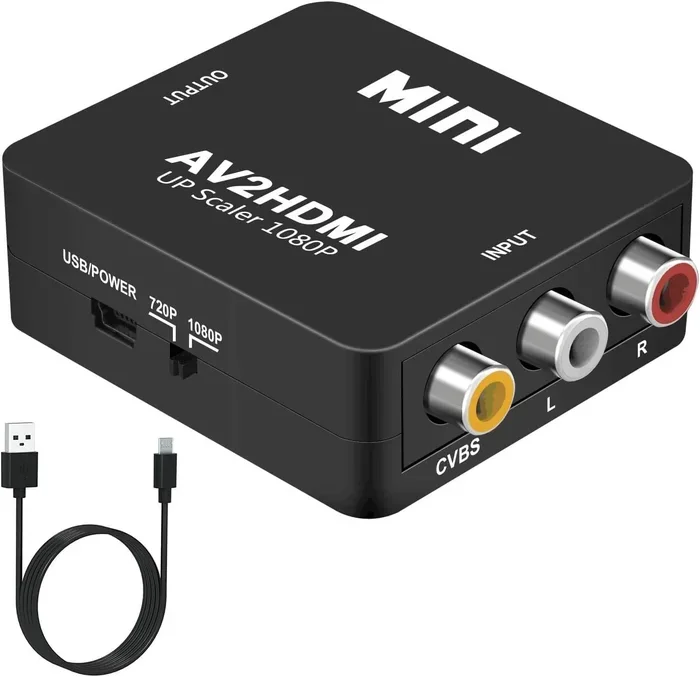
HDMI over Ethernet means sending high-definition video and audio signals through an Ethernet cable instead of a standard HDMI cable. You use a pair of small devices called extenders to make this happen. One extender connects to your source device. The other connects to your display. The Ethernet cable links them together.
This technology is also known as HDMI extend via Ethernet or HDMI extend distance using network cabling. It is a go-to fix when your HDMI cable is too short or when running a long HDMI cable causes signal degradation.
How Does HDMI Signal Transmission Work Over Ethernet?
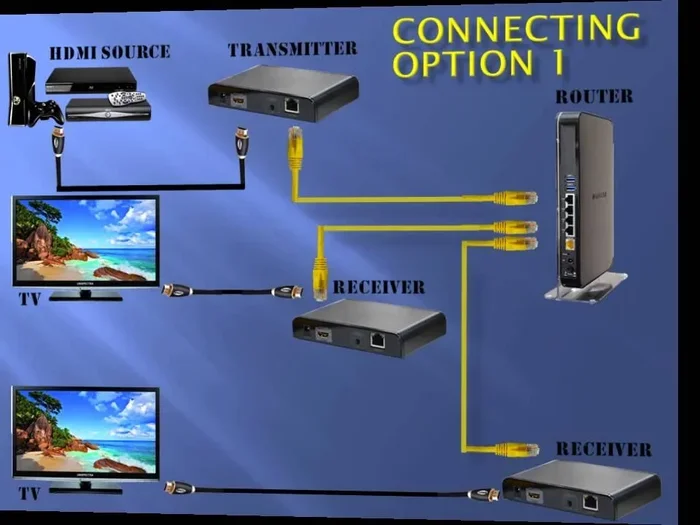
Here is the simple version. Your HDMI source device sends a raw digital signal. The first extender, called a transmitter, converts that HDMI signal into a format that can travel through an Ethernet cable. The second extender, called a receiver, converts it back to HDMI at the other end.
This process happens in real time. You do not need to wait or compress the video in a way that hurts quality. Modern HDMI AV extender kits support resolutions up to 4K in many cases.
Why Use Ethernet Instead of Long HDMI Cables?
Standard HDMI cables work well up to about 15 to 25 feet. Beyond that, you start to see problems. The signal weakens. You might get flickering, sparkles on screen, or no picture at all. HDMI over Ethernet solves this problem elegantly.
Ethernet cables, especially Cat6 or Cat6a, can carry the signal much farther. You can reach distances of 100 to 300 feet without any noticeable quality loss. That is a huge advantage over plain HDMI cables.
Can You Transmit HDMI Through Ethernet Cables at Home?
The direct answer to Can You Transmit HDMI Through Ethernet is a confident yes. Many homeowners use this method every day. It works great for home theaters, gaming setups, and even office presentations. Let us look at the details.
What Equipment Do You Need?
To set up HDMI through Ethernet at home, you need a few things:
- An HDMI extender kit with a transmitter and receiver
- An Ethernet cable (Cat5e, Cat6, or Cat6a)
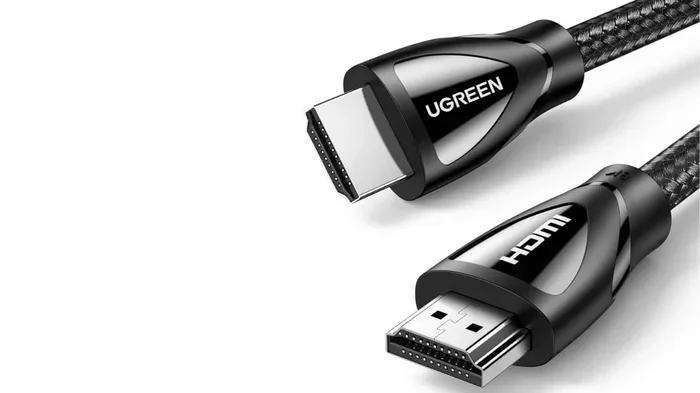
- Standard HDMI cables for connecting your devices
- A power source for both extender units
The extender kit is the star of the show. These come in different brands and price ranges. Some support only 1080p. Others handle 4K resolution. Make sure you pick one that matches your needs.
Which Ethernet Cable Is Best for HDMI Transmission?
Not all Ethernet cables are the same. Here is a quick look at your options:
- Cat5e: Budget-friendly and works for 1080p at shorter distances. Good for basic setups.
- Cat6: Better shielding and higher bandwidth. Handles 4K well up to about 150 feet.
- Cat6a: The best choice for long runs. Supports 4K and beyond with minimal signal loss.
- Cat7: Overkill for most home setups but offers top-tier performance.
For most home users, Cat6 strikes the perfect balance between cost and performance. It is widely available and easy to work with.
How to Set Up HDMI Over Ethernet at Home
Setting up HDMI over Ethernet is simpler than you might think. Most kits are plug and play. You do not need advanced technical skills. Follow these steps for a smooth setup.
Step-by-Step Setup Guide
- Connect the transmitter to your source device. Plug an HDMI cable from your Blu-ray player, laptop, or game console into the transmitter.
- Connect the receiver to your display. Run another HDMI cable from the receiver to your TV or projector.
- Plug in the Ethernet cable. Connect one end to the transmitter and the other to the receiver.
- Power both units. Use the included power adapters. Some extenders draw power from USB, which is even more convenient.
- Switch your TV to the right input. Turn on your source device and enjoy the picture.
That is it. Most people complete the full setup in under 15 minutes. No software installation needed. No network configuration required.
Quick Tips for a Flawless Setup
- Use a high-quality Ethernet cable. Cheap cables can introduce interference and signal loss.
- Keep power adapters plugged into surge protectors. This protects your equipment from power spikes.
- Test the signal before mounting everything. Set up temporarily first to confirm you get a clean picture.
- Label your cables. This saves headaches when you need to troubleshoot later.
- Keep the Ethernet cable away from power cords. Running them parallel can cause electromagnetic interference.
Common Mistakes to Avoid
Even with a simple setup, people make mistakes. Here are a few to watch out for:
- Using a Cat3 or older cable: These lack the bandwidth needed for HDMI over Ethernet. Always use Cat5e or better.
- Buying an extender that does not match your resolution: If your source outputs 4K, make sure your extender supports 4K.
- Forgetting to power both units: The transmitter and receiver both need power. A cable alone will not work.
- Using a long run without a signal booster: Beyond 300 feet, you may need a repeater or a higher-grade extender.
- Ignoring firmware updates: Some extenders benefit from firmware updates that improve compatibility and performance.
HDMI Over Ethernet vs. Other HDMI Extension Methods
There are several ways to extend an HDMI signal. Let us compare the most common options so you can pick the best one for your situation.
Comparison Table
| Method | Max Distance | Resolution Support | Cost | Ease of Setup |
|---|---|---|---|---|
| HDMI over Ethernet | Up to 300 ft | 4K (with good kits) | Low to Medium | Very Easy |
| Long HDMI Cable | Up to 25 ft | 4K (premium cables) | High for long runs | Very Easy |
| HDMI over Fiber Optic | Up to 1,000+ ft | 4K and beyond | High | Moderate |
| HDMI over HDBaseT | Up to 300 ft | 4K | Medium to High | Easy |
| Wireless HDMI | Up to 50 ft | 1080p to 4K | Medium | Very Easy |
HDMI over Ethernet offers the best balance of distance, cost, and ease of use for most home setups. Fiber optic gives you the longest range but costs more. Wireless HDMI is convenient but can suffer from interference and latency.
When Should You Choose HDMI Over Ethernet?
HDMI over Ethernet is ideal when:
- You need to run the signal more than 25 feet
- You already have Ethernet wiring in your walls
- You want a budget-friendly extension solution
- You need to send signals to multiple rooms
- You want a wired connection for stability
If you are setting up a whole-home system, HDMI over Ethernet scales beautifully. You can run a single Ethernet cable through your walls and connect multiple displays using an HDMI matrix switch.
Does HDMI Over Ethernet Affect Video Quality?
This is one of the most common questions about HDMI through Ethernet. People worry that converting the signal will hurt picture quality. The good news is that modern extenders preserve excellent quality.
What Resolutions Can You Expect?
Most HDMI extender Ethernet kits on the market today support the following:
- 1080p Full HD: Works flawlessly at distances up to 200 feet
- 4K at 30Hz: Supported by most mid-range kits
- 4K at 60Hz: Available with premium Cat6a or fiber-based extenders
- HDR and Dolby Vision: Supported by select high-end models
If you are watching Netflix or playing a game on a 4K TV, you want an extender that handles 4K at 60Hz with HDR. Check the product specs carefully before buying.
What About Latency?
Latency is the delay between the source and the display. For movies and TV shows, this does not matter much. For gaming or live presentations, it matters a lot.
The good news is that HDMI over Ethernet extenders have very low latency. Most add less than one frame of delay. You will not notice it during normal use. Gamers should look for extenders specifically marketed as low-latency or gaming-friendly.
Advanced Uses for HDMI Over Ethernet
HDMI over Ethernet is not just for simple home theater setups. There are many advanced applications where this technology shines.
Digital Signage and Commercial Displays
Businesses use HDMI over Ethernet to send content to multiple screens across a building. A single media player can feed several displays through a network switch. This is called HDMI over IP and it is a powerful tool for retail stores, restaurants, and offices.
Whole-Home Media Distribution
Want to watch your cable box in the bedroom and the living room? With HDMI over Ethernet, you can split and route signals to multiple TVs. An HDMI splitter Ethernet or a HDMI matrix switch makes this possible.
Security Camera Systems
Many security cameras output HDMI. Running long HDMI cables to a monitoring station is impractical. Ethernet extenders solve this problem neatly. You can route camera feeds over existing network infrastructure.
Expert Insights on HDMI Over Ethernet
HDMI over Ethernet has come a long way in recent years. Early models struggled with 4K and had noticeable lag. Today’s kits are vastly improved. Here are some expert tips to keep in mind.
Always match your extender to your cable type. A Cat5e extender on a Cat6a run will not give you the best results. Likewise, a budget extender on a 300-foot Cat6a run may struggle. Match the technology to the cable and the distance.
Consider future-proofing. If you are building a new setup, invest in a 4K-capable extender now. You will save time and money later when you upgrade your devices. HDMI Ethernet extender technology continues to evolve, and 8K support is on the horizon.
Do not underestimate cable management. A clean setup is a reliable setup. Use cable ties, raceways, and wall plates to keep your Ethernet and HDMI cables organized. This also makes troubleshooting much easier if something goes wrong.
Conclusion
Can you transmit HDMI through Ethernet? Absolutely. HDMI over Ethernet is a reliable, affordable, and flexible solution for extending high-definition video and audio signals around your home or office. With the right extender kit and a quality Ethernet cable, you can easily send 4K video over 100 feet or more without any noticeable quality loss.
The setup is straightforward. The equipment is affordable. And the results are impressive. Whether you are connecting a far-away projector, extending your media center to another room, or building a multi-display setup, HDMI over Ethernet delivers where it counts. Give it a try and see how easy long-distance HDMI can really be.
Frequently Asked Questions
Do I need a special Ethernet cable to transmit HDMI?
You do not need a special cable, but you should use at least Cat5e. Cat6 or Cat6a cables give you better performance and support longer distances. A standard Ethernet cable alone cannot carry HDMI signals. You still need an HDMI extender kit to make the conversion.
Can I run HDMI over Ethernet through walls?
Yes, you can. Ethernet cables are thin and flexible, making them easy to run through walls, ceilings, and conduits. Just make sure you use the right cable rating for in-wall installation, such as CL2 or CL3 rated cables. This keeps your setup safe and up to code.
Does HDMI over Ethernet support 4K resolution?
Many modern HDMI extender kits support 4K resolution. Check the product specifications before buying to confirm 4K support. Premium kits also handle 4K at 60Hz and HDR, which is important for gaming and high-quality video content.
Is there any lag when using HDMI over Ethernet?
Most modern extenders add less than one frame of delay. This is practically unnoticeable for movies, TV shows, and most gaming. If you are a competitive gamer, look for extenders specifically labeled as low-latency or gaming-grade.
Can I use HDMI over Ethernet for multiple displays?
Yes, you can. You can use an HDMI matrix switch or an HDMI splitter with Ethernet support to route signals to multiple TVs or projectors. This is a popular setup for home theaters and digital signage applications.
How far can I transmit HDMI through Ethernet?
Most HDMI over Ethernet extenders support distances up to 100 to 300 feet. The actual distance depends on your Ethernet cable quality and the extender model. Cat6a cables and premium extenders deliver the best results at longer distances.