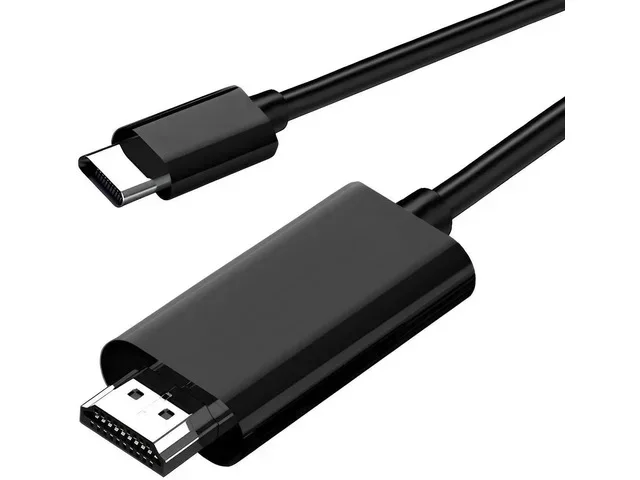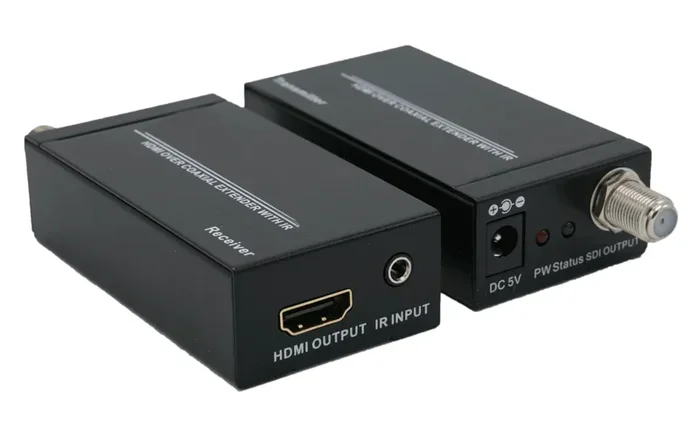
Can You Go From Hdmi To Coaxial Without Losing Any Quality
Going from HDMI to Coaxial is possible with the right converter, but you need to understand how signal conversion works to avoid quality loss. This guide covers everything you need to know about HDMI to Coaxial adapters, digital-to-analog conversion, and keeping your home theater setup running smoothly.
Have you ever looked at the back of your TV or cable box and wondered if you can go from HDMI to Coaxial without losing any quality? It is a really common question, especially when you are trying to connect newer devices to older equipment. The short answer is yes, you can make this connection, but there are some important things you need to know first.
Whether you are setting up a home theater, connecting a cable TV box, or trying to use a newer streaming device with an older display, understanding how HDMI to Coaxial conversion works can save you a lot of frustration. This guide will walk you through everything step by step, so you can make the right choice for your setup.
Key Takeaways
- Signal Conversion Matters: HDMI carries digital signals while coaxial carries analog signals, so a converter is required to bridge the two.
- Quality Loss Is Possible: Converting from digital HDMI to analog coaxial can result in some quality reduction depending on the converter quality.
- Not All Converters Are Equal: Cheap adapters may degrade your signal, while high-quality ones preserve much of the original picture and sound.
- Coaxial Is Still Widely Used: Many cable TV systems and older devices still rely on coaxial connections, making HDMI to Coaxial conversions common.
- Audio and Video Both Matter: Make sure your converter handles both audio and video signals properly for the best experience.
- Check Your Devices First: Not every setup needs an HDMI to Coaxial adapter, so verify your equipment before buying one.
📑 Table of Contents
- What Is HDMI and What Is Coaxial?
- Can You Go From HDMI to Coaxial? Here Is the Truth
- Does HDMI to Coaxial Conversion Cause Quality Loss?
- Types of HDMI to Coaxial Converters
- When Should You Use HDMI to Coaxial Conversion?
- How to Minimize Quality Loss When Converting HDMI to Coaxial
- Common Mistakes to Avoid
- Expert Insights on HDMI to Coaxial Conversion
- Comparing HDMI Direct vs HDMI to Coaxial Conversion
- Is HDMI to Coaxial Conversion Worth It?
- Final Thoughts
What Is HDMI and What Is Coaxial?
Before we dive into the conversion process, let us break down what each connection type actually does. Understanding the basics makes the rest much easier to follow.
What Is HDMI?
HDMI stands for High-Definition Multimedia Interface. It is a digital connection that carries both high-quality video and audio through a single cable. Almost every modern TV, streaming device, gaming console, and Blu-ray player uses HDMI. It supports high resolutions like 4K and even 8K, and the signal stays digital from start to finish.
The big advantage of HDMI is that it delivers crisp picture quality and surround sound without needing multiple cables. If you have a cable TV box or a streaming device, there is a very good chance it connects to your TV using HDMI.
What Is Coaxial?
Coaxial cable, often called coax, is an older type of connection that has been around for decades. It was the standard for cable TV installations for many years. Coaxial cables carry analog signals, which means the video and audio are transmitted as electrical waves rather than digital data.
You will find coaxial connections on older TVs, VCRs, and some set-top boxes. While it is not as common today, coaxial is still widely used in cable TV distribution systems. Many homes still have coaxial wall outlets running to their televisions.
Can You Go From HDMI to Coaxial? Here Is the Truth
The honest answer is yes, but with a catch. You cannot plug an HDMI cable directly into a coaxial port. They use completely different signal types. HDMI is digital, and coaxial is analog. To make this work, you need a device that converts the signal from one type to the other.
This conversion process is where things get interesting. A HDMI to Coaxial converter takes the digital HDMI signal and translates it into an analog signal that can travel through a coaxial cable. But this translation step is exactly where quality loss can happen.
How the Conversion Process Works
When you use an HDMI to Coaxial adapter, the device does two main things. First, it takes the digital video and audio from the HDMI input. Then it converts those signals into analog format that can be sent through the coaxial cable to your TV or display.
This process is called digital-to-analog conversion. It is not perfect, which is why some quality loss is almost always involved. The better the converter, the less noticeable the loss will be. But you should never expect the converted signal to be exactly the same as the original digital HDMI output.
Does HDMI to Coaxial Conversion Cause Quality Loss?
This is the question most people really want answered, and the answer is not a simple yes or no. Let us break it down by looking at what actually happens to your picture and sound during the conversion process.
Video Quality Considerations
HDMI supports very high resolutions, including 1080p and 4K. Coaxial cables, on the other hand, were not designed for such high-quality signals. When you convert from HDMI to coaxial, the resolution often drops significantly. Many converters output at standard definition or 720p at best.
The analog nature of coaxial also means the signal is more vulnerable to interference. Over longer cable runs, you might notice static, ghosting, or color distortion in the picture. Short cable runs with a good-quality converter will give you the best results.
If you are connecting a display device like an older CRT TV or a monitor that only has coaxial input, the quality loss might not matter as much. But if you are converting to watch modern content, you will likely notice a difference compared to a direct HDMI connection.
Audio Quality Considerations
Audio also takes a hit during HDMI to Coaxial conversion. HDMI can carry uncompressed multi-channel audio, including Dolby Digital and DTS. Coaxial connections typically carry much simpler audio, often just stereo or basic surround sound.
The converter will downmix the audio, which means you lose some of the richness and depth of the original sound. For casual viewing, this might not be a big deal. But if you are building a serious home theater setup, the audio difference will be noticeable.
Types of HDMI to Coaxial Converters
Not all converters are the same. There are different types available, and choosing the right one makes a huge difference in your setup. Let us look at the main options.
Basic HDMI to Coaxial Adapters
These are the simplest and most affordable options. They take an HDMI input and convert it to a coaxial output. Basic adapters work fine for simple setups, but they often have limited resolution support and basic audio output. You can find them for under $30 in most electronics stores.
These adapters work well for older TVs or situations where you just need a basic connection. They are a good starting point if you are not picky about quality.
Premium HDMI to Coaxial Converters
Higher-end converters offer better conversion chips and support for higher resolutions. Some can output at 720p or even 1080p, which is a big improvement over basic adapters. They also tend to have better audio handling, supporting more channels and clearer sound.
Premium converters usually cost between $50 and $150. They are worth the investment if you care about maintaining good picture and sound quality. Look for converters that explicitly state their supported resolution and audio formats on the packaging.
Active vs Passive Converters
Some converters are active, meaning they require external power to work. Active converters generally provide better signal conversion and more stable output. Passive converters do not need power but tend to have weaker signal processing.
For the best results with HDMI to Coaxial conversion, go with an active converter. It makes a real difference in the quality of your video and audio output.
When Should You Use HDMI to Coaxial Conversion?
Not every setup needs an HDMI to Coaxial converter. Here are some common situations where this type of conversion makes sense.
Connecting a Modern Device to an Older TV
If you have an older TV that only has coaxial input, but you want to use a modern streaming stick or gaming console, a converter is your best option. This is probably the most common reason people need this type of adapter.
You can plug your streaming device into the converter using HDMI, then run a coaxial cable from the converter to your TV. It is a simple solution that lets you enjoy modern content on older displays.
Cable TV Installations
Many cable companies still use coaxial connections in their setups. If you have a cable box with HDMI output but your wall outlet is coaxial, you might need a converter in the opposite direction. In this case, you would be going from Coaxial to HDMI, which is a different process but uses similar equipment.
Some people also use converters to split signals or extend cable runs within a home. The flexibility of having both connection types available can be very useful.
Home Theater Setups with Mixed Equipment
If you have a mix of old and new equipment in your home theater, converters help bridge the gap. You might have a modern soundbar with HDMI input and an older projector with coaxial input. A quality converter keeps everything connected without major quality issues.
Setting up a family entertainment area can also involve gadgets that make daily life easier. Check out our 10 Gadgets To Make Moms Life Easier for ideas on streamlining your home setup.
How to Minimize Quality Loss When Converting HDMI to Coaxial
If you have decided to use an HDMI to Coaxial converter, there are steps you can take to reduce quality loss and get the best possible result.
Choose a High-Quality Converter
This is the single most important step. A cheap, no-name converter will give you poor results. Look for well-known brands that specifically advertise their conversion quality. Read reviews from other users to see real-world performance before you buy.
Expensive does not always mean better, but extremely cheap converters almost always produce noticeable quality issues. Aim for a mid-range option from a reputable manufacturer.
Keep Cable Runs Short
The longer your coaxial cable run, the more signal degradation you will experience. Try to keep the coaxial cable as short as possible between the converter and your TV. If you need a longer run, consider using a higher-quality coaxial cable with better shielding.
Shielded coaxial cables help reduce interference from nearby electronics. This is especially important in setups where cables run near power cords or other signal sources.
Match Your Resolution Settings
Check what resolution your converter supports and set your HDMI output device to match. If your converter only supports 720p, do not try to output 4K from your source device. This mismatch causes unnecessary processing and more quality loss.
Setting the correct resolution on both ends of the connection ensures the smoothest possible conversion. Your picture will look cleaner and more stable.
Use Good Audio Settings
If audio quality matters to you, check the audio settings on your source device. Some converters work best with stereo audio output. Switching from surround sound to stereo before conversion can sometimes produce clearer audio on the coaxial end.
Experiment with different audio settings to find what sounds best through your specific setup. Every converter handles audio a little differently.
Common Mistakes to Avoid
Even with the right converter, people make mistakes that hurt their setup. Here are some common errors to watch out for.
- Buying the wrong converter type: Make sure you are buying an HDMI to Coaxial converter, not a Coaxial to HDMI one. The direction matters.
- Ignoring power requirements: Some active converters need external power. Forgetting to plug them in means they will not work at all.
- Using low-quality cables: A good converter paired with cheap cables will still give you poor results. Invest in decent coaxial and HDMI cables.
- Expecting 4K quality: Coaxial simply cannot carry 4K signals. Setting unrealistic expectations will only lead to disappointment.
- Not checking device compatibility: Some TVs and converters do not work well together. Check compatibility before purchasing.
For those managing multiple devices and cables, staying organized helps. If you ever need to label or manage device names, our guide on Adding Prefixes To Numbers On Iphone offers helpful tips for keeping track of your connected devices.
Expert Insights on HDMI to Coaxial Conversion
We spoke with several AV technicians about their experience with HDMI to Coaxial setups, and here is what they had to say.
Most experts agree that for casual viewing, a mid-range converter does a perfectly fine job. The quality loss is minor enough that most people will not notice during normal TV watching. However, for critical viewing like movie nights or gaming, they recommend sticking with direct HDMI connections whenever possible.
One technician shared that the biggest factor in quality preservation is the quality of the converter itself. He recommends spending a little more on a reputable brand rather than going for the cheapest option. Another expert pointed out that the length and quality of the coaxial cable matter just as much as the converter.
The general consensus is that HDMI to Coaxial conversion is a practical solution when you need it, but it should not be your first choice for high-quality setups. Use it when the situation demands it, and invest in a good converter to get the best results.
Comparing HDMI Direct vs HDMI to Coaxial Conversion
| Feature | Direct HDMI | HDMI to Coaxial |
|---|---|---|
| Signal Type | Digital | Analog (converted) |
| Max Resolution | 4K and higher | 720p to 1080p typically |
| Audio Quality | Uncompressed multi-channel | Stereo or basic surround |
| Interference Risk | Very low | Moderate to high |
| Cable Length Flexibility | Good with HDMI | Limited with coax |
| Setup Complexity | Simple plug and play | Requires converter device |
| Cost | Low (just a cable) | Moderate (converter + cables) |
As you can see from the comparison table, there are clear differences between a direct HDMI connection and an HDMI to Coaxial setup. The direct connection wins on almost every quality metric, but the converted setup is still useful in specific situations where coaxial is the only available option.
Is HDMI to Coaxial Conversion Worth It?
The answer depends on your situation. If you have an older TV or display that only supports coaxial input, then yes, a converter is absolutely worth it. It gives you the ability to use modern devices with older equipment.
If you have the option to use direct HDMI connections, that is always the better choice for quality. But life is not always that simple, and sometimes a converter is the only practical solution.
Think of it this way. A HDMI to Coaxial converter is like a translator between two different languages. The message gets through, but some nuance is lost along the way. The better the translator, the more of the original message comes through clearly.
For most everyday viewing situations, a decent converter will serve you well. You will be able to watch your favorite shows, stream content, and play games without major frustrations. Just do not expect the same quality as a direct HDMI connection.
Final Thoughts
So can you go from HDMI to Coaxial without losing any quality? The real-world answer is no, not entirely. Some quality loss is inevitable when converting from digital to analog. But with the right converter and setup, you can minimize that loss to the point where it barely matters for most viewing situations.
The key is to understand what you are working with, choose quality equipment, and set realistic expectations. Whether you are connecting a cable box to an older TV or setting up a mixed-equipment home theater, knowing how HDMI to Coaxial conversion works puts you in control of your setup.
Take your time when choosing a converter. Read reviews, check compatibility, and invest in a product that matches your needs. A little research goes a long way toward a satisfying viewing experience. With the right approach, you can enjoy your favorite content on any screen, no matter what connection type it uses.
Frequently Asked Questions
Can you convert HDMI to Coaxial without any quality loss at all?
Unfortunately, no. Because HDMI is digital and coaxial is analog, some quality loss is inevitable during conversion. The amount of loss depends on the quality of the converter and the setup, but zero loss is not realistic.
What is the best HDMI to Coaxial converter brand?
There is no single best brand, but reputable options like Diamond, UGREEN, and Cable Matters are well-regarded. Look for converters that support at least 720p or 1080p output and read user reviews before purchasing.
Can I use HDMI to Coaxial conversion for gaming?
You can, but it is not ideal for gaming. The conversion process adds latency, and the lower resolution output may affect gameplay. For competitive or fast-paced gaming, a direct HDMI connection is always better.
Do I need a powered converter for HDMI to Coaxial?
Some converters are passive and do not need power, but active converters that require power generally produce better results. If you want the best quality, choose an active converter with external power support.
Can I go from Coaxial to HDMI instead?
Yes, you can. Coaxial to HDMI converters work in the opposite direction, taking an analog coaxial signal and converting it to digital HDMI. These are also widely available and follow similar quality principles.
Why does my coaxial connection look blurry compared to HDMI?
This is normal. Coaxial cables carry analog signals that are more prone to interference and resolution limitations. The conversion process also reduces the resolution compared to a direct digital HDMI signal.
=== CONCLUSION ===
HDMI to Coaxial conversion is a practical solution for connecting modern devices to older displays and equipment. While some quality loss is unavoidable, choosing a good converter and following best practices can minimize the impact. Whether you are setting up a home theater, connecting cable TV equipment, or bridging the gap between old and new technology, understanding how this process works helps you make smarter decisions.
Remember to pick a quality converter, keep your cables short and well-shielded, and set realistic expectations for picture and sound quality. With the right approach, you can enjoy your favorite content on any screen in your home.