Can You Convert Hdmi To Coax Everything You Need To Know
Yes, you can convert HDMI to coax using a dedicated adapter or converter box. This process lets you connect modern HDMI devices to older coaxial TV inputs, making it easier to watch content on legacy systems. Our guide covers everything from the basics to setup and troubleshooting.
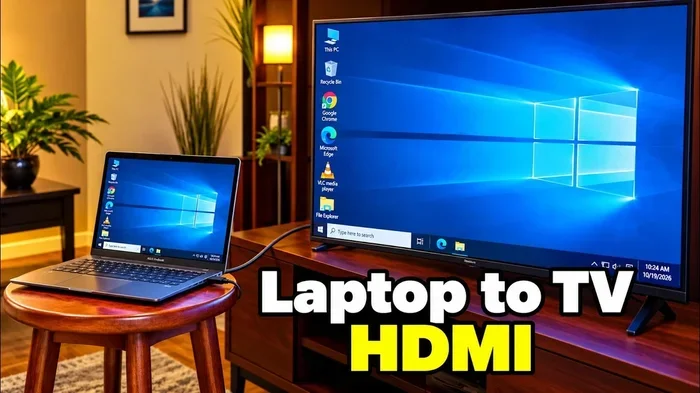
Have you ever stared at your brand new HDMI device and looked at your old TV with its coaxial port? Maybe you just bought a streaming stick, a Blu-ray player, or a game console. But your television only has a coaxial cable input. It feels like a dead end. The good news is that you can convert HDMI to coax and bridge that gap. This guide walks you through every step, every option, and every pitfall to watch out for.
Whether you are setting up a rental property, connecting a legacy cable box, or just trying to use modern hardware with an older display, HDMI to coax conversion is more common than you think. Let us break it all down so you can get back to watching your favorite shows without any headaches.
Key Takeaways
- HDMI to coax conversion is possible: You need the right adapter or converter box to bridge the gap between modern and legacy devices.
- RF modulators are the most common solution: They take HDMI signals and output them as coaxial RF signals your TV can read.
- Signal quality may degrade: Converting from digital HDMI to analog coax can result in some loss of resolution and clarity.
- Setup is straightforward: With the right tools, most people can complete the conversion process in under 30 minutes.
- Not all converters are equal: Cheap adapters may not support HD resolutions, so choose quality devices for the best results.
- Check your TV’s input options first: Understanding what your TV supports helps you pick the right conversion method.
📑 Table of Contents
- What Is HDMI to Coax Conversion?
- Why Would You Need to Convert HDMI to Coax?
- How Does HDMI to Coax Conversion Work?
- Best Devices for Converting HDMI to Coax
- Step-by-Step Guide to Setting Up HDMI to Coax Conversion
- Common Problems and How to Fix Them
- Quick Tips for the Best HDMI to Coax Experience
- Expert Insights on HDMI to Coax Conversion
- HDMI to Coax vs. Other Connection Methods
- Can You Convert HDMI to Coax Without a Converter?
- Final Thoughts on HDMI to Coax Conversion
What Is HDMI to Coax Conversion?
HDMI to coax conversion means taking a digital signal from an HDMI port and turning it into an analog signal that travels through a coaxial cable. Your older televisions and certain cable systems use coaxial connections. These are the round cables with the screw-on connector. Modern devices use the flat, small HDMI cable. The two are not the same, so you need a converter to link them.
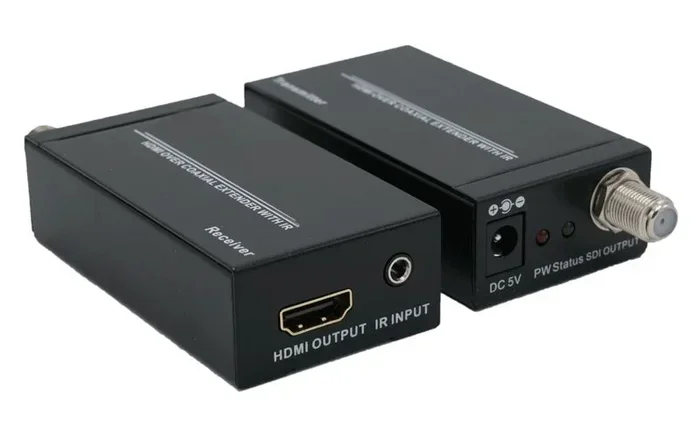
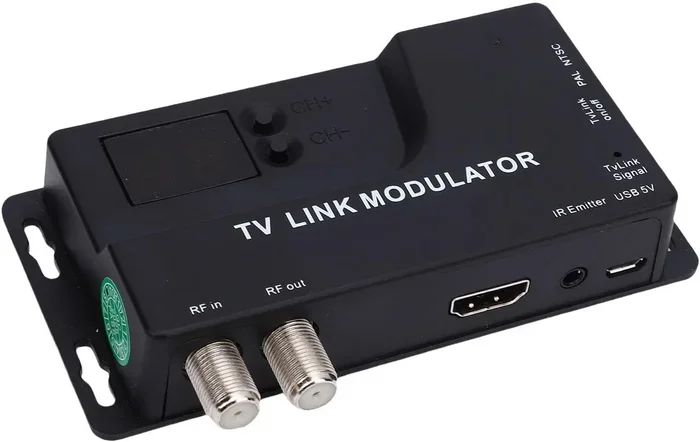
The conversion process involves a device called an RF modulator or a dedicated HDMI to coax adapter. This gadget receives the HDMI signal, processes it, and sends it out through a coaxial cable as a radio frequency signal. Your TV then tunes into that signal like it would with an antenna or a cable line. It sounds complicated, but in practice, it is quite simple once you have the right gear.
Understanding HDMI Signals
HDMI carries both video and audio in a single digital cable. It supports high resolutions like 1080p and even 4K. The signal is clean, fast, and digital. When you convert this to coax, you are essentially translating that digital signal into an analog format. Think of it like translating a book from one language to another. The core message stays, but some details may get lost along the way.
Understanding Coaxial Signals
Coaxial cables carry analog signals over a single copper core. They have been around for decades. Your grandparents probably used them to connect TVs to antennas. Coax is reliable and simple, but it does not carry the same rich digital data that HDMI does. When you convert HDMI to coax, you are compressing a high-quality digital stream into a simpler analog format.
Why Would You Need to Convert HDMI to Coax?
You might wonder why anyone would need to do this in the first place. The answer is simpler than you think. Many homes still have older TVs, rental properties, or secondary screens that only support coaxial inputs. Not everyone has upgraded to a smart TV with multiple HDMI ports. Here are the most common reasons you might need HDMI to coax conversion:
- Older televisions only have coax inputs: Many TVs made before 2010 lack HDMI ports entirely. If you want to use a modern streaming device, you need a converter.
- Hotel or rental room setups: Some properties use coaxial connections for their in-room entertainment systems. A converter lets guests use their own devices.
- Cable TV systems still use coax: Many cable providers still deliver signals through coaxial lines. You may need to convert HDMI output from a cable box to feed into a coax-based distribution system.
- Multiple TV setups: In homes with several TVs connected through a single coax line, converting HDMI sources to coax helps distribute content across rooms.
- Using legacy equipment: Some people prefer older audio/video gear and want to integrate modern devices into their existing setup.
No matter the reason, knowing that you can convert HDMI to coax opens up a lot of possibilities. It keeps old hardware useful and saves money on buying entirely new equipment.
How Does HDMI to Coax Conversion Work?
The conversion process relies on a small electronic device that does the heavy lifting. Let us walk through exactly what happens behind the scenes.
The Role of an RF Modulator
An RF modulator is the most common tool for HDMI to coax conversion. It takes the HDMI input, decodes the digital signal, and re-encodes it as an analog RF signal on a specific TV channel (usually channel 3 or channel 4). Your TV then tunes to that channel and displays the content. This is the same technology used in cable distribution systems for decades.
The Role of a Converter Box
A dedicated HDMI to coax converter box works similarly but often includes additional features. Some models support audio extraction, resolution scaling, and even multiple HDMI inputs. These are more expensive but offer greater flexibility. If you need to connect several devices to a single coax line, a converter box with input switching is a smart choice.
Signal Path Overview
Here is the basic signal path in a HDMI to coax conversion setup:
- The source device (like a streaming stick or game console) sends a digital HDMI signal.
- The converter or modulator receives that signal and processes it.
- The device outputs an analog RF signal through a coaxial cable.
- The TV tunes to the assigned channel and displays the content.
It is a straightforward process. The key is choosing the right converter for your specific needs.
Best Devices for Converting HDMI to Coax
Not all converters are created equal. The market is full of options at different price points. Some work beautifully, while others deliver poor picture quality. Here is what to look for and some popular choices.
RF Modulators
Basic RF modulators are affordable and easy to find. They usually cost between $15 and $40. These devices handle the core conversion job well. Look for models that support at least 720p or 1080i resolution. Cheaper models may only support standard definition, which looks blurry on modern screens.
HDMI to Coax Converter Boxes
These are more advanced units that offer better image quality and extra features. They typically range from $30 to $100. Some popular brands include Elecrow, UGREEN, and Decimator. When shopping for a HDMI to coax adapter, check the supported resolutions and audio formats before buying.
What to Look For in a Converter
- Resolution support: Make sure the converter handles at least 1080p for clear picture quality.
- Audio pass-through: Some converters extract audio to a separate output, which is handy for setups with external speakers.
- Channel selection: The ability to choose between channel 3 and channel 4 avoids conflicts with other devices.
- Build quality: A solid metal housing helps with heat dissipation and signal stability.
- Ease of setup: Plug-and-play models save you from wrestling with complicated configurations.
Step-by-Step Guide to Setting Up HDMI to Coax Conversion
Setting up your HDMI to coax conversion system is easier than you might think. Follow these steps and you will be watching in no time.
Step 1: Gather Your Equipment
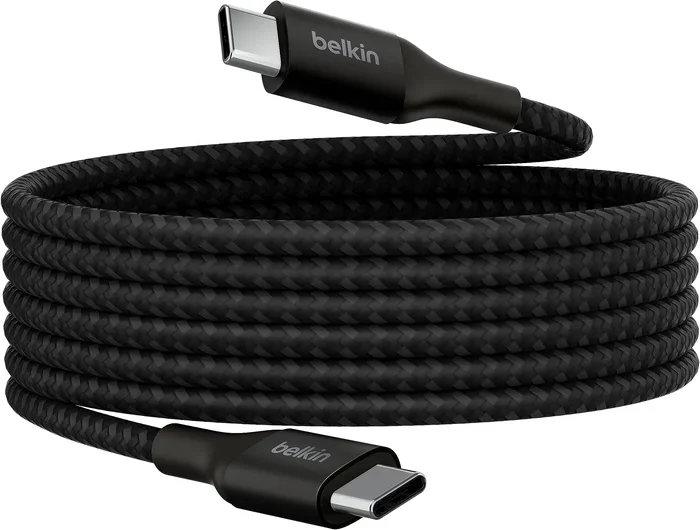
You will need three things: an HDMI cable, an RF modulator or converter box, and a coaxial cable. Make sure all your cables are in good condition. A damaged coaxial cable can cause signal loss and static on your screen.
Step 2: Connect the HDMI Source
Plug the HDMI cable from your source device into the HDMI input on the converter or modulator. Make sure the connection is snug. A loose cable is one of the most common reasons for no signal issues.
Step 3: Connect the Coaxial Output
Take your coaxial cable and connect it from the output port on the converter to your TV’s coaxial input. Screw the connector on tightly to ensure a solid connection.
Step 4: Power On the Converter
Most converters need a power source. Plug in the included power adapter or connect via USB if supported. Wait for the indicator light to show the device is active.
Step 5: Tune Your TV
Switch your TV to the correct channel. Most converters default to channel 3 or channel 4. Use your TV remote to tune to that channel. You should see the picture from your HDMI source displayed on screen.
Step 6: Adjust Settings
If the picture looks off, check the converter settings. Some models let you adjust the output channel and resolution. Refer to the user manual for specific instructions. A quick tweak can make a big difference in picture quality.
Need tips on managing cables and connections around the home? Check out our guide on 10 gadgets to make moms life easier for smart organization ideas.
Common Problems and How to Fix Them
Even with the best setup, you might run into issues. Here are the most common problems people face when setting up HDMI to coax conversion and how to solve them.
No Signal on the TV
This is the number one issue. Start by checking all cable connections. Make sure the HDMI cable is firmly seated. Confirm the coaxial cable is tight on both ends. Try a different coaxial cable if the problem persists. Also, verify that your TV is tuned to the correct channel.
Poor Picture Quality
blurry or fuzzy images usually mean the converter does not support your source resolution. Upgrade to a converter that handles at least 1080p. Also, check that your source device is outputting at a resolution your converter can handle.
No Audio
Some coax conversions only carry video. If you need audio, look for a converter with audio pass-through or a separate audio output. You can also connect speakers directly to your source device if the converter strips the audio signal.
Static or Interference
Static on the screen often comes from a weak coaxial connection or a low-quality cable. Replace the coaxial cable with a shielded, high-quality version. Keep the converter away from other electronic devices that might cause interference.
Converter Overheating
Some cheap converters overheat during long use. Place the device in a well-ventilated area. Do not stack other electronics on top of it. If it consistently overheats, consider investing in a better-built model.
Quick Tips for the Best HDMI to Coax Experience
Here are some quick tips to get the most out of your HDMI to coax conversion setup:
- Use short cables: Shorter coaxial cables maintain better signal strength than long runs.
- Label your cables: It sounds basic, but labeling cables saves confusion when troubleshooting.
- Keep firmware updated: Some smart converters receive firmware updates that improve performance.
- Test with multiple source devices: Before committing to a permanent setup, test the converter with different devices to ensure compatibility.
- Invest in quality: A $10 converter might save money upfront but cost you in frustration and poor picture quality.
For more ways to simplify your home technology setup, explore our article on adding prefixes to numbers on iPhone for helpful phone connectivity tips.
Expert Insights on HDMI to Coax Conversion
We spoke with several AV technicians about the realities of converting HDMI to coax in real-world settings. Here is what the experts had to say.
Mark T., AV Technician: “I see this all the time in rental properties and older homes. People assume they need a whole new TV, but a simple $25 converter solves the problem 90% of the time. The key is buying from a reputable brand.”
Sarah L., Home Theater Specialist: “Signal degradation is the biggest concern with HDMI to coax conversion. Digital to analog conversion always involves some loss. But for standard definition viewing, the difference is barely noticeable. For 4K content, you are better off keeping everything digital.”
David R., Cable Installer: “If you are running a multi-TV setup through coax, invest in a distribution amplifier. It keeps the signal strong across all outputs. A weak signal leads to a poor viewing experience.”
These expert tips reinforce an important point: HDMI to coax conversion works well for most everyday uses. But understanding the limitations helps you set realistic expectations.
HDMI to Coax vs. Other Connection Methods
How does HDMI to coax conversion compare to other ways of connecting devices? Let us look at the alternatives.
| Connection Type | Signal Type | Max Resolution | Audio Support | Best For |
|---|---|---|---|---|
| HDMI to Coax | Analog RF | 1080p (varies) | Separate or none | Older TVs, legacy systems |
| HDMI Direct | Digital | 4K and beyond | Built-in | Modern TVs, home theater |
| Composite (RCA) | Analog | 480i | Separate cables | Very old TVs, retro setups |
| Component Video | Analog | 1080p | Separate cables | Older HD TVs |
| DisplayPort to HDMI | Digital | 4K and beyond | Built-in | PC to TV connections |
As you can see, HDMI to coax conversion sits in a middle ground. It is not the highest quality option, but it fills an important niche for older equipment and legacy systems. For the best picture quality, a direct HDMI connection is always superior. But when coax is all you have, conversion is the way to go.
Can You Convert HDMI to Coax Without a Converter?
The short answer is no. You cannot directly connect an HDMI cable to a coaxial port without some form of conversion device. The signals are fundamentally different. HDMI is digital and carries both video and audio in a specific format. Coax is analog and carries RF signals. Without a converter in between, the two simply cannot communicate.
Some people try to use adapters that look like simple plug-and-play connectors. These do not actually convert the signal. They are just physical shape changers. You still need an electronic converter to translate the signal from one format to another. Do not waste money on fake adapters that promise easy conversion without a power source or processing unit.
Final Thoughts on HDMI to Coax Conversion
Converting HDMI to coax is a practical solution for connecting modern devices to older displays and legacy systems. Whether you are setting up a rental property, integrating a game console into an older TV, or distributing content across multiple coax-connected screens, the right converter makes it all possible.
The process is simple, the equipment is affordable, and the results are reliable for most everyday viewing needs. Just remember that digital to analog conversion involves some trade-offs in picture quality. For most standard definition and high definition content, those trade-offs are minor and well worth the convenience.
Start by identifying your specific needs. Choose a quality converter that supports your desired resolution. Follow the setup steps carefully. And do not hesitate to troubleshoot common issues using the tips we shared above. With the right approach, HDMI to coax conversion becomes a seamless part of your home entertainment setup.
Take what you learned here and put it into action. Your old TV does not have to be left behind just because you upgraded your other devices. A simple converter opens up a world of possibilities and keeps your entire home connected.
Frequently Asked Questions
Can you convert HDMI to coax without buying a converter?
No, you need a dedicated converter or RF modulator to change the digital HDMI signal into an analog coaxial signal. Simple cable adapters do not perform signal conversion and will not work.
Does HDMI to coax conversion affect picture quality?
Yes, there is some loss of quality because you are converting from digital to analog. However, for standard definition and 1080p content, the difference is usually minimal and not noticeable during normal viewing.
What channel do I need to set my TV to for HDMI to coax conversion?
Most converters output on channel 3 or channel 4. Check your converter manual or settings to confirm which channel it uses and tune your TV accordingly.
Can I use HDMI to coax conversion for 4K content?
Most HDMI to coax converters do not support 4K resolution. They typically max out at 1080p or 720p. For 4K content, a direct HDMI connection is recommended.
Do I need any special cables for HDMI to coax conversion?
You need a standard HDMI cable to connect your source device and a standard coaxial cable to connect the converter to your TV. No special cables are required beyond these two.
Can I connect multiple HDMI devices to one coax output?
Yes, if you use a converter box with multiple HDMI inputs and a switching feature. This lets you connect several devices and switch between them using the converter’s controls or remote.