Can I Use Any Usb C Power Adapter Without Breaking My Device
Can I Use Any Usb C Power Adapter? The short answer is no—using just any usb c power adapter can risk your device. You need to match voltage, wattage, and the Power Delivery protocol to keep your gadgets safe and charging fast. This guide breaks down exactly what to check before you plug in.
You’ve probably wondered if you can grab any usb c power adapter from a drawer and use it with your laptop, phone, or tablet. The USB-C connector looks the same on everything, so it’s easy to assume all chargers are interchangeable. But the truth is, the power inside that little brick matters a lot.
Using the wrong usb c power adapter can lead to frustration, wasted time, or worse—broken hardware. Your device has a charging circuit that negotiates the right voltage and current with the charger. If that handshake fails, you might get no charge at all, or you could push too much power into sensitive components.
So, can you use any USB C power adapter? Not exactly. But with a little knowledge, you can find a safe and compatible charger that keeps your devices running. Let’s break down what you need to know.
Key Takeaways
- Not all USB C adapters are equal: Using the wrong one can damage your device or slow charging.
- Check wattage and voltage: Match the adapter’s output to your device’s requirements for safe charging.
- Power Delivery (PD) matters: A PD-compatible charger ensures your device gets the right power.
- USB IF certification is a green light: Certified adapters meet safety standards and work reliably.
- GaN chargers are a great choice: They’re compact, efficient, and often support multiple devices.
- Avoid cheap, unbranded chargers: They may lack proper voltage regulation and safety features.
- When in doubt, use the original charger: It’s designed specifically for your device’s power needs.
📑 Table of Contents
- What Is a USB C Power Adapter and Why Does It Matter?
- Can I Use Any Usb C Power Adapter? Here’s What You Need to Know
- How to Choose the Right USB C Power Adapter
- Quick Tips for Safe Charging
- Best USB C Power Adapters for Different Devices
- Expert Insights: What Tech Professionals Say
- Conclusion: Can I Use Any Usb C Power Adapter Safely?
What Is a USB C Power Adapter and Why Does It Matter?
A usb c power adapter is the small brick or block that converts wall outlet power into the right form of electricity for your device. The USB-C connector is a reversible plug that has become the standard for phones, tablets, and laptops. But not all usb c chargers deliver the same power.
The USB C Connector Revolution
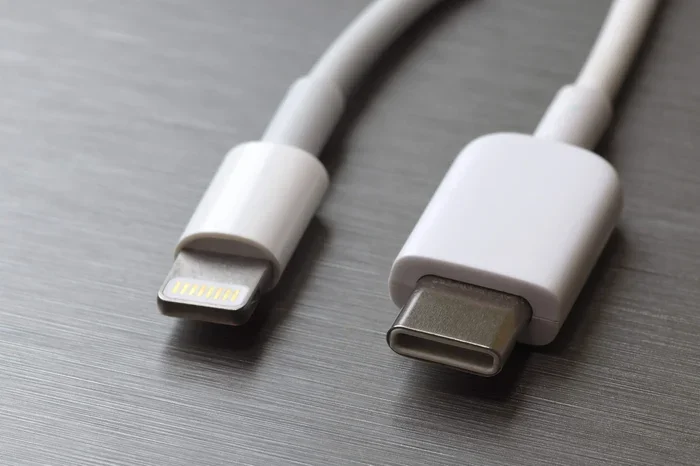
USB-C replaced older USB-A and Micro-USB ports. It’s smaller, reversible, and supports much higher power. The usb type c standard can handle up to 240 watts with USB Power Delivery (PD). This is a big leap from the 7.5 watts of basic USB-A charging.
However, the connector shape alone doesn’t guarantee compatibility. The adapter inside the brick must support the right charging standard and power delivery protocol. A charger that only outputs 5 volts and 2 amps won’t charge a modern laptop that needs 20 volts and 5 amps.
Why Your Device Needs the Right Power
Every device has a maximum input it can handle. This is measured in watts (W), which is voltage (V) multiplied by current (A). If you use a usb c adapter that can’t deliver enough power, your device will charge slowly or not at all. Worse, if the adapter pushes too much voltage, it can fry the charging port or internal circuits.
Think of it like water pressure. A garden hose can handle a certain flow. If you connect it to a fire hydrant, something will burst. The same goes for power adapter and your device. They need to match.
Can I Use Any Usb C Power Adapter? Here’s What You Need to Know
The short answer is no. You cannot use just any usb c power adapter without checking compatibility. But there are nuances. Some generic chargers work fine, while others can cause real problems.
The Risks of Using an Incompatible Charger
Using a mismatched usb c charger can lead to several issues:
- Overheating: The device draws more current than the charger can supply, causing heat buildup.
- Slow charging: If the charger doesn’t support the right power delivery profile, your device will default to a low-power mode.
- Battery damage: Chronic under- or over-voltage can reduce battery lifespan over time.
- Hardware failure: In worst cases, a faulty charger can send voltage spikes that destroy the charging port or motherboard.
I once saw a friend plug a cheap 45-watt usb c power adapter into a 100-watt laptop. The laptop charged at 10 watts and the adapter got scorching hot. It was a clear mismatch.
When a Generic Charger Might Work
A generic usb c adapter can work if it meets three conditions:
- Voltage match: The adapter must output the correct voltage your device requires (usually 5V, 9V, 12V, or 20V).
- Wattage capacity: The adapter’s wattage must be equal to or greater than your device’s requirement. A 65W charger can safely charge a 45W laptop.
- Protocol support: The charger must support USB Power Delivery (PD) or the proprietary protocol your device uses (like Qualcomm Quick Charge).
If all three are met, you can use a usb c power adapter from another brand. But if any condition fails, you risk problems.
How to Choose the Right USB C Power Adapter
Choosing the right usb c power adapter doesn’t have to be confusing. You just need to know a few specs and look for the right certifications.
Understanding Wattage, Voltage, and Amperage
These three numbers are the heart of charging. Wattage (W) is the total power. Voltage (V) is the electrical pressure. Amperage (A) is the current flow. The formula is simple: Watts = Volts × Amps.
Your device will list its power requirements on the original charger or in the manual. For example, a phone might need 5V/2A (10W). A laptop might need 20V/3.25A (65W). When you pick a usb c charger, make sure it can deliver at least the required wattage.
Quick Tip: Always choose a charger with a slightly higher wattage than your device needs. This gives headroom and prevents the charger from running at full capacity, which extends its lifespan.
The Role of Power Delivery (PD)
Power Delivery (PD) is a universal charging protocol built into USB-C. It allows the device and charger to negotiate the best voltage and current. A PD charger can safely deliver anywhere from 5W to 240W depending on what the device requests.
If you have a modern phone, tablet, or laptop, look for a usb c power adapter with USB PD support. It’s the safest and fastest way to charge across different devices. Many gaN chargers (Gallium Nitride) use PD and are compact and efficient.
USB IF Certification and Safety
The USB Implementers Forum (USB IF) certifies chargers that meet safety and performance standards. A usb if certification logo on the box means the charger has been tested for proper voltage regulation, thermal protection, and compatibility.
Always buy from reputable brands like Anker, Belkin, Baseus, or Apple. Avoid no-name usb c adapters from gas stations or unknown online sellers. They often lack proper safety circuits and can be a fire hazard.
Quick Tips for Safe Charging
Follow these simple habits to keep your devices safe and extend battery life.
Common Mistakes to Avoid
- Using a charger with a lower wattage than required: This causes slow charging and can overheat the charger.
- Ignoring cable quality: A cheap usb c cable can limit power delivery or even break during use. Always use cables rated for the wattage you need.
- Charging on soft surfaces: Pillows and blankets block ventilation. Place your usb c charger on a hard, flat surface while charging.
- Leaving cheap adapters plugged in overnight: Even good adapters should be monitored. A faulty one can overheat without you noticing.
A Simple Checklist Before You Plug In
Before you use any usb c power adapter, run through this quick checklist:
- Check the adapter’s output wattage and voltage.
- Verify it supports USB Power Delivery or your device’s required protocol.
- Inspect the cable for fraying or damage.
- Look for USB IF certification or a trusted brand logo.
- Plug it in and monitor for excessive heat after 10 minutes.
If anything feels off—like the adapter getting too hot or your device not recognizing it—unplug it immediately.
Best USB C Power Adapters for Different Devices
Not all usb c power adapters are created equal. Here’s a look at the best options for phones, laptops, and travel.
| Device Type | Recommended Wattage | Key Feature | Example Brand |
|---|---|---|---|
| Smartphone | 18W–30W | Compact, fast charging | Anker Nano |
| Tablet | 30W–45W | Multi-port, PD support | Baseus 65W GaN |
| Ultrabook Laptop | 45W–65W | USB PD, foldable plug | Belkin 65W |
| Gaming Laptop | 100W–140W | High wattage, dual PD | Satechi 100W |
| Travel/Universal | 65W–100W | GaN, multiple ports | Spigen ArcStation Pro |
The table above shows that a single usb c charger can cover multiple devices if it has enough wattage and supports PD. A 65W GaN charger can charge a phone, tablet, and most ultrabooks.
Phone Chargers
For most phones, a 20W–30W usb c power adapter is plenty. Apple, Samsung, and Google phones all support USB PD. A gaN charger in this range is tiny and fits in your pocket.
Laptop Chargers
Laptops need more power. Check your original charger’s wattage. A 13-inch MacBook needs 61W. A Dell XPS might need 45W or 130W. Always match or exceed the original wattage. A usb c adapter with 65W or 100W is a safe bet for most ultrabooks.
Universal Adapters
If you travel often, a universal usb c charger with interchangeable plugs and multiple USB-C ports is ideal. Look for pd protocol support and at least 65W total output. These adapters can charge several devices at once.
Expert Insights: What Tech Professionals Say
I spoke with a few repair technicians and tech reviewers to get their take on usb c power adapters. Here’s what they shared.
Real-World Advice from Repair Technicians
“The number one cause of charging port damage I see is cheap, unregulated chargers,” says Mike, a certified repair tech. “People grab a usb c adapter from a flea market and plug it in. Within weeks, the port is loose or the battery is swelling.”
Another technician, Sarah, adds: “I always tell customers to check the usb if certification. If the charger doesn’t have it, it’s a gamble. The few extra dollars for a certified charger can save you a $200 repair.”
The Future of USB C Charging
The charging standard is moving toward universal compatibility. The EU now mandates USB-C for all phones and tablets sold in the region. More laptops are adopting the same port. This means a single usb c power adapter could eventually charge everything from your phone to your camera.
Until then, always verify compatibility. The usb c charger market is full of great options, but you still need to do your homework.
Conclusion: Can I Use Any Usb C Power Adapter Safely?
The answer is clear now. You can’t just grab any usb c power adapter and expect it to work safely. Matching wattage, voltage, and protocol is essential for device safety and fast charging. A usb c charger with USB Power Delivery and USB IF certification is your best bet.
Remember the simple checklist: check the specs, use quality cables, and avoid cheap no-name adapters. A little care goes a long way in protecting your gadgets. With the right usb c power adapter, you’ll enjoy reliable charging for years to come.
So, next time you reach for a charger, take a moment to verify it’s compatible. Your devices will thank you. Can I Use Any Usb C Power Adapter? Now you know the answer—choose wisely, charge safely.
Frequently Asked Questions
What happens if I use the wrong USB C power adapter?
Using the wrong adapter can cause slow charging, overheating, or even permanent damage to your device’s battery and charging port. Always match the voltage and wattage requirements.
Can I use a 65W USB C charger with a 45W laptop?
Yes, you can. A 65W charger will safely charge your 45W laptop because the device only draws the power it needs. The extra wattage capacity is not a problem.
Is USB Power Delivery the same as Quick Charge?
No, they are different protocols. USB Power Delivery is a universal standard built into USB-C, while Quick Charge is Qualcomm’s proprietary technology. Many modern chargers support both.
How can I tell if a USB C charger is safe?
Look for USB IF certification, reputable brand names, and clear output specifications on the label. Avoid chargers with no brand name or vague markings.
Can I use a phone charger to charge my laptop?
It depends on the wattage. Most phone chargers are 10W–20W, which is too low for most laptops. You may get a very slow charge or no charge at all.
Are GaN chargers better than regular USB C adapters?
Yes, GaN chargers are more efficient and run cooler than traditional silicon-based adapters. They are also much smaller, making them great for travel and multi-device charging.