Can Any Usb C Fast Charge Work With All Your Devices
Not every USB C fast charge works with every device. The truth is that USB-C fast charge depends on the charger, the cable, and your device’s charging protocol. USB Power Delivery (PD) is the universal standard, but not all chargers deliver the same wattage or support the same fast-charging tech. This guide breaks down exactly what you need to know so you can pick the right charger without wasting money or risking damage.
Key Takeaways
- USB-C fast charge is not universal: Compatibility depends on the charger, cable, and your device’s charging protocol.
- USB Power Delivery (PD) is the most widely supported standard and works across phones, laptops, and tablets.
- Wattage matters a lot: A 65W charger will charge a laptop faster than a 20W charger, but using a higher-wattage charger is generally safe.
- Cable quality affects charging speed just as much as the charger itself.
- GaN chargers are smaller, cooler, and more efficient than traditional silicon chargers.
- Common mistakes include using cheap cables, ignoring device limits, and assuming all USB-C ports are equal.
📑 Table of Contents
- What Is USB-C Fast Charge and Why Does It Matter?
- How Does USB-C Fast Charging Actually Work?
- Which Devices Support USB-C Fast Charge?
- Can You Use Any USB-C Charger for Fast Charging?
- How to Choose the Right USB-C Fast Charger
- Do You Need Different Chargers for Different Devices?
- The Future of USB-C Fast Charging
- Final Thoughts
What Is USB-C Fast Charge and Why Does It Matter?
USB-C fast charge is a way to power up your devices quickly using a USB-C connector. It has become the go-to standard for smartphones, laptops, tablets, and even some headphones. But here is the thing — just because a cable fits does not mean it charges fast.
The USB-C port is reversible. That means you can plug it in either way. It is also capable of carrying more power than older USB-A ports. But the speed of your charge depends on several factors working together. These include the charger, the cable, and your device’s internal charging chip.
Many people assume that any USB-C cable and any USB-C charger will fast charge their devices. This is a common mistake. In reality, USB-C fast charge requires matching protocols and sufficient wattage. Without those, you may get slow charging or no fast charge at all.
Understanding how this works saves you time, money, and frustration. It also keeps your devices safe. Let us break it all down in simple terms.
How Does USB-C Fast Charging Actually Work?
USB-C fast charging is not just about the cable. It involves a conversation between your device, the charger, and the cable. All three must speak the same language for fast charging to work.
Here is how it works in simple terms. Your device tells the charger how much power it needs. The charger responds by delivering that power. The cable carries the power from the charger to your device. If any part of this chain is weak or incompatible, your charging speed drops.
The Role of USB Power Delivery
USB Power Delivery, also known as USB PD, is the most common fast-charging standard. It is built into most modern devices. USB PD can deliver up to 100 watts of power through a USB-C connection. This is enough to charge laptops, monitors, and even some tablets.
USB PD negotiates the right voltage and current automatically. You do not need to set anything manually. Just plug in and the charger and device agree on the best power level. This makes USB PD the most versatile option for USB-C fast charge across multiple devices.
Wattage, Voltage, and Amperage Explained
These three terms sound technical, but they are easy to understand.
- Wattage (W) is the total power delivered. Higher wattage means faster charging.
- Voltage (V) is the electrical pressure pushing the power through.
- Amperage (A) is the flow of electrical current.
The formula is simple: Watts = Volts x Amps. A charger that delivers 20 watts might do so at 5 volts and 4 amps. Another charger might deliver 65 watts at 20 volts and 3.25 amps. Both are USB-C, but they charge at very different speeds.
Quick Tips: Understanding Charging Speeds
- Check your device’s maximum charging wattage before buying a charger.
- A higher-wattage charger will not damage your device. The device only takes what it needs.
- Look for chargers that support USB PD 3.0 or newer for the best results.
Which Devices Support USB-C Fast Charge?
Most modern devices use USB-C in some form. But not all of them support fast charging. Here is a breakdown of the most common device types.
Smartphones
Many Android phones support USB-C fast charge. Samsung, Google Pixel, OnePlus, and Motorola all use USB-C with fast-charging support. Apple iPhones switched to USB-C with the iPhone 15 lineup. These phones support USB PD for fast charging.
However, the speed varies. Some phones charge at 18 watts, while others handle 65 watts or more. Always check your phone’s charging specs before buying a charger.
Laptops
Most modern laptops use USB-C for charging. MacBooks, Dell XPS, Lenovo ThinkPads, and many others support USB PD. Laptops typically need 45 watts to 100 watts for full-speed charging.
Using a low-wattage charger on a laptop will still charge it, but much slower. It may also charge while you use the laptop at a very slow rate. For the best experience, match the charger wattage to your laptop’s requirements.
Tablets and Other Devices
iPads, Android tablets, and even some gaming devices use USB-C. Many support fast charging, but the wattage needs vary. iPads usually need around 20 to 30 watts for fast charging. Smaller devices like earbuds or smartwatches use very little power and do not need high-wattage chargers.
Can You Use Any USB-C Charger for Fast Charging?
This is the question most people want answered. The short answer is no. Not every USB-C charger delivers fast charge. The long answer depends on a few key factors.
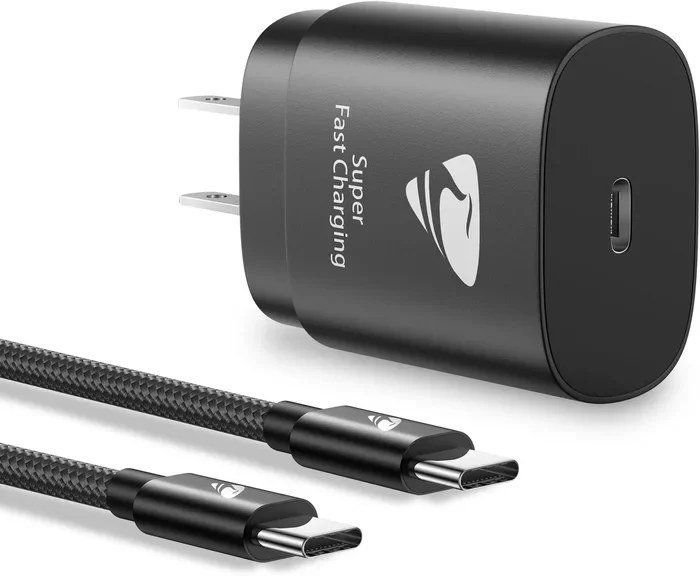
Here is why any USB-C charger does not mean any USB-C fast charge charger. A basic USB-C charger might only deliver 5 to 10 watts. That is fine for slowly topping up a phone overnight. But it will not fast charge a laptop or even a modern smartphone.
To get fast charging, your charger must support the right protocol and deliver enough wattage. USB PD is the most universal protocol. But some devices also support proprietary fast-charging standards like Qualcomm Quick Charge or proprietary tech from Samsung or OnePlus.
USB PD vs. Proprietary Fast Charging
USB PD is the open standard. It works across brands and devices. Proprietary fast charging is brand-specific. For example, OnePlus SuperVOOC or Xiaomi Flash Charge may require a specific charger to reach top speeds.
If you want one charger for all your devices, USB PD is the safest bet. It may not give you the absolute fastest speed on every device, but it will deliver good fast charge across the board.
Comparison Table: Common USB-C Charger Types
| Charger Type | Max Wattage | Best For | USB PD Support |
|---|---|---|---|
| Basic USB-C Charger | 10-18W | Phones, earbuds | Yes (limited) |
| USB-C PD Charger | 20-65W | Phones, tablets | Yes (full) |
| GaN Charger (Compact) | 30-65W | Phones, laptops | Yes |
| GaN Charger (High-Watt) | 65-100W | Laptops, phones, tablets | Yes |
| Proprietary Charger | 30-120W | Same-brand devices | Sometimes |
Expert Insight: The GaN Advantage
Gallium Nitride (GaN) chargers are changing the game. They are smaller than traditional chargers but deliver more power. GaN runs cooler and wastes less energy as heat. If you travel often, a GaN charger is a great investment. They fit easily in a bag and charge multiple devices fast.
How to Choose the Right USB-C Fast Charger
Buying the right charger does not have to be confusing. Follow these simple steps to find the best one for your needs.
Step 1: Check Your Device’s Charging Requirements
Look at your device manual or the manufacturer’s website. Find the recommended wattage and charging standard. This tells you what your device can handle. You do not want to underpower or overpower your device.
Step 2: Decide How Many Devices You Need to Charge
If you carry a phone, a tablet, and a laptop, look for a multi-port charger. Many GaN chargers now offer two or three ports. This lets you charge multiple devices at once without carrying several chargers.
Step 3: Choose the Right Wattage
Match the charger wattage to your highest-powered device. If you have a laptop that needs 65 watts, buy a 65W or higher charger. Your phone will still fast charge from this charger, but at its own speed limit.
Step 4: Invest in a Good Cable
Even the best charger will not fast charge with a bad cable. Look for cables rated for USB PD and high wattage. Cheap, thin cables limit the power they can carry. This is one of the most overlooked causes of slow charging.
Quick Tips for Choosing a Charger
- Look for USB PD 3.0 or newer support.
- Choose a GaN charger for portability and efficiency.
- Buy cables that are rated for at least 60 watts.
- Avoid ultra-cheap no-name chargers. They may lack safety features.
- Check reviews before buying. Real-world performance matters.
Common Mistakes to Avoid with USB-C Fast Charging
Even savvy users make mistakes. Here are the most common ones and how to avoid them.
Mistake 1: Assuming all USB-C cables are the same. Not all cables handle the same power. A cheap cable may limit your charging speed to 10 watts even if your charger supports 65 watts. Always use cables rated for the wattage you need.
Mistake 2: Ignoring your device’s charging limit. Buying a 100W charger for a phone that only handles 20W will not make it charge faster. The phone will only draw 20W. You waste money on unused capacity.
Mistake 3: Using old USB-A adapters with USB-C cables. USB-A ports do not support USB PD. You need a USB-C charger and a USB-C cable for fast charging. A USB-A to USB-C cable will not deliver fast charge.
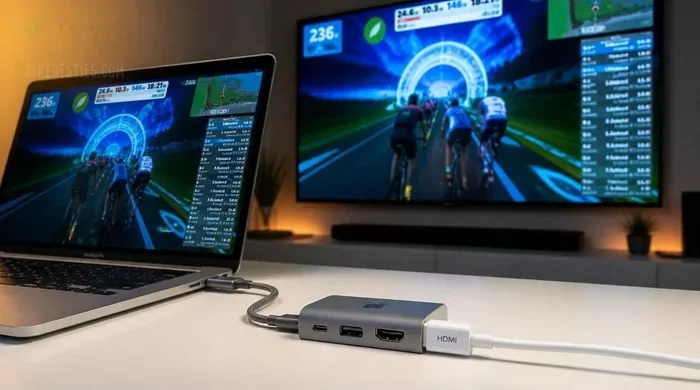
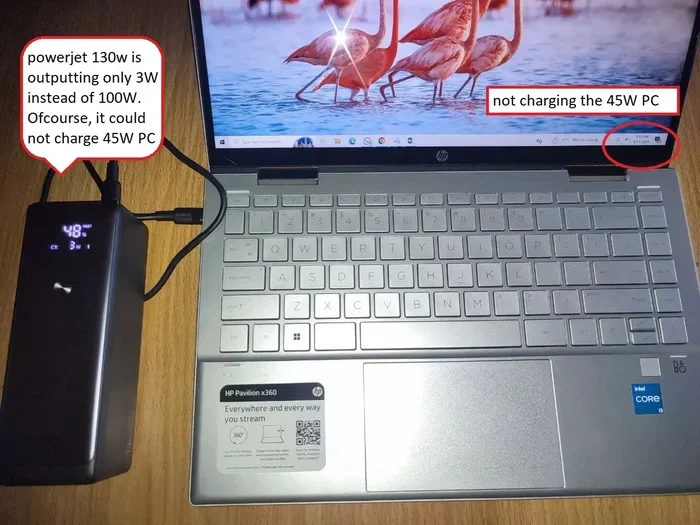
Mistake 4: Charging through a low-power hub or dock. Some USB hubs or monitors with USB-C ports deliver very little power. They may charge your phone slowly or not charge your laptop at all. Always check the power output of the port you are using.
Mistake 5: Neglecting heat. If your charger or device gets very hot during charging, something may be wrong. Cheap chargers without proper safety circuits can overheat. This is a fire risk and can damage your battery over time.
Key Takeaways from This Section
- The right charger, cable, and protocol all matter for USB-C fast charge.
- USB PD is the most universal standard for fast charging.
- GaN chargers offer the best combination of size, power, and efficiency.
- Avoid common mistakes by checking your device specs and using quality cables.
Do You Need Different Chargers for Different Devices?
One of the biggest advantages of USB-C is universality. In theory, one charger can power all your devices. In practice, it depends on the wattage and protocol.
A single 65W USB PD GaN charger can handle most phones, tablets, and many laptops. It is the best all-in-one option for most people. You get one charger, one cable, and fast charging across the board.
If you have a very power-hungry laptop that needs 100 watts, you may need a separate charger. But for most everyday users, one good GaN charger covers everything. This cuts down on clutter and saves you from carrying multiple power bricks.
USB-C fast charge has made life simpler. You no longer need a different charger for your phone, tablet, and laptop. One quality charger does the job. Just make sure it has the right wattage and supports USB PD.
The Future of USB-C Fast Charging
USB-C is here to stay. The European Union has mandated USB-C as the standard charging port for most electronics. This means more devices, more chargers, and more compatibility going forward.
New standards like USB PD 3.1 are pushing wattage limits even higher. Some chargers now deliver up to 240 watts. This opens the door for even more powerful laptops and devices to charge quickly through USB-C.
As more devices adopt USB-C, the need for multiple chargers will shrink. You will be able to share chargers across phones, laptops, tablets, and even some cameras. The era of carrying five different chargers for five different devices is coming to an end.
For now, focus on getting a good USB-C fast charge setup that works for your current devices. Invest in a quality GaN charger and a few reliable USB-C cables. This future-proofs your charging setup for years to come.
Final Thoughts
USB-C fast charge is convenient, powerful, and becoming universal. But not every USB-C charger delivers fast charge, and not every cable supports high wattage. The key is understanding what your devices need and matching that with the right charger and cable.
Start by checking your device’s charging specs. Choose a charger with USB PD support and enough wattage for your needs. Invest in quality cables. Avoid the common mistakes that slow you down. With the right setup, you can charge all your devices fast and safely using just one or two chargers.
The days of carrying multiple chargers are numbered. USB-C has made charging simpler and more efficient. Embrace the standard, choose wisely, and enjoy faster charging every day.
Frequently Asked Questions
Can I use any USB-C charger to fast charge my phone?
Not necessarily. Your charger must support USB Power Delivery or your phone’s proprietary fast-charging standard. A basic USB-C charger that only delivers 5 to 10 watts will charge your phone slowly. Check your phone’s charging specs and match them with a compatible charger for the best results.
Will a higher-wattage USB-C charger damage my device?
No. Modern devices only draw the power they need. A 100W charger will not force 100 watts into a phone that only handles 20W. The device negotiates the right power level with the charger automatically. This is one of the safety features built into USB PD.
Do I need a special cable for USB-C fast charging?
Yes. Not all USB-C cables support high wattage. Look for cables rated for USB PD and at least 60 watts. Cheap or thin cables can limit your charging speed significantly, even if you have a powerful charger. A good cable makes a big difference.
What is the difference between USB-C fast charge and Qualcomm Quick Charge?
USB Power Delivery is an open standard that works across brands. Qualcomm Quick Charge is a proprietary standard mainly for Android phones that use Snapdragon processors. Many modern chargers support both USB PD and Quick Charge, giving you more flexibility across different devices.
Can one USB-C charger power my phone, tablet, and laptop?
Yes, if the charger has enough wattage and supports USB PD. A 65W GaN charger handles most phones, tablets, and many laptops. For heavier laptops that need 100 watts, you may need a more powerful charger. Always check your laptop’s charging requirements first.
Why is my USB-C device charging slowly even with a fast charger?
Several things can cause slow charging. A low-quality cable is the most common culprit. Charging through a hub or dock with limited power output can also slow things down. Heat, a damaged port, or using an old charger that does not support USB PD can all be factors. Try a different cable and a direct wall outlet first.
=== CONCLUSION ===
USB-C fast charge has transformed how we power our devices. It offers speed, convenience, and a universal connector. But the reality is that not any USB-C charger will deliver fast charge to all your devices. Compatibility, wattage, cable quality, and charging protocols all play a role.
The good news is that once you understand the basics, choosing the right setup becomes easy. Stick with USB PD, invest in a quality GaN charger, and use good cables. You will enjoy fast, safe charging across all your devices. Take a few minutes today to check your current setup. A small upgrade can make a big difference in your daily routine.