Can An Hdmi Cable Just Stop Working Without Warning
Yes, an HDMI cable can absolutely just stop working without any warning signs. Many people experience sudden HDMI signal loss during movie nights, gaming sessions, or important presentations. Understanding why HDMI cables fail unexpectedly helps you troubleshoot faster and prevent future headaches. This guide covers the real reasons behind sudden HDMI cable death, how to spot early warning signs, and practical fixes that actually work.
You settle in for a movie night. You press play. And then… nothing. Your screen goes black. You check the TV. You check the streaming device. You unplug and replug the HDMI cable like you have a dozen times before. But this time, nothing happens. Can an HDMI cable just stop working like that? The short answer is yes. And it happens more often than you might think.
Many people assume their HDMI cable will just keep working forever. It sits behind the TV or the entertainment center, doing its job quietly, until one day it doesn’t. The truth is, HDMI cables can fail suddenly and without any obvious warning. Whether it is a cheap cable that gave up after a few months or a high-quality one that lasted years, sudden HDMI cable failure is a real and frustrating experience.
In this article, we will explore exactly why an HDMI cable can just stop working, what signs to watch for, and how to fix the problem. You will learn about the hidden causes of HDMI connection problems, discover simple troubleshooting steps, and find out how to keep your cables working longer. Let us get into it.
Key Takeaways
- Sudden HDMI failure is real: Cables can die instantly due to internal wire damage, port issues, or electrical surges.
- Physical wear is a top cause: Bent connectors, frayed cables, and repeated plugging weaken HDMI connections over time.
- Signal interference matters: Long cable runs, nearby power cables, and poor-quality cables can kill your HDMI signal.
- Quick fixes exist: Simple steps like re-seating the cable, checking ports, and trying different inputs can restore your connection.
- Prevention saves money: Proper cable care, quality purchases, and smart routing extend HDMI cable lifespan significantly.
- Not all HDMI cables are equal: Cable version, build quality, and intended use affect reliability and performance.
📑 Table of Contents
Why Do HDMI Cables Stop Working Suddenly?
It is one of the most annoying tech problems. You had a working HDMI cable yesterday. Today, it is dead. There was no warning. No flickering. No weird colors. Just silence and a black screen. So what happened? Let us break down the most common reasons.
Internal Wire Damage
HDMI cables contain multiple tiny wires inside a single outer jacket. These wires carry audio and video signals at very high speeds. Over time, these internal wires can break or fray. The damage might happen deep inside the cable where you cannot see it. One day the connection is perfect. The next day, the signal just drops. This is one of the most common reasons an HDMI cable just stops working without any visible signs of damage.
Internal damage often happens because of repeated bending, especially near the connector ends. If you have ever yanked a cable out by the cord instead of the plug, you might have weakened those internal wires. The cable might look perfectly fine on the outside while the inside is falling apart.
Connector Problems
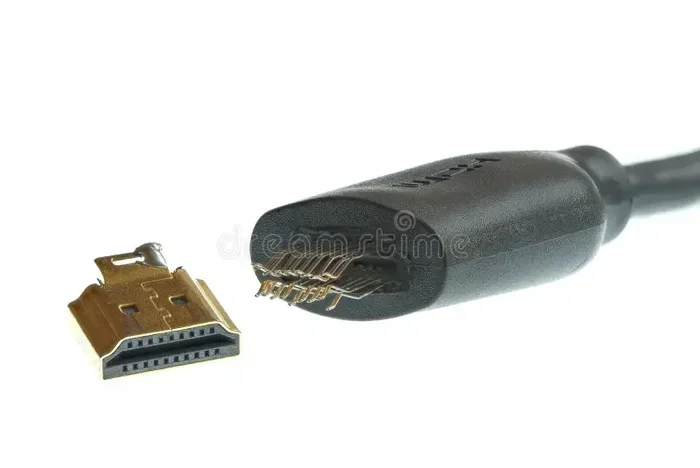
The small metal connectors on each end of the cable are the actual points of contact. They plug into your TV, computer, gaming console, or streaming device. These connectors can loosen, bend, or corrode over time. Even a tiny bit of dust or oxidation on the connector pins can kill the HDMI signal completely.
Sometimes the connector just stops making proper contact. You might push it in harder, wiggle it around, or try a different port. But if the connector itself is damaged, no amount of repositioning will fix it. This is a silent killer of HDMI connections because it looks perfectly fine from the outside.
Port Issues on Your Devices
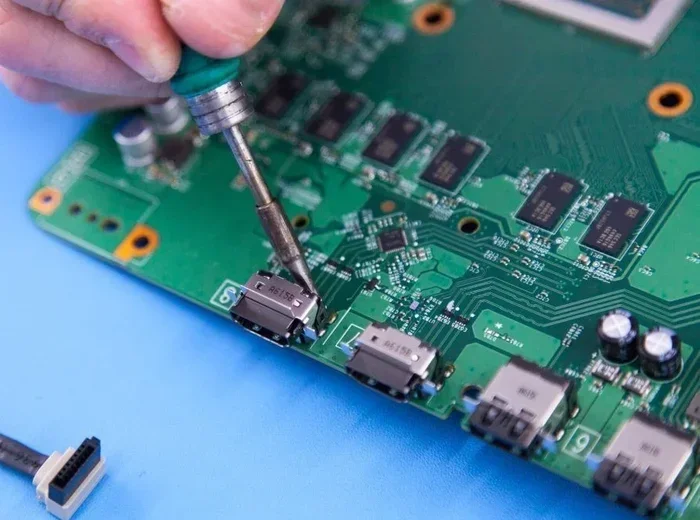
Here is a twist. Sometimes the HDMI cable is not the problem at all. The port on your TV or device might be the culprit. HDMI ports can wear out, especially if they are plugged and unplugged frequently. Dust can collect inside the port. A bent pin inside the port can prevent a proper connection. And sometimes the port simply stops working due to a firmware issue or electrical problem.
Before you blame the cable, always check the port. Try a different port on your TV if available. Try the cable in a different device. This simple step can save you hours of unnecessary cable hunting.
Electrical Surges and Power Issues
Electrical surges can fry electronics in an instant. Your HDMI cable is part of the signal chain between your devices. A power surge can damage the cable’s internal shielding or even the connectors themselves. Lightning strikes, faulty power strips, or wiring issues in your home can all send unexpected voltage through your setup.
This type of damage often affects multiple devices at once. If your cable stopped working right after a storm or a power flicker, an electrical surge might be the cause. HDMI cable failure from surges is sudden and usually permanent.
Common Signs Your HDMI Cable Is About to Fail
While some HDMI cables just stop working out of nowhere, many give warning signs first. Learning to recognize these early signals can save you from a surprise blackout during your favorite show.
Intermittent Signal Loss
Do you notice your picture flickering or going black for a second? Does the sound cut out and come back randomly? These are classic signs of a dying HDMI cable. Intermittent signal loss means the internal wires are making contact sometimes but not others. This usually gets worse over time until the cable stops working completely.
Pay attention to when the flickering happens. Does it happen when you move the cable? Does it happen after the TV has been on for a while? These patterns can help you confirm that your HDMI connection is deteriorating.
Fuzzy or Pixelated Picture
A clear HDMI signal delivers crisp, sharp video. When a cable starts to fail, you might notice the picture getting fuzzy, pixelated, or showing strange artifacts. Colors might look washed out or wrong. This happens because the cable cannot transmit the full data signal properly anymore.
If you start seeing these visual problems, do not ignore them. They are your early warning system. Replacing the cable at this stage can prevent the sudden total failure that leaves you staring at a black screen.
No Sound or Audio Dropouts
HDMI cables carry both video and audio signals. When the cable starts to fail, audio problems often show up before video problems. You might notice the sound cutting out, popping, or dropping to static. Some people blame their TV speakers or soundbar when the real issue is a failing HDMI cable.
If you lose sound through HDMI but other audio sources work fine, the cable should be your first suspect. This is especially true if the audio issues come and go randomly.
Cable Feels Hot to the Touch
HDMI cables should never feel hot during normal use. If your cable is warm or hot, something is wrong. Overheating can damage the internal wiring and insulation. It can also be a sign of a short circuit inside the cable. A hot HDMI cable is a cable that is under stress and likely to fail soon.
Unplug the cable and let it cool down. If it heats up again quickly, replace it immediately. Continuing to use an overheating cable can damage your devices too.
What Causes HDMI Cable Failure?
Understanding the root causes of HDMI cable failure helps you prevent it from happening. Not all cable deaths are random. Many are caused by factors you can control.
Poor Cable Quality
Not all HDMI cables are created equal. Cheap, unbranded cables often use thin wires, poor shielding, and low-quality connectors. These cables might work fine for a few weeks or months, but they lack the durability to handle long-term use. If you bought a $3 cable from a gas station, do not be surprised when it dies suddenly.
Investing in a well-known brand or a cable with proper certifications makes a big difference. High-quality HDMI cables use better materials, thicker shielding, and tighter manufacturing tolerances. They cost more upfront but last much longer.
Physical Stress and Wear
Cables that are stepped on, pinched by furniture, or stretched tight across walkways experience constant physical stress. This kind of wear and tear damages the internal wires and weakens the connectors. Over weeks and months, this stress adds up until the cable fails.
Even cables that look fine can be damaged internally. The outer jacket might be intact while the wires inside are broken. This is why some HDMI cables stop working with no visible damage at all.
Version and Bandwidth Mismatch
Different HDMI cable versions support different bandwidths and features. An older HDMI 1.4 cable might struggle with 4K content at 60Hz. It might work fine for a while but fail when pushed to its limits. This is not exactly “sudden failure” but it can feel that way when you upgrade your TV or device and the old cable suddenly cannot keep up.
Make sure your cable matches the requirements of your setup. For 4K gaming or 4K movie streaming, you need a cable rated for that bandwidth. Using an underpowered cable can cause intermittent issues or complete signal loss.
Moisture and Humidity
Moisture is an enemy of electronics. HDMI cables placed in humid environments or near water sources can develop corrosion on the connectors or internal damage from moisture intrusion. This is especially common in basements, garages, or outdoor setups.
Even small amounts of condensation can cause HDMI signal loss. If your cable setup is in a damp area, consider using sealed connectors or moving the cable to a drier location.
How to Troubleshoot a Dead HDMI Cable
So your HDMI cable stopped working and you need to fix it fast. Before you buy a new one, try these troubleshooting steps. Some of these fixes take less than a minute.
Step 1: Unplug and Reconnect
Sounds too simple, right? But reseating the cable can fix many connection issues. Unplug the cable from both ends. Check the connector pins for dust or debris. Blow gently into the port or use a dry cloth to clean the contacts. Plug the cable back in firmly and make sure it clicks or seats properly.
Sometimes a cable just needs to be reseated to restore the HDMI connection. This works especially well when the cable has been sitting unused for a while or when dust has collected on the pins.
Step 2: Try a Different Port
Your TV or device might have multiple HDMI ports. Not all ports might be working. Try plugging the cable into a different port and see if the signal returns. If it does, the original port might be damaged or malfunctioning.
This quick test helps you determine whether the problem is the cable or the device port. It is one of the most overlooked troubleshooting steps for HDMI cable problems.
Step 3: Test with a Different Device
Connect the suspect cable to a different device. If you were using it with a cable box, try it with a laptop or gaming console. If the cable works with the second device, the problem is with your original device, not the cable.
This swap test is one of the fastest ways to isolate the problem. It saves you from replacing a perfectly good cable or wasting time trying to fix a device that is actually the issue.
Step 4: Try a Different Cable
Sometimes the answer is obvious. Swap in a known-good cable and see if the problem goes away. If the new cable works perfectly, your original cable is definitely the culprit. This is the most direct way to confirm HDMI cable failure.
Keep a spare HDMI cable on hand for exactly these situations. A spare cable can save you from scrambling when your main cable dies unexpectedly.
Step 5: Check Your TV Settings
Sometimes the issue is not the cable at all but a setting on your TV or device. Try changing the HDMI input format in your TV settings. Try resetting the display settings on your source device. Sometimes a simple software glitch mimics a dead cable.
Do not skip this step. Many people replace cables unnecessarily when a simple setting change would have fixed the problem. HDMI troubleshooting should always include checking software and settings before assuming hardware failure.
Can You Fix a Broken HDMI Cable?
You have confirmed that your HDMI cable is the problem. Now the question is: can you fix it? The answer depends on what is wrong and your comfort level with DIY repairs.
Fixing Loose Connectors
If the connector feels loose but the cable still works when you hold it in a certain position, you might be able to fix it. Some people use electrical tape to reinforce a loose connection temporarily. Others use small cable clamps or ties to keep the connector seated properly.
These are temporary fixes. A loose connector usually means the internal solder joints have weakened. The cable will likely fail completely soon. Consider this a stopgap while you order a replacement.
Cutting and Re-terminating
For the handy person, cutting the damaged end off and installing a new HDMI connector is possible. You need a special crimping tool and a replacement HDMI connector. This works well when the damage is near the end of the cable and you have enough cable length to work with.
However, re-terminating an HDMI cable is not easy. The internal wiring is complex with multiple twisted pairs. One mistake and the cable will not work. Unless you have experience with cable repair, buying a new cable is usually the better option.
When to Just Replace the Cable
For most people, the best fix is simply replacing the cable. HDMI cables are relatively inexpensive compared to the frustration of a dead connection. A good quality HDMI cable costs between $10 and $30 for most home setups. Premium cables for long runs or 4K 120Hz setups might cost more, but they are still affordable.
Do not try to repair a severely damaged cable. The risk of poor signal quality, intermittent problems, or even device damage is not worth the savings. Replace the cable and move on.
How to Prevent HDMI Cable Problems
The best way to deal with HDMI cable failure is to prevent it from happening in the first place. A few simple habits can significantly extend the life of your cables.
Buy Quality Cables
Spend money on well-known brands or cables with proper certifications. Look for cables that meet the HDMI specification for your needs. A certified HDMI cable will have better shielding, thicker wires, and more reliable connectors. You do not need to buy the most expensive cable, but avoid the absolute cheapest options.
Handle Cables with Care
Always pull the plug, not the cord, when disconnecting an HDMI cable. Avoid bending the cable sharply at the connector end. Do not run cables under heavy furniture where they get pinched. Treat your cables gently and they will last much longer.
Route Cables Properly
Keep cables away from heat sources, sharp edges, and areas where they might get stepped on. Use cable management clips or ties to keep them secure. Proper routing reduces physical stress and prevents accidental damage to your HDMI connection.
Do Not Overstretch the Cable
HDMI cables should have some slack. Do not pull them tight between devices. A taut cable experiences constant tension on the connectors and internal wires. This tension leads to early connector failure and internal wire damage. Leave enough slack for natural movement.
Keep Connectors Clean
Dust and debris can accumulate on HDMI connector pins over time. Periodically check and clean your connectors with a dry cloth or compressed air. Clean connectors make better contact and reduce the chance of HDMI signal loss.
When to Upgrade Your HDMI Cable
Sometimes the best fix is not a repair but an upgrade. If you are still using an old HDMI cable, upgrading to a newer version can solve many problems. Newer cables support higher resolutions, faster refresh rates, and better audio formats.
If you have a 4K TV and are using an old HDMI 1.4 cable, upgrading to an HDMI 2.0 or 2.1 cable can make a noticeable difference. You might get better picture quality, smoother motion, and support for features like HDR and eARC audio. Upgrading is especially important if you are experiencing HDMI cable problems that seem to come out of nowhere.
When shopping for a new cable, consider the length you need, the version required for your devices, and the build quality. A well-chosen cable can serve you reliably for years without sudden failure.
Final Thoughts
Can an HDMI cable just stop working without warning? Yes, absolutely. Whether it is internal wire damage, a bad connector, electrical surge, or simple wear and tear, sudden HDMI cable failure is a common and frustrating experience. The good news is that troubleshooting is straightforward, fixes are often simple, and replacement cables are affordable.
The key takeaway is that HDMI cables do not last forever. They are vulnerable to physical stress, environmental factors, and simple age. By understanding the causes of failure, watching for warning signs, and taking preventive steps, you can reduce the chances of being blindsided by a dead cable.
Keep spare cables on hand. Buy quality cables the first time. Handle them with care. And when a cable does fail, do not panic. Follow the troubleshooting steps, confirm the problem, and replace the cable with confidence. A working HDMI cable keeps your entertainment, gaming, and work running smoothly. Take care of your cables and they will take care of you.
Frequently Asked Questions
Can an HDMI cable stop working overnight?
Yes, it is possible for an HDMI cable to stop working overnight. Electrical surges, internal wire breakage, or connector corrosion can cause sudden failure with no prior warning. If your cable was working fine before bed and dead when you woke up, the cable likely experienced internal damage or a power-related issue.
How long do HDMI cables typically last?
A quality HDMI cable can last anywhere from 5 to 10 years or more with proper care. Cheaper cables may fail within months. The lifespan depends on build quality, how often the cable is plugged and unplugged, physical stress, and environmental conditions. Well-maintained cables can last a decade easily.
Can a bad HDMI cable damage my TV or other devices?
In rare cases, a severely damaged HDMI cable can cause issues with connected devices. A shorted cable can potentially send incorrect signals or cause port damage. However, most HDMI cable failures simply result in no signal. Using certified, quality cables greatly reduces any risk to your devices.
Why does my HDMI cable work sometimes but not others?
Intermittent HDMI signal usually points to a damaged cable with broken internal wires. The wires might make contact in certain positions or angles but lose connection when moved. This is a clear sign the cable is failing and needs replacement. Do not keep wiggle-testing a dying cable.
Does HDMI cable length affect signal quality?
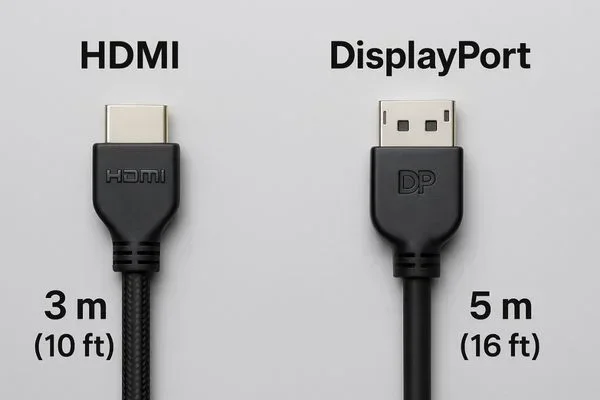
Yes, longer HDMI cables can experience more signal loss. Standard HDMI cables work well up to about 15 feet. Beyond that, signal quality can degrade, especially with higher resolutions and refresh rates. For runs over 15 feet, consider an active HDMI cable or an HDMI extender to maintain a strong signal.
What is the difference between a flat and round HDMI cable?
Flat HDMI cables are thinner and more flexible, making them easy to route behind furniture or along walls. Round HDMI cables tend to be more durable and have better internal shielding for long runs. Both types work equally well for most setups. Choose based on your routing needs and cable length requirements.